
PrestaShop Customer Grid Pro - columns & layout of list of customers
Shape your PrestaShop customer list: hide unused columns (filters removed too), add phone, order stats, address & CRM fields, reorder by drag-and-drop. Official customer grid integration. Ideal for support, account managers and B2B teams who need more context at a glance.
50.00 €
Galeria 1/6
PrestaShop Customer Grid Pro: CRM Fields & Layout Management
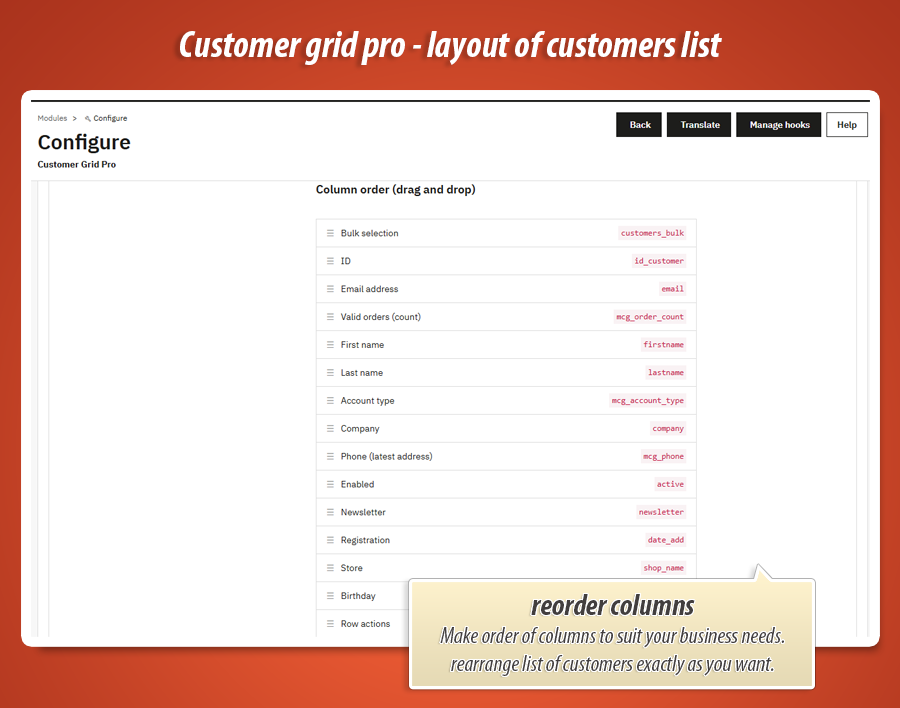
Customer Grid Pro enhances your PrestaShop customer list into a powerful mini-CRM. It adds over 10 crucial CRM columns—like phone numbers, total order counts, last order dates, and detailed location data—directly to your customer grid. Users can effortlessly hide unneeded default columns and reorder everything with an intuitive drag-and-drop interface. This streamlines customer service, quickly identifies top buyers, and provides a cleaner, more efficient back-office workspace. Compatible with PrestaShop 1.7.7.x+ and performance-optimized, it’s an essential tool for superior customer management.
Module version:
1.0.0
Shop versions:
9.x8.x1.7.7.x1.7.8.x
Works with ThirtyBees:
No
Translations:


Turn your Customers list into a mini-CRM.
Customer Grid Pro
The default PrestaShop customers table is missing crucial information like phone numbers, total order counts, and addresses. This module lets you add powerful CRM fields, hide useless columns, and reorder everything with a simple drag-and-drop interface.
Why the default customer grid is limiting
When you open the "Customers" tab in PrestaShop, you want to see who your best buyers are, where they are from, and how to contact them. Instead, you get a rigid table that forces you to click into individual profiles just to find a phone number or see how many orders they've placed.
Customer Grid Pro solves this by pulling the most important data directly into the main list. Need to call a customer? The phone number is right there. Want to see who hasn't ordered in a while? Sort by the "Last order date" column.
Plus, it lets you clean up the clutter. If you never use the "Social title" or "Partner offers" columns, simply hide them. Then, drag and drop the remaining columns into the exact order that fits your daily workflow.
Immediate benefits
-
Save time on customer service:
See phone numbers, cities, and internal notes without opening each customer profile. -
Identify top buyers instantly:
View the total number of valid orders and the date of their last purchase right in the grid. -
A cleaner workspace:
Hide columns you don't need (like "Newsletter" or "Opt-in") to make room for the data that actually matters to your business.
Core capabilities
Add CRM Columns
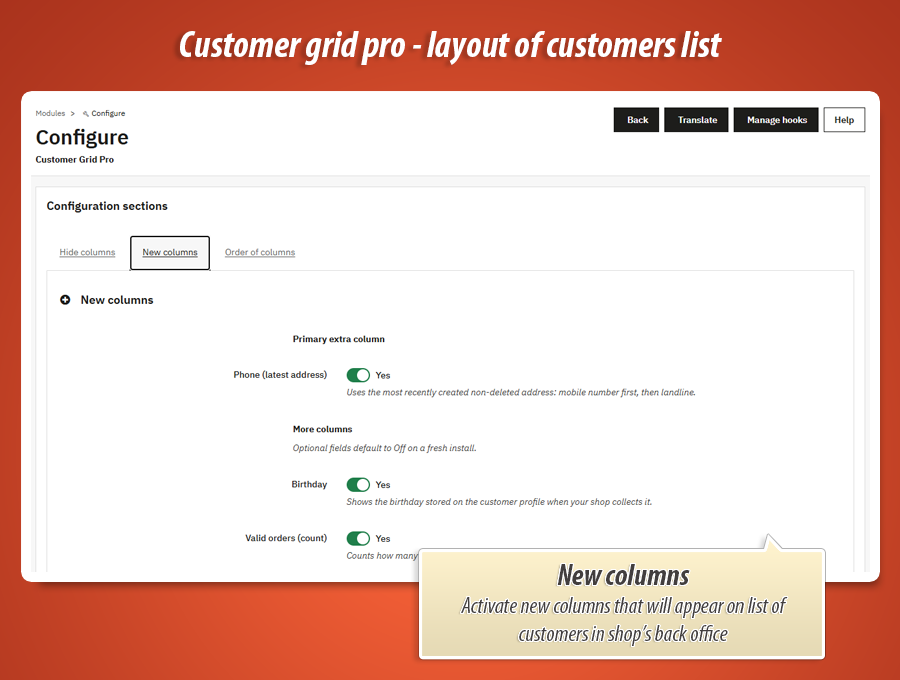
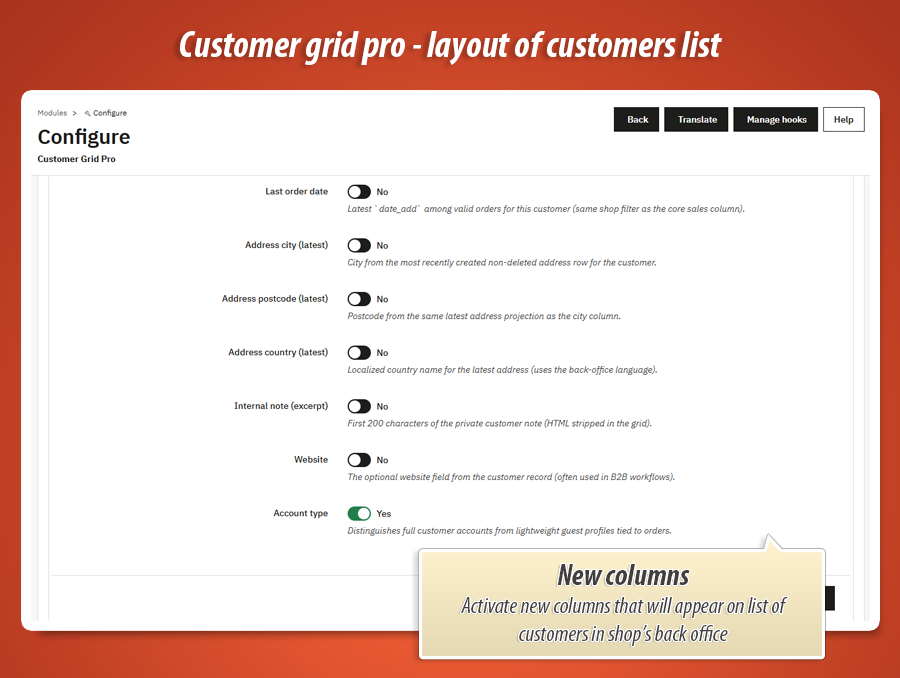
Enable over 10 new data columns. The module intelligently pulls data from the customer's latest address (phone, city, country) and calculates order statistics (total orders, last order date) on the fly.
Drag & Drop Order
Don't like where the "Email" column is? Want the "Phone" column right next to the customer's name? Just drag and drop the columns in the module configuration to set your perfect layout.
Hide Useless Data
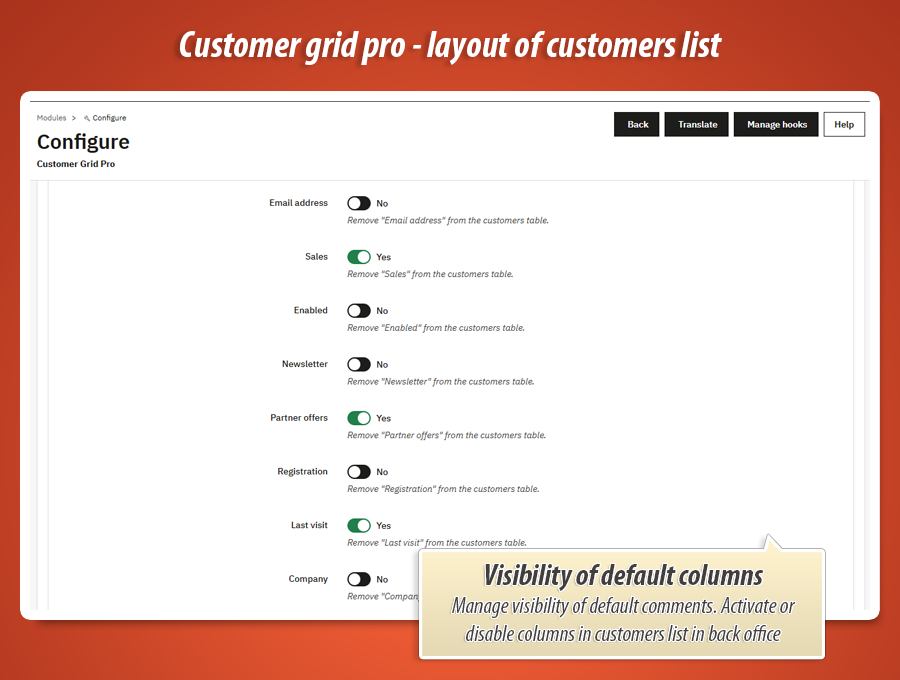
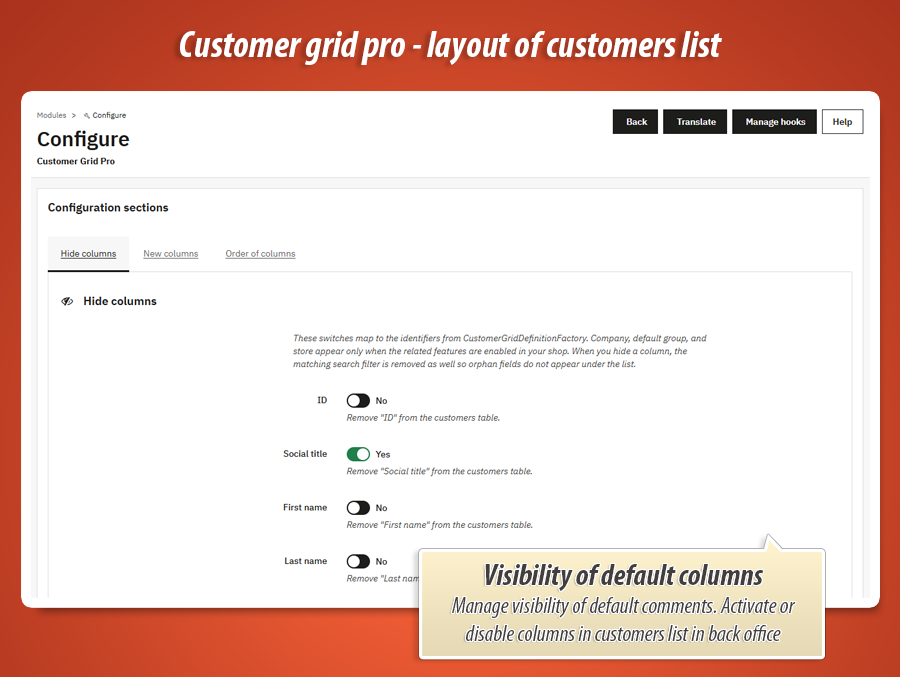
Turn off any of the default PrestaShop columns with a single click. When you hide a column, the module also removes its search filter, keeping your back office clean and fast.
New CRM Columns Available
These fields can be enabled and added to your customer grid. They pull data dynamically from addresses, orders, and internal notes.
| Column Name | What it displays |
|---|---|
|
|
Displays the phone number from the customer's most recently created active address. It prioritizes the mobile number, then falls back to the landline. |
|
|
|
|
|
Enables three separate columns: City, Postcode, and Country. All data is pulled dynamically from the customer's latest active address. |
|
|
|
Core Columns You Can Hide
Clean up your workspace. You can disable any of these default PrestaShop columns. Hiding a column also removes its search filter to keep the interface tidy.
| Column | Description |
|---|---|
| ID / Social title | The internal customer ID and their title (Mr./Mrs.). |
| First name / Last name | The customer's name (usually kept visible, but can be hidden). |
| Email / Company | The email address and company name. |
| Sales | The default total spent calculation by PrestaShop. |
| Newsletter / Partner offers | Opt-in statuses for marketing emails. Often hidden to save space. |
| Registration / Last visit | Account creation date and the date of their last session. |
| Group / Store / Enabled | Default customer group, Multistore association, and active status. |
Technical specification & compatibility
Built natively for modern PrestaShop. Safe integration using official Symfony Grid Hooks.
50.00 €
Module Gallery 1/6
Why choose our module
Customer Grid Pro - columns & layout of list of customers?
Optimization and Automation
Customer Grid Pro optimizes customer management by offering instant access to vital CRM data, eliminating manual profile searches. It streamlines operations by allowing automated data retrieval, customizable grid layouts, and fast loading, significantly enhancing back-office efficiency and saving valuable time on customer service tasks.
Increased Sales
This module boosts sales by instantly highlighting top buyers with total orders and last purchase dates, enabling targeted promotions. Quick access to customer contact details and notes also enhances service, fostering loyalty and repeat purchases.
15 years of experience
Having spent 15 years with PrestaShop, we understand the default customer grid's historical shortcomings. This module, born from extensive experience, delivers the essential CRM data and flexible layout crucial for efficient customer management, making daily operations significantly smoother.
Extensive Customization
Customer Grid Pro offers extensive customization, allowing you to tailor your PrestaShop customer list. Easily add over 10 CRM-specific columns, hide unnecessary default fields, and reorder all columns with an intuitive drag-and-drop interface, creating a perfect mini-CRM.
Open Source Code
Built using official Symfony Grid Hooks, this module ensures zero core overrides, guaranteeing 100% safety for PrestaShop upgrades. Its optimized queries and clean integration provide a robust, flexible base for any advanced customizations or integrations, without risking core conflicts.
License and Updates
The module is built for lasting compatibility across PrestaShop versions, ensuring seamless integration and future updates. Its robust architecture and use of official hooks support a stable, long-term solution for customer management.