
PrestaShop Cash on delivery with fee
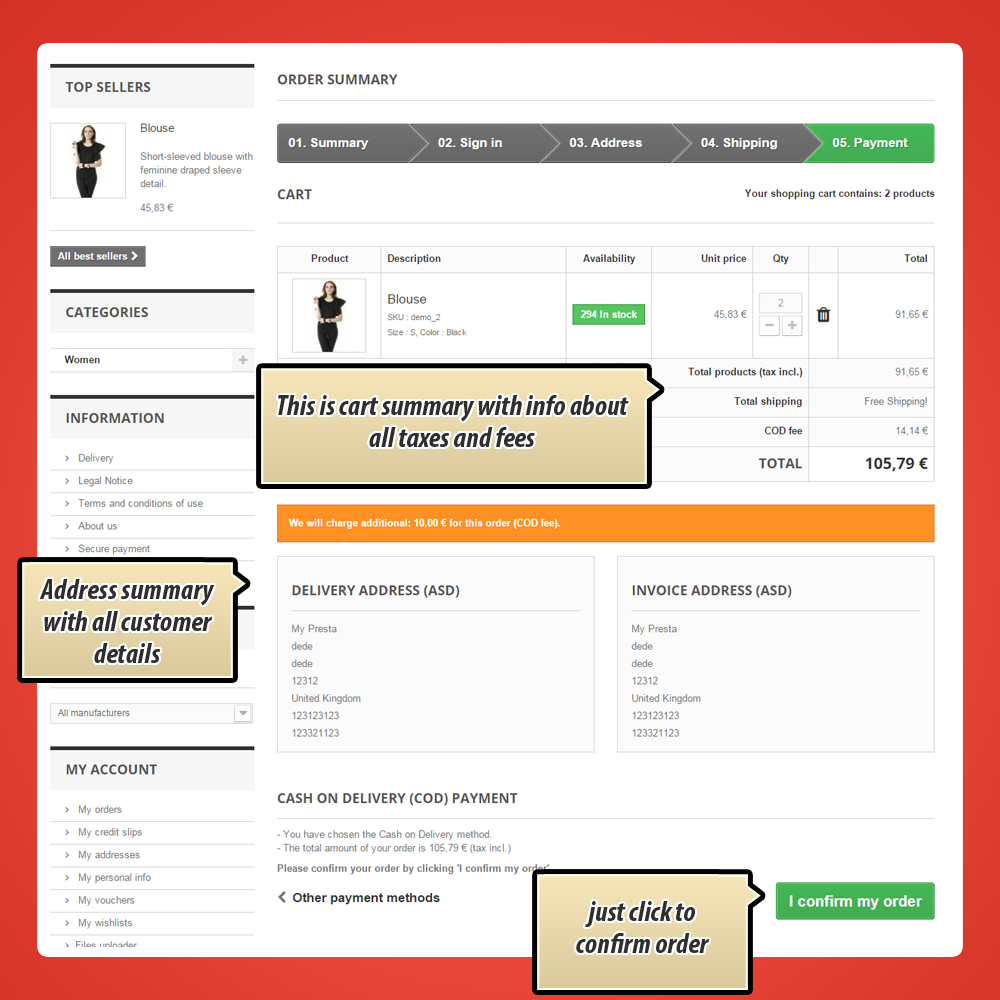
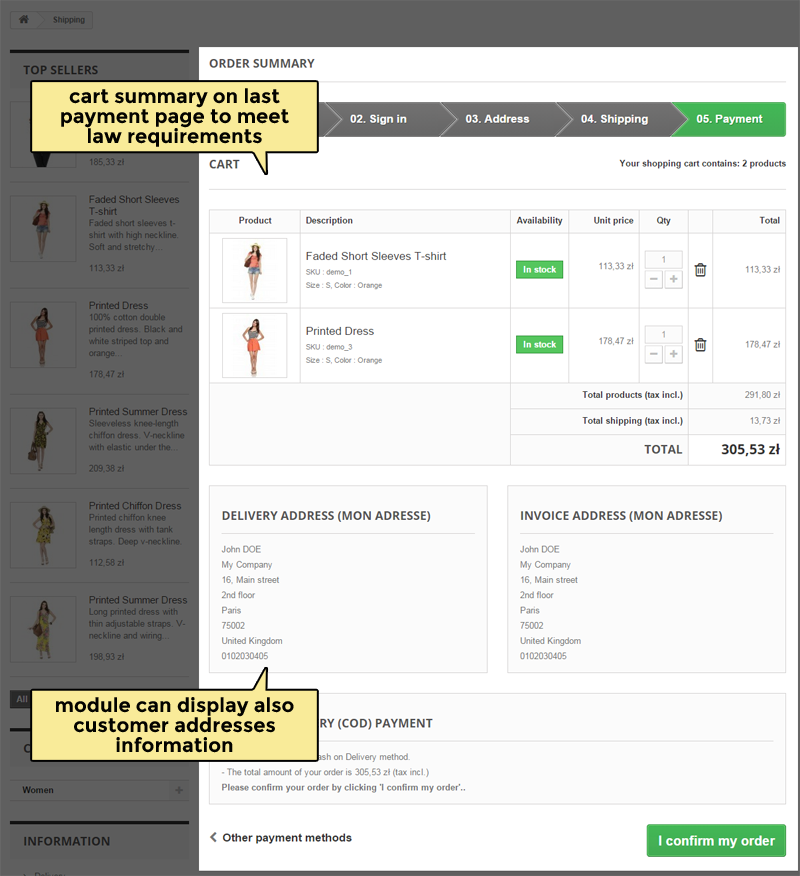
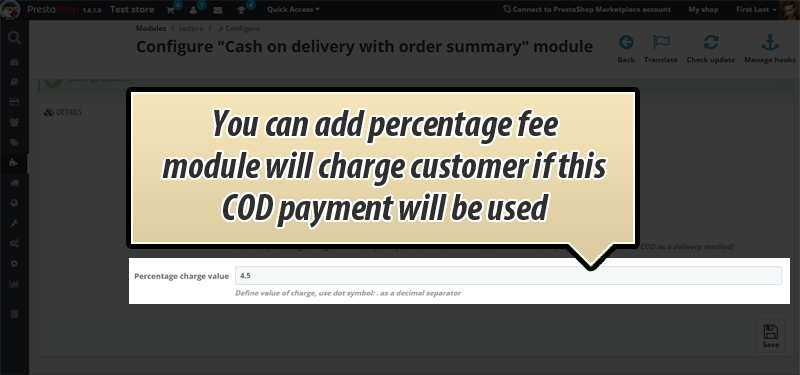
This is payment module for PrestaShop "Cash on delivery" with possibility to add extra fee to order total value. It's a great way to handle additional charges, especially when our delivery provider charge you some % of total order value. In addition this COD payment module meet law requirements related to order summary on the confirmation step.

30.00 €
Galeria 1/35






PrestaShop Cash on Delivery (COD) with Fee & Surcharge Payment Module
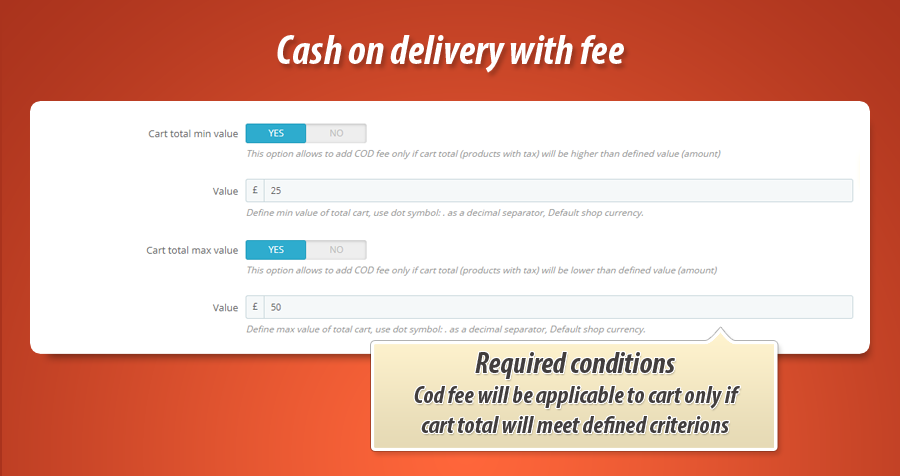
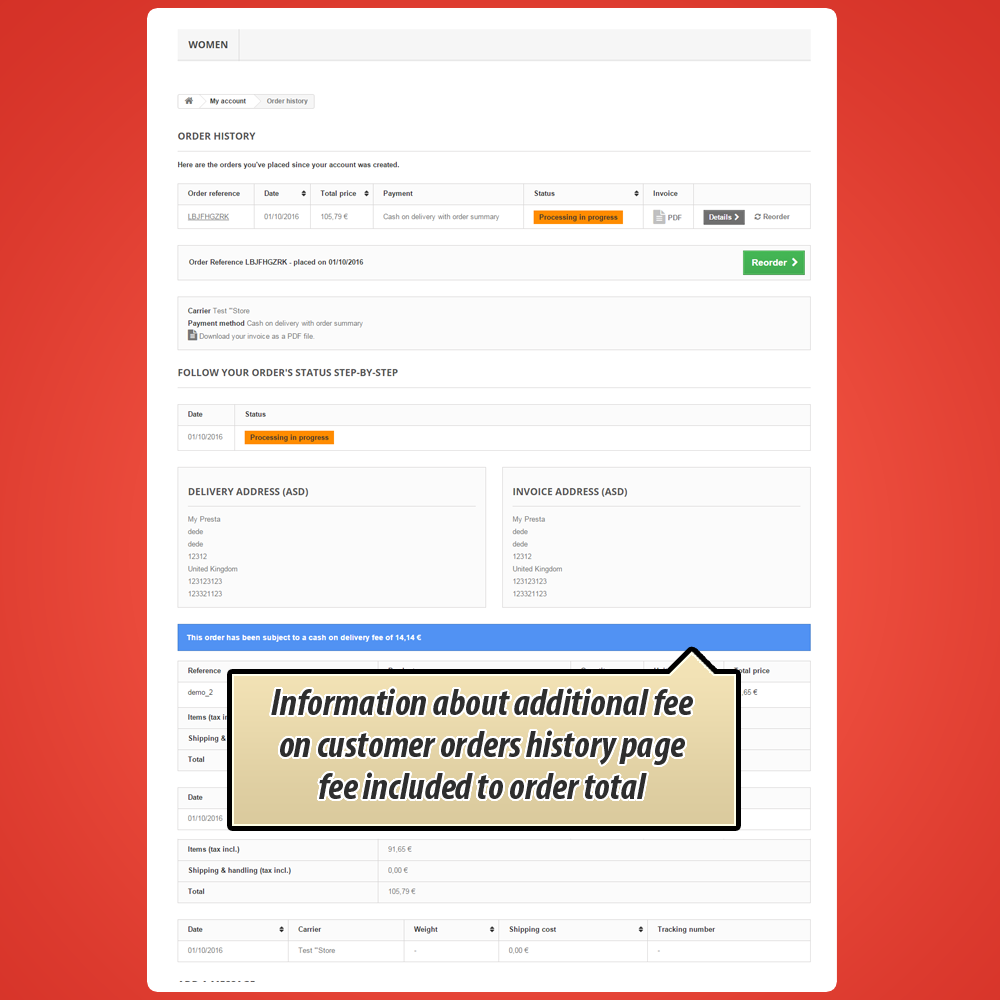
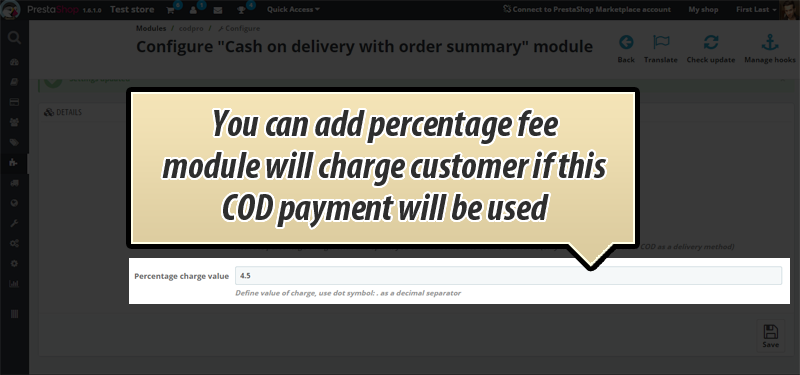
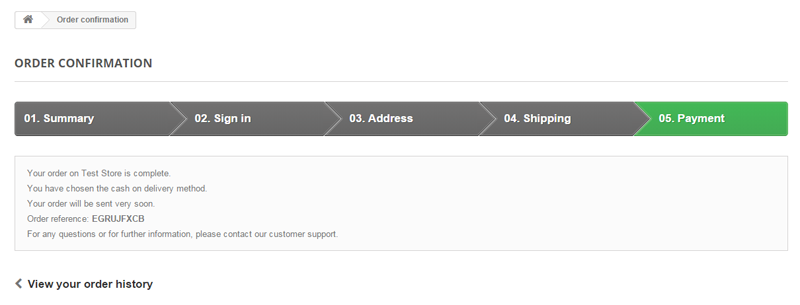
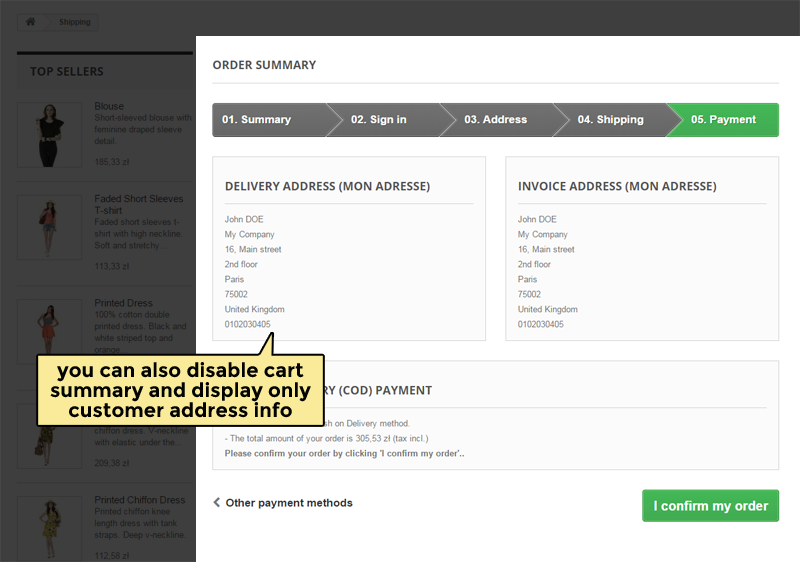
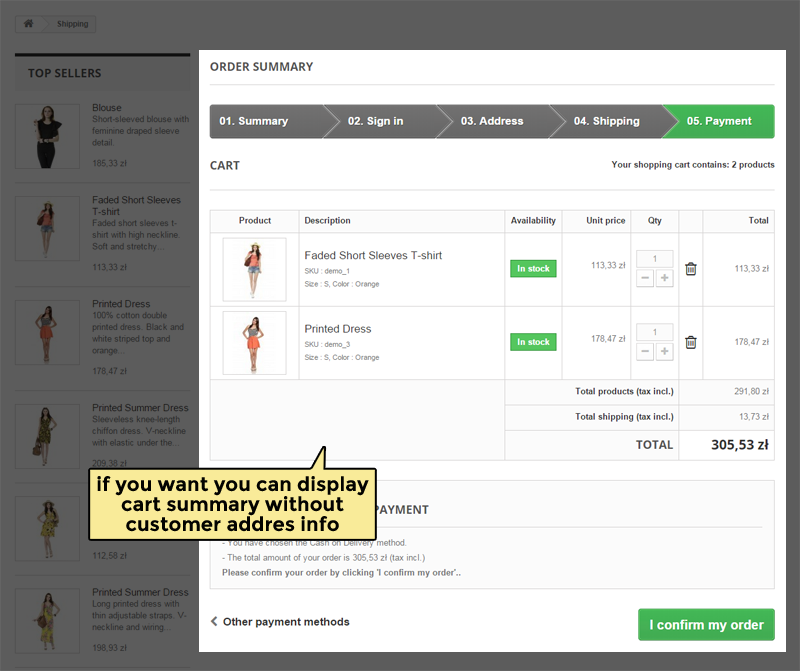
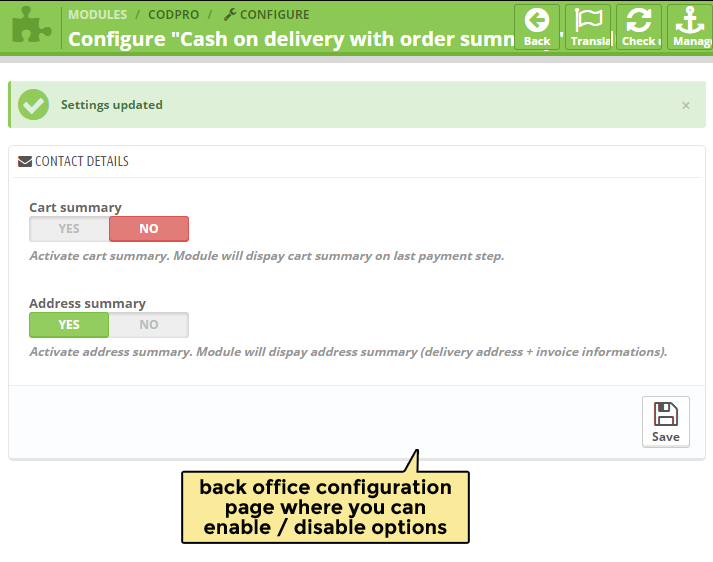
This PrestaShop module enables cash on delivery payments with customizable fees. Set percentage-based or fixed fees, varying by carrier. Control order value limits for this payment method. Crucially, it ensures legal compliance by displaying order and address summaries at checkout, including fee details. This information is also included in customer emails, PDF invoices, order history, and back-office records. Uniquely, this module allows adding COD fees even for orders created manually by the shop admin.
Module version:
2.2.2
Shop versions:
9.x8.x1.7.x1.6.x
Works with ThirtyBees:
Yes
Translations:


The only COD module your shop actually needs.
Fees. Analytics. Fraud control. Legal checkout.
Most PrestaShop cash-on-delivery modules let customers pay at the door and nothing more. COD Pro goes further: charge a handling fee your way, show a proper order summary before confirmation, track COD performance in a built-in dashboard, and block repeat offenders from COD without losing the sale. One module. Full control.
What COD Pro has. What others don't.
These are the features that set COD Pro apart from basic cash-on-delivery modules. Built for shops that take COD seriously and want real control, not just a payment checkbox.
COD analytics dashboard
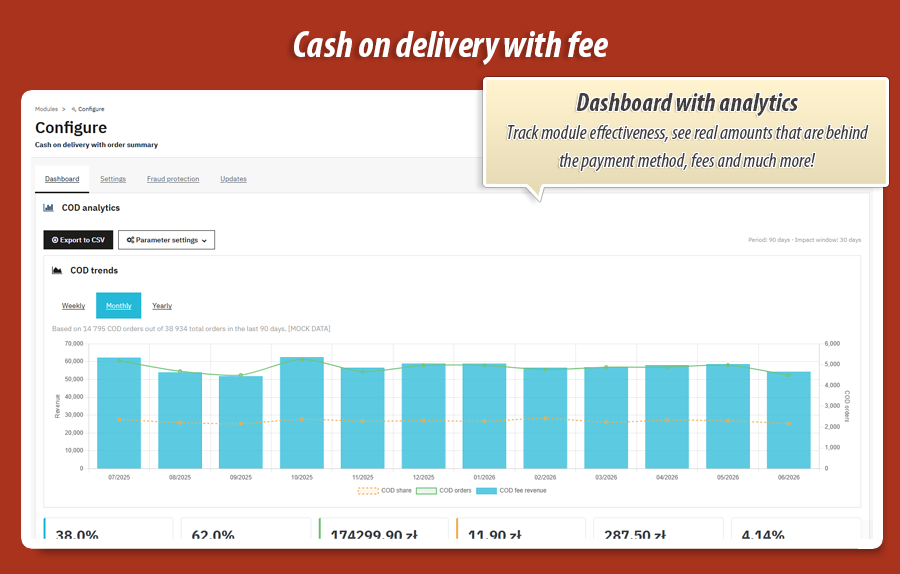
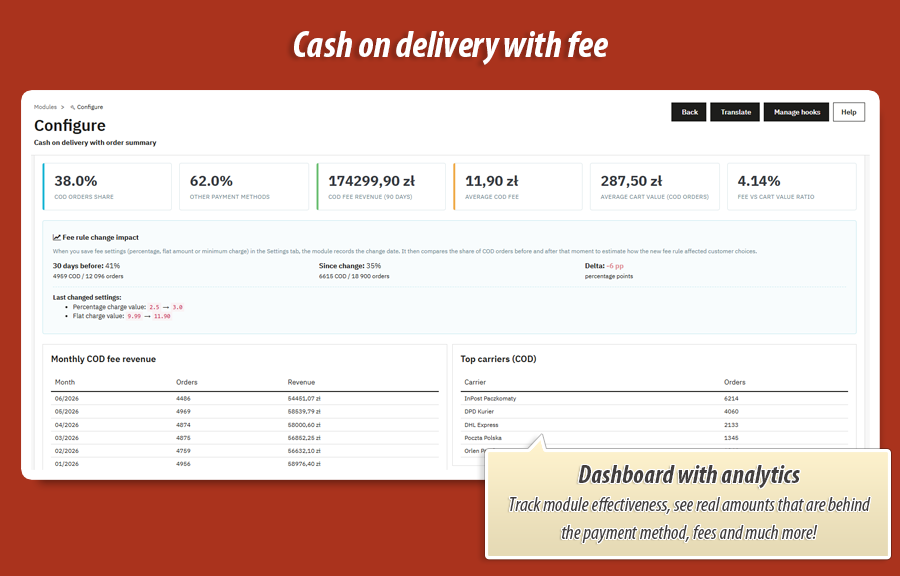
See COD share, fee revenue, trend charts and top carriers in one place. Export to CSV for your accountant.
Others: no reporting at all
Fee change impact tracker
Raise or lower your fee and see if customers still choose COD. Before vs after comparison built in.
Others: you guess, never know
Customer COD blacklist
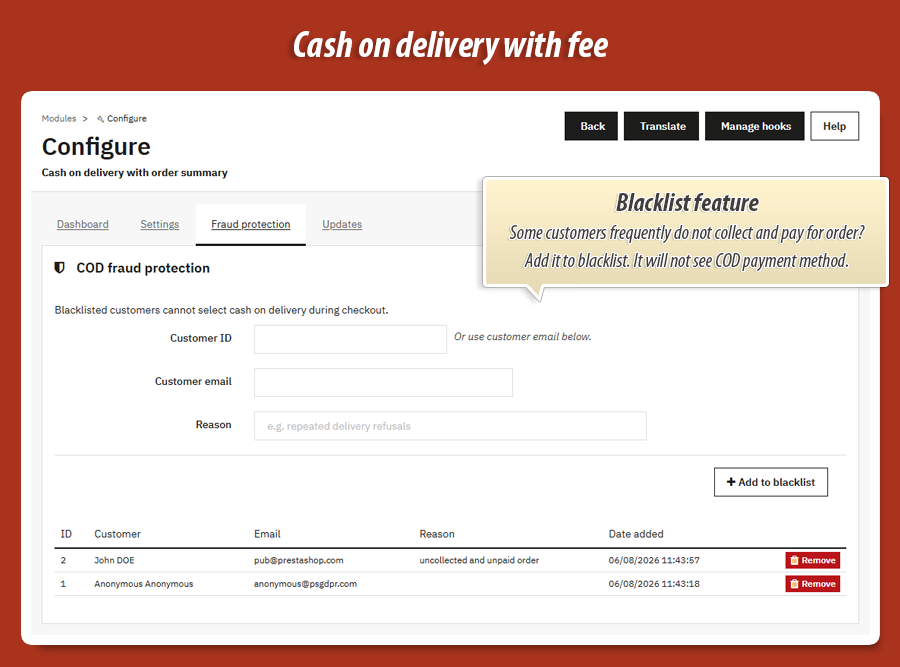
Block repeat delivery refusers from COD. They can still pay by card or transfer. You stop losses, not sales.
Others: no fraud tools
Smart multi-layer fees
Percentage or flat fee, plus extra per carrier, plus tiered rules by order value. Mix and match.
Others: one flat fee at best
Legal order summary page
Full cart, address and COD fee review before the customer confirms. Meets EU checkout transparency rules.
Others: jump straight to order
Fee on invoice, email & account
COD fee visible on PDF invoice, confirmation email, customer order history and back office. No gaps.
Others: fee disappears after checkout
Tiered fees by order value
Charge 8.00 for orders up to 100, 5.00 up to 300, 2.00 above. Per carrier. Like a spreadsheet, but automatic.
Others: same fee for every cart
Live total at checkout
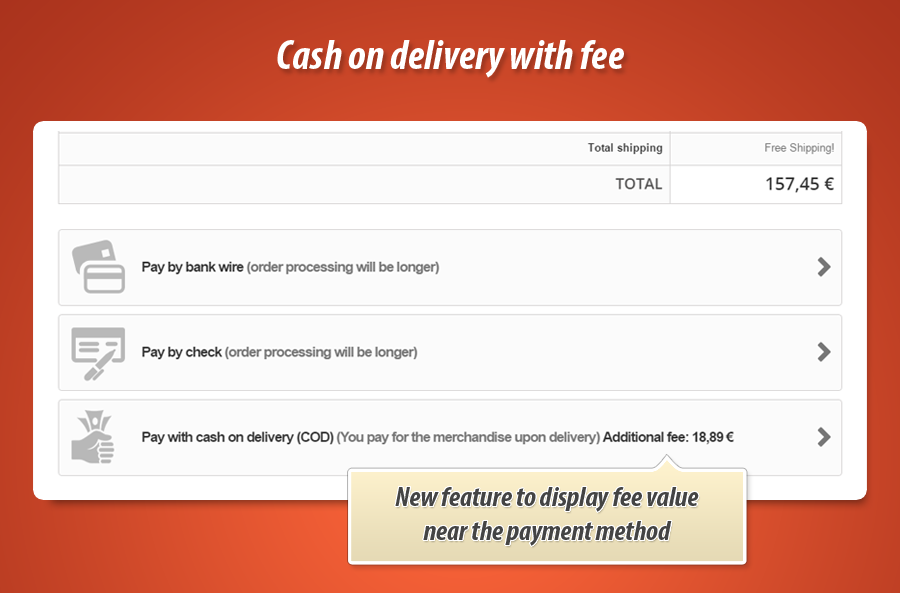
Cart total updates instantly when customer picks COD. Fee shown next to payment method. Zero surprises.
Others: wrong total until last step
Four-tab admin panel
Dashboard, Settings, Fraud protection and Updates in one clean interface. Everything where you expect it.
Others: one long settings page
Complete feature guide
Every feature explained in plain language for shop owners. No technical jargon. One by one, so you know exactly what COD Pro does for your business.
Cash on delivery with handling fee
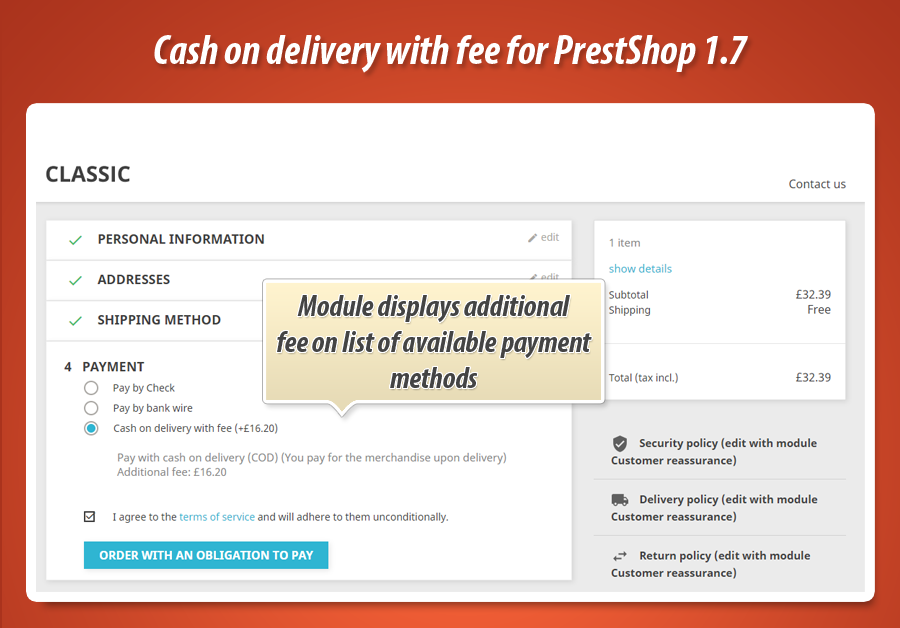
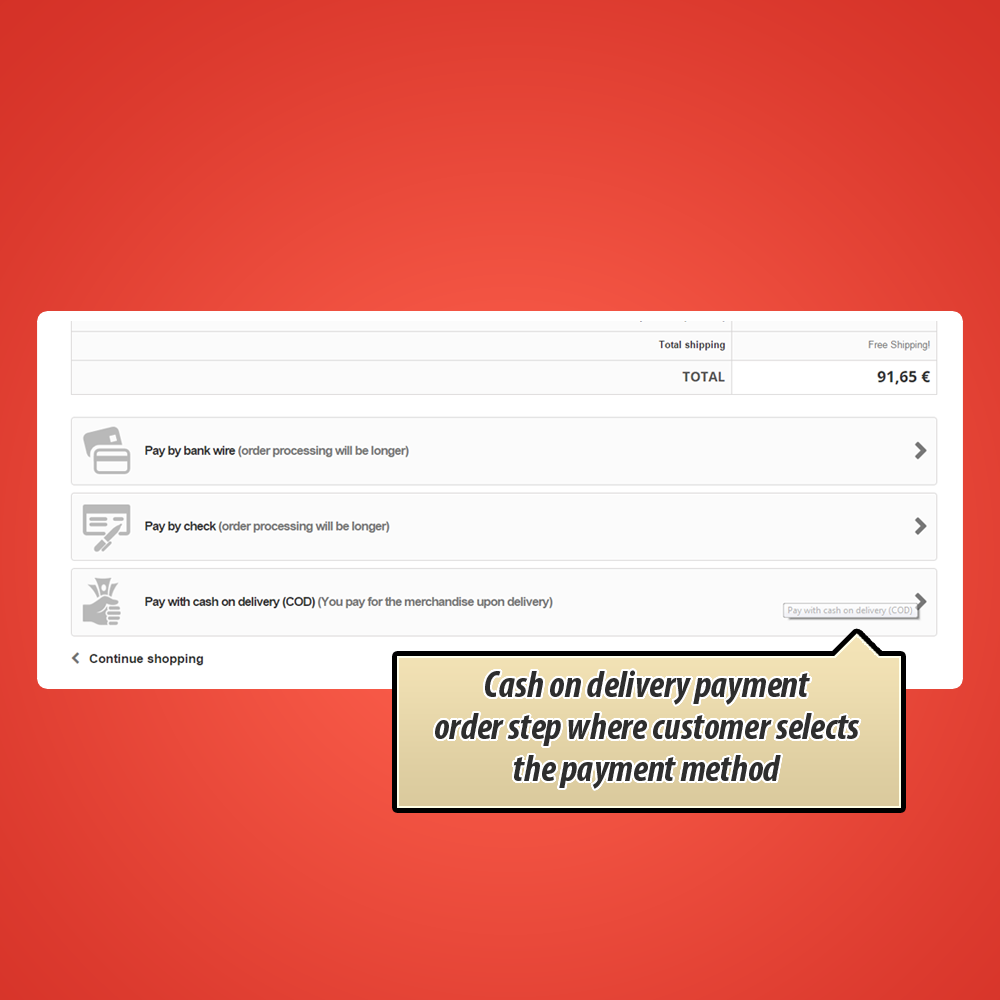
The module adds a Cash on delivery with fee payment option at checkout. When selected, the order total increases by your configured fee. The fee can appear right next to the payment name (e.g. "Cash on delivery with fee (+11.90)") so customers know the cost upfront.
Optional payment logo makes COD easy to spot on mobile checkout if your theme supports it.
Percentage fee, flat fee and minimum charge
-
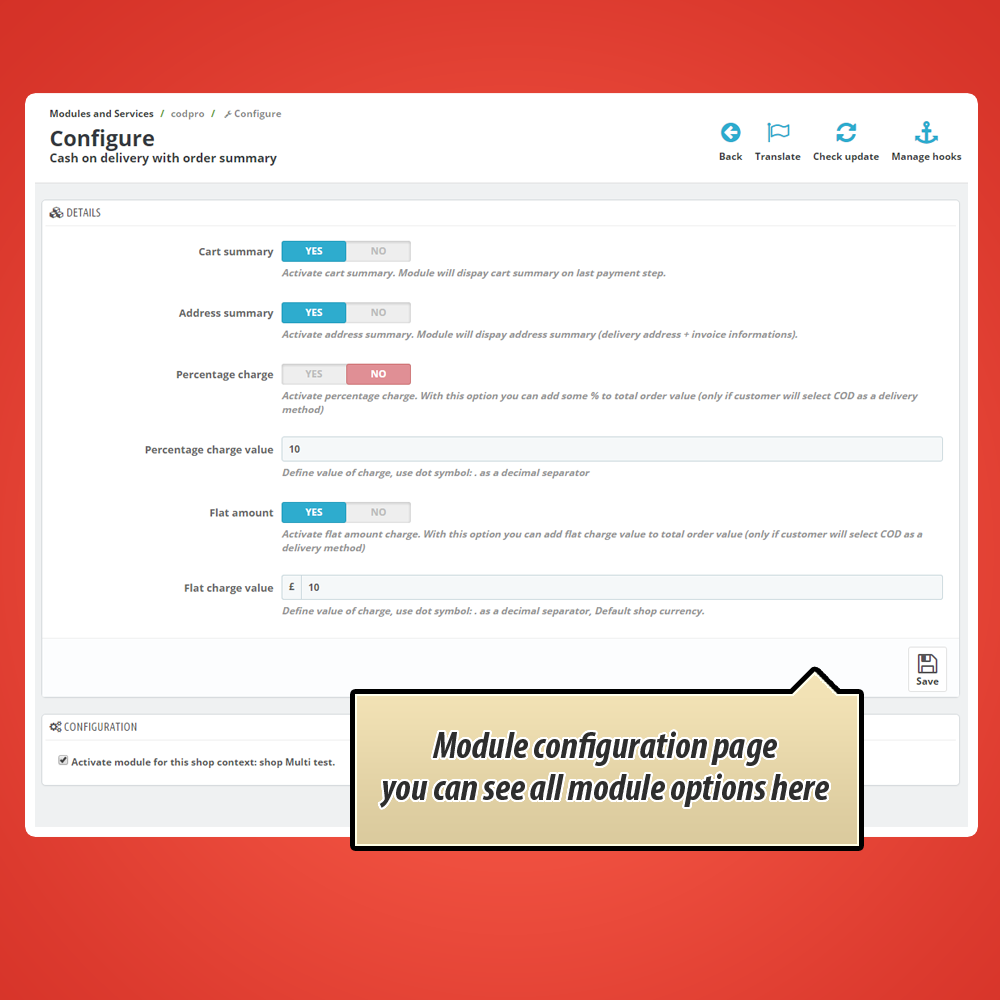
Percentage feeCharge e.g. 3% of order value. Choose the base: total with shipping (gross or net) or products only. Scales with order size.
-
Flat amount feeFixed charge (e.g. 9.99) regardless of cart size. Simple and predictable for customers.
-
Minimum charge valueIf percentage fee would be too low on a small order, apply your minimum (e.g. 5.00 instead of 1.20). Protects margin on cheap carts.
Different fees per carrier
In Shipping > COD rules by carrier set an extra fee per delivery method: e.g. +5.00 for courier, +2.00 for parcel locker, +0.00 for pickup.
Carrier fee stacks on top of your main percentage or flat fee. Customer always pays the right total for their chosen shipping.
Tiered fees by order value
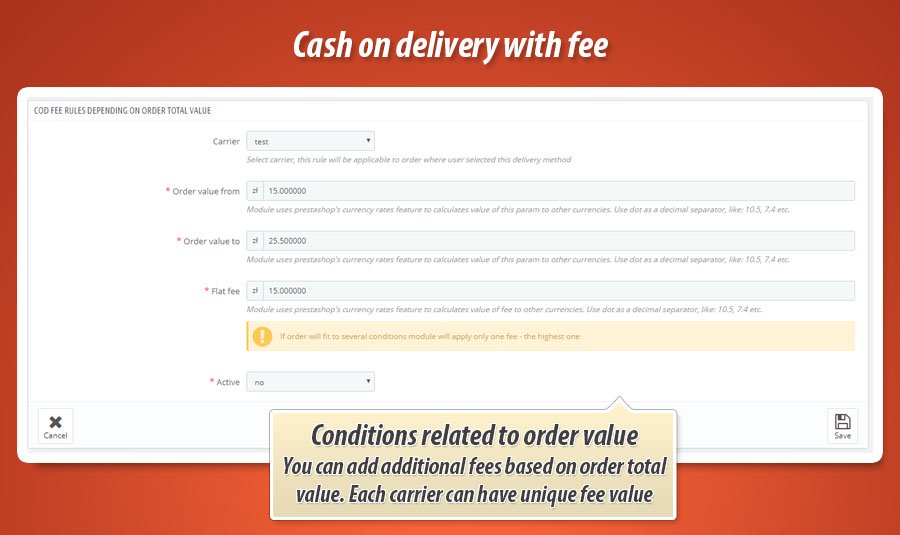
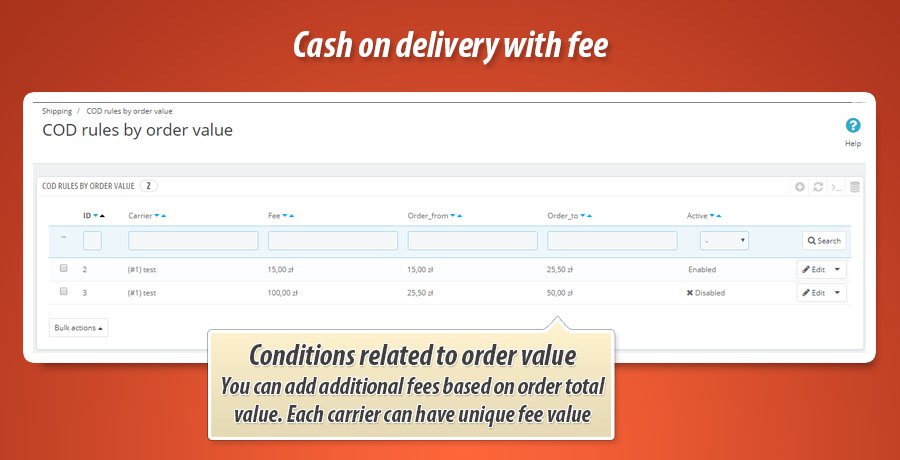
In Shipping > COD rules by order value create rules: 0-100 charge 8.00, 100-300 charge 5.00, above 300 charge 2.00. Each rule can include a percentage too.
Rules link to a carrier. When several match, the highest fee applies so your margin stays protected.
Cart value limits: show, hide or zero fee
-
Hide payment methodTurn off COD when cart is below or above a set value. Good for very cheap orders (not worth the risk) or expensive ones (too much exposure).
-
Zero fee outside rangeKeep COD visible but charge no fee outside your preferred range. Offer COD broadly, fee only where it pays off.
Tax on COD fee
Enable Add TAX to fee and pick the tax rate. Fee tax is calculated, stored separately and shown on invoices and order details.
Order summary before confirmation
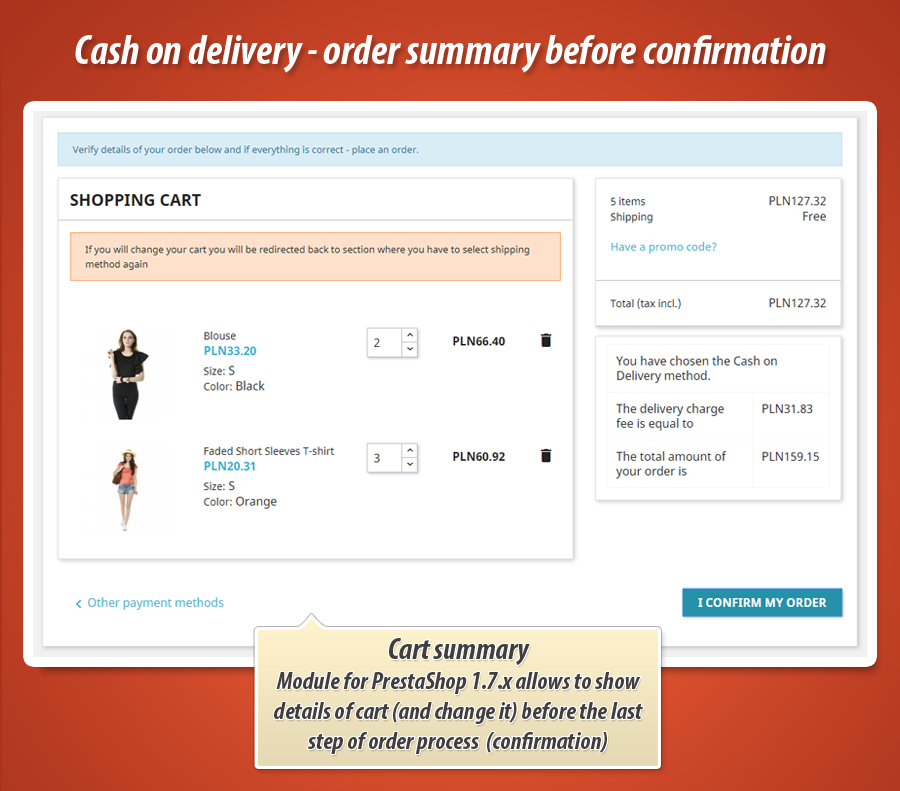
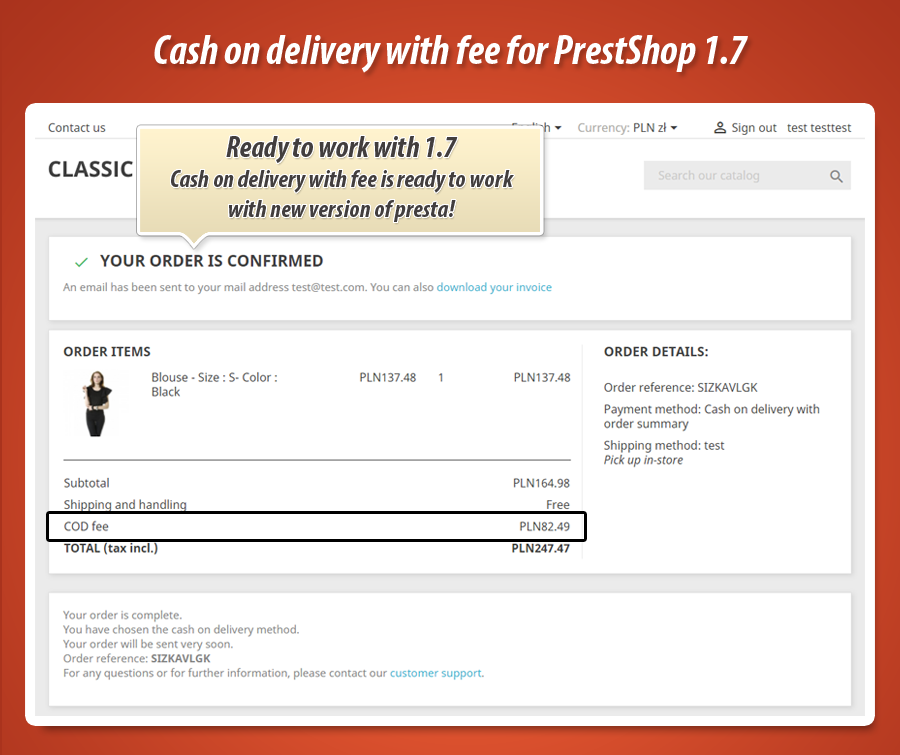
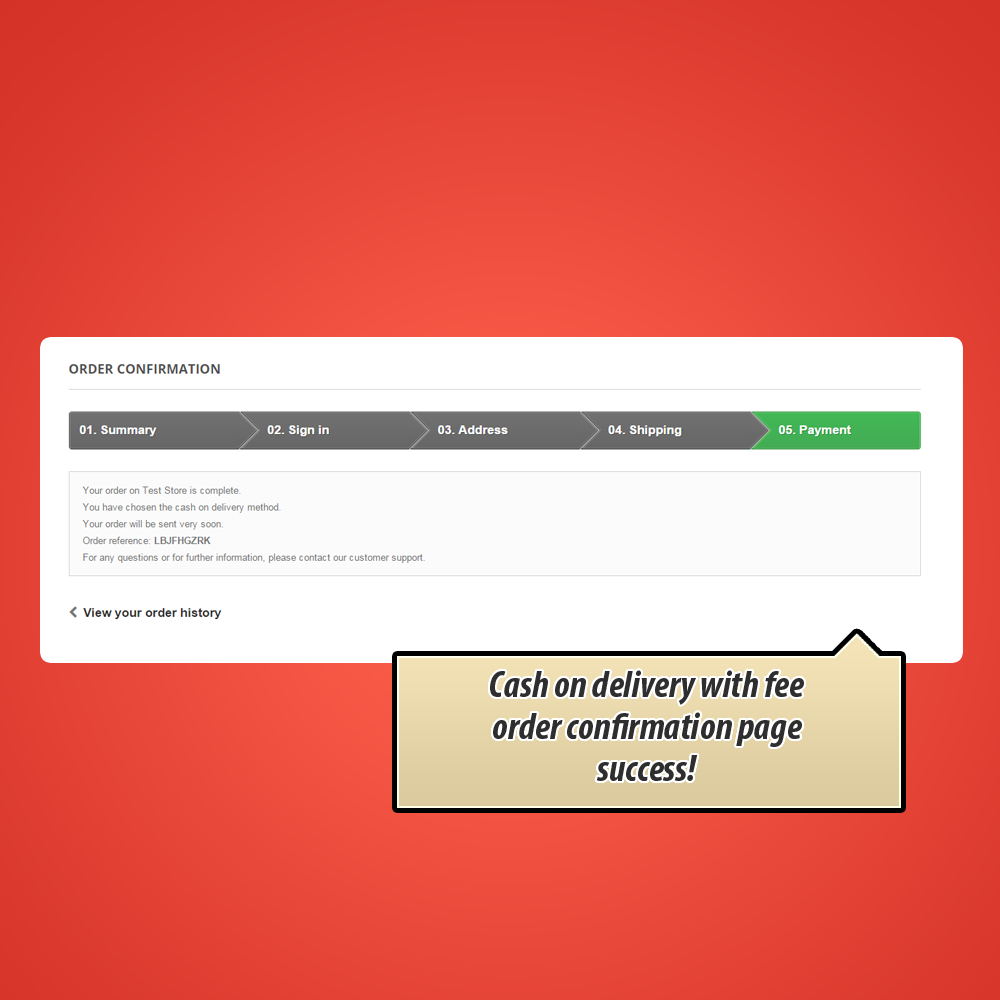
Many EU shops must show a full summary before the customer confirms: products, delivery address, shipping, COD fee and total. COD Pro adds this page when enabled.
On the payment step, cart total updates live when COD is selected. Customer always sees the correct amount.
COD fee on invoice, email and order history
-
PDF invoiceInvoice note shows COD fee included in total.
-
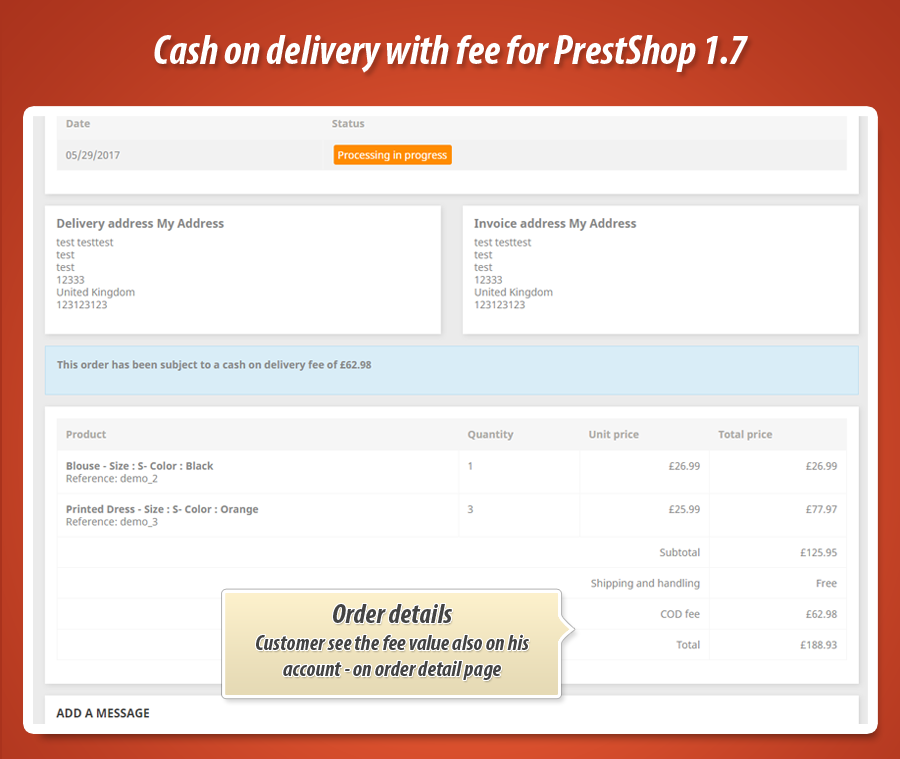
Customer account order historyFee breakdown visible when customer views order details.
-
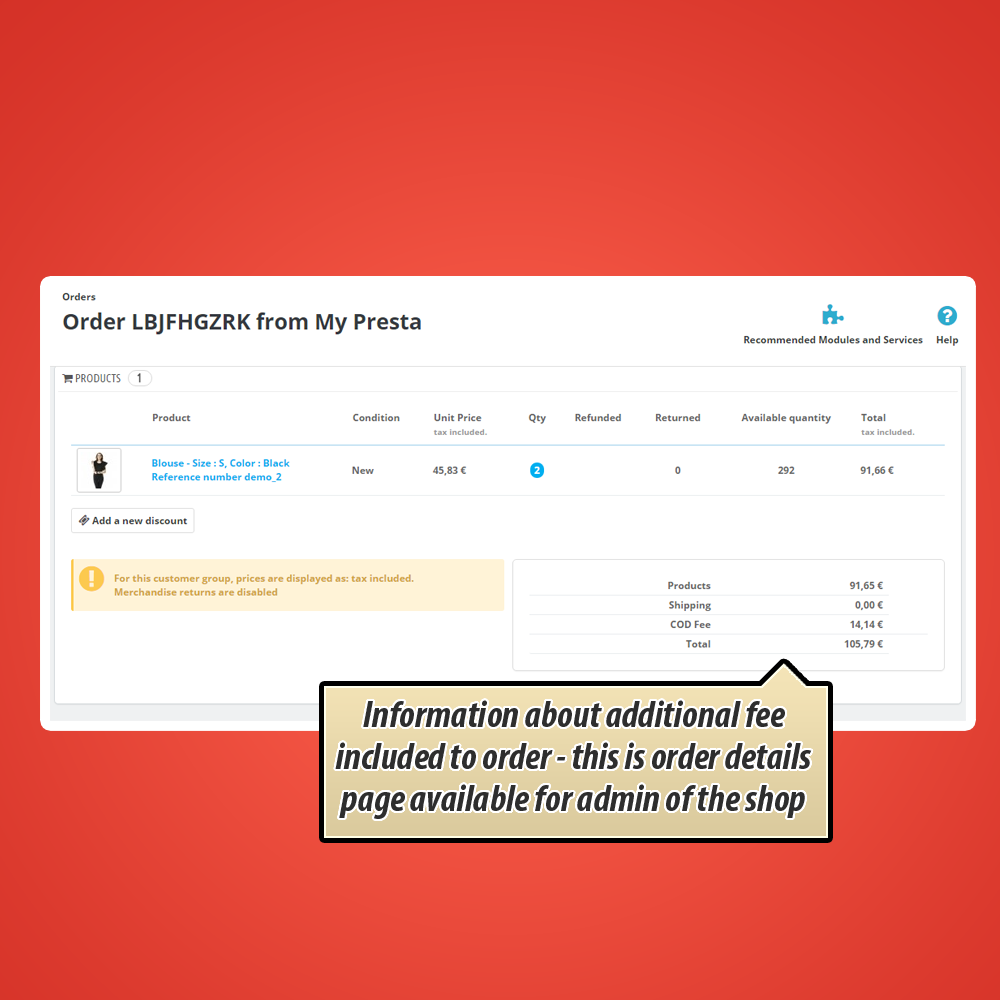
Back office order pageStaff see exact COD fee and tax. No manual math.
-
Order confirmation emailOptional custom email title when COD is used. Written proof of agreed fee.
COD analytics dashboard (Dashboard tab)
-
COD share vs other paymentsPercentage of orders paid with COD. Track trends over time.
-
Fee revenue and monthly breakdownTotal COD fee income in selected period, month by month.
-
Weekly, monthly and yearly chartsTrend lines for COD orders, fee revenue and COD share.
-
Top carriers and countriesSee where COD orders come from. Adjust fees or negotiate carrier rates.
-
Export to CSVFull order list with customer, carrier, fee and total. Ready for Excel.
-
Parameter settings panelCollapsible panel to set stats period (30-365 days), chart ranges and comparison window.
Fee rule change impact
When you save a change to percentage, flat or minimum fee, the module records the date. Dashboard compares COD share before and after:
-
Before: COD share in the days before the change
-
After: COD share since the new rule
-
Delta: change in percentage points. Did the fee scare customers away?
Practical signal for pricing: if share drops hard after a fee increase, it may be too high. If share holds, you recover costs without hurting sales.
Fraud protection: customer blacklist
In the Fraud protection tab add customers by ID or email with an optional reason (e.g. "3 refused deliveries").
-
COD hidden at checkout for blacklisted customers
-
Card, transfer and other methods still available
-
Remove from list anytime when resolved
Fee on order: shipping line or separate COD FEE
-
Include in shipping costsFee merged into shipping. One line, cleaner summary.
-
Separate COD FEE lineFee as its own row. Maximum transparency for the customer.
Split orders and virtual products
Split orders: When PrestaShop splits a cart into multiple orders, choose whether COD fee applies to each split or only the first.
Virtual products: COD auto-hidden when cart has only downloadable products. Nothing to deliver, nothing to collect.
Settings tab and extras
-
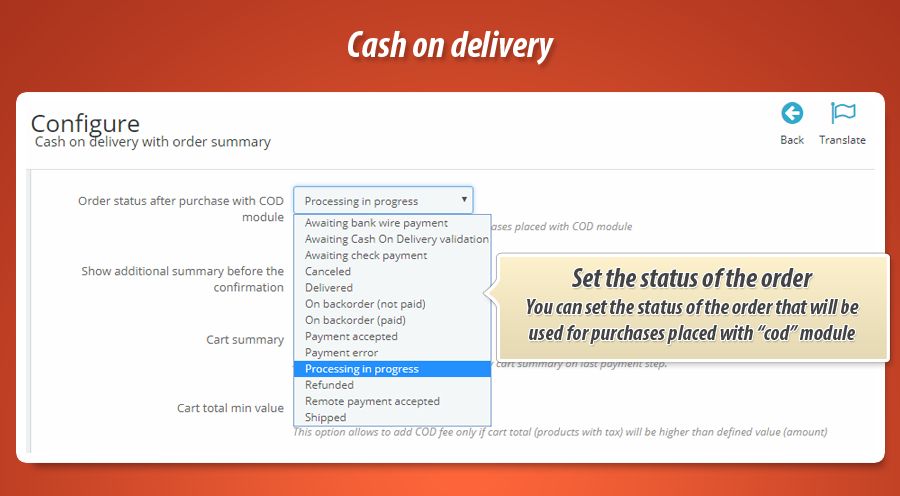
Custom order status after CODe.g. "Awaiting cash on delivery" instead of default status.
-
Theme CSS selectorsPoint module to your theme's cart total elements for live fee update.
-
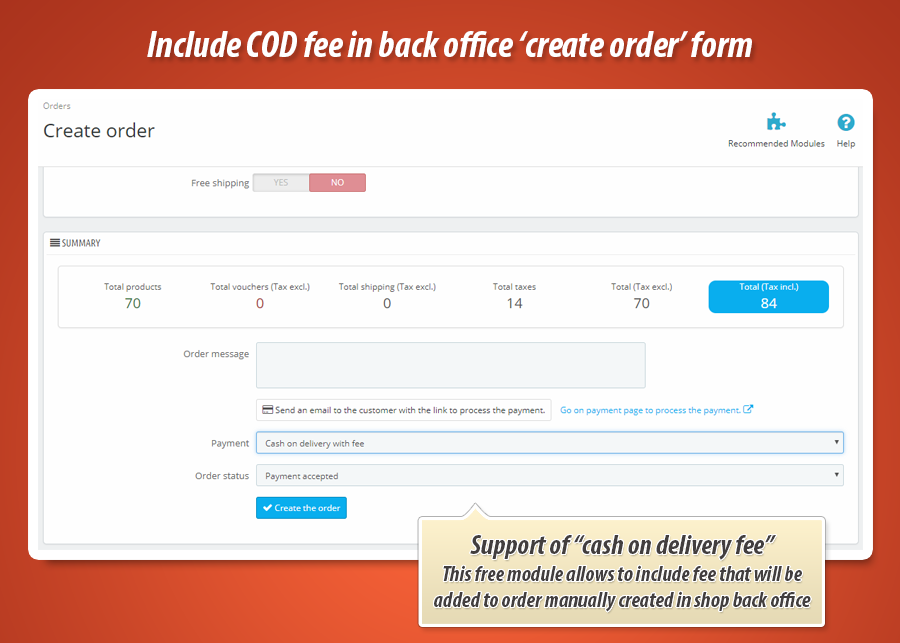
Manual back office ordersWorks with free MyPresta addon to include COD fee on admin-created orders.
-
Updates tabCheck for new versions and manage update notifications from MyPresta.eu.
COD Pro in one sentence
Charge a fair COD fee, stay legally compliant at checkout, see how COD performs in your shop, and block problem customers. All from one PrestaShop payment module that does what basic COD addons cannot.
Statistics for nerds
You asked for the technical side. Here is what actually ships inside the package. Not a thin wrapper around a checkbox. A full payment engine built for PrestaShop 1.6, 1.7, 8 and 9.
9,100+
Lines of code
PHP, SQL, JavaScript and Smarty templates that calculate fees, render the analytics dashboard and keep COD reliable at every checkout step.
2,500+
Lines in core module
One main class file handling payment logic, fee rules, dashboard SQL, fraud checks, admin tabs and carrier fee matrices. Depth, not a plugin stub.
7
PrestaShop hooks
Native integrations into checkout, order confirmation, PDF invoice, customer account, back office order view and admin assets. COD Pro lives inside PrestaShop, not beside it.
28
Language packs
Ready-made translation files covering major European and world markets. Your COD labels, validation page and admin strings ship multilingual from day one.
Database and data layer
-
2 custom tables:
ps_codprototalfor per-order fee storage andps_codpro_blacklistfor fraud protection records. -
30+ SQL queries powering dashboard KPIs, weekly/monthly/yearly charts, top carriers, top countries, fee revenue tables and fee-change impact snapshots.
-
Dedicated models:
codprototalandcodproblacklistObjectModels with install, lookup and CRUD helpers. -
Configuration keys for fee rules, cart limits, tax handling, theme CSS selectors, custom order status and fee-change tracking timestamps.
Architecture and file map
-
PaymentModule core: extends native PrestaShop payment API with
PaymentOption(PS 1.7+) and legacy fallbacks. -
Front controller
validation.phpfor the legal order summary page before COD confirmation. -
2 admin controllers for carrier flat fees and tiered range fees (
AdminCodProCarriersFees,AdminCodProCarriersRangeFees). -
7 Smarty templates for payment option, validation page, confirmation, PDF invoice, order detail and PS 1.6/1.7 admin order hooks.
-
PS 9 compatibility layer in
lib/prestashop9compatibility.phpfor price display and API differences across versions.
Chart.js
172-line dashboard JS with weekly, monthly and yearly COD trend charts plus CSV export trigger.
4 admin tabs
Dashboard, Settings, Fraud protection and Updates. Each tab is a self-contained back office panel.
v2.2.2
Current release. PrestaShop 1.6, 1.7.x, 8.x and 9.x. One codebase, three major platform generations.
Roughly 60+ module files , 163 lines of dedicated admin CSS and 15 years of MyPresta.eu module craft behind a payment method that looks simple to the customer but is anything but simple under the surface. That is the point: you get a one-click COD option. We ship the engineering.


30.00 €
Module Gallery 1/35
Why choose our module
Cash on delivery with fee?
Optimization and Automation
Automate cash on delivery payments with flexible fee settings, optimizing order processing and reducing manual intervention. Configure fees per carrier, set cart value limits, and ensure accurate order summaries for automated invoice generation and customer communication.
Increased Sales
Boost your sales with Cash on Delivery! This module incentivizes purchases by offering a convenient payment option, while also increasing average order value through customizable fees. Offer COD with flexible fee settings to cater to different cart values and carriers, ultimately driving conversions and revenue.
15 years of experience
With over 15 years of PrestaShop module development, we've refined our "Cash on Delivery with Fee" module to seamlessly integrate with any PrestaShop version. Our expertise ensures robust functionality, compliance with evolving regulations, and a smooth user experience, leveraging our deep understanding of the platform.
Extensive Customization
Fine-tune your cash on delivery experience with granular control. This module offers extensive customization, allowing you to set individual fees per carrier, define cart value thresholds, and precisely manage how COD costs are displayed and applied.
Open Source Code
Gain complete control with full code access. Modify and extend this cash on delivery module to perfectly match your business needs, integrating seamlessly with custom functionalities and third-party services. No encrypted code, full transparency.
License and Updates
Enjoy lifetime access to this Cash on Delivery module with a one-time purchase. Benefit from continuous updates for a full year, ensuring compatibility with the latest PrestaShop versions. After the first year, heavily discounted renewal options are available. This ensures your customized COD fees, carrier-specific pricing, and detailed order summaries remain functional and compliant.