
PrestaShop Ask about product - contact forms pro
This module lets you add unlimited product contact forms across your PrestaShop store. Build different forms for categories, brands, and selected products, then route messages to the right team. With custom fields and faster communication, you improve customer trust, reduce pre-sale friction, and turn more product page traffic into real sales.
80.00 €
Galeria 1/31
Advanced Product Inquiry Forms Pro
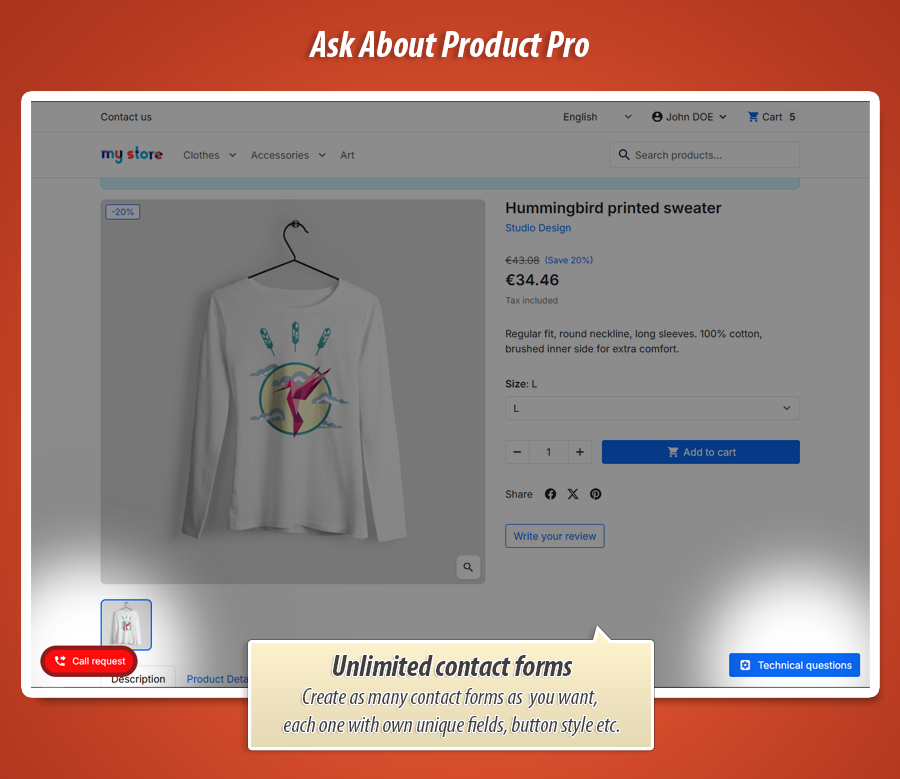
Ask About Product PRO for PrestaShop transforms product questions into high-quality leads. This advanced module offers multi-profile targeting, allowing distinct inquiry forms for various products or customer segments. Utilize its powerful layout builder and custom field engine to collect precise, structured information, improving inquiry quality significantly. Deep design personalization ensures your contact triggers and forms perfectly match your store's branding. With flexible display modes (Popup, Off-canvas, Floating), robust validation (GDPR, reCAPTCHA), attachment support, and a public FAQ feature, Ask About Product PRO provides comprehensive control over your product-page inquiry system, enhancing customer interaction and streamline support.
Module version:
1.3.0
Shop versions:
9.x8.x1.7.x
Works with ThirtyBees:
No
Translations:


Turn product questions into high-quality leads.
Ask About Product PRO for PrestaShop.
Ask About Product PRO is not a basic "contact us" widget. It is a complete product-page inquiry system with multi-profile targeting , advanced form layout builder , custom field engine , and deep trigger/button design personalization . You control where and when forms appear, what data customers submit, and how the full interaction looks.
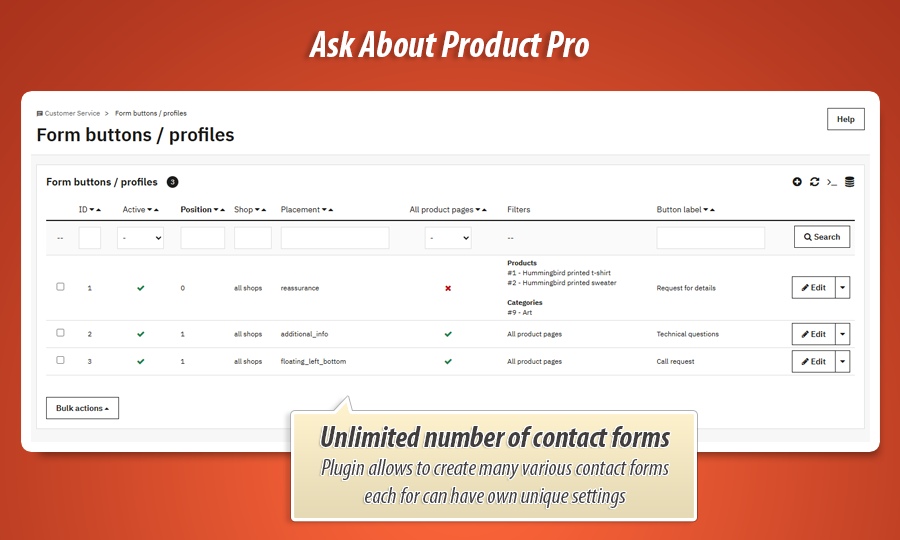
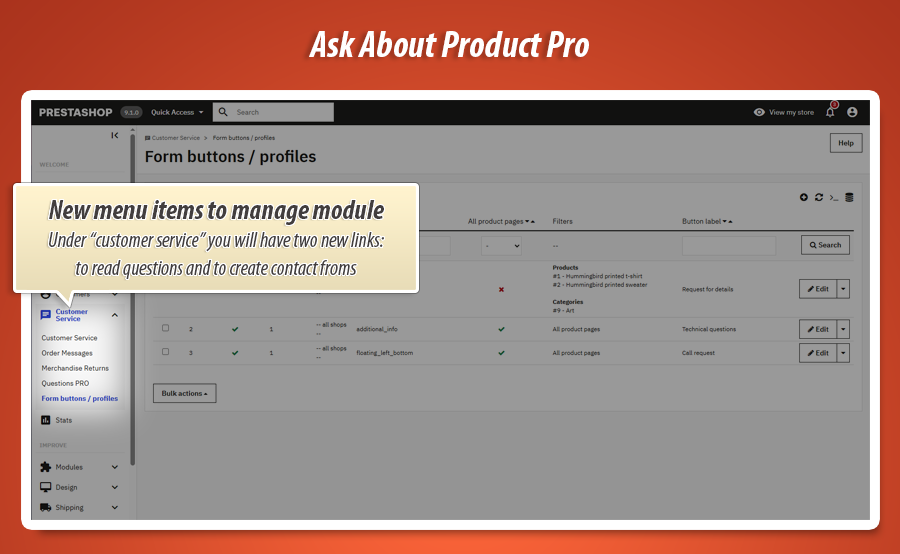
 Form profiles list in Back Office (active profiles, filters, placement, position)
Why this module is a major upgrade over standard contact forms
Most contact modules provide one fixed button and one fixed popup. That works only for basic stores. If your catalog has different product groups, different customer types, and different sales processes, you need profile-level flexibility.
Ask About Product PRO gives you that flexibility: one profile can be a lightweight quick-question form, while another profile can request rich technical details with additional custom fields and stricter validation.
The result is better inquiry quality, less back-and-forth, faster support handling, and a smoother conversion path from product interest to real customer conversation.
What you gain immediately
-
Smart targeting:
different forms for different product contexts. -
Higher quality inquiries:
collect structured information before reply. -
Branded UX:
design trigger and panel to match store identity. -
Operational control:
built-in validation, security, and workflow clarity.
Contact form configuration and options (very detailed)
Profile targeting
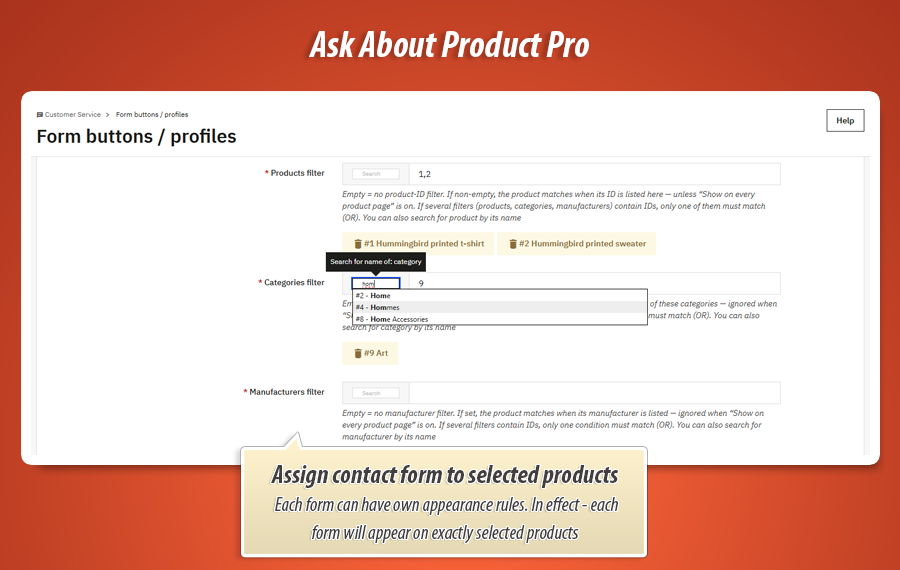
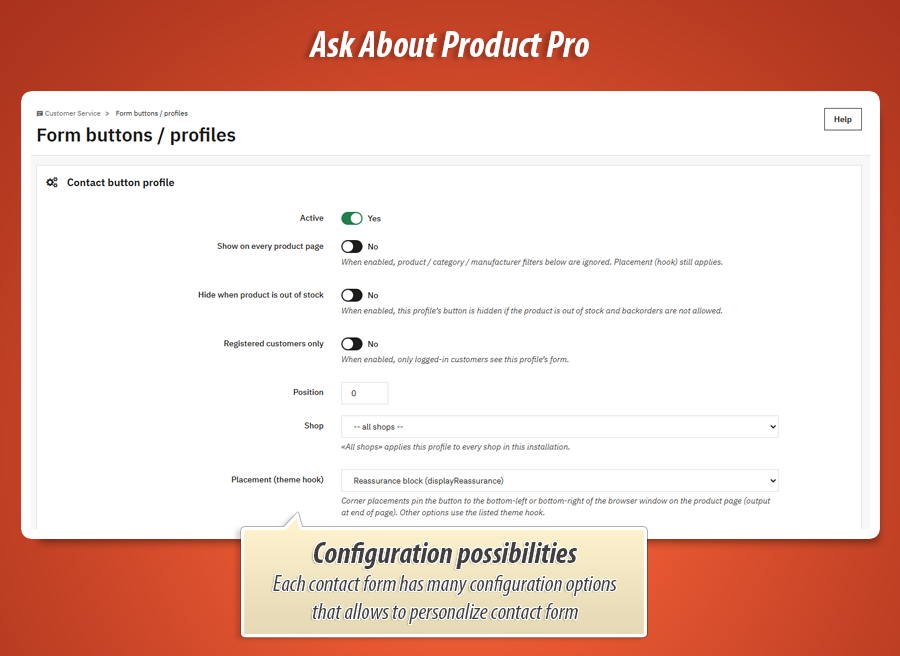
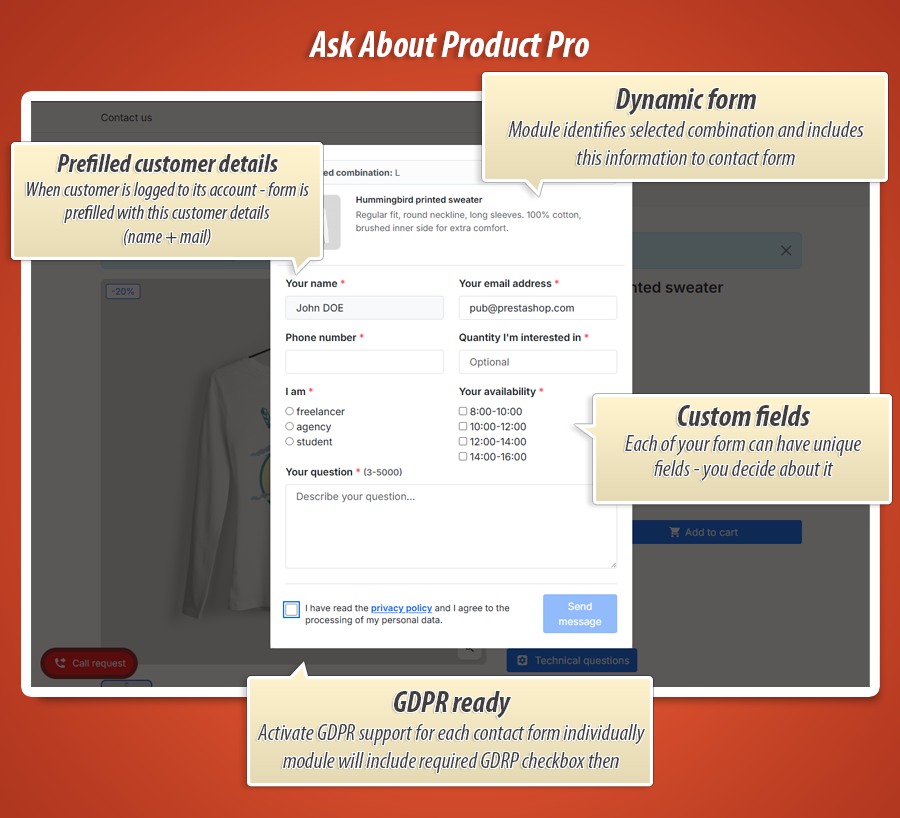
Enable all-products mode, or target by product IDs, categories, and manufacturers. Add stock/customer-state restrictions (hide when out of stock, show for logged users only).
Placement and display
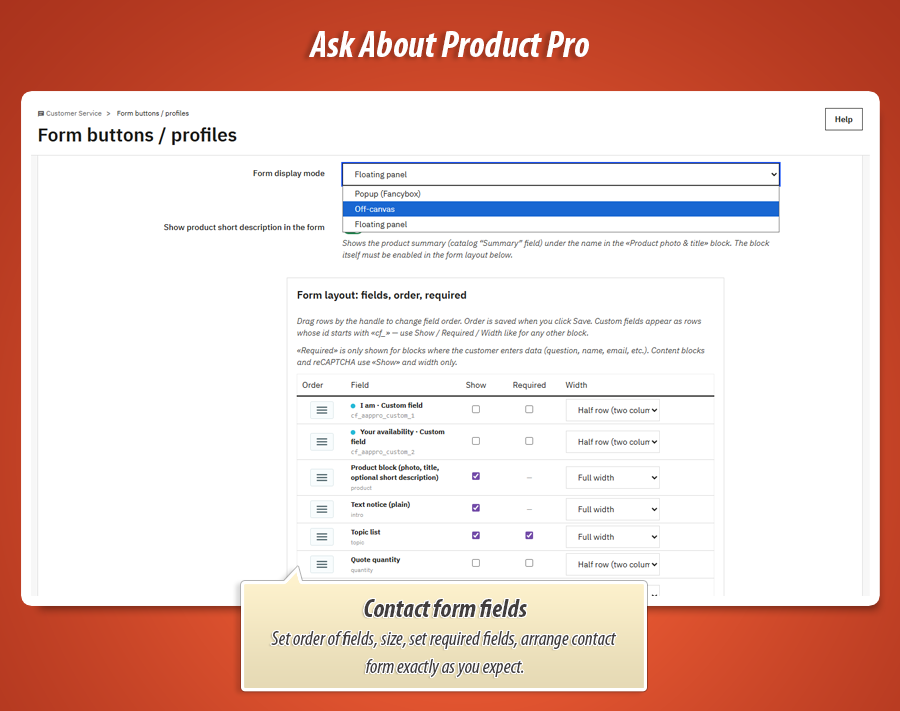
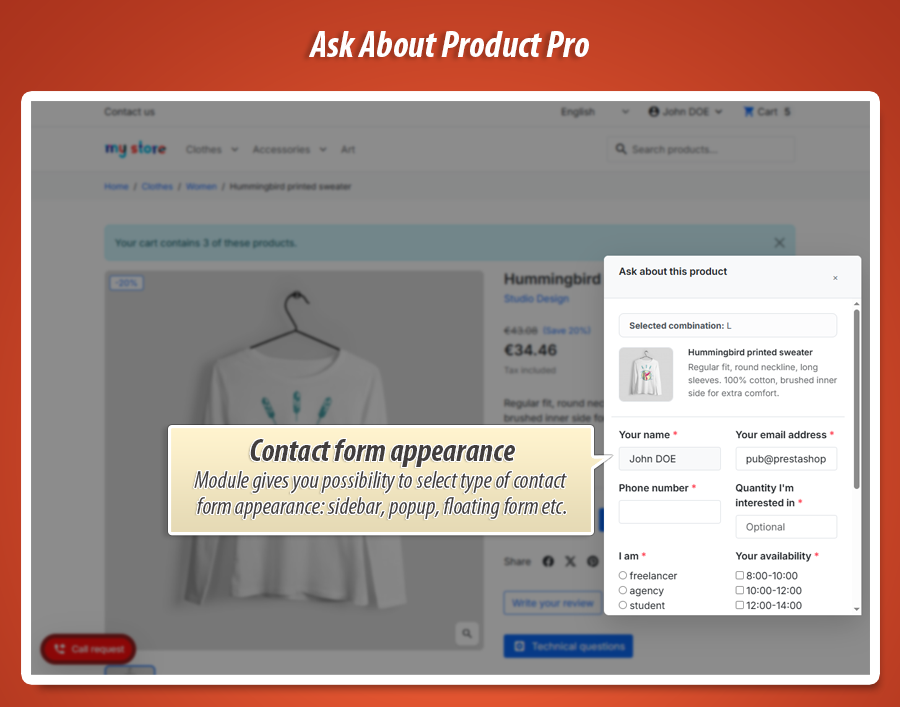
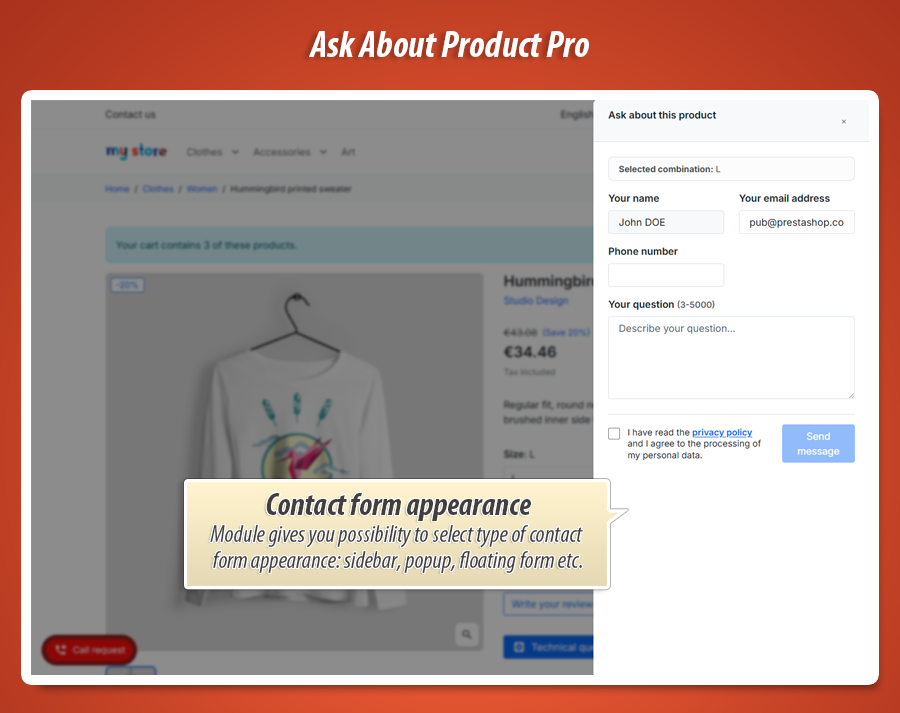
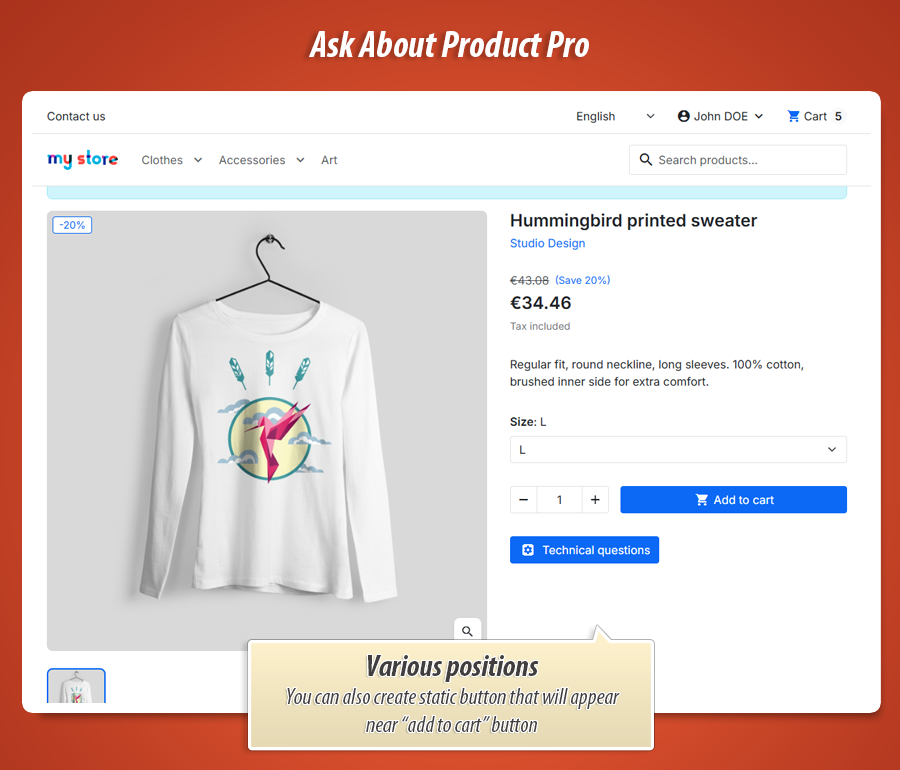
Select hook placement or floating-corner trigger. Choose form presentation mode: Popup (Fancybox), Off-canvas panel, or Floating panel.
Profile content setup
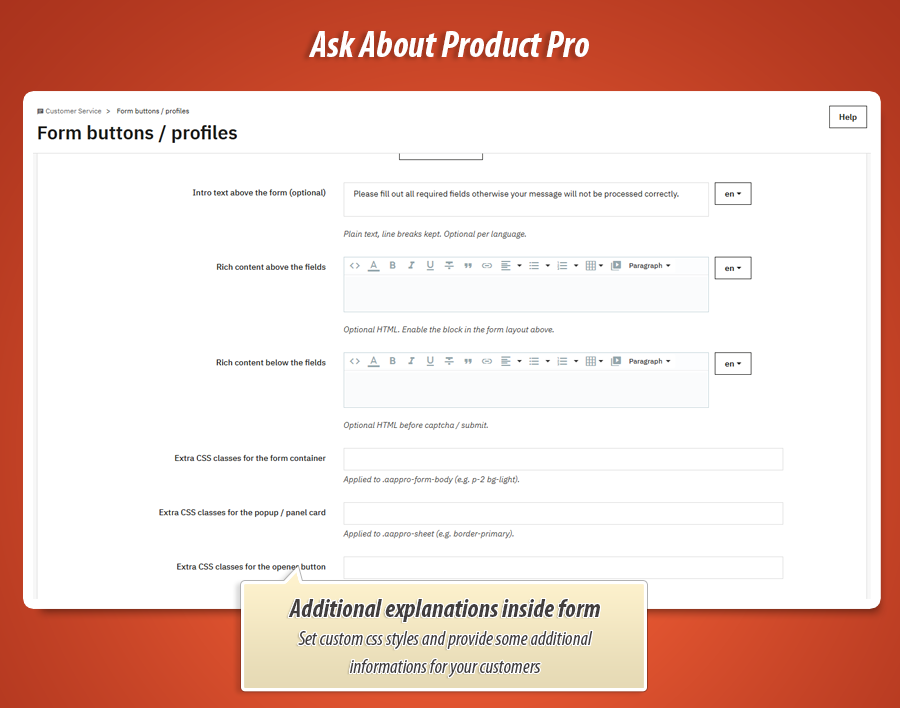
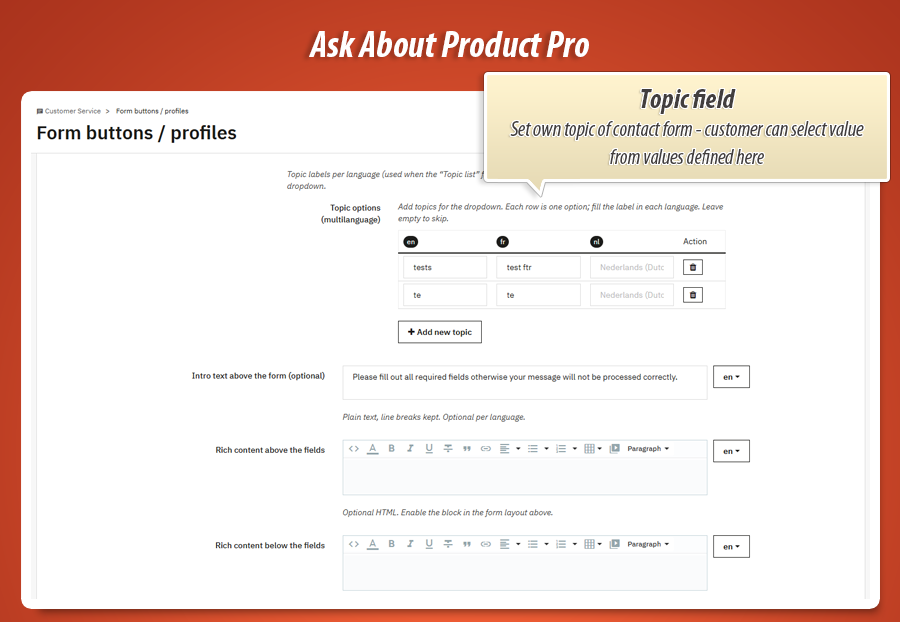
Configure topic list, intro text, rich-text blocks above/below fields, optional product summary, and profile-level extra CSS classes for body/sheet/trigger.
 Profile edit screen with targeting, placement, display mode, content options
Form layout builder
Order, required, visibility, and width in one workflow.
Design the exact structure of each profile form
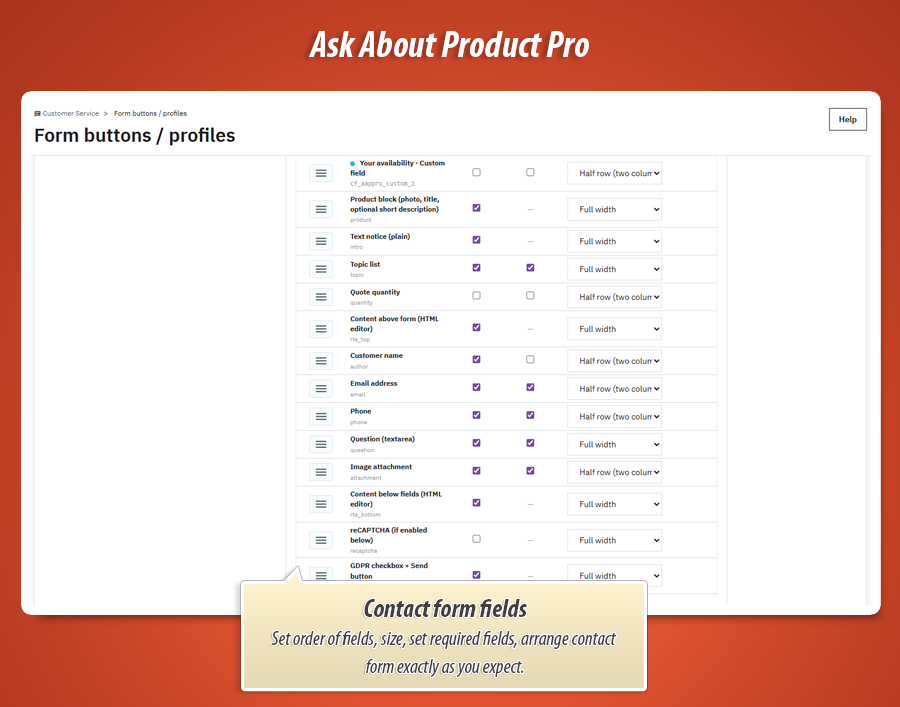
Reorder rows by drag handle, toggle Show/Hide, set Required where relevant, and switch width (half/full). This allows short conversion forms and long detail forms using the same engine.
Custom fields are included in the same layout map, so native fields and custom fields follow identical ordering and validation logic.
 Form layout table (Order / Field / Show / Required / Width)
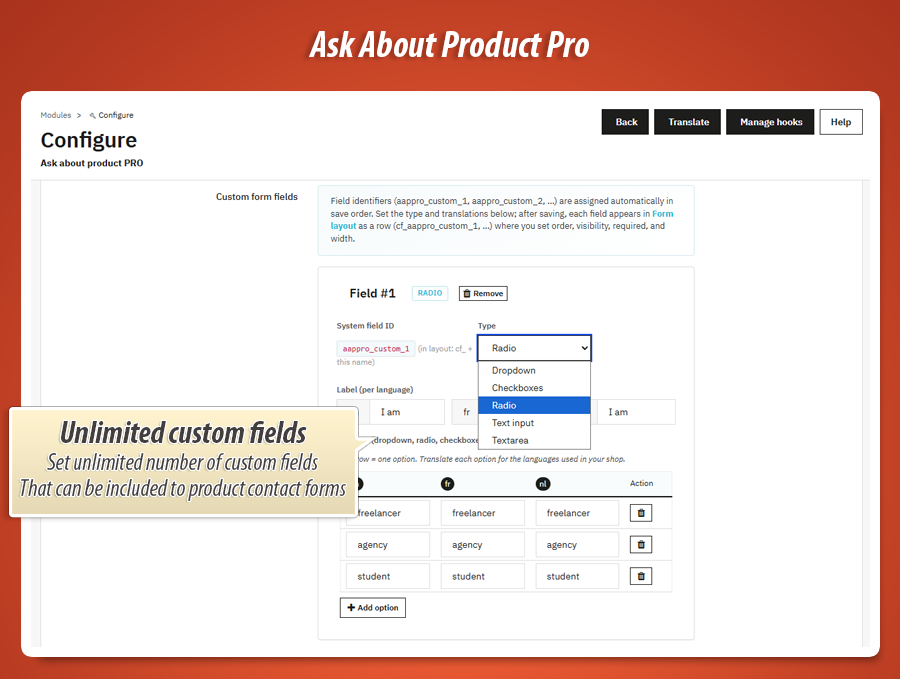
Custom field engine
Detailed, multilingual, and type-aware.
Create your own fields for real business scenarios
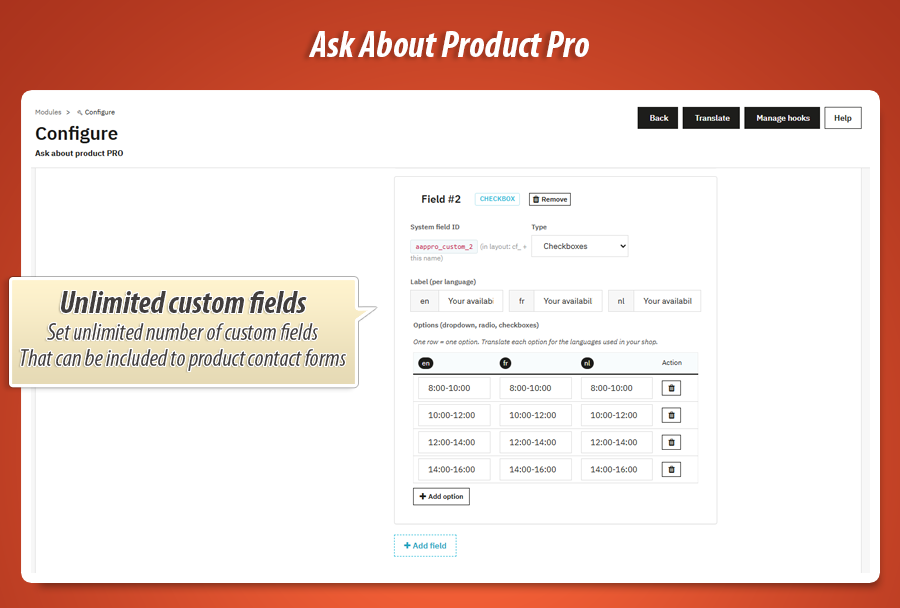
Supported types: text , textarea , select , radio , checkbox . Define field labels per language and option labels per language for option-based fields.
Auto-generated IDs (for example aappro_custom_1 ) become layout rows ( cf_aappro_custom_1 ) where you control required/show/order/width like any native field.
Use this for technical pre-checks, B2B inquiry qualification, quantity-specific questions, compatibility checks, or structured product requirement capture.
 Custom fields editor (type, labels, multilingual options, add/remove)
Style personalization
From display behavior to button color system.
Control appearance in detail, profile by profile
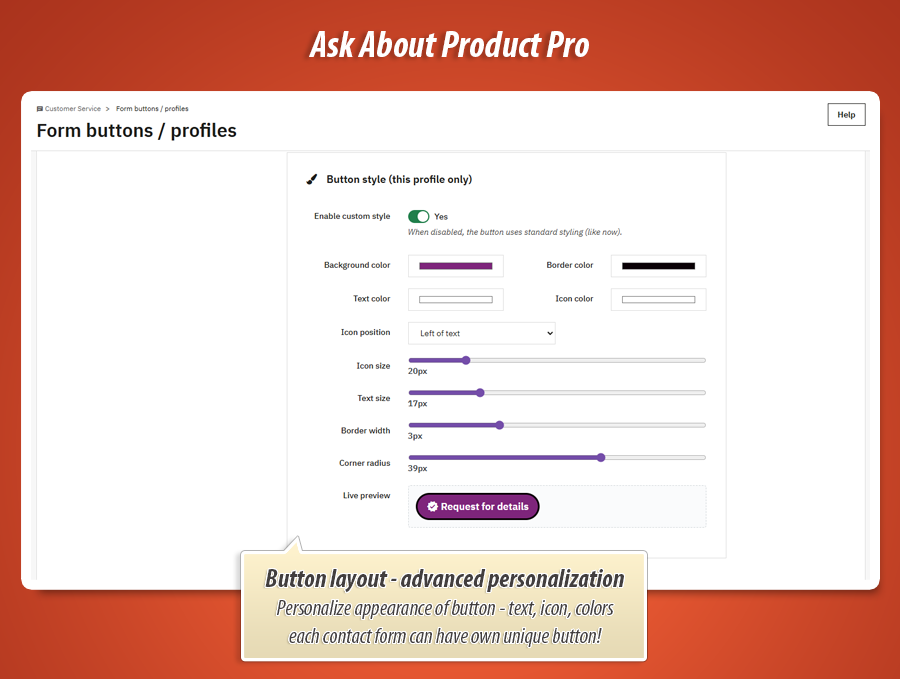
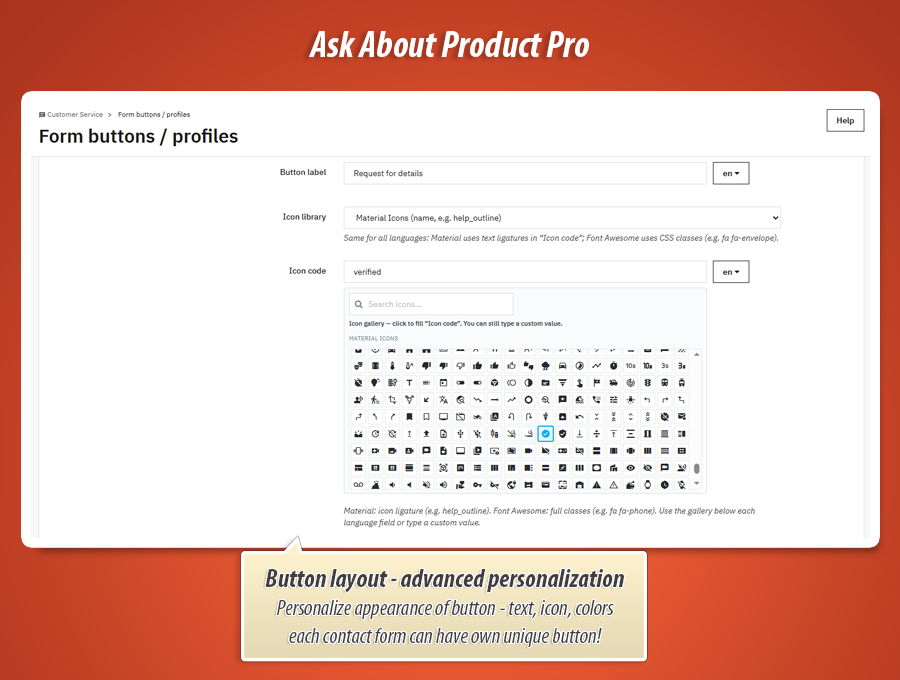
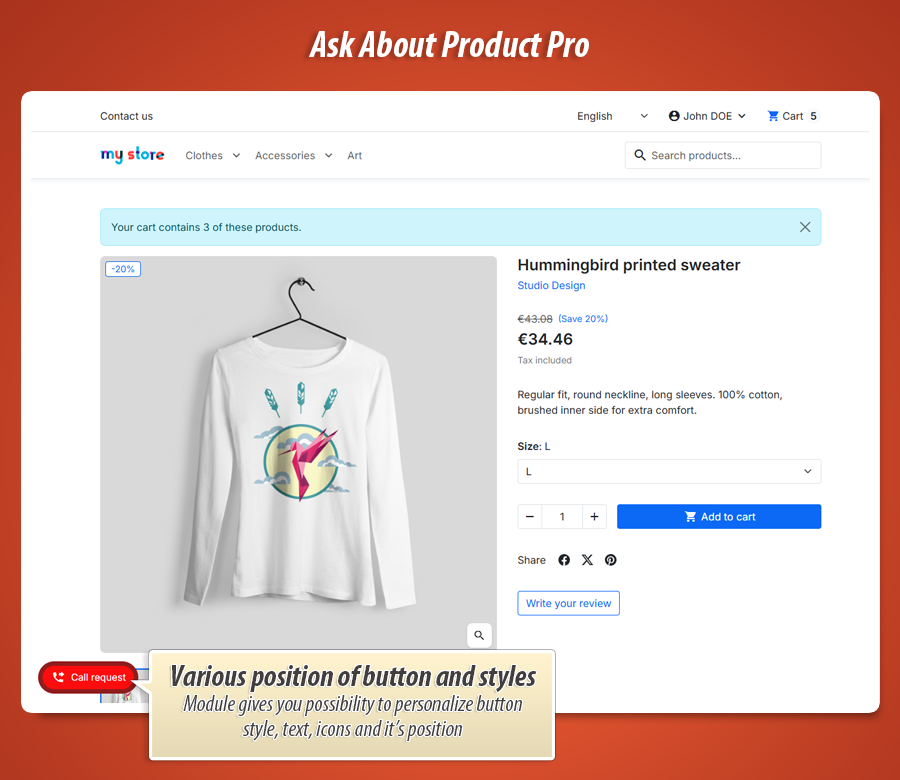
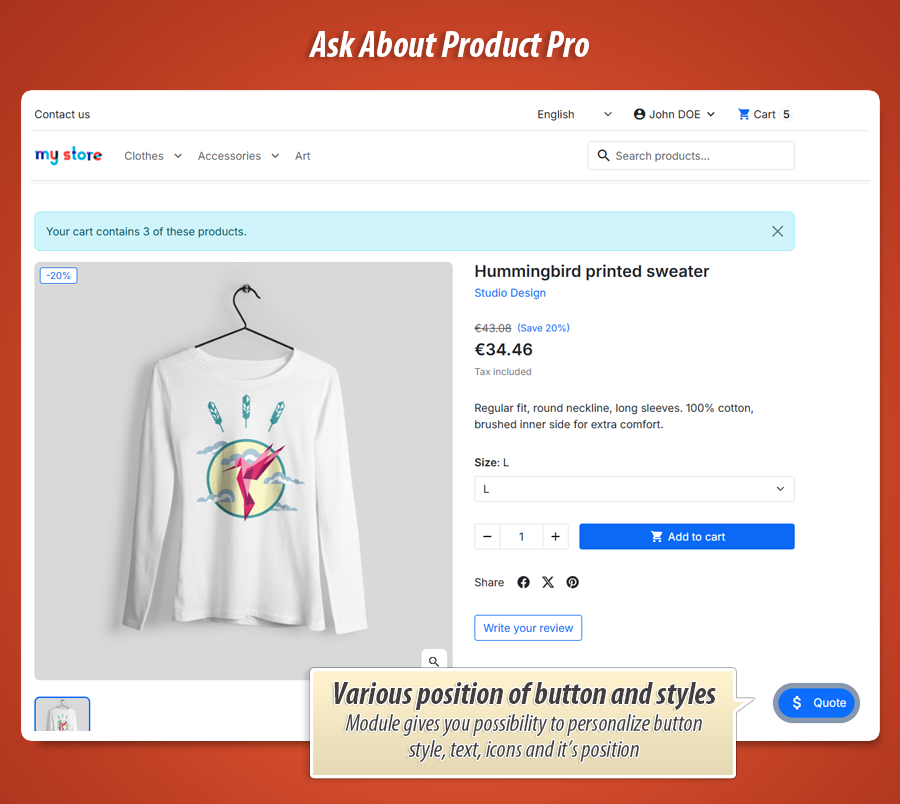
Customize trigger background, border, text color, icon color, icon size, text size, border width, and corner radius. Choose icon library (Material or Font Awesome), icon value, and icon position (left/right/top/bottom).
The Back Office live preview updates instantly, so visual tuning is fast and accurate. You can also add extra CSS classes on trigger/body/sheet plus global custom CSS for product pages.
This gives full control over both interaction style (popup/off-canvas/floating) and visual identity (colors, spacing, iconography).
 Button style builder (color pickers, sliders, icon settings, live preview)
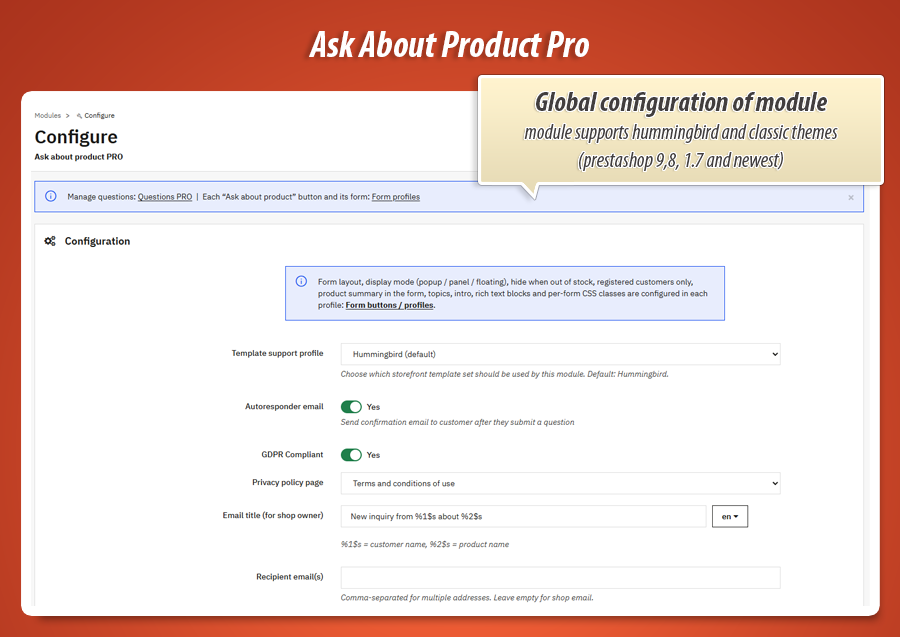
Global module settings (compliance, communication, quality)
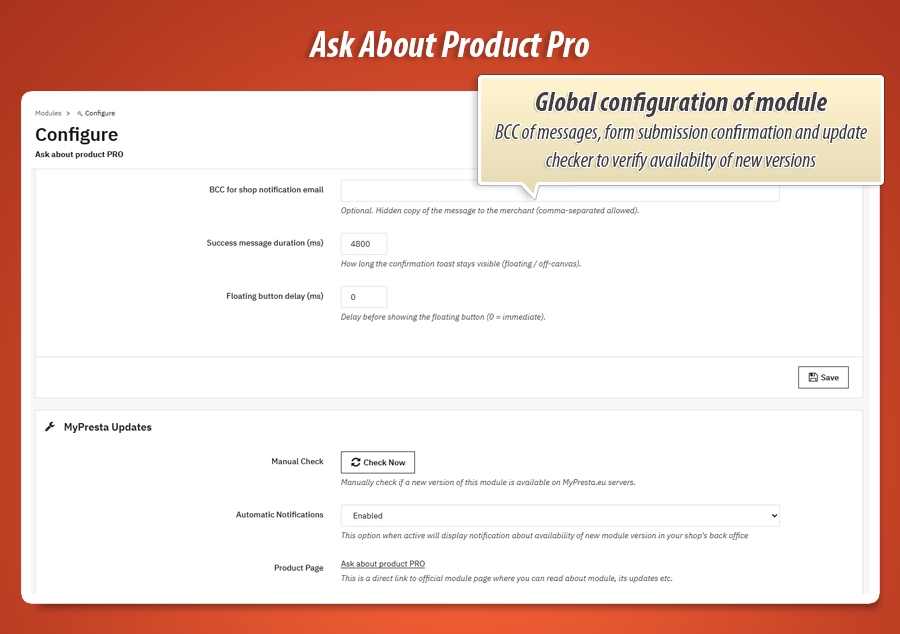
Communication options
- Merchant recipient list (comma-separated emails).
- Optional BCC for hidden merchant copies.
- Optional customer autoresponder after submission.
- Optional Slack/Discord webhook notifications.
- Customizable multilingual email context.
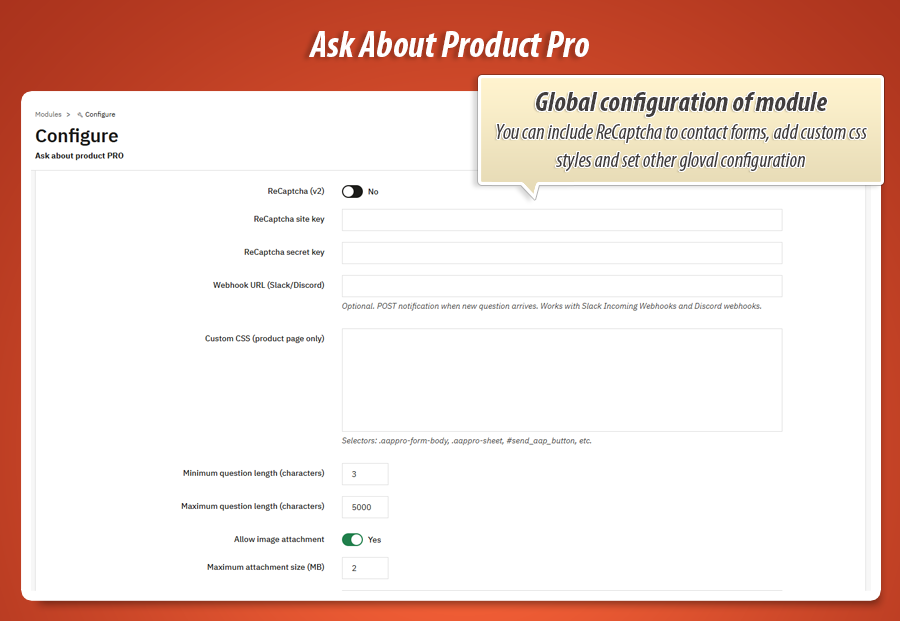
Security and validation
- GDPR consent mode + selected privacy CMS page.
- reCAPTCHA v2 support (site key + secret key).
- Minimum and maximum question length controls.
- Attachment enable/disable and max file size (MB).
- Validation flow for required fields and custom inputs.
 Global settings (GDPR, reCAPTCHA, recipient emails, attachments, custom CSS)
All features explained (in simple language)
This section breaks down every important module option in a user-friendly way, so merchants can quickly understand what they can enable, what they can customize, and how each feature improves real daily store operations.
1) Multiple form profiles
You can create several button/form versions and use each one in a different product context. One profile can be simple, another can be much more detailed.
2) Smart visibility targeting
Show forms globally or only for selected products, categories, and brands. This keeps communication relevant and avoids showing the wrong form in the wrong place.
3) Better control rules
Hide the form for out-of-stock products or show it only for logged users. Great for premium/B2B flows where not every visitor should see the same CTA.
4) Flexible placement
Place the trigger where it fits your theme best: in product sections or as a floating corner CTA. This makes the module adapt to your store layout instead of forcing one position.
5) Display mode controls
Open inquiry form as Popup (Fancybox), Off-canvas side panel, or Floating panel. This allows different interaction styles depending on product type and design goals.
6) Form layout builder
Use drag-and-drop row sorting, Show/Hide toggles, Required toggles, and width control (half/full). Works for native form blocks and custom fields in one layout map.
7) Topic list builder
Create multilingual topic options to classify inquiry intent directly in the form. Helpful for routing and prioritizing support/sales responses.
8) Intro and RTE blocks
Add introductory text and rich content above/below the form fields to provide guidance, legal notes, FAQ snippets, or sales prompts per profile and language.
9) Product summary in form
Optionally display product summary inside inquiry form context so customers and staff keep product reference visible while exchanging details.
10) Custom fields: supported types
Add text, textarea, select, radio, and checkbox fields. This allows both simple and complex pre-sales data capture without coding custom templates.
11) Custom fields: multilingual labels
Every custom field label can be translated per active store language, so the same profile structure works correctly in multilingual storefronts.
12) Custom fields: multilingual options
For select/radio/checkbox fields, each option row supports language-specific labels, enabling consistent international forms with local wording.
13) Field ID and mapping logic
System assigns stable custom field IDs and maps them into layout rows. This keeps structure predictable and simplifies long-term profile maintenance.
14) Validation layer
Required fields, question length constraints, and custom field checks ensure cleaner input and reduce incomplete/low-value inquiries.
15) GDPR mode
Enable consent checkbox and link to selected CMS privacy page to keep inquiry flow aligned with store privacy compliance requirements.
16) reCAPTCHA v2 integration
Add anti-bot protection using site key and secret key to reduce spam submissions in high-traffic stores.
17) Attachment support
Enable image attachments and define max upload size in MB for richer product inquiries (damage examples, references, visual clarification).
18) Email routing
Define recipient email list, optional BCC, and optional customer autoresponder to fit internal communication flow and response expectations.
19) Webhook notifications
Optional webhook integration (e.g. Slack/Discord) for near real-time alerting when new inquiries are submitted.
20) Trigger button style builder
Per-profile style controls: background/border/text/icon colors, icon size, text size, border width, border radius, and visual fine-tuning.
21) Icon system
Switch between Material Icons and Font Awesome, set icon value, and define icon placement (left/right/top/bottom) in trigger layout.
22) Live preview
Preview button style changes directly in Back Office before saving, reducing trial-and-error on Front Office.
23) Extra class hooks
Attach additional CSS classes to trigger, form body, and sheet/panel container per profile for theme-level integration without template rewrites.
24) Global custom CSS
Inject product-page scoped CSS for precise visual adaptation where profile-level controls are not enough.
25) Back Office inquiry context
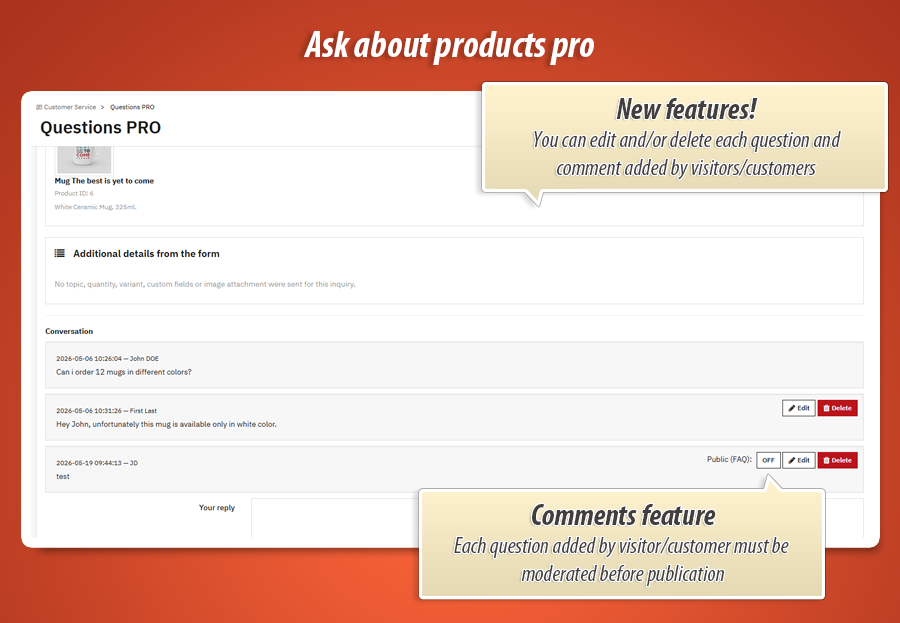
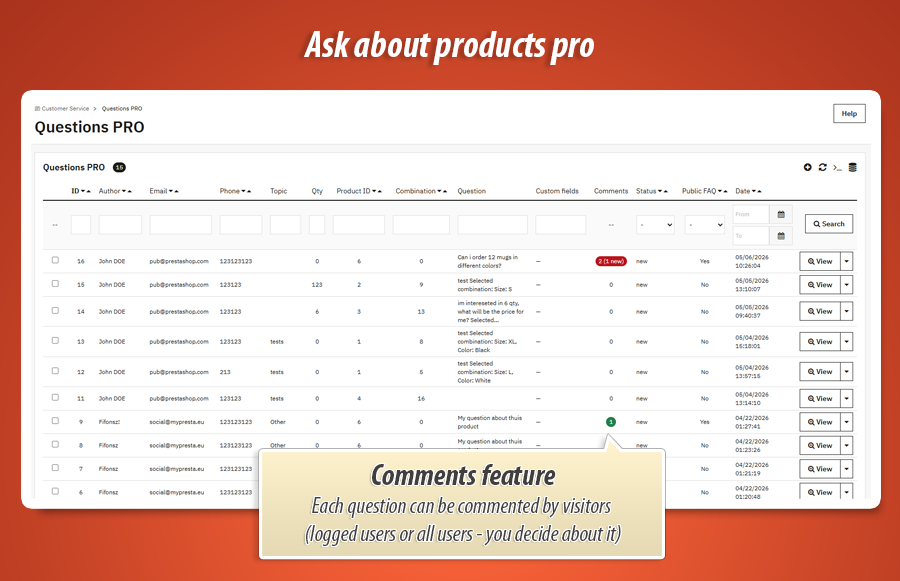
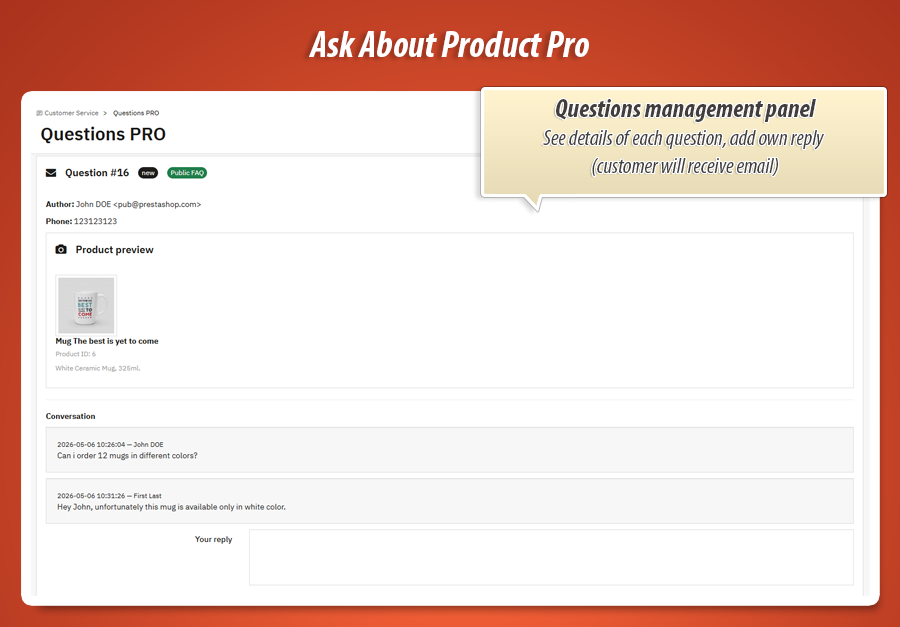
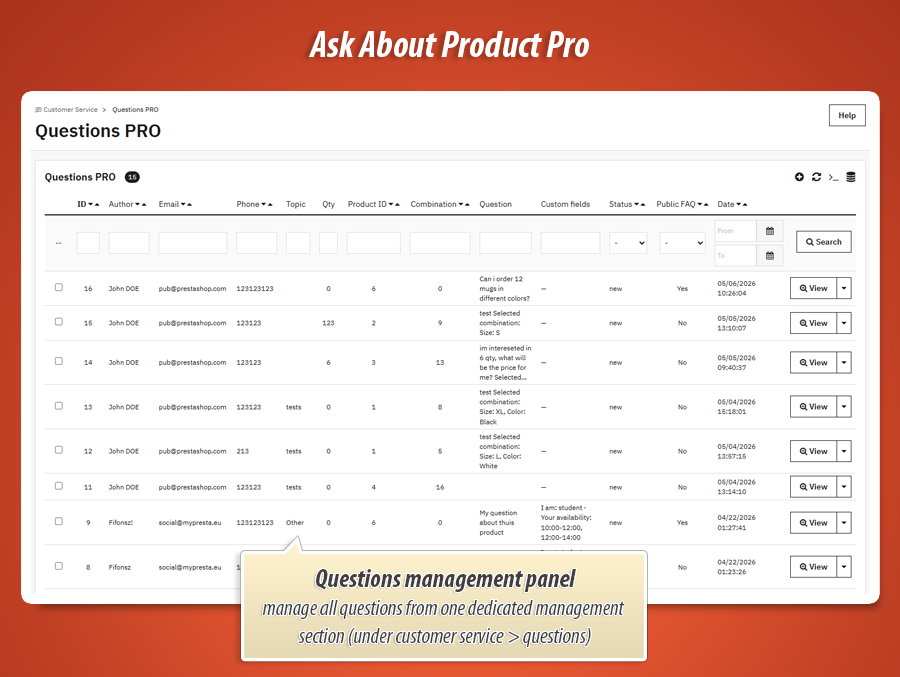
Inquiry details include topic, quantity, selected variant/combination, custom field responses, and attachment previews. This makes handling requests faster and more reliable for support and sales teams.
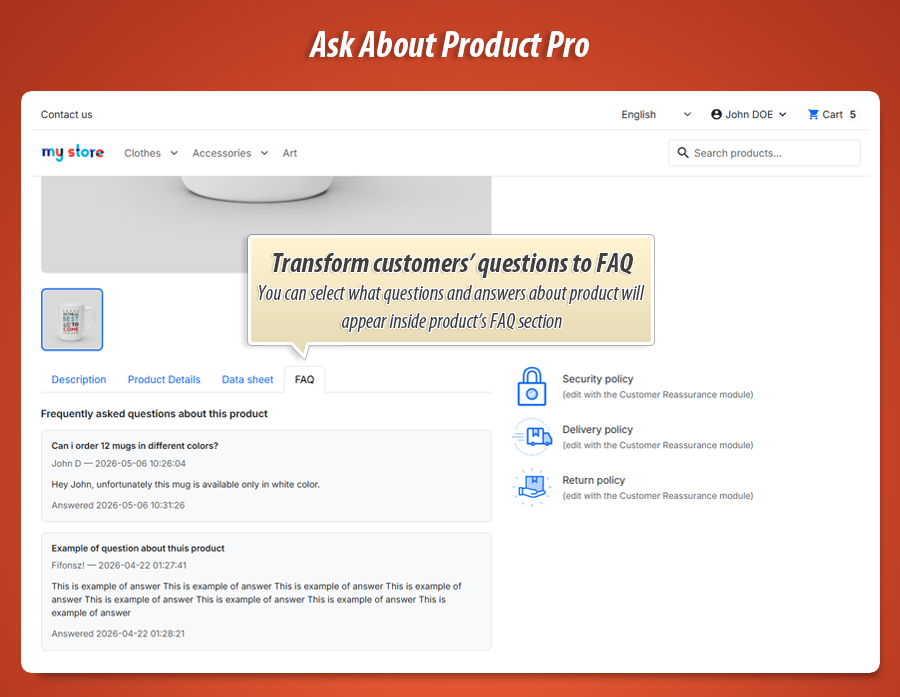
FAQ Experience
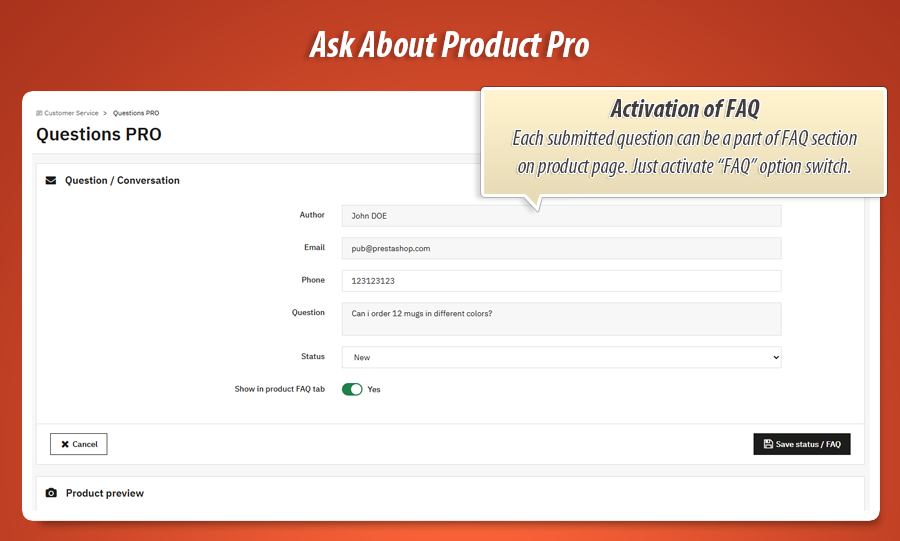
FAQ feature (public product Q&A)
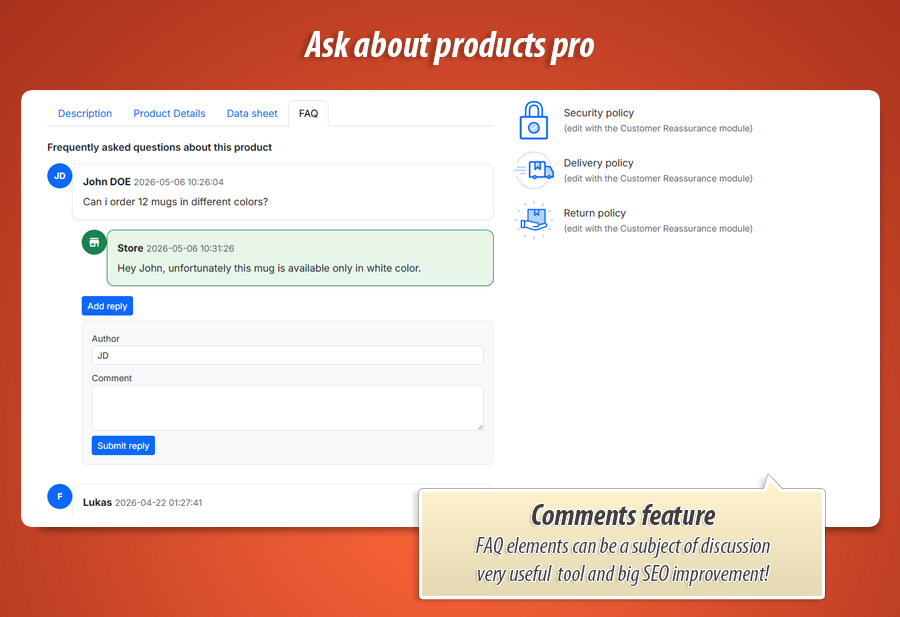
You can turn repeated customer questions into a clean on-page FAQ block. Visitors immediately see answers without sending another message and waiting for support.
Each entry can show who asked and when, plus clearly separated answers, which makes the section feel transparent and trustworthy.
For products that often generate similar questions, this section quickly becomes a mini knowledge center that improves confidence and reduces friction before purchase.
Inquiry Details
What gets stored for each inquiry
The module keeps full conversation context: product reference, selected variant, selected topic, quantity, and custom answers from your form.
When image upload is active, attachments are also linked to the inquiry, so your team sees the issue or request context instantly.
This makes replies faster and more accurate, because agents do not need to ask basic follow-up questions before helping the customer.
 FAQ block on product page (question + answer + metadata)
Custom field recipes (ready-to-use templates)
If you are not sure how to design your own form, start with one of these proven layouts. They are easy to set up and immediately improve the quality of incoming requests.
Technical product request
Select: usage scenario, Radio: urgency level, Textarea: technical notes, Attachment: setup photo.
B2B quote intake
Text: company/VAT, Select: monthly volume, Checkbox: required services, Textarea: procurement details.
Variant compatibility check
Radio: current model generation, Select: preferred variant, Text: serial/reference number.
After-sales support pre-form
Text: order ID, Checkbox: issue category, Textarea: issue steps, Attachment: defect screenshot/photo.
Additional features you will really feel in daily work
These options are often ignored at first glance, but they make a huge difference in speed, clarity, and team workflow once the module is live.
Safer image upload flow
The upload flow is strict about allowed image types and file size, so your team gets useful attachments without risky file clutter.
Clear variant context
If the customer selected a specific variant, the inquiry can carry that context, so replies are precise from the first message.
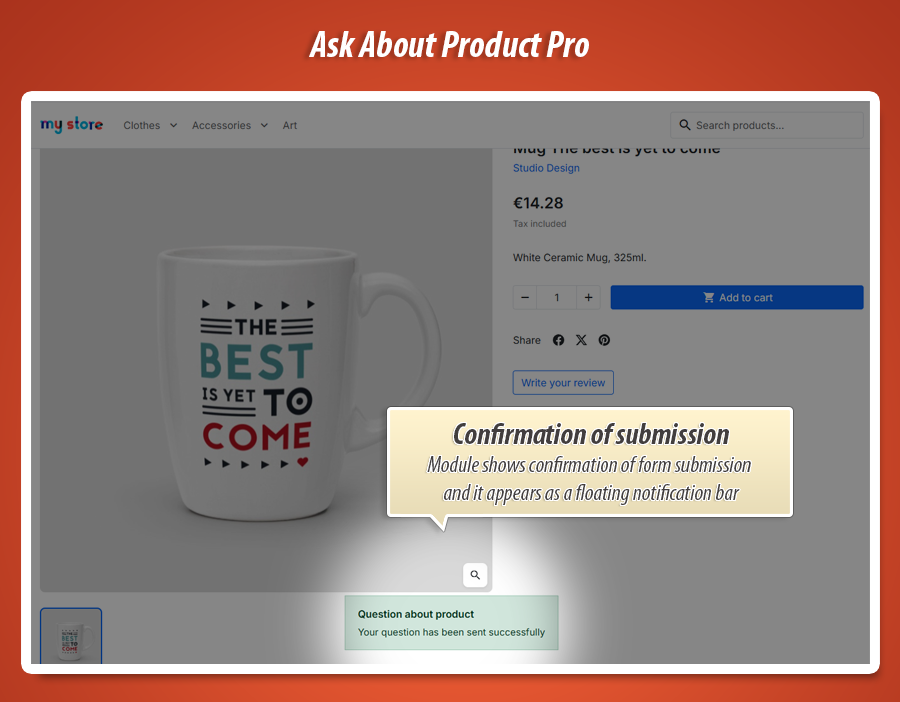
Instant confirmation to customer
Optional autoresponder reassures customers their message was received, which lowers repeat submissions and uncertainty.
Instant team alerts
Webhook notifications can push new inquiries to communication tools, so your team reacts faster to incoming leads.
Multistore-friendly setup
Use one profile globally or different profiles per shop to keep communication tailored in multi-brand or multi-country setups.
Flexible icon styling
Pick icon library and style each button profile so CTAs feel coherent with your storefront design language.
Button customization studio (colors, sliders, icon layout)
This is one of the strongest parts of the module: the trigger button can be styled in detail, directly from Back Office. You do not need to touch code to make the CTA feel premium, readable, and fully aligned with your storefront branding.
Color controls
Set background color, border color, text color, and icon color. This lets you match CTA contrast to your theme palette and keep accessibility-friendly readability.
Slider controls
Fine-tune icon size, text size, border width, and border radius using visual sliders. Great for creating soft rounded CTAs or sharper, compact action buttons.
Icon layout
Place icon left, right, top, or bottom. Choose Material icons or Font Awesome classes. This makes it easy to create minimal or highly visual CTA styles.
What you can tune, exactly
- Background color: make CTA subtle, premium, or high contrast.
- Border color + width: clean flat button or stronger framed style.
- Text color + size: preserve clarity on any background.
- Icon color + size: match icon emphasis to CTA priority.
- Corner radius: modern pill style or classic rectangular button.
- Icon position: build horizontal or stacked layouts.
Why this matters for conversion
Your inquiry button is a call-to-action element, not just a utility link. Visual quality directly impacts whether customers click or ignore it.
With these controls, you can create a style that looks native to your theme, stands out in the right places, and stays readable on mobile and desktop.
Live preview in Back Office lets you tune the look in seconds, without repeated front-end testing.
Style recipe: clean minimal
Light background, thin border, small icon, medium text size, rounded corners. Perfect for elegant, low-noise product pages.
Style recipe: strong CTA
Bold background, high-contrast text, thicker border, larger icon. Ideal for products that depend on pre-sales consultation.
Style recipe: support-first
Friendly colors, slightly larger text, icon on top for visibility. Works well when customer reassurance is the main goal.
Technical specification and compatibility
80.00 €
Module Gallery 1/31
Why choose our module
Ask about product - contact forms pro?
Optimization and Automation
This module automates lead qualification and inquiry management with smart targeting, custom fields, and automated routing via email/webhooks. It optimizes information gathering, reducing manual support effort and improving response efficiency, while the FAQ feature automates answers to common questions.
Increased Sales
This module transforms product inquiries into high-quality leads using multi-profile targeting and custom fields, streamlining communication. By offering tailored forms and instant answers via its FAQ feature, it reduces customer friction, accelerates the conversion path, and directly boosts sales.
15 years of experience
Leveraging 15 years of PrestaShop insight, Ask About Product PRO provides unparalleled multi-profile forms. It offers tailored customer interactions, deep customization via custom fields, robust compliance, and efficient lead conversion, reflecting our profound understanding of e-commerce evolution.
Extensive Customization
Ask About Product PRO ensures extensive customization with multi-profile targeting for diverse products and customers. Enjoy advanced form layout building, custom fields (multilingual), and deep trigger design personalization (colors, icons, sizes, live preview, custom CSS), creating a perfect brand fit.
Open Source Code
The module enables extensive design flexibility through profile-level extra CSS classes and global custom CSS for product pages. This allows developers to deeply integrate and precisely adapt forms to any storefront theme, ensuring advanced modifications and seamless visual coherence without direct template rewrites.
License and Updates
Keeping this module updated is crucial for ensuring its advanced features, like GDPR compliance, reCAPTCHA integration, and seamless theme adaptation, remain fully functional and secure. Regular updates would guarantee compatibility with evolving PrestaShop versions and web standards, maintaining the quality of your lead generation system.