
PrestaShop HTML Box Pro
HTML Box Pro - is currently top-notch Custom HTML, JS, CSS PrestaShop Module.
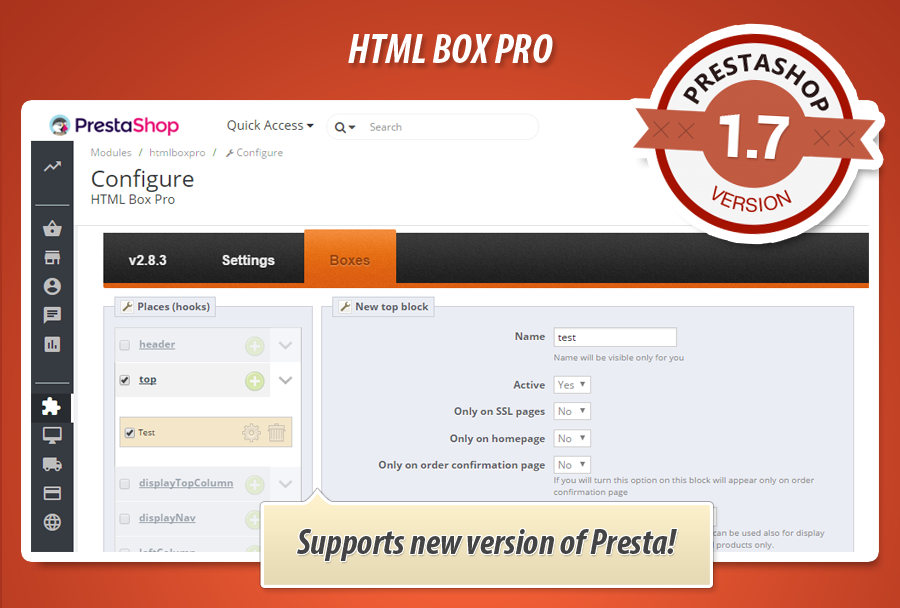
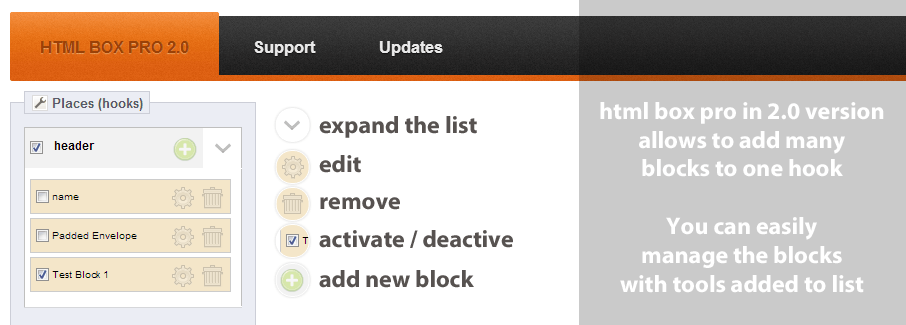
With this addon you can gain full control over your custom contents in your PrestaShop store. Seamlessly add any kind of custom HTML, JavaScript, or CSS code to all available hooks - even non-default ones. With this plugin you can insert tracking scripts (like Google Analytics & Meta Pixel), or apply custom styles, multimedia scripts, images, videos etc.
PrestaShop HTML, CSS, JS Bloki Kjerkoli
HTML Box Pro je všestranný modul PrestaShop, ktorý umožňuje jednoducho pridávať vlastný HTML, CSS a JavaScript obsah na viac ako 20 miestach v obchode. Vytvorte dynamické bloky s textom, obrázkami, widgetmi sociálnych médií alebo vlastným kódom bez potreby úpravy súborov šablóny. Modul ponúka intuitívny editor WYSIWYG, podporu systémových premenných a plnú kontrolu nad viditeľnosťou blokov na základe mnohých kritérií, ako je typ stránky, produkty, kategórie, stav používateľa alebo časový harmonogram. Vďaka funkcii „drag and drop“ je správa polohy blokov mimoriadne jednoduchá. Je to ideálny nástroj na prispôsobenie vášho obchodu.
Verzia modulu:
4.0.3
Verzie obchodu:
9.x8.x1.7.x1.6.x
Funguje s ThirtyBees:
Áno
Preklady:


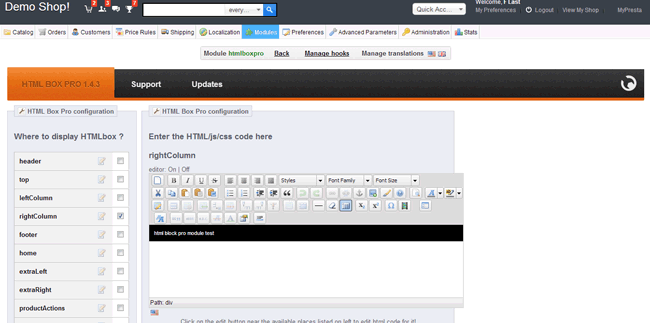
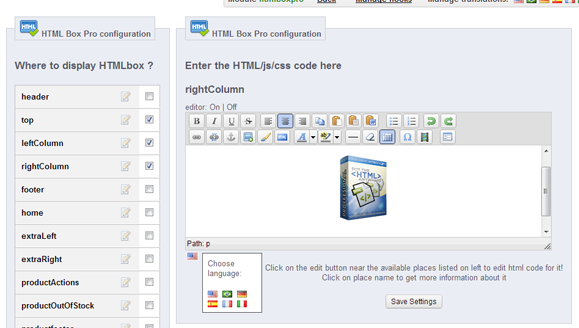
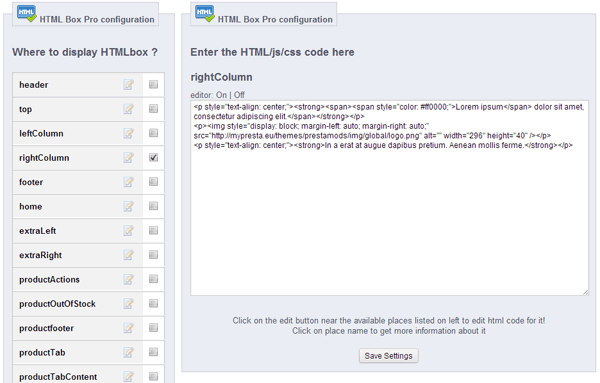
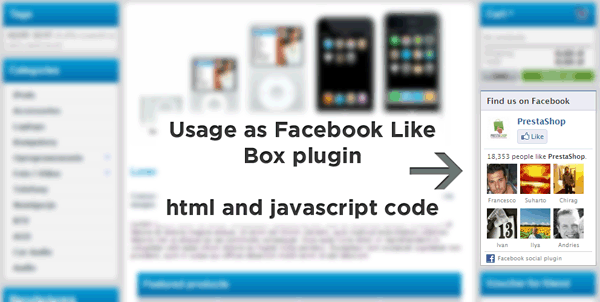
Want to add custom information, HTML, JavaScript, or CSS to a specific location in your PrestaShop store but don't know how? This module makes it possible in seconds! This powerful and versatile PrestaShop add-on allows you to insert any client-side code exactly where you need it. HTML Box Pro supports over 20 locations within your shop. Create custom blocks with text, images, or social media widgets from platforms like Facebook (Facebook Like Box plugin), Twitter, Pinterest, Allegro, Aukro, Śwista, and more. Adding your own content is incredibly simple thanks to the intuitive and user-friendly management panel. Anyone can do it in just a few seconds.

 |
 |
 |
|
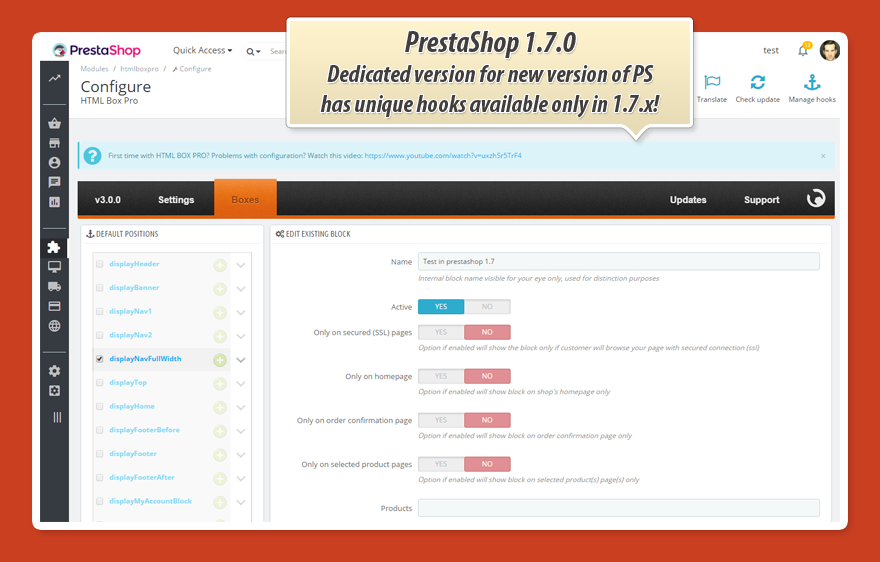
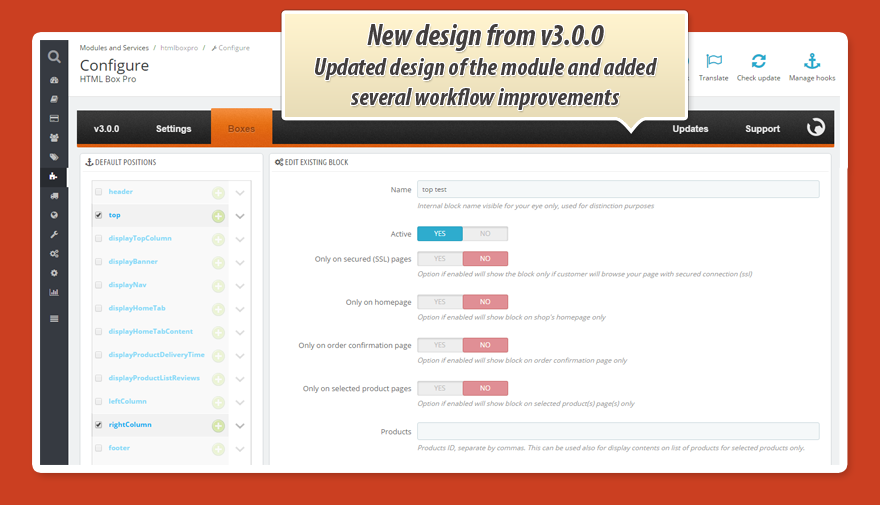
Easy Configuration |
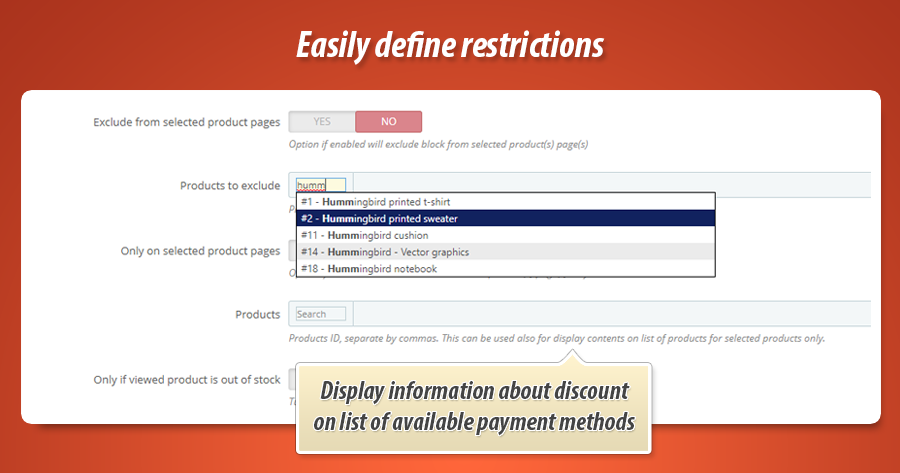
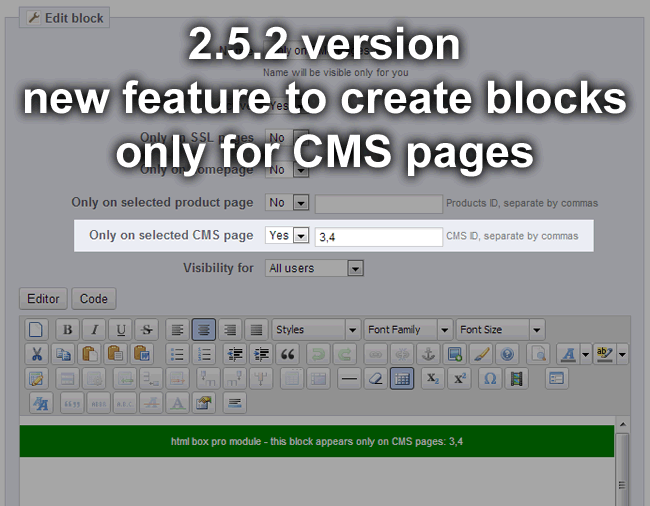
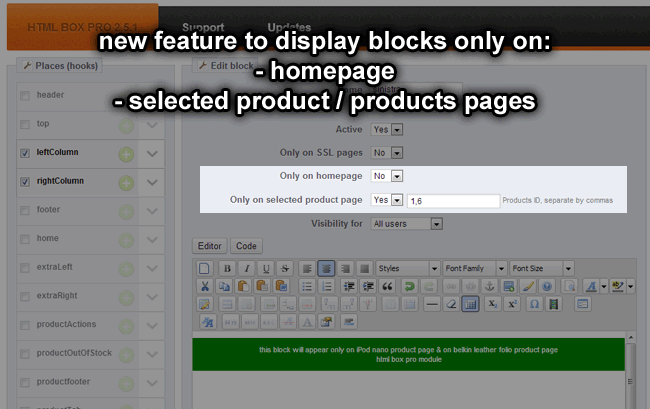
Control Block Visibility Set block visibility based on various criteria, such as products, categories, CMS pages, and more. |
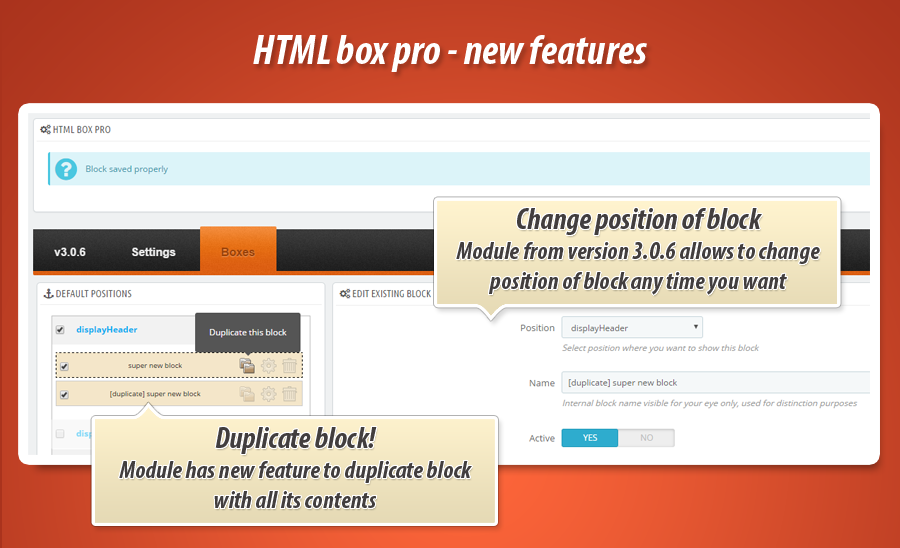
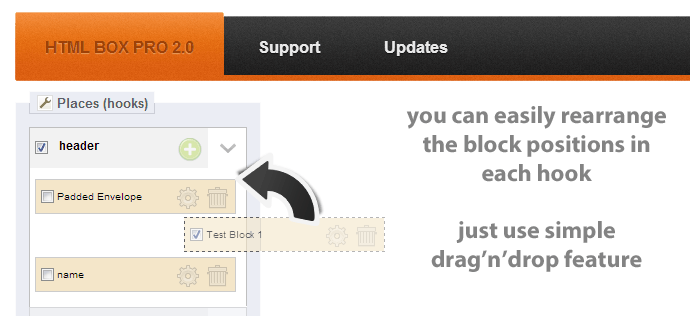
Rearrange with Drag and Drop |
 |
 |
 |
| Supports All Tags Utilize any HTML, CSS, and JavaScript tags. The only limit is your imagination! |
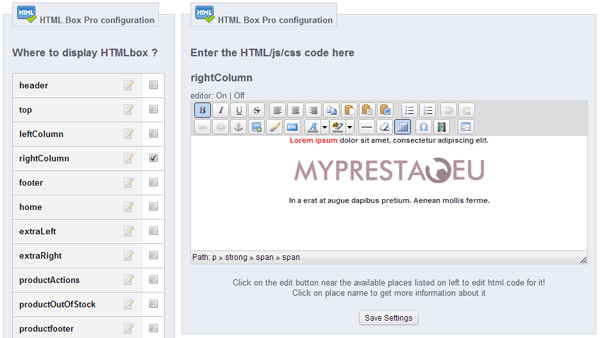
User-Friendly Editor
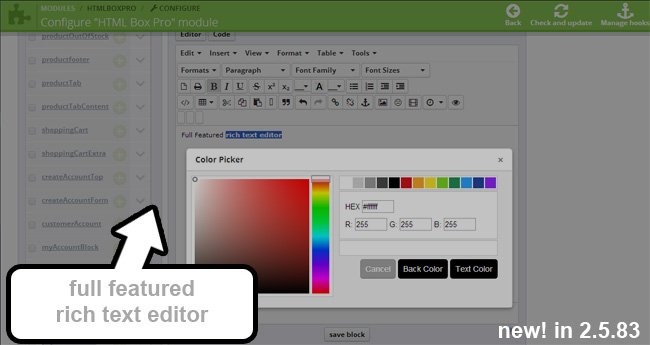
Not a coder? No problem! The module provides a user-friendly text editor that generates code for you. |
Multilingual Support Manage multiple language versions with ease. Create blocks in any language! |
Key Features of HTML Box Pro:
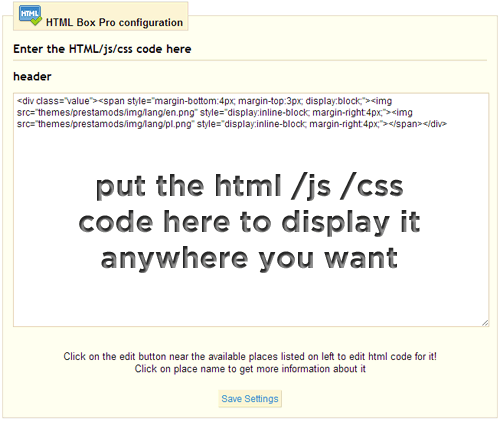
- Add any text, images, videos, or HTML, JavaScript, and CSS code anywhere in your store. This means you can insert virtually anything exactly where you want it. The module supports HTML5, HTML, CSS2, CSS3, JavaScript, jQuery, MooTools, and more.
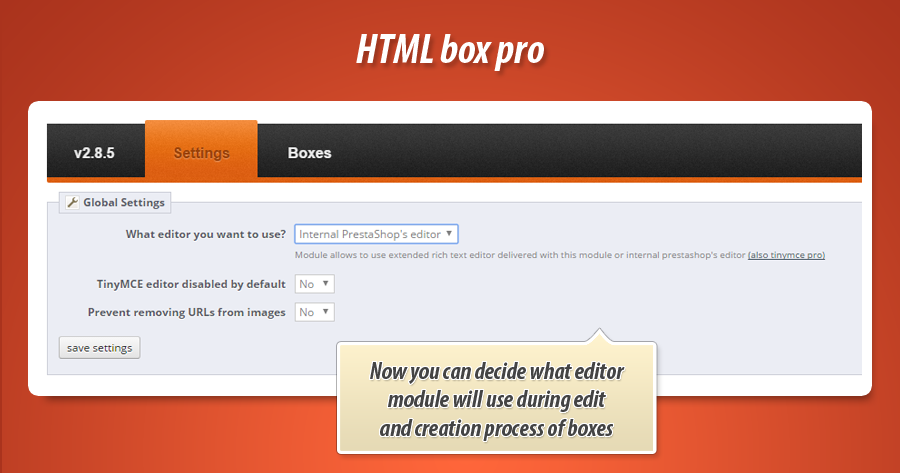
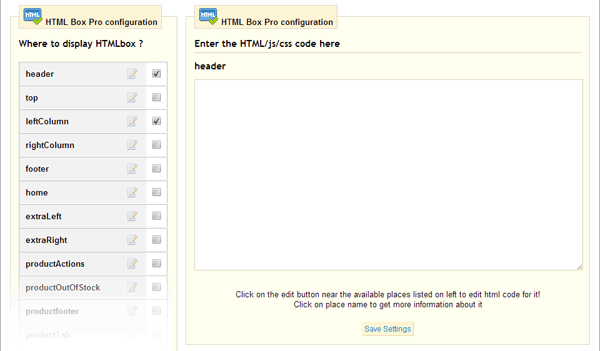
- Use the WYSIWYG editor or write code directly.
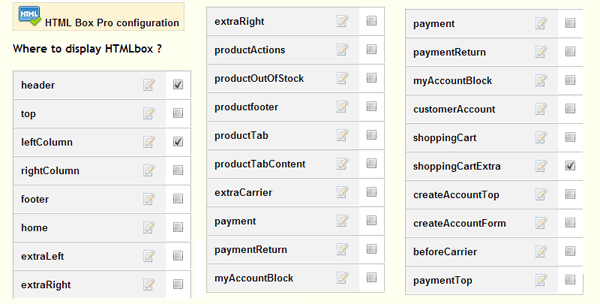
- Choose from over 20 locations to precisely target your content.
- Add unique code in multiple locations - display different content in each designated area.
Using Variables in Your Code
A significant advantage of this module is its support for variables. Variables are specific strings of characters that are replaced with corresponding values on your webpage. This is particularly useful for implementing tracking codes and other dynamic elements. Below is a list of available variables with brief explanations:
| Variable | Description | Limitations |
|---|---|---|
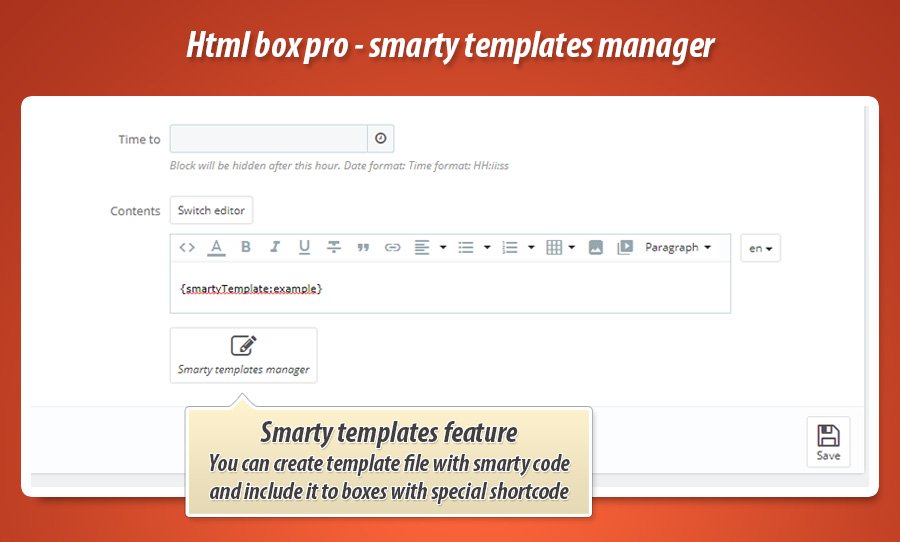
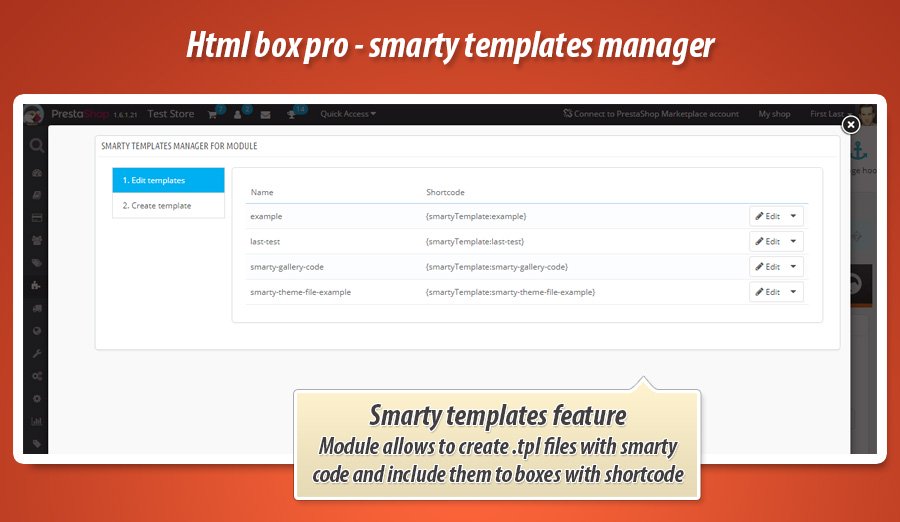
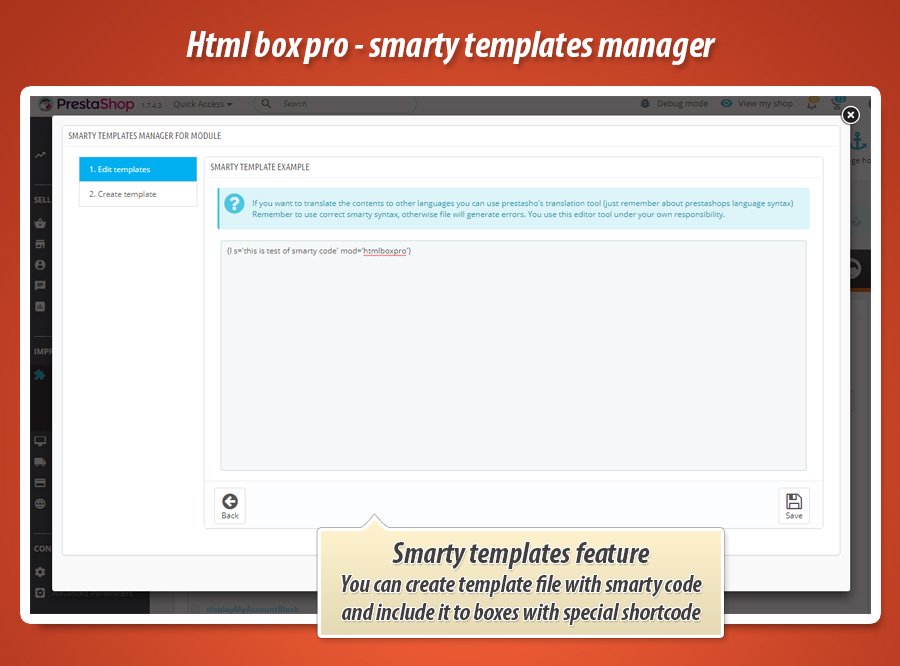
| {smartyTemplate:XXX} | Insert the content of a Smarty .tpl file created within the module using the template manager. XXX represents the name of your created template. | None, this variable is globally available. |
| {current_url} | Replaced with the full URL of the currently viewed page. | None, this variable is globally available. |
| {currency_iso} | Replaced with the ISO code of the current currency (e.g., USD, EUR, PLN, GBP). | None, this variable is globally available. |
| {id_customer} | Replaced with the ID of the logged-in customer. | Only available when a customer is logged in. |
| {email_customer} | Replaced with the email address of the logged-in customer. | |
| {customer_firstname} | Replaced with the first name of the logged-in customer. | |
| {customer_lastname} | Replaced with the last name of the logged-in customer. | |
| {id_category} | Replaced with the ID of the currently viewed category. | Only available on category pages. |
| {name_category} | Replaced with the name of the currently viewed category. | |
| {path_array_category} | Replaced with the full category path (including parent categories), e.g., 'Home', 'Women', 'Dresses', 'Evening Dresses'. | |
| {HOOK:hook_name} | Replaced with the content generated by the specified hook. For example: {HOOK:leftColumn}, {HOOK:rightColumn}, {HOOK:footer}, {HOOK:displayTop}, etc. | Can be used on any page at any time. |
| {HOOK:(1):(2)} | Calls a specific module (2) attached to a specific hook (1). Example: {HOOK:displayProductFooter:productcomments} | Can be used anywhere. |
| {id_product} | Replaced with the ID of the currently viewed product. | Available on product pages and product lists (in hooks where the product ID is provided). |
| {id_product_attribute} | Replaced with the ID of the product attribute, if defined. | |
| {product_name} | Replaced with the product name. | |
| {product_ean13} | Replaced with the product's EAN13 code. | |
| {product_isbn} | Replaced with the product's ISBN code. | |
| {manufacturer_name} | Replaced with the product manufacturer's name. | |
| {product_price_tax_incl} | Displays the product price including VAT. | Available on product pages and product lists (in hooks where the product ID is provided). |
| {product_price_tax_incl_no_currency} | Displays the product price including VAT, without the currency symbol. | |
| {product_price_tax_excl} | Displays the product price excluding VAT. | |
| {product_price_tax_excl_no_currency} | Displays the product price excluding VAT, without the currency symbol. | |
| {product_price_tax_incl*X} | Displays the product price (including or excluding VAT) multiplied by X, where X is a numerical value (e.g., 1.5, 10, 0.22, 2.1). | |
| {product_price_tax_excl*X} | ||
| {cart_products_id} | Replaced with the IDs of the products currently in the cart. | Globally available only when the cart is not empty. |
| {cart_total} | Replaced with the cart total as a number (without currency). | |
| {cart_total_with_currency} | Replaced with the cart total in the currently selected currency. | |
| {order_id} | Replaced with the unique order ID (not the reference number). | Usable on order confirmation pages. |
| {order_currency_iso_code} | Replaced with the ISO code of the order currency. | |
| {order_total_paid} | Replaced with the total paid amount for the order. | |
| {order_total_paid_tax_incl} | Replaced with the total paid amount for the order, including VAT. | |
| {order_total_paid_tax_excl} | Replaced with the total paid amount for the order, excluding VAT. | |
| {order_total_products_tax_included} | Replaced with the total value of all products in the order, including VAT. | |
| {order_total_products_tax_excluded} | Replaced with the total value of all products in the order, excluding VAT. | |
| {order_products_id} | Replaced with a list of product IDs ordered by the customer (useful for Facebook Pixel's content_ids parameter). |
Example Module Uses:
- Add a Facebook Like Box to key areas of your shop, such as the left/right columns, footer, homepage sections, etc.
- Integrate social media buttons (Facebook Like, Twitter, Pinterest) and other widgets on product pages.
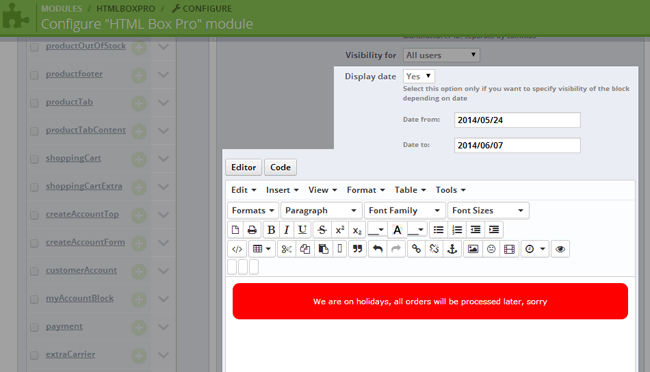
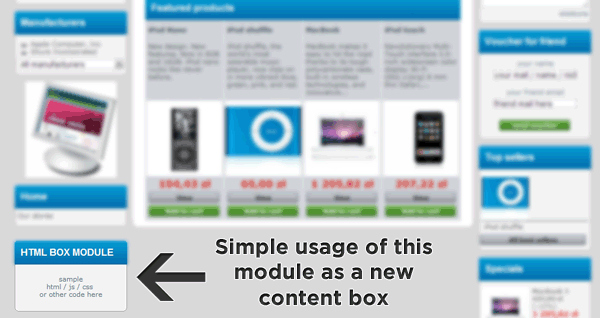
- Display important notices in prominent blocks placed anywhere you choose. For example, inform customers about upcoming holidays, inventory updates, or promotions within the cart or checkout process.
- Add virtually anything, anywhere you want.
HTML Box Pro Module Specifications:
|
Features/Specifications |
|
| Installation Locations (Hooks) | All Available Hooks You can utilize all hooks defined within the module. |
| Number of Usable Code Blocks | Unlimited (As many as there are locations) |
| WYSIWYG Editor | |
| Smarty Template Manager | |
| Available Hooks | 20+ |
| Supports Custom Hooks | |
| Custom Hook Limit | No Limit Use an unlimited number of custom hooks. |
| Hook Dictionary/Definitions | |
| {htmlboxpro:XX} Shortcode for CMS Pages (Requires free CMS Products Module) |
|
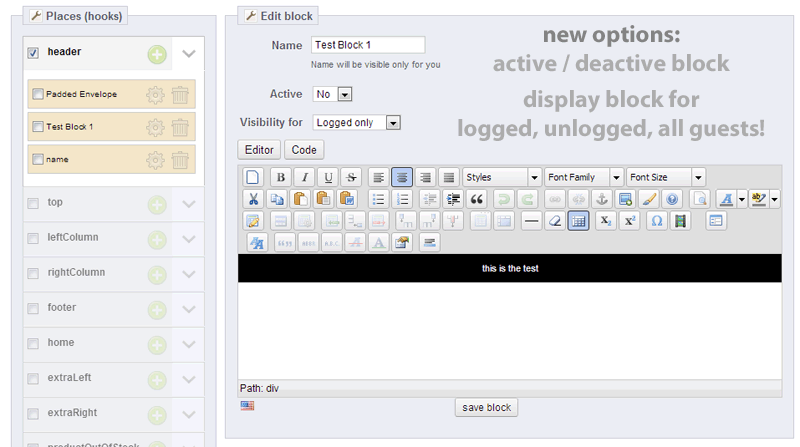
| Display for Logged-in Users Only | |
| Display for Logged-out Users Only | |
| Display for All Users | |
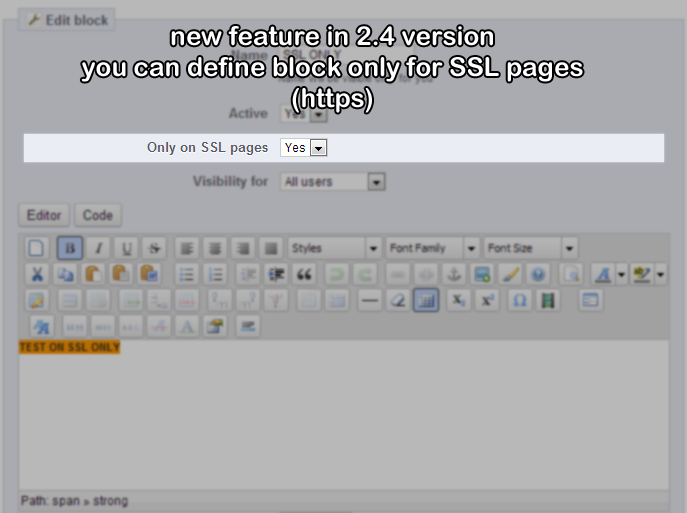
| Display on SSL Pages Only | |
| Display on Homepage Only | |
| Display on Specific Product Pages | |
| Exclude from Specific Product Pages | |
| Display for Products Above a Certain Price | |
| Display on Product Lists for Products Above a Certain Price | |
| Display for Products Below a Certain Price | |
| Display on Product Lists for Products Below a Certain Price | |
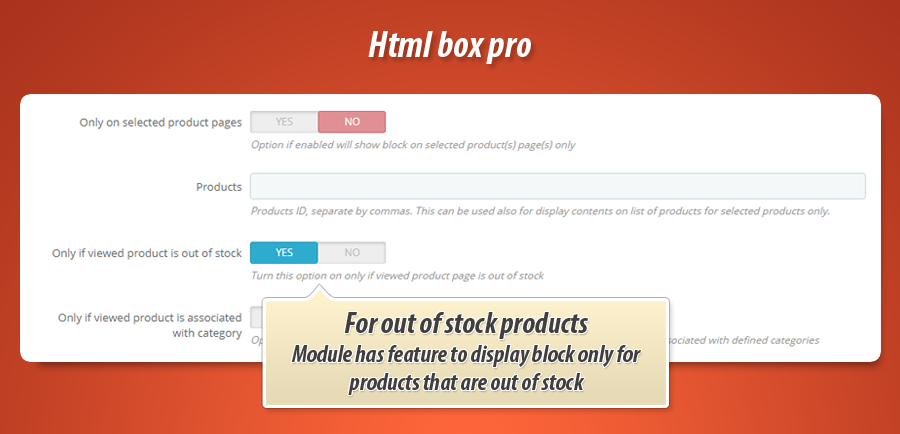
| Display Based on Product Stock Status (In/Out of Stock) | |
| Display for Products in Specific Categories | |
| Display for Products by Specific Manufacturers | |
| Display for Products by Specific Suppliers | |
| Display on Specific CMS Pages | |
| Display on Specific CMS Category Pages | |
| Display on Specific Manufacturer Pages | |
| Display on Specific Category Pages | |
| Hide from Specific Category Pages | |
| Display on Specific URLs | |
| Display Based on Search Queries | |
| Schedule Display by Date | |
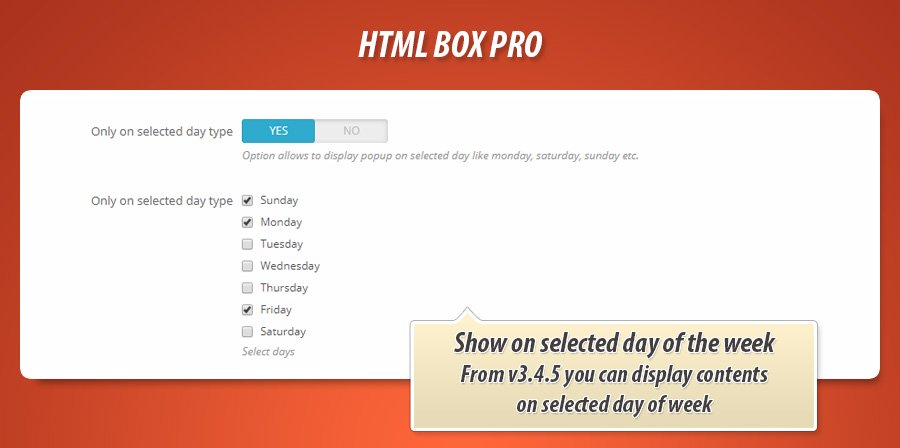
| Schedule Display by Day of the Week | |
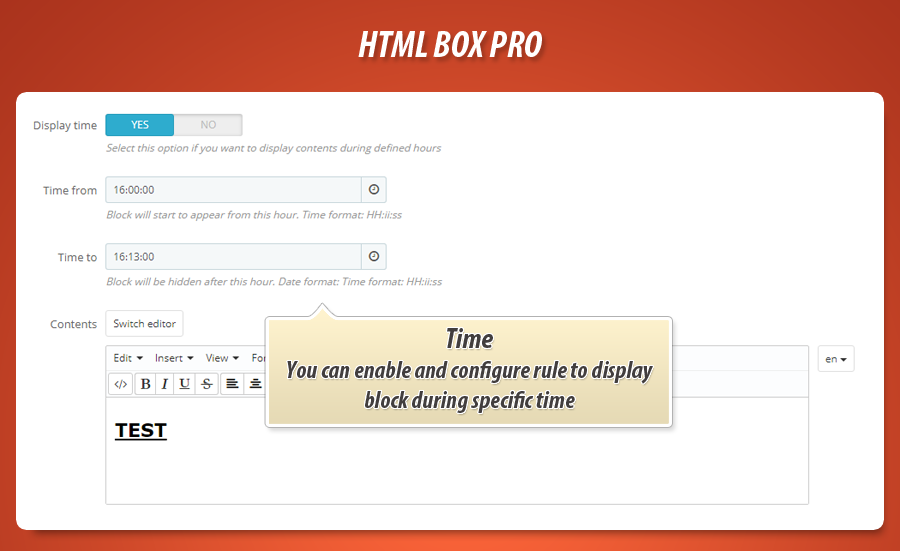
| Schedule Display by Time of Day | |
| Use Variables (e.g., {id_customer}) |


Prečo si vybrať náš modul
HTML Box Pro?
Optimalizácia a Automatizácia
HTML Box Pro automatizuje umiestnenie a zobrazenie dynamického obsahu a vlastného kódu. Optimalizuje distribúciu správ na základe rozsiahlych podmienok (používateľ, stránka, produkt), čo výrazne zefektívňuje správu obsahu a šetrí čas vďaka podpore premenných a časovaniu.
Zvýšený Predaj
Modul "HTML Box Pro" umožňuje dynamické vkladanie HTML a skriptov pre cielené promočné kampane, personalizované správy a sociálny dôkaz, čím priamo zlepšuje zákaznícku skúsenosť a zvyšuje konverzie a predaj v obchode.
15 rokov skúseností
Modul HTML Box Pro, vyvinutý s 15-ročnými skúsenosťami s PrestaShopom, ponúka bezkonkurenčnú flexibilitu. Umožňuje vkladať akýkoľvek HTML, CSS a JavaScript kód do viac ako 20 miest, vrátane pokročilých podmienok zobrazenia a dynamických premenných. Toto komplexné riešenie ukazuje hlboké pochopenie platformy.
Široká Personalizácia
Modul HTML Box Pro umožňuje rozsiahlu personalizáciu vášho obchodu. Vložte akýkoľvek HTML, CSS alebo JavaScript kód na viac ako 20 miest s podrobnými možnosťami viditeľnosti. Prispôsobte obsah dynamicky pomocou premenných a vytvorte jedinečný vzhľad pre každého zákazníka.
Otvorený Zdrojový Kód
HTML Box Pro neobmedzuje vaše možnosti vkladať HTML, CSS a JavaScript kód kdekoľvek. Máte plnú kontrolu nad pridávaním vlastného obsahu, podporuje všetky tagy a vlastné hooky pre pokročilé úpravy a integrácie, bez skrytých obmedzení.
Licencia a Aktualizácie
Licencia modulu HTML Box Pro umožňuje neobmedzené používanie. Bezplatné aktualizácie sú dostupné počas celého kalendárneho roka. Po tomto období je možné obnoviť prístup k aktualizáciám s výraznou zľavou.