
PrestaShop Omnibus Directive Pro
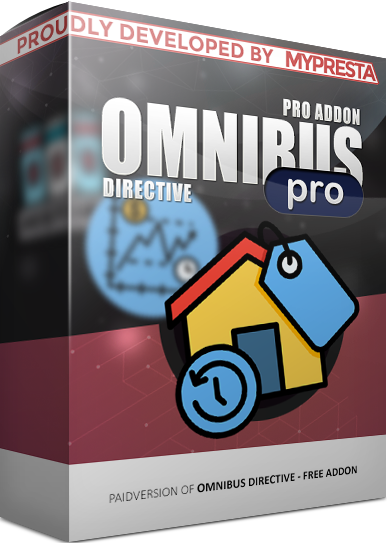
Omnibus Directive Pro module for PrestaShop. It records price history and displays the lowest 30-day price on promotions. Features include Smart Badge with Badge Studio, back-office analytics, frontend price charts, and separate controls for product pages and listings. Includes automated cron cleanup and optional CSV audit.
40.00 €
Galeria 1/11
PrestaShop EU Omnibus Compliance & Analytics Pro
Omnibus Directive Pro for PrestaShop ensures full EU Omnibus compliance by reliably recording price history and displaying the lowest price from the last 30 days during promotions. Beyond compliance, it offers a Smart Badge Studio for attractive, multilingual merchandising when prices are at their period minimum. Gain deep insights with back-office analytics and optional interactive front-end price charts, enhancing customer trust. The module provides granular control over display elements on product pages versus listings, supporting efficient operations for any catalog size with automated history management. It’s a comprehensive solution for compliance and strategic merchandising.
Module version:
1.2.0
Shop versions:
9.x8.x1.7.x
Works with ThirtyBees:
No
Translations:


EU Omnibus compliance with room to grow.
Omnibus Directive Pro for PrestaShop.
Record trustworthy price history, show the legal lowest price in the last 30 days when you run a promotion, and go further with Smart Badge , interactive charts, back-office analytics, and fine-grained control over product pages vs listings. Omnibus Directive Pro is built for EU stores that want compliance and merchandising in one module — without custom development.
Compliance is the baseline. Pro is how you win attention.
Shoppers in the EU expect transparency when prices drop. Omnibus is not optional decoration — it is part of how you prove that a promotion is real. That requires reliable history , not a number someone typed in the back office yesterday.
But once the legal line is covered, you still compete for attention on the product page and in category grids. Repeating “lowest price in 30 days” twice — once as law, once as marketing — feels clumsy. Omnibus Directive Pro lets you show a designed Smart Badge when the current price truly is the period minimum, while keeping the standard Omnibus line when that is the right message.
Add optional front charts for curious buyers, back-office analytics for your pricing team, automated history cleanup for large catalogs, and separate controls for product pages vs listings — all on top of the same own-database price archive the free addon uses.
What Pro adds on top of compliance
-
Smart Badge + Badge Studio:
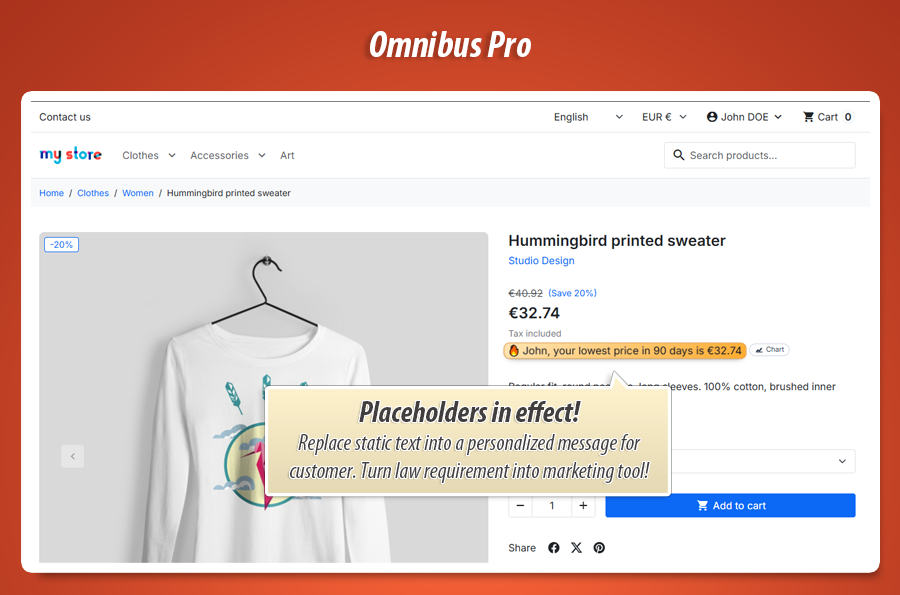
Visual, multilingual messaging with placeholders — styled in a full-screen builder, no theme edits. -
Analytics & front charts:
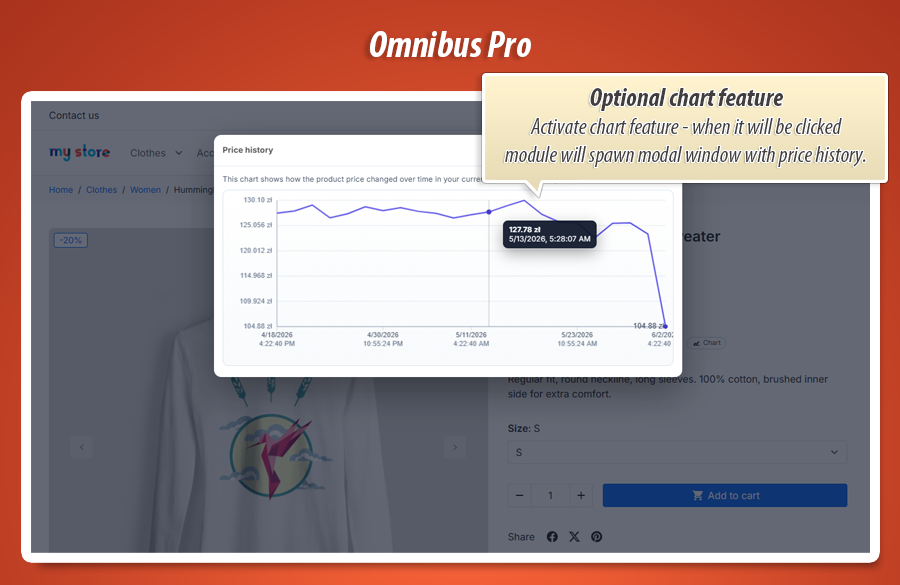
Inspect price trends in the back office; let customers open an interactive history chart on the storefront. -
Operations at scale:
Backfill, cron cleanup with optional CSV audit, catalog-rule tracking, listing vs product toggles.
Important: history starts when the module records prices
Like the free addon, Pro stores effective prices in its own database tables . It does not import legacy prices from PrestaShop core or external systems. Omnibus values, badges, charts and analytics are calculated from snapshots taken while the module is installed and active.
After installation, use Run backfill now to seed history across your catalog, or let snapshots build through everyday price changes. On large shops, plan a short ramp-up period before every product has a meaningful 30-day window.
Core capabilities in Pro
Smart Badge merchandising
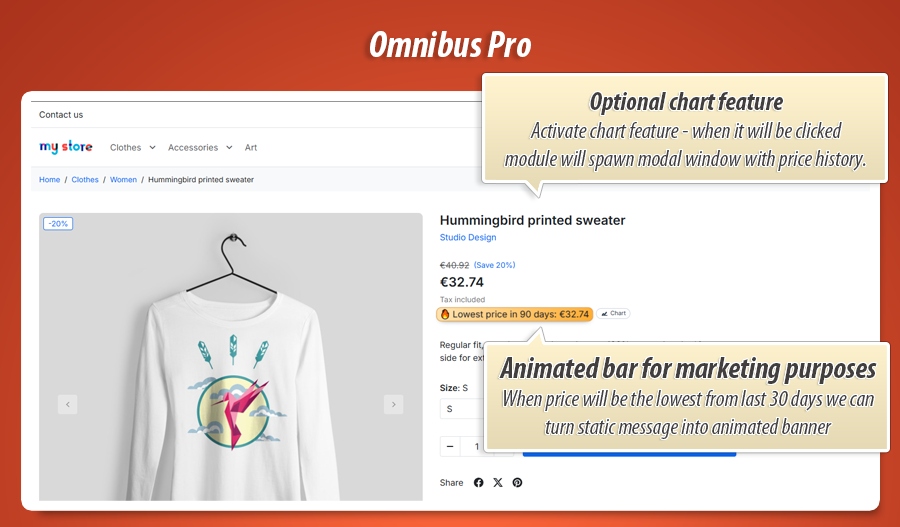
When the current price equals the lowest in your configured period, Pro can show a designed badge instead of duplicating the Omnibus line — clearer for customers, stronger for conversion.
Price analytics
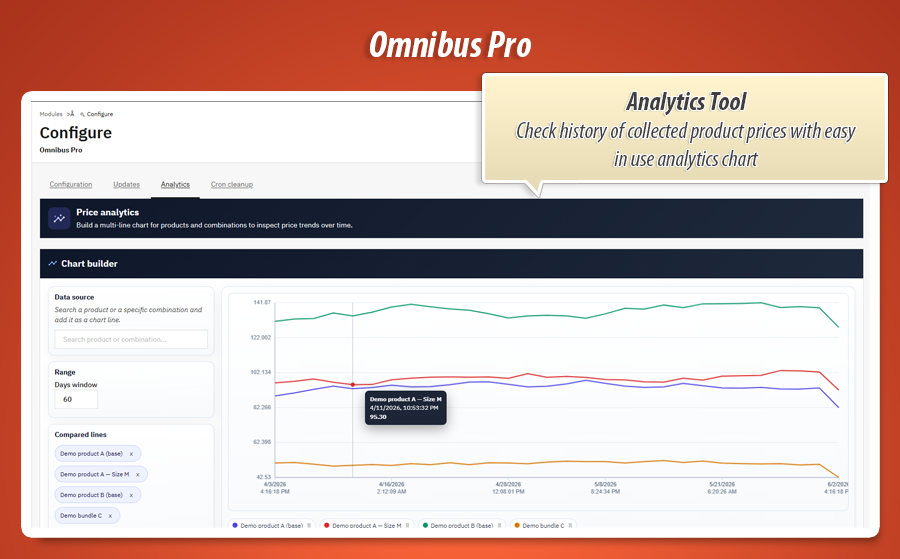
Dedicated Analytics tab: search products, compare combinations on one chart, adjust the day window, remove series from the legend. Understand pricing moves without exporting SQL.
Granular storefront control
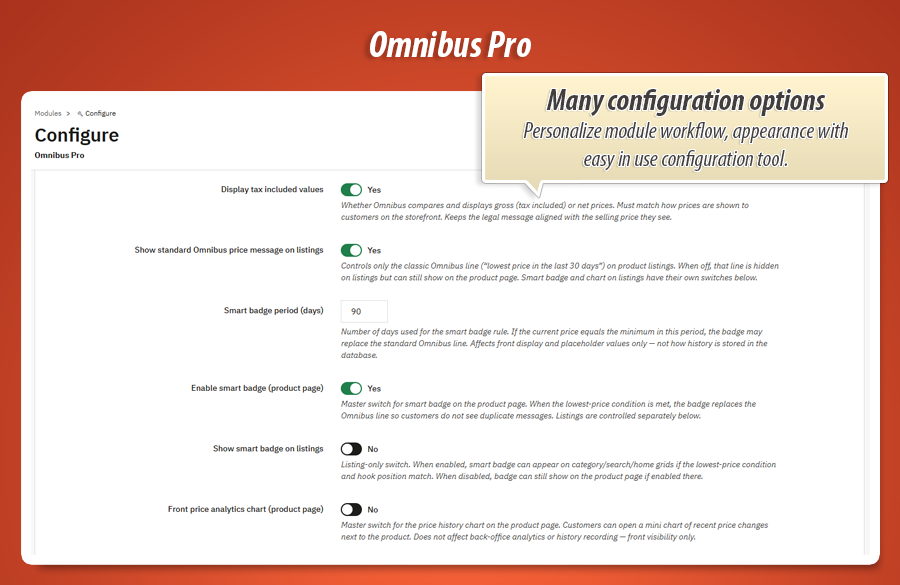
Separate switches for product page vs listings: standard Omnibus line, smart badge, and chart button — each where you want it, not all-or-nothing.
Smart Badge
Legal when needed. Marketing when it sells.
One message — the right format
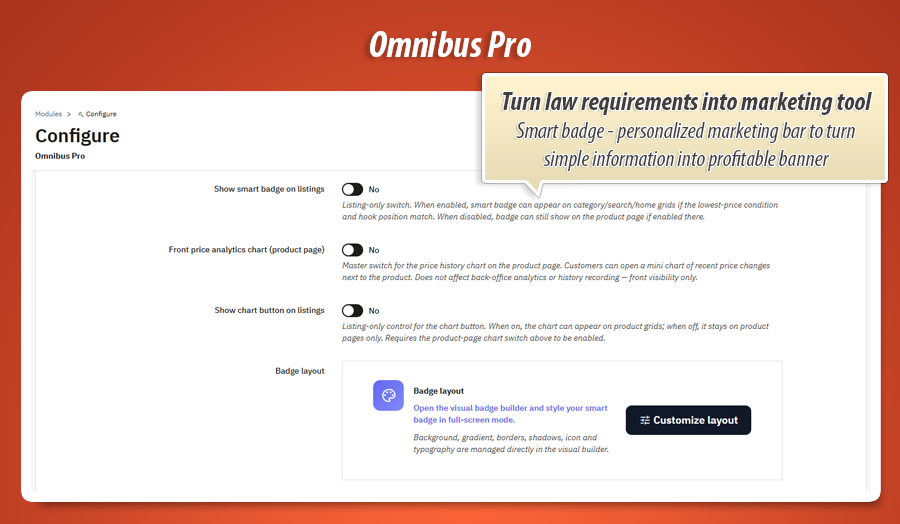
Configure how many days define your “smart” period (minimum 30). When the current selling price matches the lowest in that window and the product is on promotion, Pro can display your Smart Badge instead of the classic Omnibus sentence — so customers are not reading two versions of the same fact.
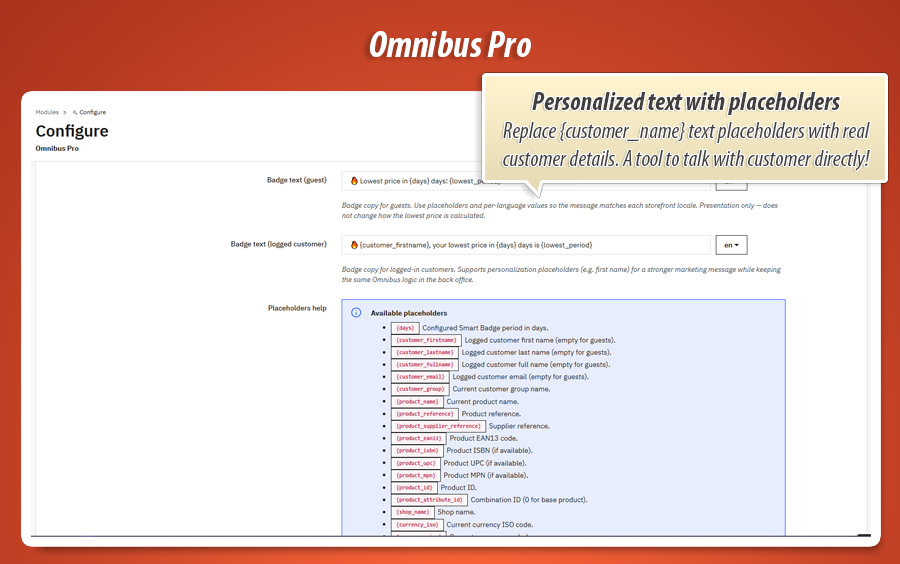
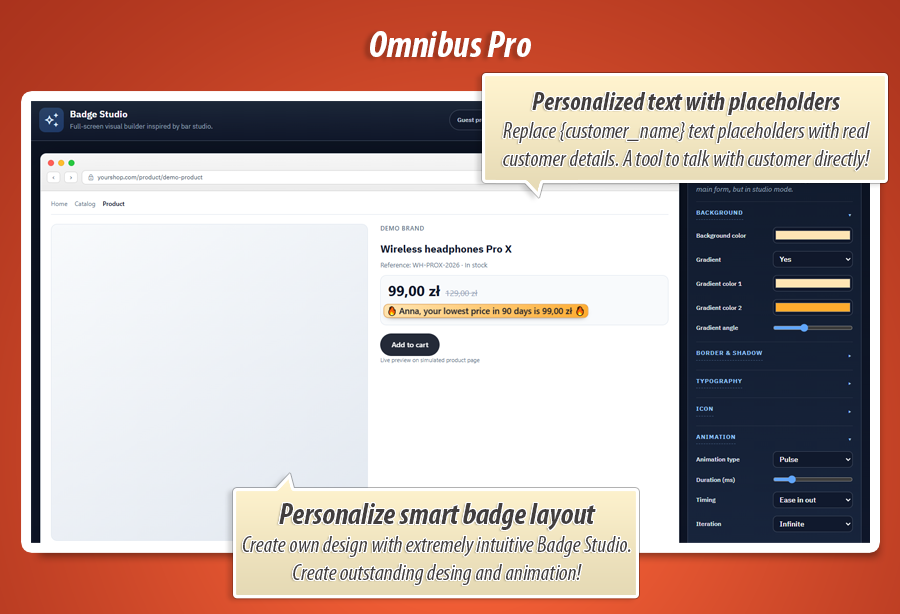
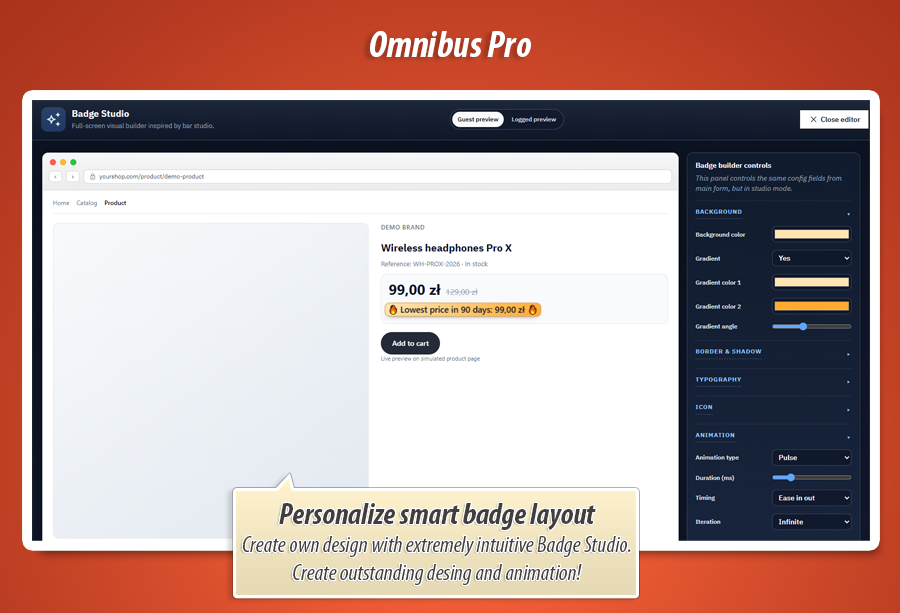
Badge Studio opens in full-screen: set colours, gradients, borders, shadows, icons, typography, and subtle animations. Preview how the badge looks for guests vs logged-in customers. Insert placeholders for product name, lowest price, discount percent, customer first name, and more — per language.
Place the badge via the main price hook or the dedicated displayOmnibusBadge template hook in heroes, listing cards, or page-builder zones.
Analytics & charts
See price stories, don’t guess them.
Back office insight + optional customer transparency
The Analytics tab lets your team search for a product or combination, add multiple lines to one chart, and compare how effective prices moved over 7–365 days. Remove a line from the legend when you only want to focus on selected variants.
On the storefront, enable the front price chart on the product page and, separately, on listings. Customers open a modal with an interactive timeline, tooltips, and values in their currency — useful for trust on considered purchases.
History shown in charts uses the same module-owned data as Omnibus calculations, converted to the visitor’s currency where needed.
Page vs listing
Show the right element in the right place.
Product sheet and category grid — independently
Pro gives you separate toggles for product page and listings :
-
Standard Omnibus line (“lowest price in 30 days”)
-
Smart Badge
-
Chart button
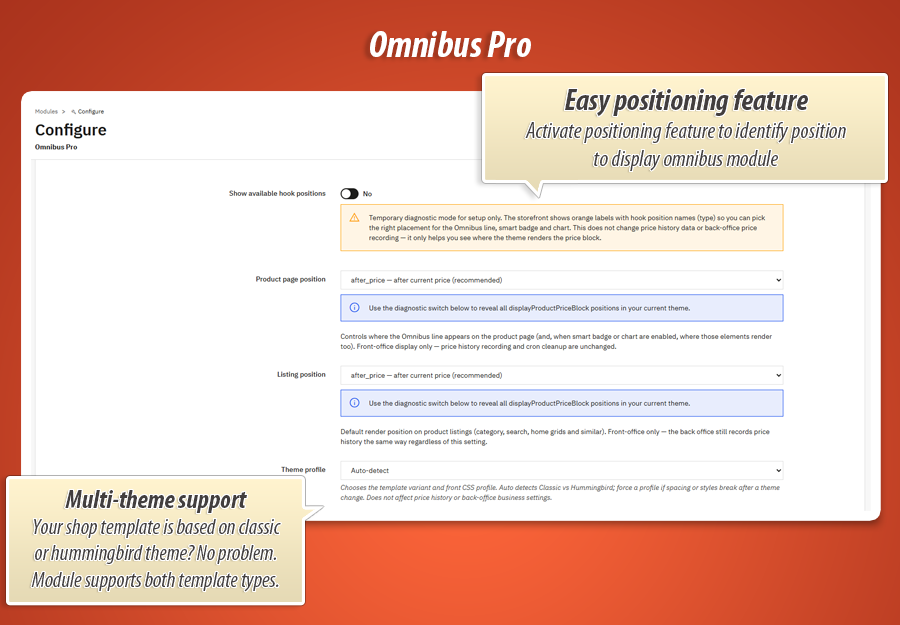
Pair with independent hook positions (including custom type values), diagnostic mode, and Classic / Hummingbird theme profiles — so dense listing layouts stay readable.
History engine
Built for catalogs that change daily.
Record, rebuild, and tidy price data
Pro snapshots prices when you edit products, change specific prices, and when catalog price rules refresh — so promotions driven by rules are reflected in history, not only manual edits.
After a migration or mass import, run backfill to rebuild snapshots for a product chunk without waiting for each SKU to be opened individually.
The Cron cleanup tab defines retention (minimum 30 days), optional scheduled deletion, and optional CSV reports generated before rows are removed — a practical audit trail for larger teams.
Everything from the free addon — included
Compliance foundation
30-day lowest price line on real promotions, combination-aware history, tax incl./excl. alignment, multi-currency conversion on display, hook placement with diagnostic mode, and displayOmnibusPrice for custom templates.
Honest data model
Own tables, snapshots from installation onward, clear back-office notice — so your team knows exactly what the module can and cannot reconstruct from the past.
Back-office tabs & configuration
Pro organizes work into focused tabs so merchants and agencies find settings quickly — without hunting through unrelated options.
Configuration
- Hook positions, tax mode, theme profile
- Product vs listing toggles (line, badge, chart)
- Smart Badge period, multilingual badge texts
- Badge Studio launcher for visual styling
- One-click backfill for catalog chunks
Analytics & Cron cleanup
- Multi-line charts with product search
- Adjustable history window (7–365 days)
- Scheduled cleanup via secure cron URL
- Optional CSV export before deletion
- Updates tab (MyPresta checker)
Technical specification & compatibility
Standard PrestaShop module ( omnipro ). No core overrides. Price history in dedicated tables. Suitable for multi-currency EU storefronts and teams that need both compliance display and operational tooling.
Legal notice: this module provides technical price recording and display tools. It does not replace legal advice for your markets — adapt customer-facing texts and internal processes with qualified counsel.
Need only the essentials?
Start with the free addon if you want the Omnibus line, own price history, combinations, currencies, and hook placement without premium merchandising and analytics. Upgrade to Pro anytime — same data philosophy, more power when you are ready.
Freeware on MyPresta.eu — ideal for testing Omnibus workflow before going Pro.


40.00 €
Module Gallery 1/11
Why choose our module
Omnibus Directive Pro?
Optimization and Automation
Omnibus Directive Pro automates price history tracking and scheduled data cleanup, ensuring compliance with minimal effort. It optimizes merchandising through Smart Badges and offers granular control over display elements, streamlining price reduction rules and data management for efficient store operations.
Increased Sales
Omnibus Directive Pro boosts sales by transforming compliance into a marketing advantage. Its Smart Badge visually highlights genuine lowest prices, improving conversions. Optional interactive front charts build customer trust for informed purchasing, optimizing the shopping experience and encouraging purchases.
15 years of experience
With 15 years deeply rooted in PrestaShop, we engineered Omnibus Directive Pro. Our experience ensures ironclad EU compliance with reliable price history, while also offering advanced Smart Badges, detailed analytics, and scalable tools specifically for modern PrestaShop 1.7-9.x stores. It's expertise, applied.
Extensive Customization
Omnibus Directive Pro provides extensive customization for your store's compliance display. Use Badge Studio to visually design multilingual Smart Badges with full control over styling, content, and placement. Granularly manage the visibility of compliance lines, badges, and charts across product pages and listings, ensuring a perfect fit.
Open Source Code
As a standard PrestaShop module with no core overrides, it ensures a clean implementation. This provides developers with the flexibility for advanced modifications and seamless integrations, typical for accessible source code.
License and Updates
As a premium module with an integrated update checker, Omnibus Directive Pro ensures ongoing compatibility with PrestaShop versions 1.7.x, 8.x, and 9.x. Regular updates are crucial for maintaining compliance with evolving EU Omnibus rules.