


PrestaShop Google Analytics 4 — gtag, MP & dataLayer tracking
Launch Google Analytics 4 with one module: gtag.js, Measurement Protocol or dataLayer for GTM. Full e‑commerce funnel, multi‑property rules, health checks and live statistics. Recover purchases when browsers block tags or consent is denied using server‑side MP. Setup wizard, debug tools and GA4‑aligned event mapping included.
60.00 €
Galeria 1/22
PrestaShop GA4 Ecommerce Tracking: Measurement Protocol, Live Stats & Data Quality
MyPresta Google Analytics 4 seamlessly integrates your PrestaShop store with GA4, offering flexible tracking via gtag.js, Measurement Protocol, or dataLayer. It ensures accurate, deduplicated data for a full ecommerce funnel, from 'view_item' to 'purchase' and 'refund'. Key features include a Setup Wizard for easy configuration, Live Statistics for real-time event monitoring, and Recovery Radar to identify conversion gaps. Additionally, the module provides a Health Score and Data Coach for optimizing tracking quality, alongside support for Enhanced Conversions and Consent Mode v2, making your analytics reliable and actionable.


Google Analytics 4 for your PrestaShop store
gtag, Measurement Protocol or dataLayer. Live Stats. Recovery Radar.
MyPresta Google Analytics 4 connects your shop to GA4 with one tracking method you choose: gtag.js, Measurement Protocol or dataLayer for Google Tag Manager. A Setup Wizard walks you through credentials, Live Statistics shows the last 30 minutes of events in the back office, Recovery Radar highlights funnel gaps, and Data Coach helps you improve tracking quality with Enhanced Conversions and Ghost client_id matching. Full ecommerce events. Clear reports you can act on.
What you get with MyPresta Google Analytics 4
Everything you need to run GA4 ecommerce tracking from PrestaShop: a clear tracking mode, a full event funnel, live visibility in the back office and tools that keep data quality high for Google Ads and Analytics reports.
One tracking mode at a time
Choose gtag.js, Measurement Protocol or dataLayer for GTM. Only one channel is active, so events stay clean and revenue is not counted twice.
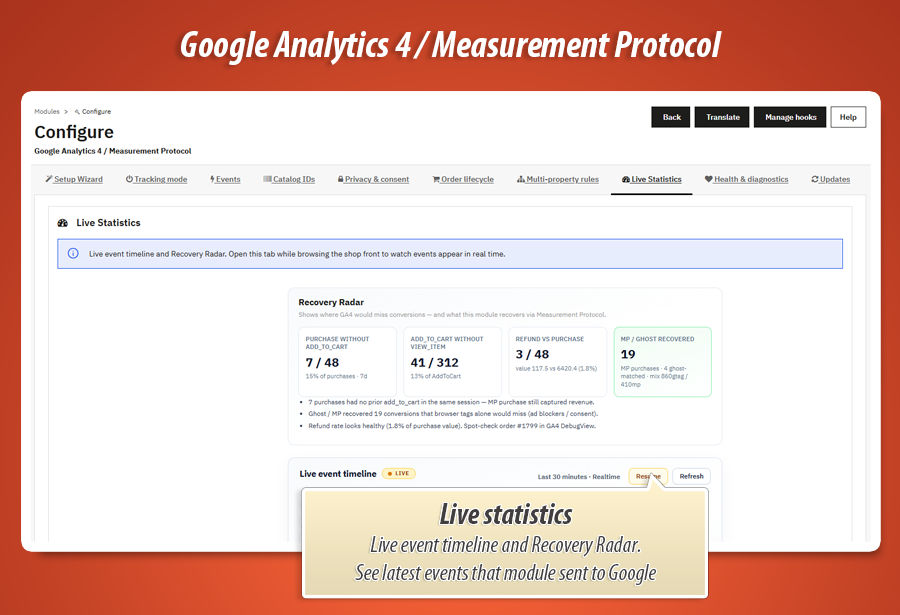
Live Statistics timeline
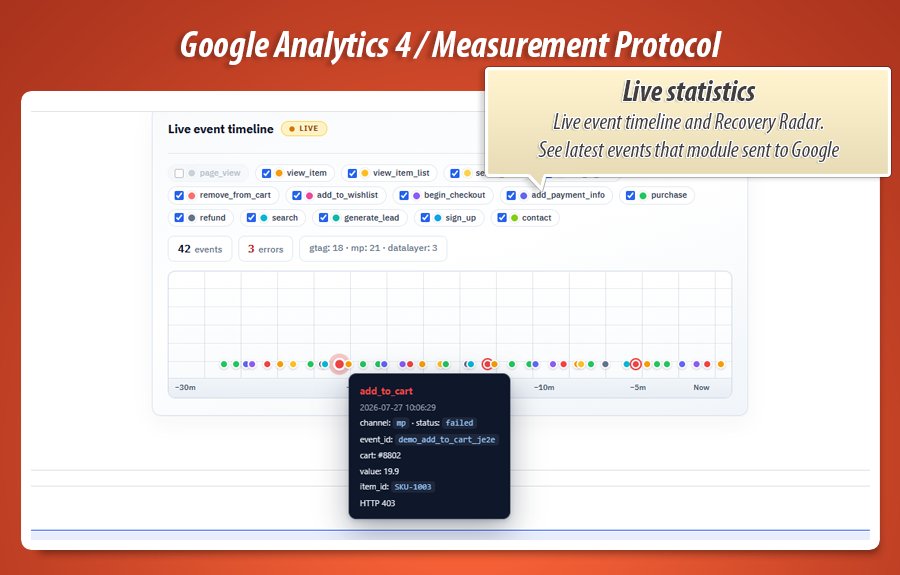
Watch GA4 events from the last 30 minutes live in your PrestaShop back office - similar to Google Analytics Realtime. Confirm tracking works while campaigns are running.
Recovery Radar
See where the funnel needs attention - with percentages - for example purchase without add_to_cart, add_to_cart without view_item, or refunds vs purchases - so you can fix tracking before ad budget is wasted.
Health score & Data Coach
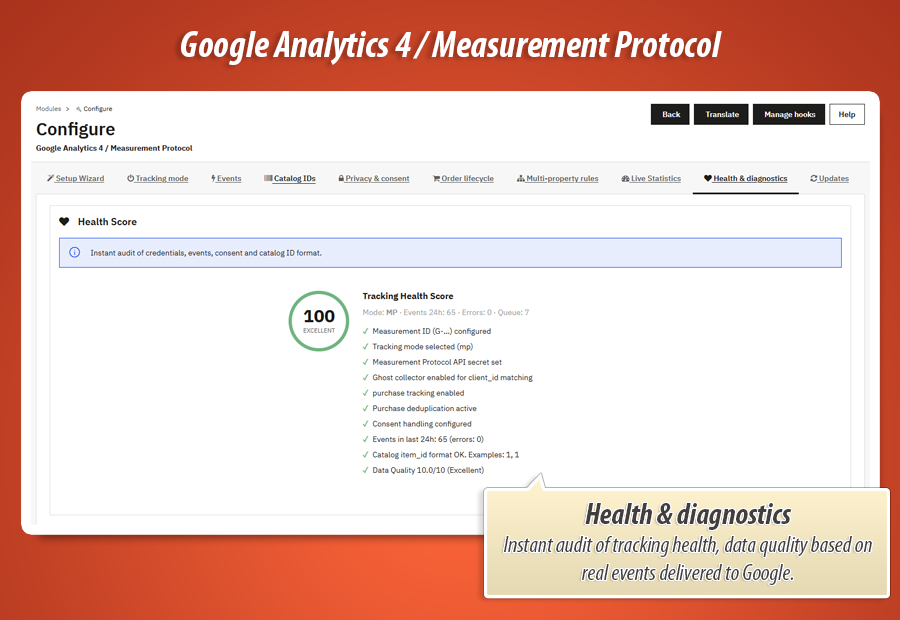
Health score audits Measurement ID, mode, consent, purchase, catalog IDs and recent errors as a clear percentage. Data Coach rates tracking quality and shows what to improve first.
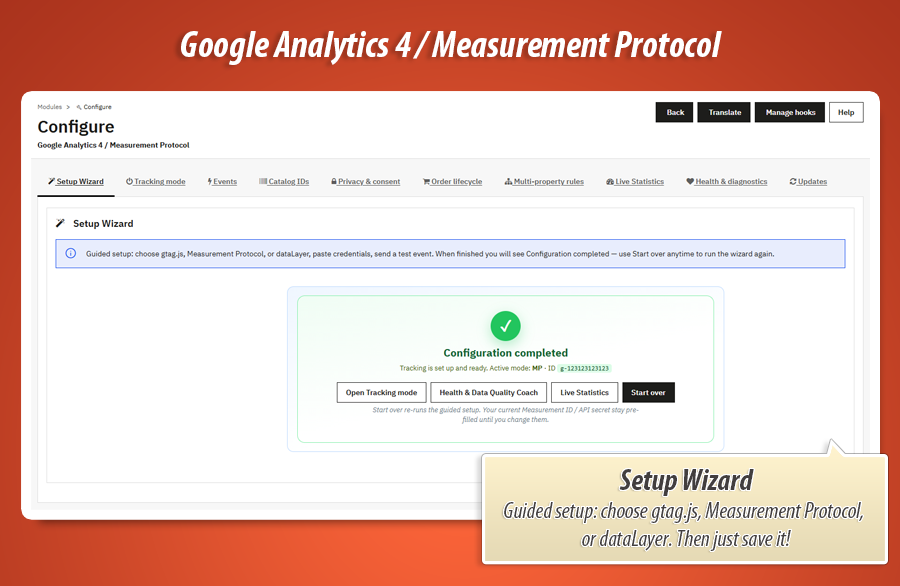
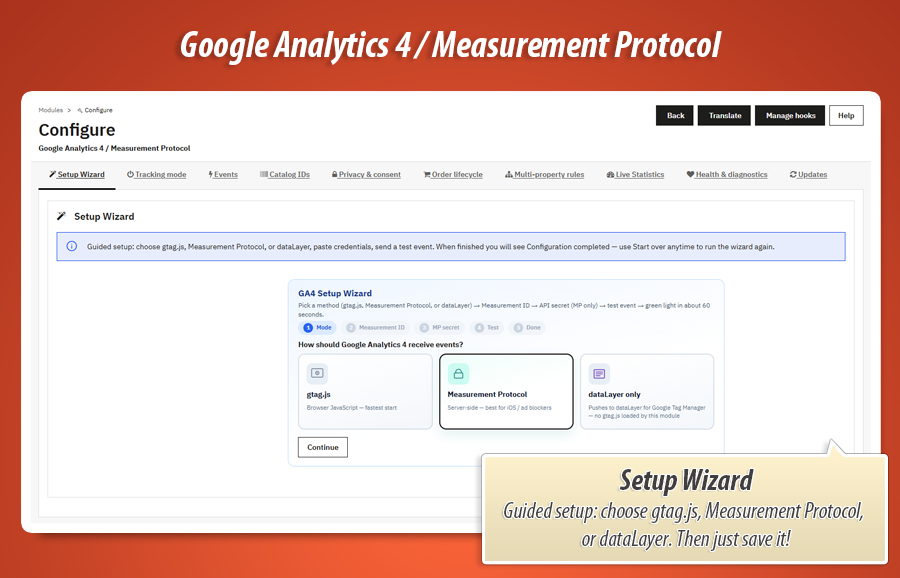
Setup Wizard
Guided setup: pick the channel, enter Measurement ID / API secret, set privacy options and send a test event - step by step.
Enhanced Conversions & Ghost
User-ID, Enhanced Conversions and Ghost collector for client_id in Measurement Protocol mode - so server events match the same browser session Google already knows from ads and cookies.
Deduplicated event_id
Stable event IDs for purchase, refund, add_to_cart and more. Refresh-safe and order-safe, so refreshing the confirmation page does not create a second sale in GA4.
Full ecommerce funnel
From view_item and add_to_cart through begin_checkout to purchase and refund - with rich items[] payloads that power precise GA4 ecommerce reports.
Organized admin panels
Wizard, Mode, Events, Catalog, Privacy, Orders, Multi-property, Live, Health and Updates - each topic in its own panel.
One channel. Rich items[]. Deduplicated IDs. Live proof.
These pieces work together so your GA4 ecommerce data stays reliable - even when ad blockers, consent banners or theme quirks get in the way.
gtag, MP or dataLayer. Pick browser gtag.js, server Measurement Protocol, or dataLayer pushes for Google Tag Manager. The admin shows only the fields that apply to your mode, so configuration stays clear.
Ghost collector. In Measurement Protocol mode a tiny script captures client_id without dual-firing gtag. Server events match the same browser session Google already knows from ads and cookies.
Stable event_id. Purchase, refund, add_to_cart and more get refresh-safe IDs logged in your shop. GA4 deduplicates. Confirmation-page F5 does not create a second sale.
Live Stats + Radar + Data Coach. Every send lands in the event log. Live Statistics shows events firing right now. Recovery Radar shows where the funnel breaks. Data Coach scores tracking quality so you can raise it before budgets scale.
One channel, rich items[], deduplicated event_id and live back-office visibility - ecommerce data you can trust, with proof you can check anytime in PrestaShop.
Gamechanger
Live Statistics + Recovery Radar
See the last 30 minutes of GA4 events live in the PrestaShop back office, and use Recovery Radar to spot conversion gaps while your campaigns are still spending.
Step 1 - Watch the funnel live
Open Live Statistics while you browse the storefront. In the back office you see the last 30 minutes of events appear as they happen - page_view, view_item, add_to_cart, purchase and more, each in its own color. Filter the legend if the chart gets busy.
Step 2 - Read Recovery Radar
Radar KPIs flag purchases without add_to_cart on the same cart, add_to_cart without view_item in the previous hours, refunds vs purchases, and Measurement Protocol recoveries. Plain-language insights explain what each gap usually means.
Step 3 - Fix before budget burns
Broken ATC? Theme hook or event toggle. Purchase without ATC? Ad landing to checkout or blocked JS - MP + Ghost recovers matching. High refunds? Order lifecycle statuses. You act from shop data, not a delayed DebugView guess.
Why this matters: Google Ads and GA4 optimize on the events you send. Live Statistics shows those events as they happen. Recovery Radar shows in percentages where the funnel breaks (for example purchase without add_to_cart) so you can react while budget is still running - with clear shop data, not a delayed guess.
Complete feature guide
Every feature explained in plain language for shop owners. No Measurement Protocol jargon required. One by one, so you know exactly what MyPresta Google Analytics 4 does for your campaigns and reports.
Setup Wizard
The module opens with a Setup Wizard. Pick gtag.js, Measurement Protocol or dataLayer for GTM, paste your Measurement ID (and API secret for MP), optionally enable Ghost collector and Consent Mode v2, then send a test purchase to confirm GA4 receives data.
When configuration is done, the wizard marks itself complete. You can re-run it anytime from the same tab if you switch channel or rebuild the shop.
Tracking mode: gtag, MP or dataLayer (never two)
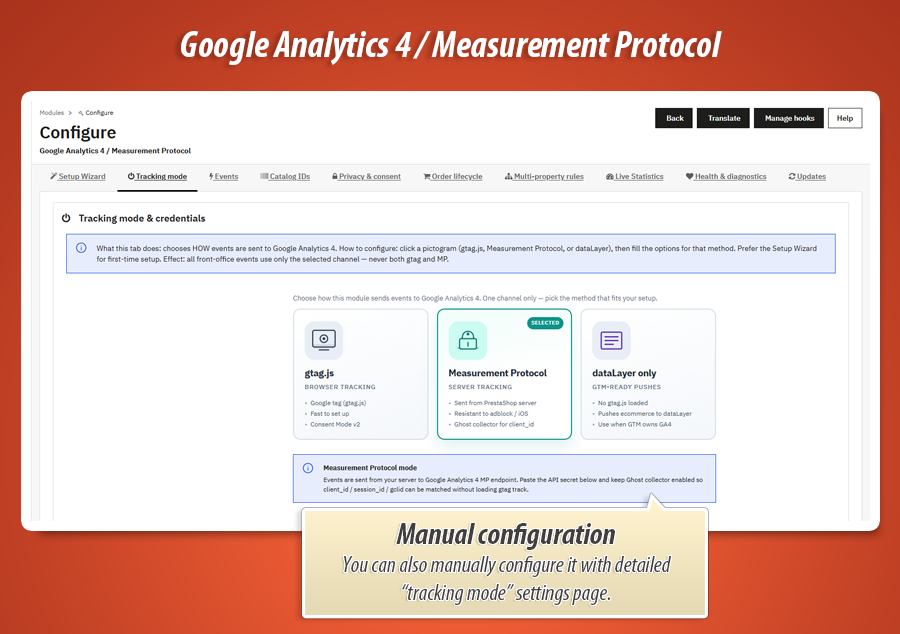
The Mode tab is a hard exclusive choice. Click one pictogram. All storefront events then travel on that single channel.
-
gtag.js modeClassic browser tracking with GA4 ecommerce events, Enhanced Conversions and Consent Mode v2 support.
-
Measurement Protocol modeServer-side hits from PrestaShop. Survives ad blockers and iOS privacy. Pair with Ghost for client_id matching so MP events still join the same user journey.
-
dataLayer mode (GTM)Clean ecommerce dataLayer pushes for Google Tag Manager. Your GTM container stays in control of which tags fire - the module supplies precise event payloads.
Full GA4 ecommerce event set
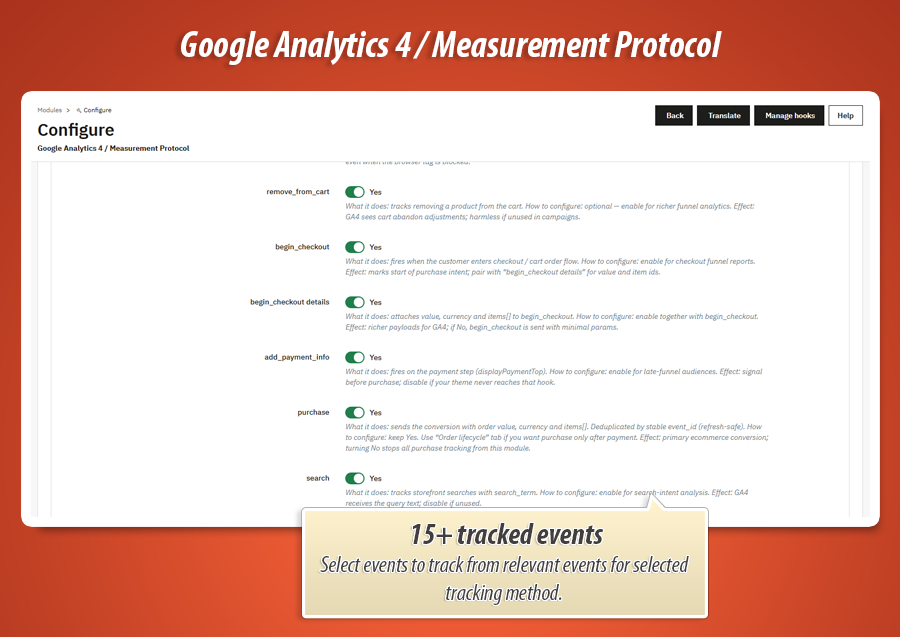
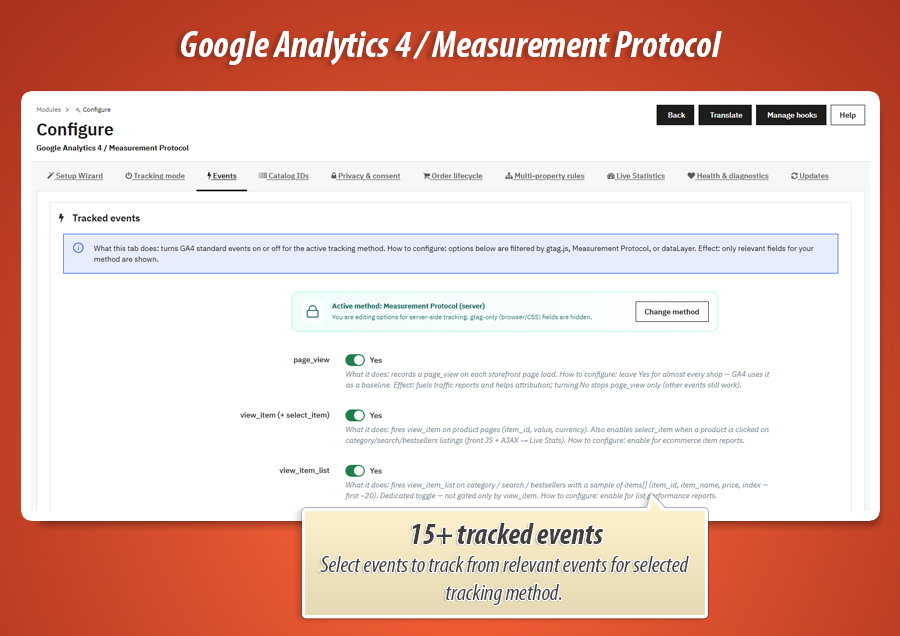
Turn each event on or off from the Events tab. Every toggle includes a plain-language explanation of what it does and when to use it. Rich items[] payloads feed GA4 ecommerce reports and raise Data Coach quality scores.
-
Funnel corepage_view, view_item, select_item, view_item_list, add_to_cart, remove_from_cart, begin_checkout, add_payment_info, purchase.
-
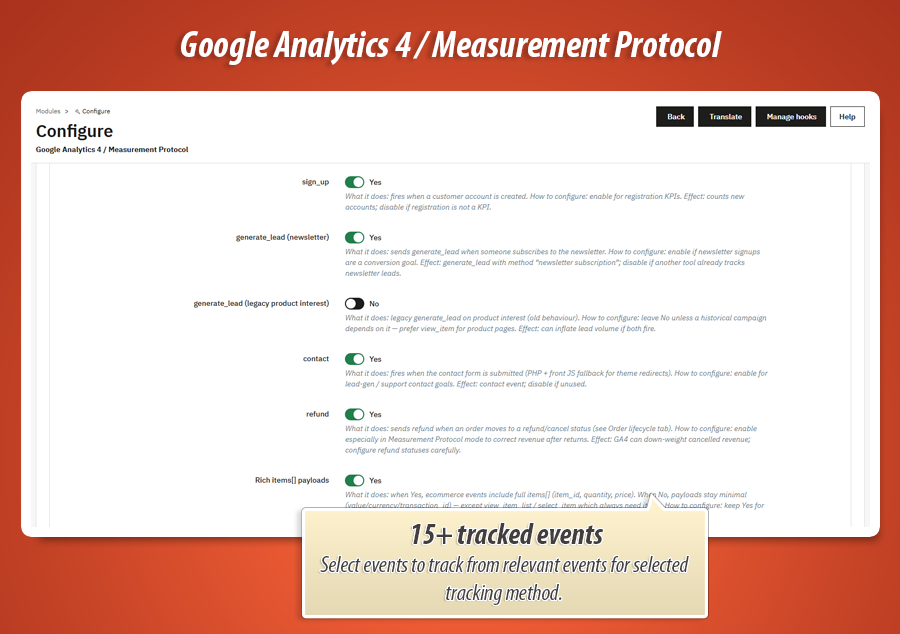
Engagement & leadssearch, add_to_wishlist, sign_up, generate_lead, contact.
-
Refundsrefund corrects revenue after returns so Google Ads and GA4 do not optimize on returned money.
Live Statistics & Recovery Radar
-
Live 30-minute viewIn the back office you see GA4 events from the last 30 minutes live. You know immediately if tracking works while ads spend. Choose how often the view refreshes and how long the log is kept.
-
Recovery Radar KPIsPurchase without add_to_cart, add_to_cart without view_item, refunds vs purchases - shown as percentages with plain-language tips so you know what to fix first.
-
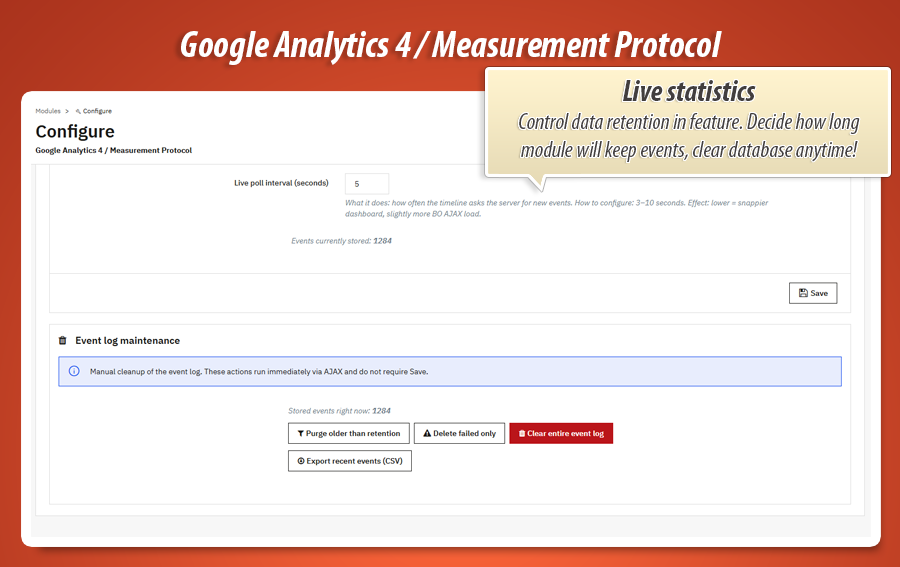
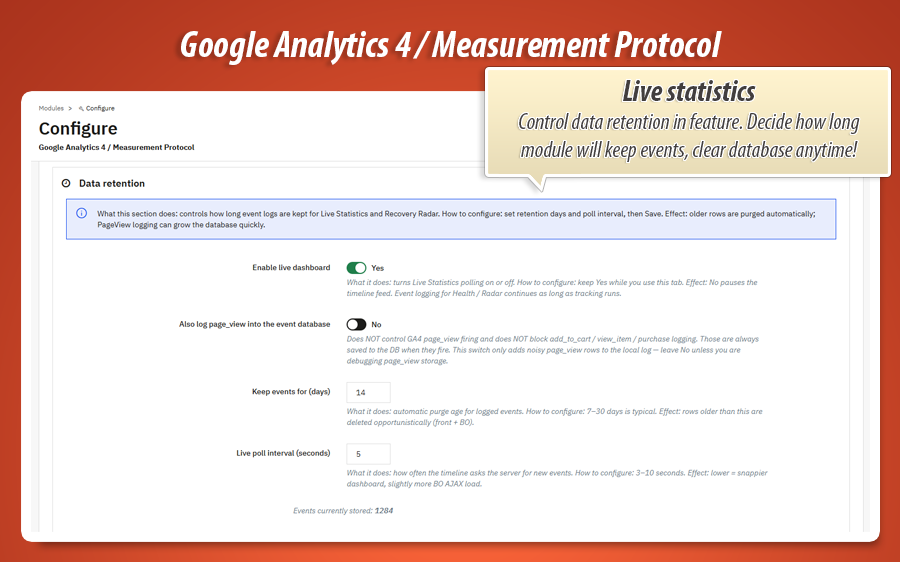
Log retention & refreshChoose how many days of event history to keep and how often Live Statistics updates. Optional page_view logging when you need deeper traffic debugging.
Health & diagnostics + Data Coach
The Health tab scores your setup as a percentage: Measurement ID present, mode selected, API secret (for MP), Ghost enabled, purchase on, consent configured, recent send errors and catalog ID format.
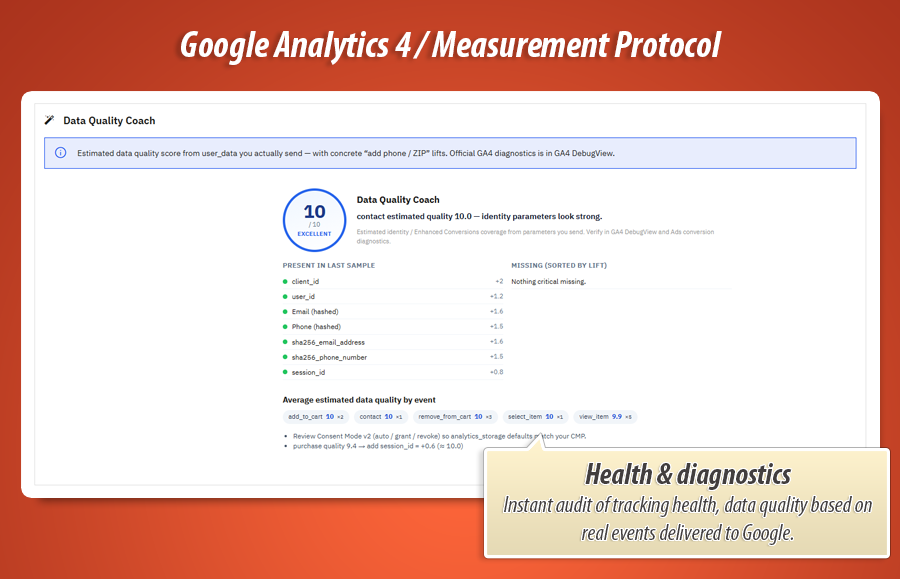
Data Coach (Data Quality Coach) rates tracking quality from the events and item payloads you send. A full funnel with rich items[] earns stronger scores - and the coach shows what to improve next.
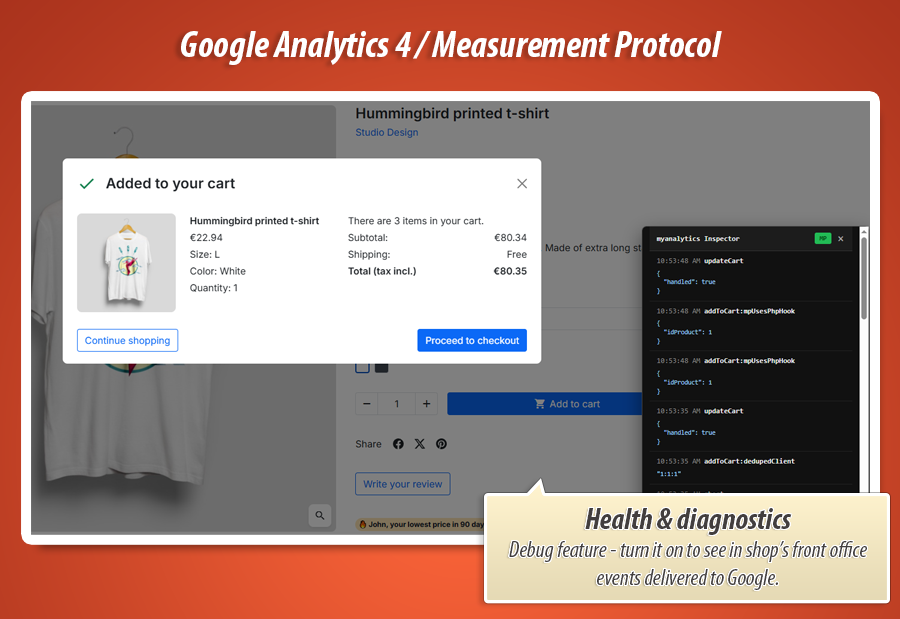
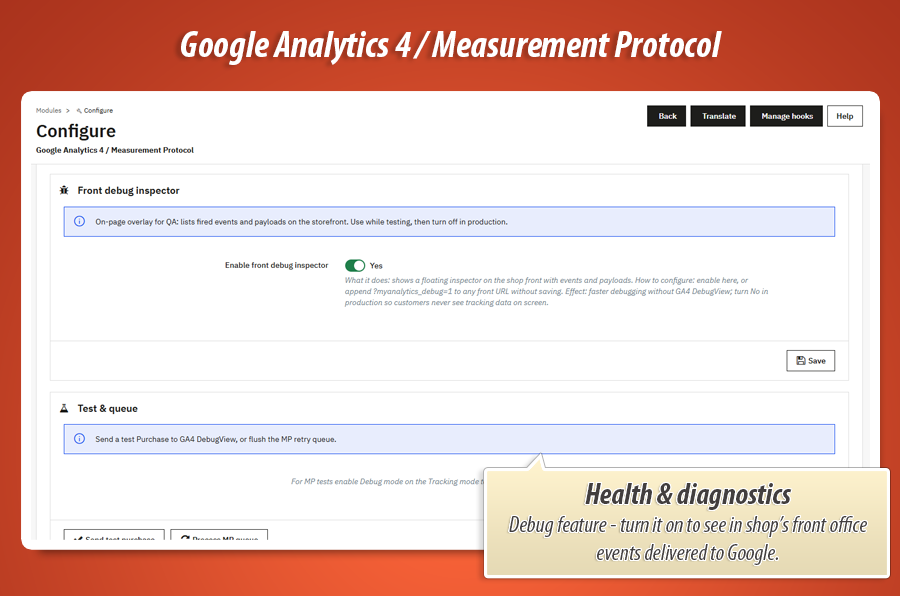
Send a test purchase into GA4 DebugView, skim the recent events log and review coach tips - all from the same diagnostics workspace.
Privacy, Consent Mode v2 & Ghost matching
-
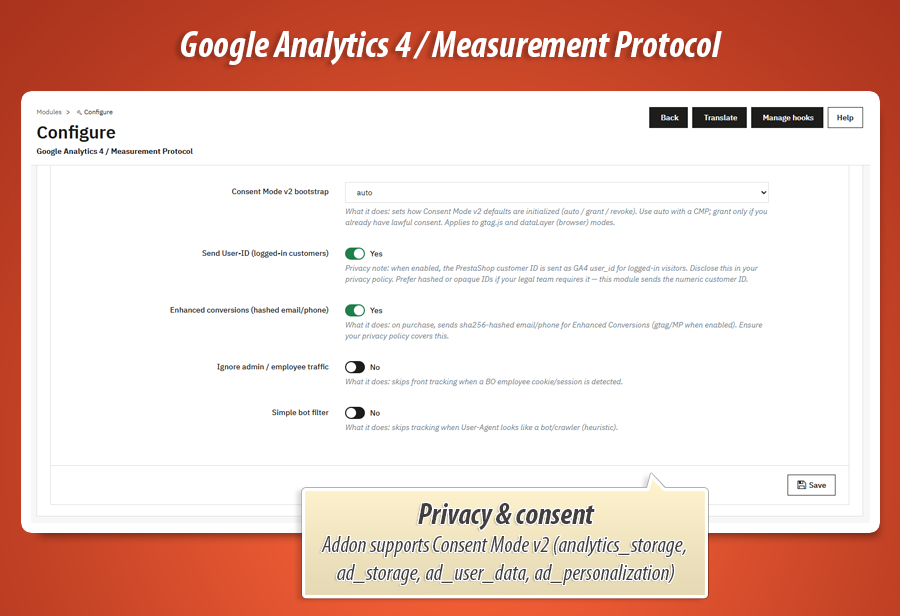
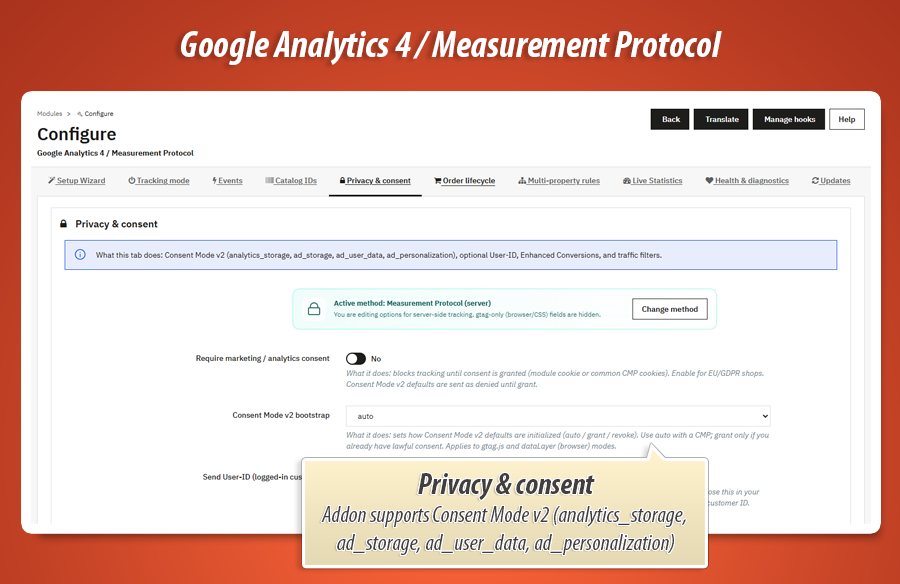
Consent Mode v2Respect marketing / analytics consent with Consent Mode v2 defaults and updates when your CMP grants permission.
-
Enhanced Conversions & User-IDPass hashed customer data and optional User-ID when the customer is logged in - for better attribution and Google Ads conversion matching.
-
Ghost collector (MP mode)Lightweight front-office script captures client_id so server Measurement Protocol events match the same browser session - without dual-firing gtag tracks.
Order lifecycle
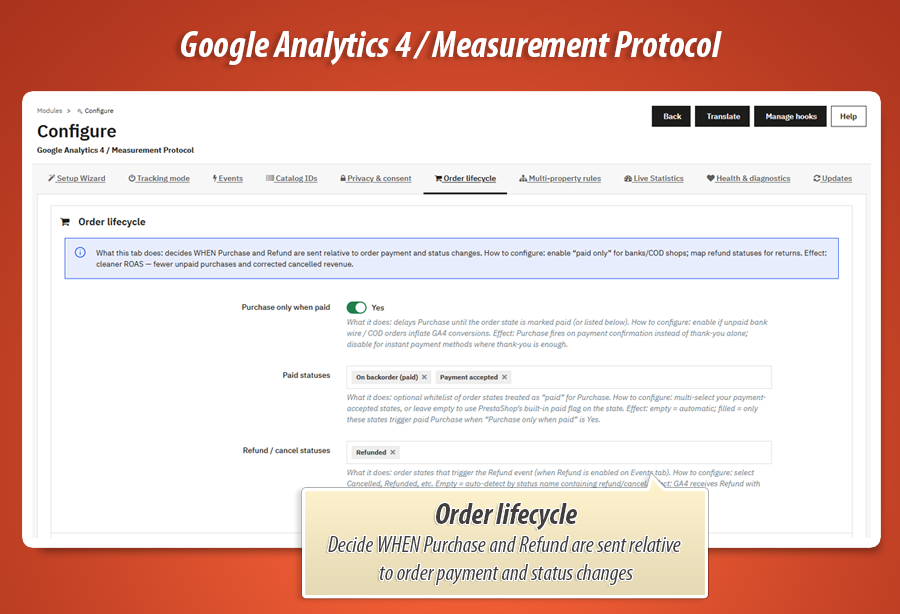
Decide when purchase fires: immediately on order validation, or only when the order reaches a paid status you choose. Map refund / cancel statuses so refund events correct GA4 revenue after returns.
Purchase and refund use stable event_id values tied to the order. Refreshing the confirmation page or re-saving the status will not create a second conversion.
Catalog Doctor
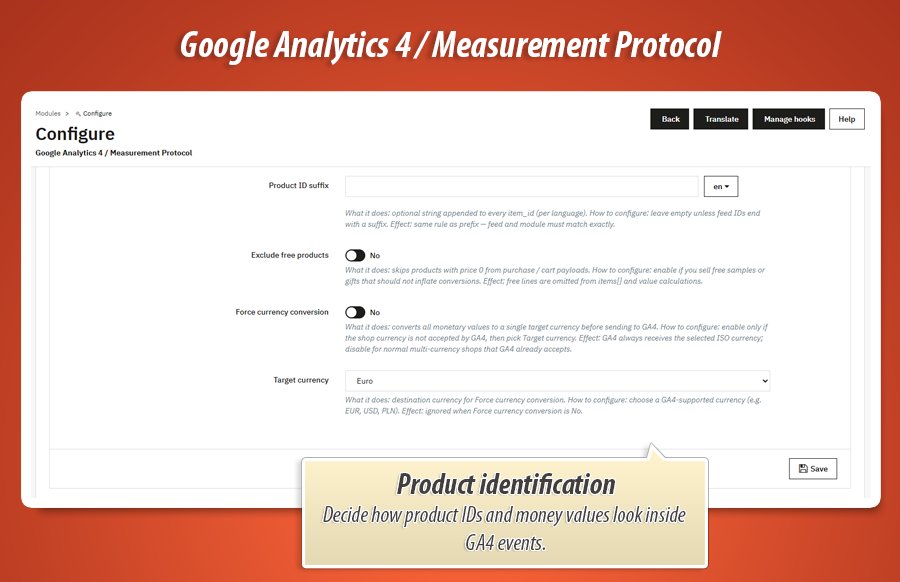
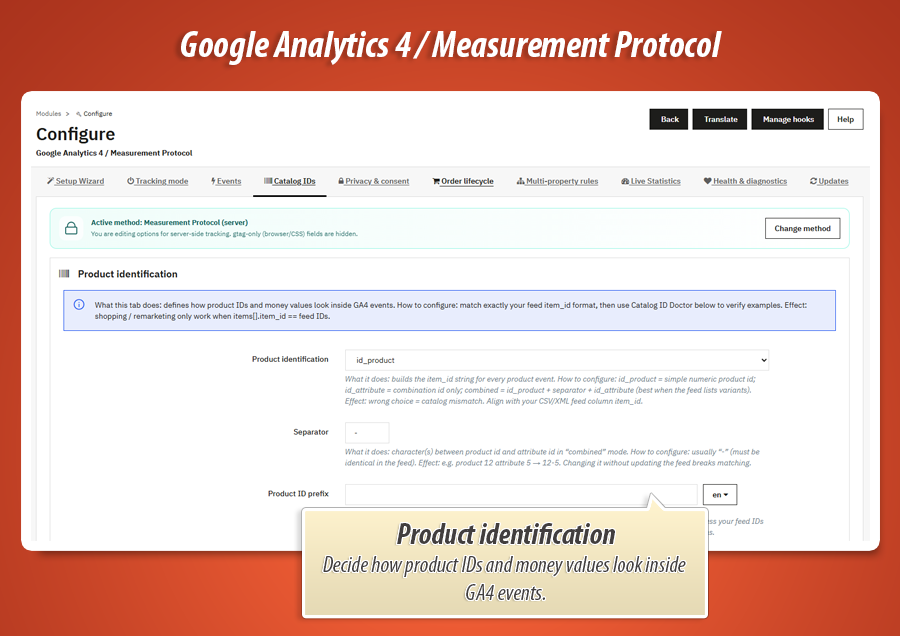
GA4 item_id values must match how you identify products in feeds and Google Merchant Center. Configure ID source (product id, reference, attribute, combined), separators, prefixes and suffixes.
Catalog Doctor shows live examples of IDs generated with your current settings so you can verify feed match before you scale Shopping or Performance Max.
Multi-property rules
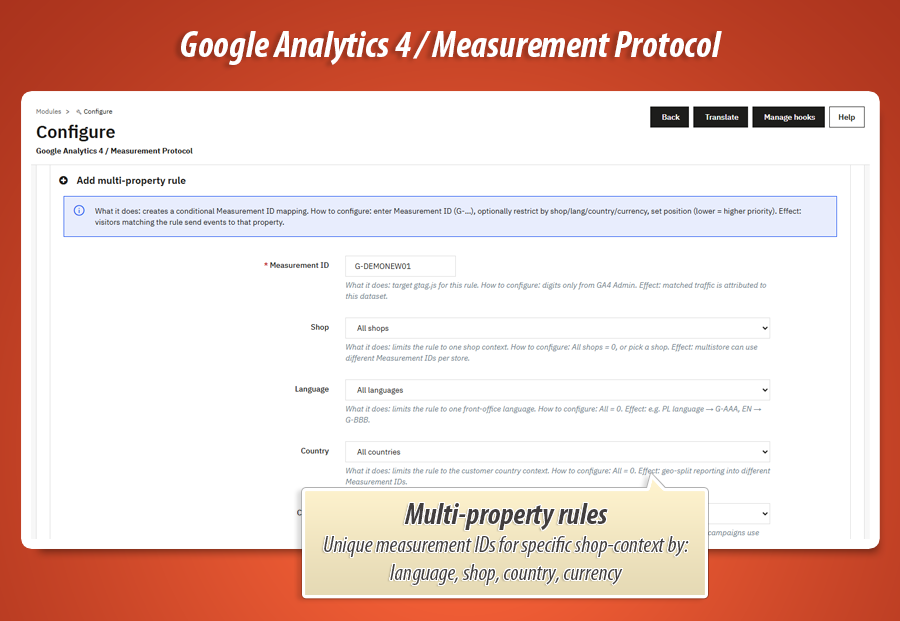
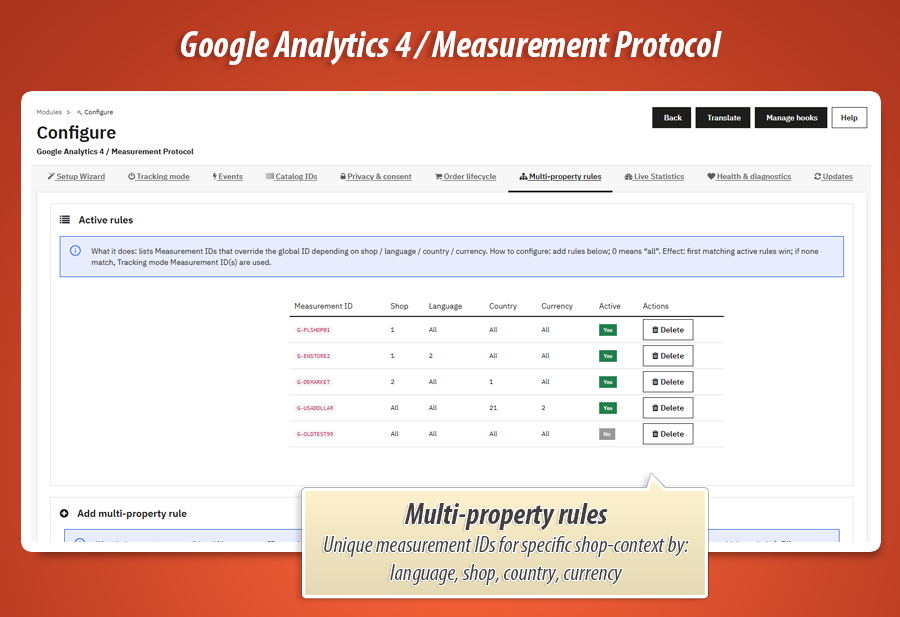
Run more than one GA4 property when needed. Add rules by shop, language, country or currency so multi-store and multi-market setups send events to the right Measurement ID - without editing theme files.
PrestaShop 1.7, 8 and 9 ready
Built for modern PrestaShop: native hooks, no core overrides, dedicated AJAX for Live Stats and Wizard (so JSON never breaks on HTML layouts), plus a PrestaShop 9 compatibility layer. Updates tab keeps you on MyPresta.eu release notifications.
Power feature
Complete GA4 event set. Precise ecommerce data. Strong Data Coach scores.
MyPresta Google Analytics 4 tracks a large, powerful set of GA4 ecommerce and engagement events with rich items[] payloads. That depth fills Product funnel, Monetization and item reports - and supports the highest Data Coach / data quality scores for tracking quality in your shop.
Full funnel coverage with structured product data means clearer GA4 ecommerce reports and better signals for Google Ads optimization.
| Event | What it measures | Example JSON payload |
|---|---|---|
page_view |
Every storefront page visit - product, category, cart, CMS. Baseline traffic for engagement and landing reports. |
{
  "event": "page_view",
  "page_title": "Leather Crossbody Bag",
  "page_location": "https://shop.example/bags/leather-crossbody-bag",
  "currency": "EUR"
}
|
view_item |
Customer opened a product page. Powers item views, product funnel and remarketing audiences. |
{
  "event": "view_item",
  "currency": "EUR",
  "value": 89.99,
  "items": [{
    "item_id": "BAG-2048",
    "item_name": "Leather Crossbody Bag",
    "item_brand": "Nord & Lane",
    "item_category": "Bags",
    "price": 89.99,
    "quantity": 1
  }]
}
|
select_item |
Customer clicked a product from a list or recommendation block. Shows which listings convert interest into product views. |
{
  "event": "select_item",
  "item_list_name": "Bestsellers",
  "currency": "EUR",
  "items": [{
    "item_id": "CERA-110",
    "item_name": "Ceramic Pour-Over Set",
    "item_category": "Kitchen",
    "price": 49.99,
    "index": 2
  }]
}
|
view_item_list |
Category, search results or featured list impressions. Measures which collections get attention before a click. |
{
  "event": "view_item_list",
  "item_list_id": "cat-12",
  "item_list_name": "Coffee & Tea",
  "currency": "EUR",
  "items": [
    {"item_id": "CERA-110", "item_name": "Ceramic Pour-Over Set", "price": 49.99, "index": 1},
    {"item_id": "MUG-88", "item_name": "Stoneware Travel Mug", "price": 24.50, "index": 2}
  ]
}
|
add_to_cart |
Product added to cart. Core mid-funnel signal for Google Ads and abandoned-cart audiences. |
{
  "event": "add_to_cart",
  "currency": "EUR",
  "value": 89.99,
  "items": [{
    "item_id": "BAG-2048",
    "item_name": "Leather Crossbody Bag",
    "item_variant": "Cognac / Medium",
    "price": 89.99,
    "quantity": 1
  }]
}
|
remove_from_cart |
Product removed from cart. Helps explain drop-offs and clean funnel math for Recovery Radar. |
{
  "event": "remove_from_cart",
  "currency": "EUR",
  "value": 24.50,
  "items": [{
    "item_id": "MUG-88",
    "item_name": "Stoneware Travel Mug",
    "price": 24.50,
    "quantity": 1
  }]
}
|
begin_checkout |
Checkout started with cart contents. Measures intent to buy and checkout abandonment. |
{
  "event": "begin_checkout",
  "currency": "EUR",
  "value": 139.98,
  "items": [
    {"item_id": "BAG-2048", "item_name": "Leather Crossbody Bag", "price": 89.99, "quantity": 1},
    {"item_id": "CERA-110", "item_name": "Ceramic Pour-Over Set", "price": 49.99, "quantity": 1}
  ]
}
|
add_payment_info |
Payment method chosen. Late-funnel signal before purchase - great for checkout step analysis. |
{
  "event": "add_payment_info",
  "currency": "EUR",
  "value": 139.98,
  "payment_type": "credit_card",
  "items": [
    {"item_id": "BAG-2048", "item_name": "Leather Crossbody Bag", "price": 89.99, "quantity": 1},
    {"item_id": "CERA-110", "item_name": "Ceramic Pour-Over Set", "price": 49.99, "quantity": 1}
  ]
}
|
purchase |
Order completed (after payment when lifecycle says so). Full revenue with tax, shipping, transaction_id and line items. |
{
  "event": "purchase",
  "transaction_id": "ORD-45821",
  "currency": "EUR",
  "value": 154.87,
  "tax": 9.99,
  "shipping": 4.90,
  "items": [
    {"item_id": "BAG-2048", "item_name": "Leather Crossbody Bag", "price": 89.99, "quantity": 1},
    {"item_id": "CERA-110", "item_name": "Ceramic Pour-Over Set", "price": 49.99, "quantity": 1}
  ]
}
|
search |
Internal shop search. Reveals what customers look for - even when they never buy. |
{
  "event": "search",
  "search_term": "leather bag cognac"
}
|
add_to_wishlist |
Product saved to wishlist. Soft purchase intent for remarketing and product interest reports. |
{
  "event": "add_to_wishlist",
  "currency": "EUR",
  "value": 49.99,
  "items": [{
    "item_id": "CERA-110",
    "item_name": "Ceramic Pour-Over Set",
    "item_category": "Kitchen",
    "price": 49.99,
    "quantity": 1
  }]
}
|
sign_up |
New customer account created. Tracks registration conversions beyond product sales. |
{
  "event": "sign_up",
  "method": "email"
}
|
generate_lead |
Newsletter or lead form submitted. Measures list growth for CRM and Google Ads lead campaigns. |
{
  "event": "generate_lead",
  "currency": "EUR",
  "value": 0,
  "lead_source": "newsletter_footer"
}
|
contact |
Contact form sent. Captures support and B2B inquiries as measurable conversions. |
{
  "event": "contact",
  "form_name": "Contact us",
  "page_location": "https://shop.example/contact"
}
|
refund |
Order (or line) refunded after a return. Corrects revenue so GA4 and Google Ads stay honest. |
{
  "event": "refund",
  "transaction_id": "ORD-45821",
  "currency": "EUR",
  "value": 89.99,
  "items": [{
    "item_id": "BAG-2048",
    "item_name": "Leather Crossbody Bag",
    "price": 89.99,
    "quantity": 1
  }]
}
|
Every event above can include structured product data. That is how MyPresta Google Analytics 4 fills GA4 ecommerce reports and helps Data Coach tracking quality reach the top of the scale.
Real-world GA4 & Google Ads use cases
MyPresta Google Analytics 4 adapts to how you actually buy traffic. Here are campaign situations shops run into every week - and how this module answers them.
Purchase optimization that stays clean
Enable purchase + view_item + add_to_cart. Use Order lifecycle so purchase fires only on paid statuses. Deduped event_id keeps confirmation refreshes from inflating results.
Ad-blocker recovery with Measurement Protocol
Use Measurement Protocol with Ghost. Server events continue when browsers block tags. Recovery Radar shows purchases recovered on the server side.
Shopping / Merchant Center item match
Align item_id with Catalog Doctor before scaling Shopping. Matching IDs keep item reports populated when purchase events fire.
Remarketing mid-funnel audiences
view_item and add_to_cart must be trustworthy. Live Stats proves ATC fires on your theme; Radar flags ATC without view_item from list/category adds.
ROAS after returns
Map refund statuses on Order lifecycle. Refund events correct GA4 revenue after cancellations so optimization does not chase returned money.
EU Consent Mode v2 tracking
Turn on Consent Mode v2 and privacy gates. Events wait for CMP accept. You stay compliant without abandoning measurement entirely.
Multi-country / multistore properties
Multi-property rules route by shop, language, country or currency. One module, several GA4 properties - no theme forks per market.
Black Friday go-live check
Open Live Statistics, place a test order, watch view_item → add_to_cart → purchase appear in 30 minutes. Health score + Data Coach before you raise budgets at midnight.
MyPresta Google Analytics 4 in one sentence
Pick one GA4 channel, track the full ecommerce funnel with rich items[] and deduplicated events, watch Live Stats and Recovery Radar for gaps, and improve Data Coach quality scores - all from one PrestaShop module.
Statistics for nerds
Technical overview of what ships in the package: tracking modes, event log, Live Statistics engine and Data Coach scoring.
2,500+
Lines in core module
One main myanalytics.php class wiring Wizard, Mode, Events, Catalog, Privacy, Orders, Live Stats, Health, Data Coach and Updates.
~20
PHP classes in classes/
Trackers for gtag / MP / dataLayer, LiveStats, HealthScore, DataCoach, CatalogDoctor, EventId, Consent, UserData and more.
~15
PrestaShop hooks
Header, footer, cart, checkout, order confirmation, status change, search, registration, newsletter, contact and product hooks - native, not theme hacks.
~10
Admin tabs
Wizard, Mode, Events, Catalog, Privacy, Orders, Multi-property, Live, Health, Updates - each a focused workspace.
15
GA4 event types
page_view through refund - each with enable switches, items[] payloads and Live Stats color mapping for the timeline.
577
Lines in LiveStats
PHP engine for the 30-minute timeline, Recovery Radar aggregations, retention cleanup and event color map.
567
Lines in live JS
myanalytics-live.js - live event window, tooltips, legend filters and Recovery Radar refresh in the back office.
~107
Module files
PHP classes, JS runtimes, Smarty templates, SQL schema, translations and PrestaShop 9 compatibility layer.
Database and event log
-
Event log + dedupe so purchase and refund stay single-fire even under retries and confirmation refreshes.
-
Multi-property rules table for shop / language / country / currency routing to the right Measurement ID.
-
577+ lines in LiveStats powering the 30-minute timeline, Recovery Radar aggregations and retention cleanup.
Architecture and file map
-
Tracker factory: gtag.js, Measurement Protocol or dataLayer - one active implementation per request.
-
Data Coach + HealthScore score tracking quality from real event coverage and payload depth.
-
Ghost JS for MP handoff of client_id without calling gtag track - plus Consent Mode v2 and Enhanced Conversions helpers.
-
567+ lines in myanalytics-live.js alone - 30-minute live event window, legend filters and Recovery Radar refresh.
30-min window
Live last-30-minutes view in the back office - Google Analytics Realtime style, without waiting for DebugView.
Radar KPIs
Where the funnel breaks: purchase without ATC, ATC without view_item, refunds vs purchases, MP recoveries.
v1.3.0
Current release. PrestaShop 1.7.x, 8.x and 9.x. One codebase across three platform generations.
Mode decides how events travel. Ghost decides how GA4 matches them. event_id decides they count once. Live Stats, Recovery Radar and Data Coach decide you can prove quality.
2,500+ lines in myanalytics.php, a 577-line LiveStats engine, a 567-line live timeline, ~107 module files, and release v1.3.0. A complete GA4 stack for PrestaShop: Measurement Protocol, exclusive tracking modes and Data Coach so purchase, client_id and campaign data stay consistent and auditable.
60.00 €
Module Gallery 1/22
Why choose our module
Google Analytics 4 — gtag, MP & dataLayer tracking?
Optimization and Automation
MyPresta Google Analytics 4 automates precise GA4 ecommerce tracking, ensuring clean, deduplicated data. Its Live Statistics and Recovery Radar optimize campaigns by instantly highlighting funnel gaps, enabling rapid action. The Data Coach further improves tracking quality, streamlining your analytics and saving ad budget.
Increased Sales
"MyPresta Google Analytics 4" directly drives increased sales by delivering precise GA4 ecommerce tracking for optimal Google Ads optimization. Its Recovery Radar identifies funnel gaps, while Live Statistics ensures data integrity, allowing quick fixes that maximize conversion rates and prevent wasted ad budget.
15 years of experience
Leveraging 15 years of PrestaShop mastery, MyPresta Google Analytics 4 ensures unparalleled GA4 tracking. Its robust design, with deduplicated events, Live Statistics, and Recovery Radar, reflects deep understanding of ecommerce complexities and platform evolution for reliable data.
Extensive Customization
The 'Google Analytics 4 — gtag, MP & dataLayer tracking' module allows for extensive customization. Users define their GA4 tracking mode (gtag, MP, or dataLayer), toggle specific events, configure order lifecycle and product IDs, plus set multi-property rules, ensuring a perfect, tailored fit for any store's analytics strategy.
Open Source Code
MyPresta Google Analytics 4 offers transparent code with no hidden functions. You have full access to its ~107 files, including PHP classes and Smarty templates, enabling advanced modifications and seamless integration of its comprehensive GA4 tracking capabilities for your PrestaShop store.
License and Updates
MyPresta Google Analytics 4 ensures GA4 tracking (gtag, MP, dataLayer), Live Stats, and Recovery Radar always meet current standards through continuous updates. It offers a perpetual license with one year of free updates, and up to 90% discount on renewals, guaranteeing long-term data reliability.