
PrestaShop Advanced Contact Form Builder Pro
Build unlimited custom PrestaShop contact forms tailored to your needs. Easily add custom fields, reCAPTCHA v2 protection, and file attachments. Embed your forms anywhere in your store - on product pages or CMS - using simple shortcodes. Includes GDPR compliance and Slack/Discord webhook notifications!
70.00 €
Galeria 1/22
PrestaShop Multiple Contact Form Builder with Inbox
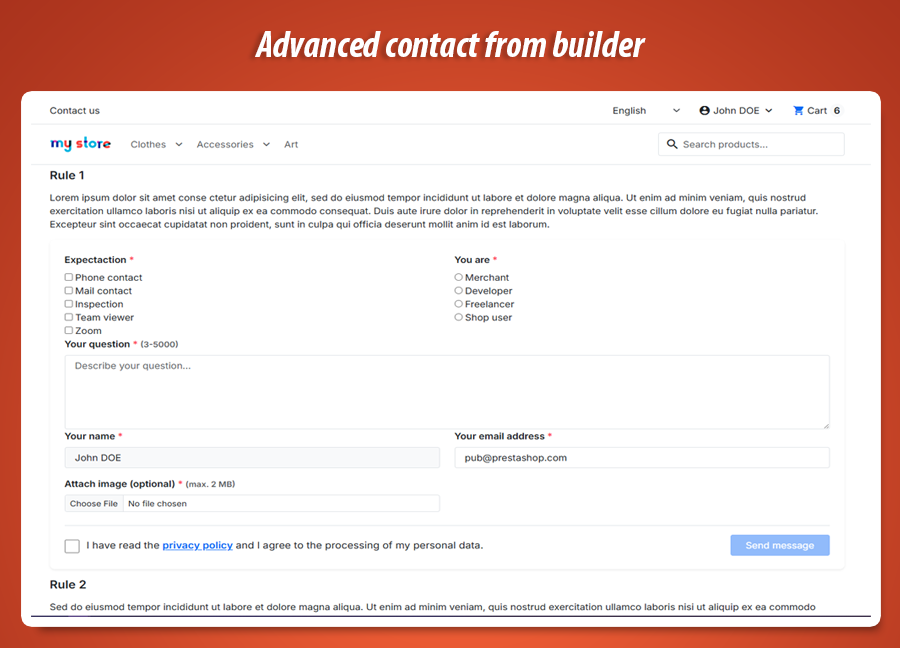
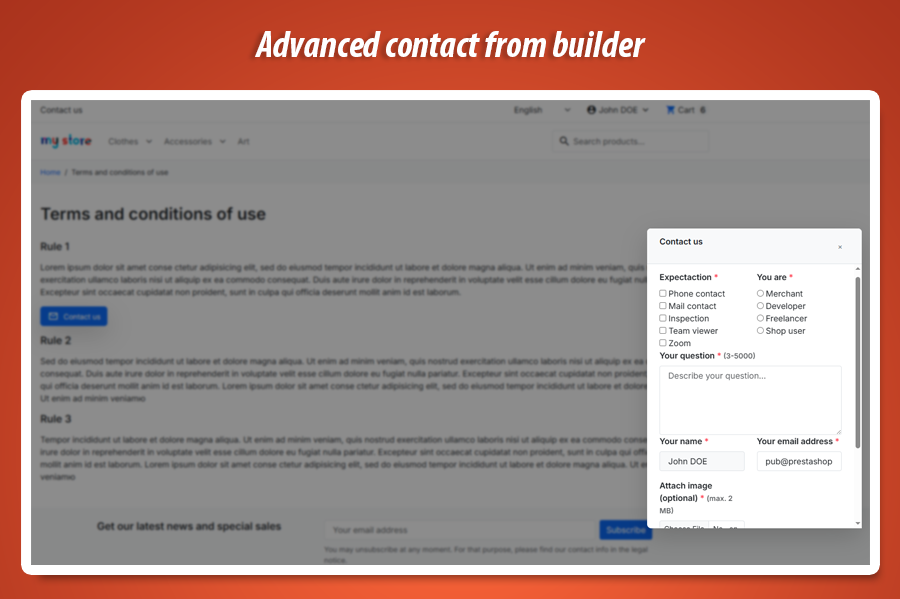
Contact Form Builder Pro is a versatile PrestaShop module for creating multiple personalized contact forms. Design custom forms with unique fields, embed them anywhere using shortcodes, and choose from various presentation modes, including embedded, popup, or off-canvas. The module features anti-spam protection (reCAPTCHA), attachment support, and manages all submissions within a centralized inbox. This ensures professional customer service with automatic notifications and reply options, all without requiring any coding skills. It streamlines communication and enhances user experience across your store.
Module version:
1.1.2
Shop versions:
9.x8.x1.7.x
Works with ThirtyBees:
No
Translations:


Turn every page into a conversation.
Contact Form Builder Pro for PrestaShop.
One default contact page is rarely enough: you need a quote form on services, a returns form in the footer, and a compact “Ask about this product” panel without rebuilding your theme. This module lets you design multiple contact forms , place them almost anywhere with a simple shortcode , and keep every submission in a clear inbox with statuses, replies, and optional automatic confirmation emails. No coding skills required - just sensible options and a layout you control.
Why a single “Contact us” link is not enough
Customers ask different questions on different pages: shipping on the checkout help article, technical specs next to a product, partnership enquiries on your “About” page. Sending everyone to one long generic form feels impersonal and easy to abandon.
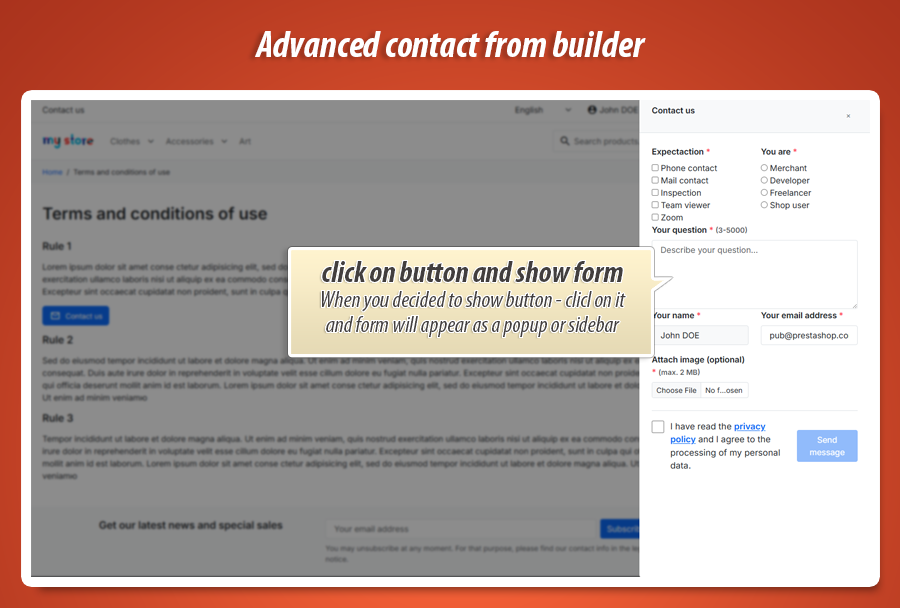
Contact Form Builder Pro gives each use case its own form profile : you choose which fields appear, how they are arranged, what the button looks like, and whether the form opens in a light popup, a side panel, a floating corner widget, or sits directly in the page with no extra click.
Behind the scenes, messages land in one organised Contact messages area in your back office-so your team can change status, reply by email, and optionally let shoppers confirm they agree to privacy terms before sending. You stay in control without touching theme code.
What you get at a glance
-
Many forms, one module:
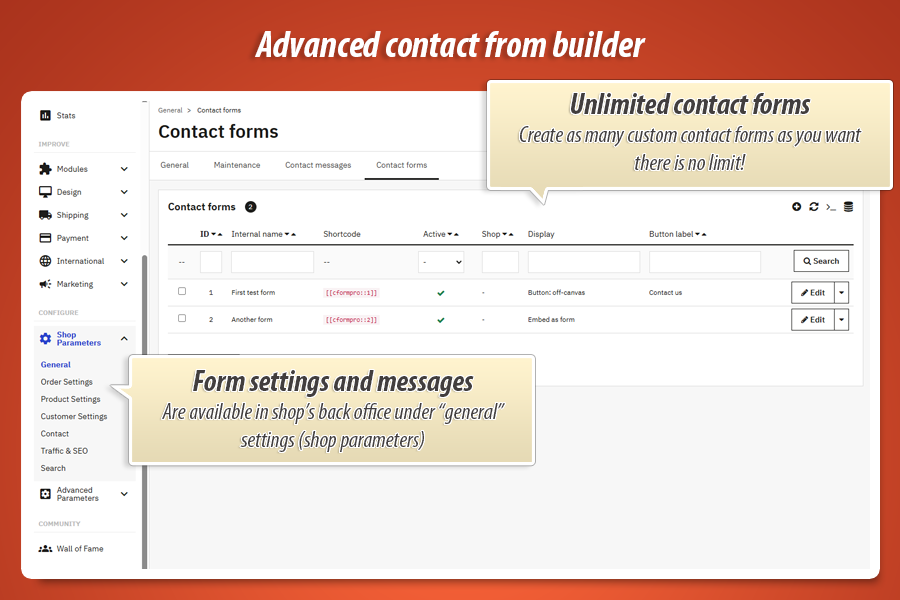
Create separate forms for support, B2B, returns, or landing pages-each with its own fields and presentation. -
Paste a shortcode in your content:
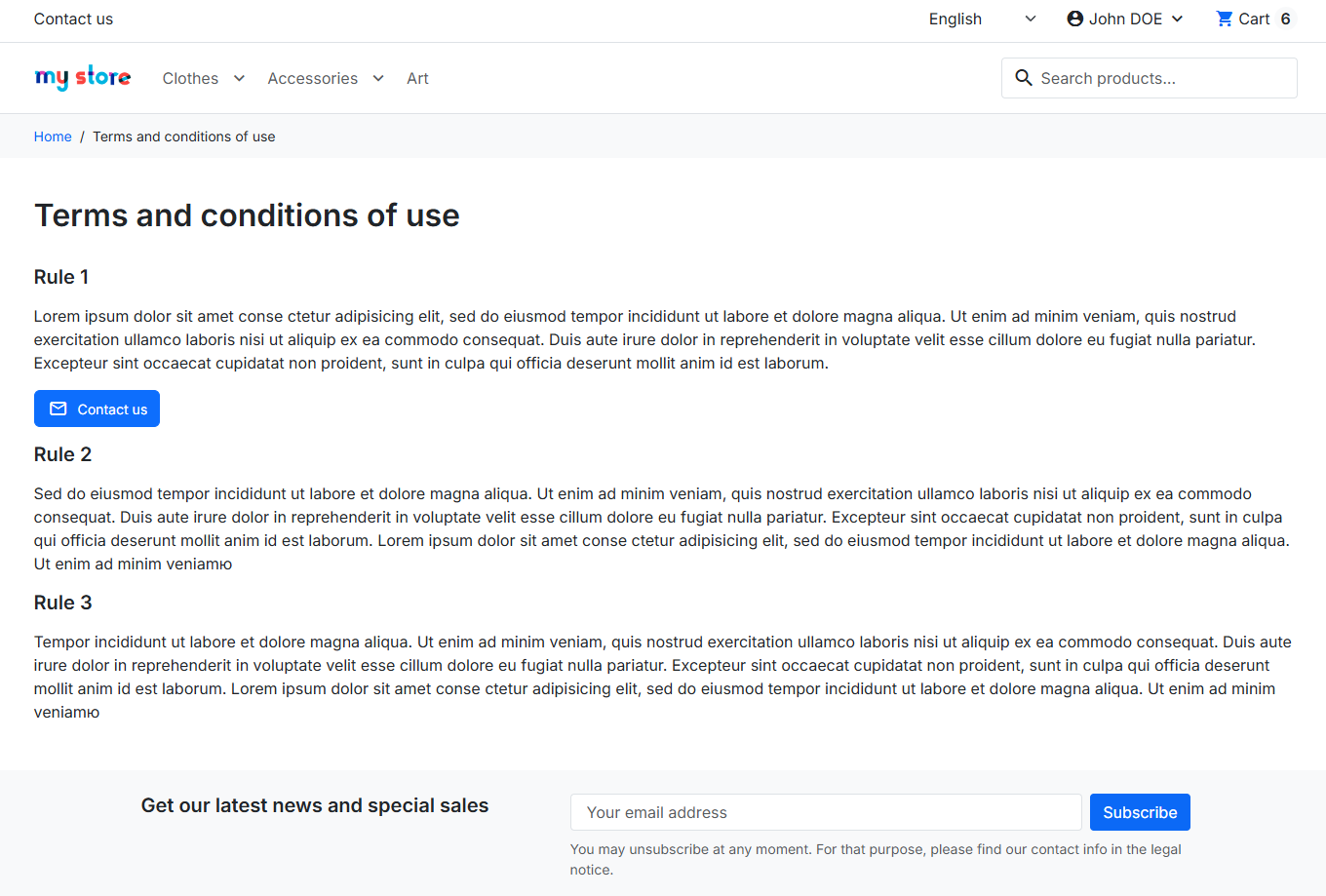
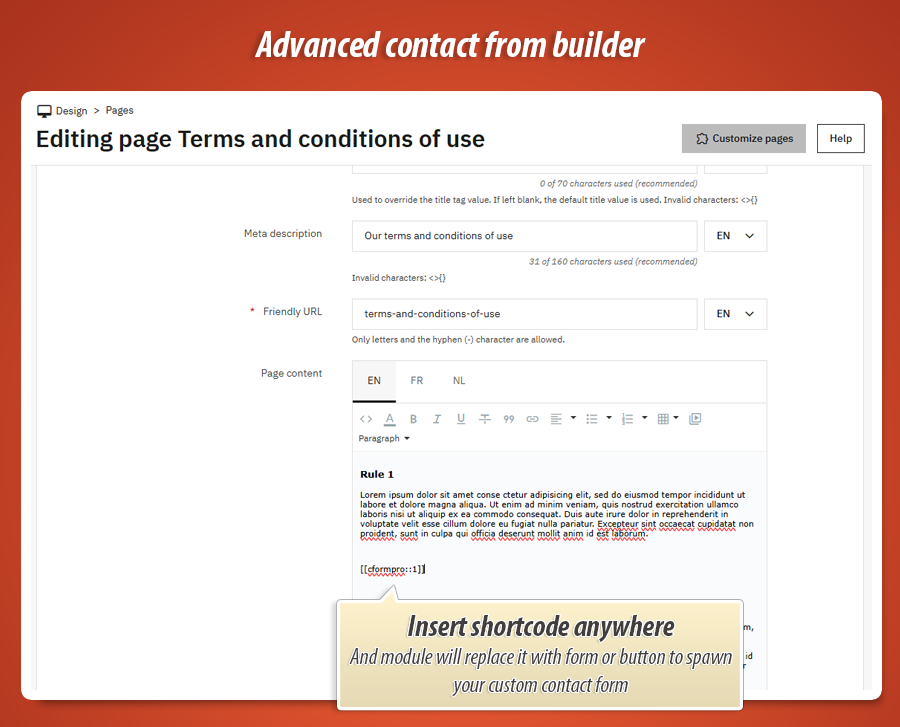
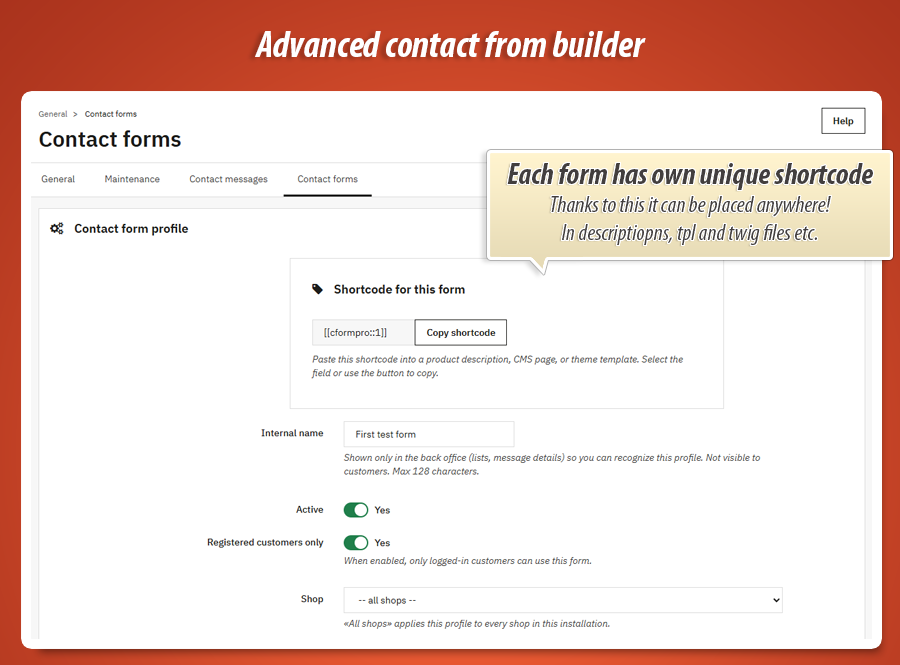
Drop[[cformpro::ID]]into CMS pages, descriptions, or theme HTML- the module replaces it with the right form on the live shop. -
Professional follow-up:
Optional automatic “we received your message” email, staff replies, BCC copies to your team, and even a webhook URL for advanced automations.
Core capabilities for your store
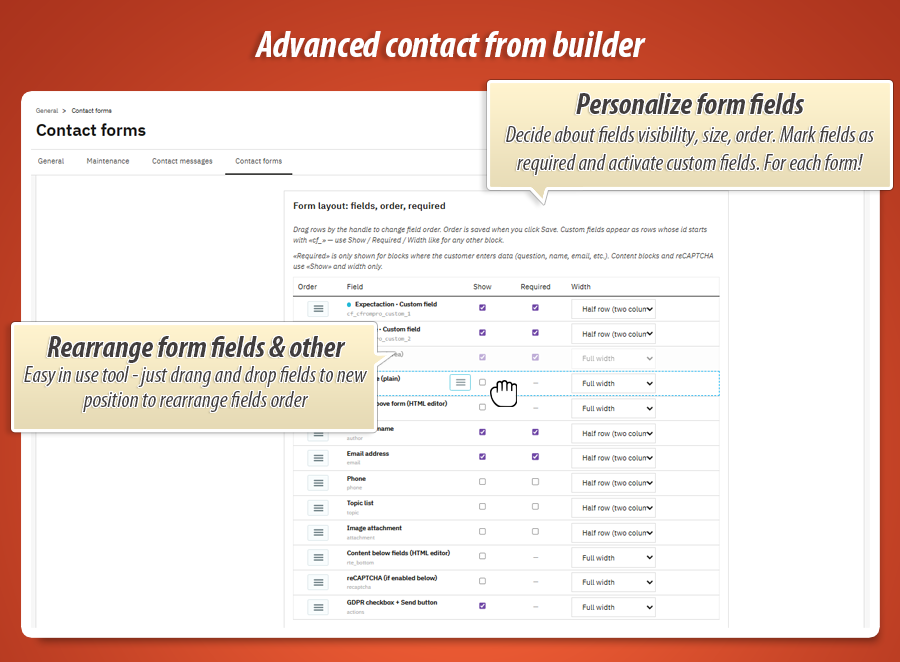
Drag-and-drop style layout
Reorder blocks such as message, name, email, phone, topic list, file upload, consent checkbox, and reCAPTCHA. Show or hide each block, mark important fields as required, and choose a one-column or two-column row look-without editing templates.
Extra questions you define once
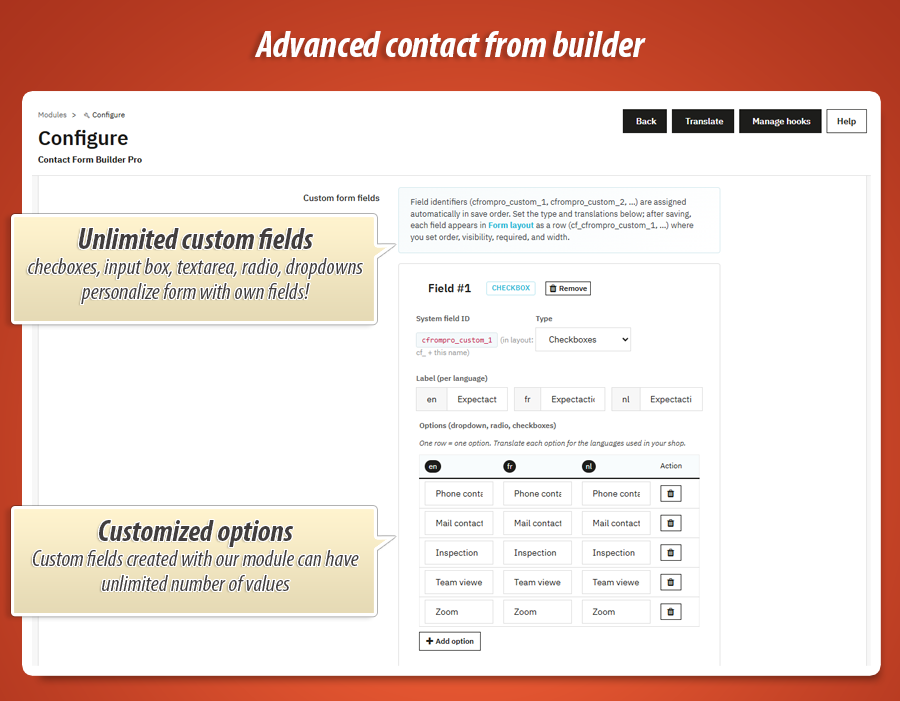
Add global custom fields (text, long text, dropdown, checkboxes, radio buttons) with labels in each language. Then drop them into any form’s layout like built-in fields-ideal for order numbers, VAT IDs, or “How did you hear about us?”.
Spam protection & attachments
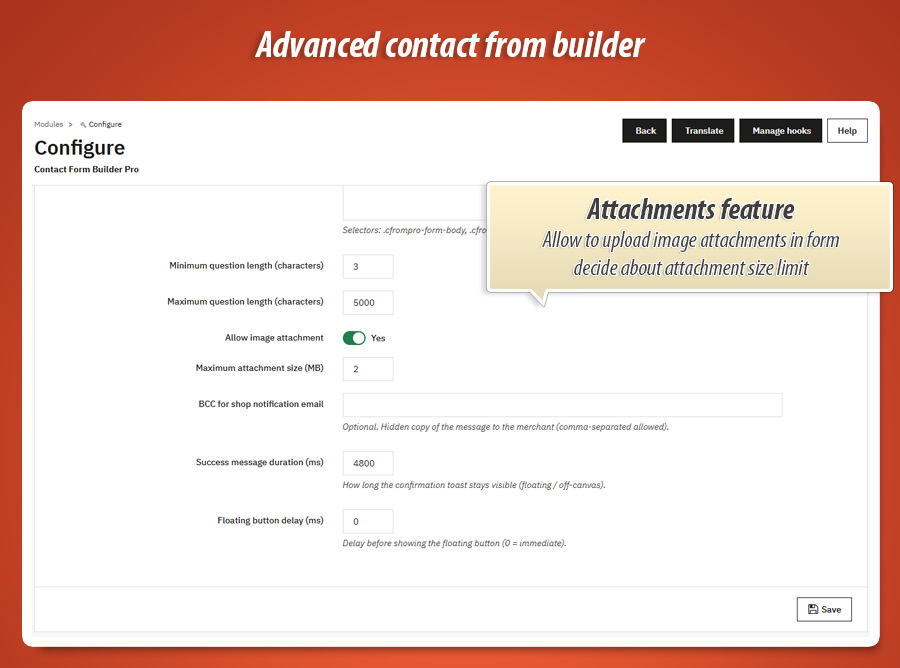
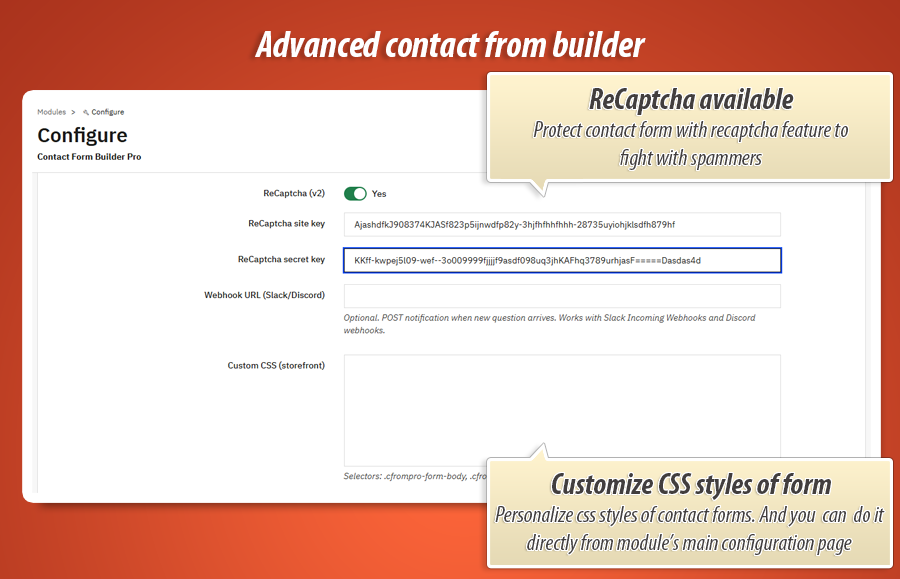
Enable Google reCAPTCHA when you need stronger bot filtering. Let customers attach an image (with a size limit you set) when a screenshot helps explain the issue-great for warranty or technical support.
How the form appears
Match the experience to the page: discreet button, bold floating help, or a form that is always visible.
Four presentation modes
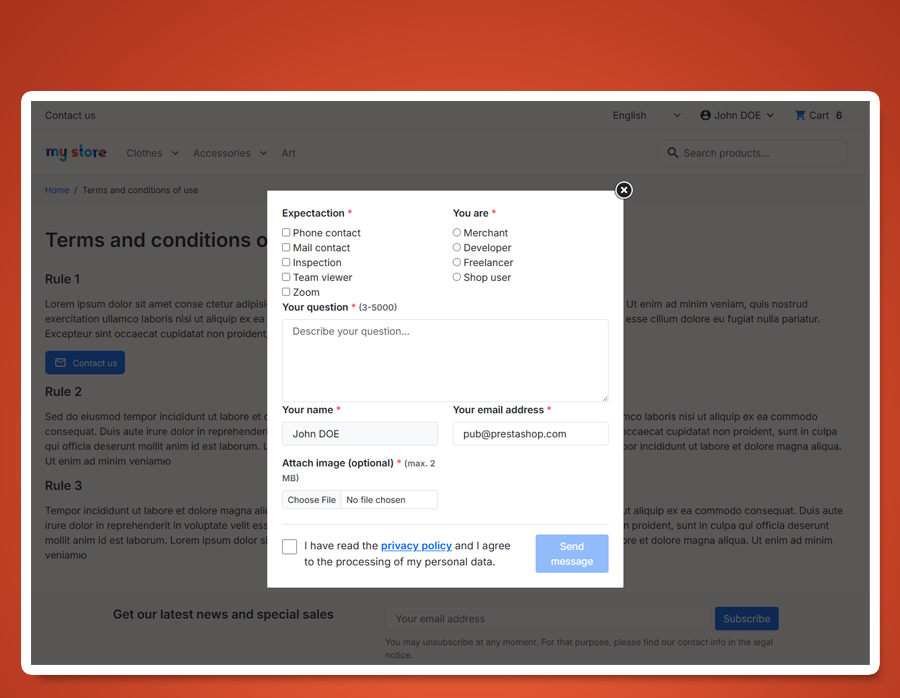
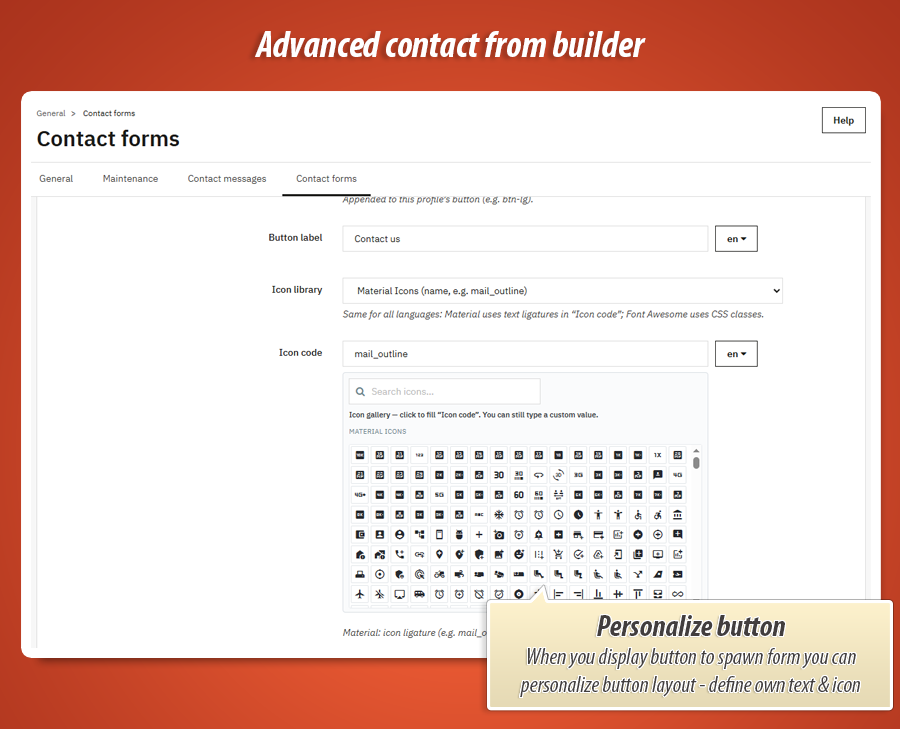
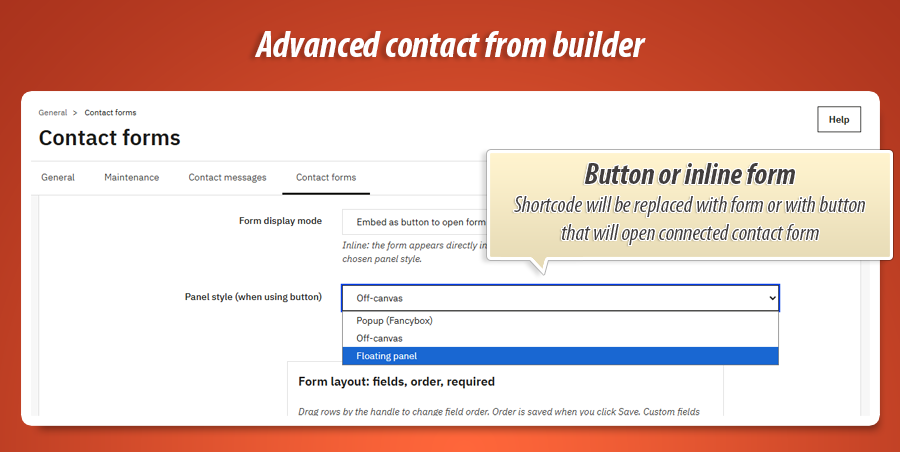
Choose embed as form so visitors see fields immediately-perfect for dedicated contact pages. Or use embed as button and pick a panel style: classic popup (Fancybox), a modern off-canvas sheet from the side, or a floating corner launcher. Each form can use Material Icons or Font Awesome for the icon, with optional styling for the button so it fits your brand.
You can also restrict a form to logged-in customers only -useful for account-related requests or wholesale areas.
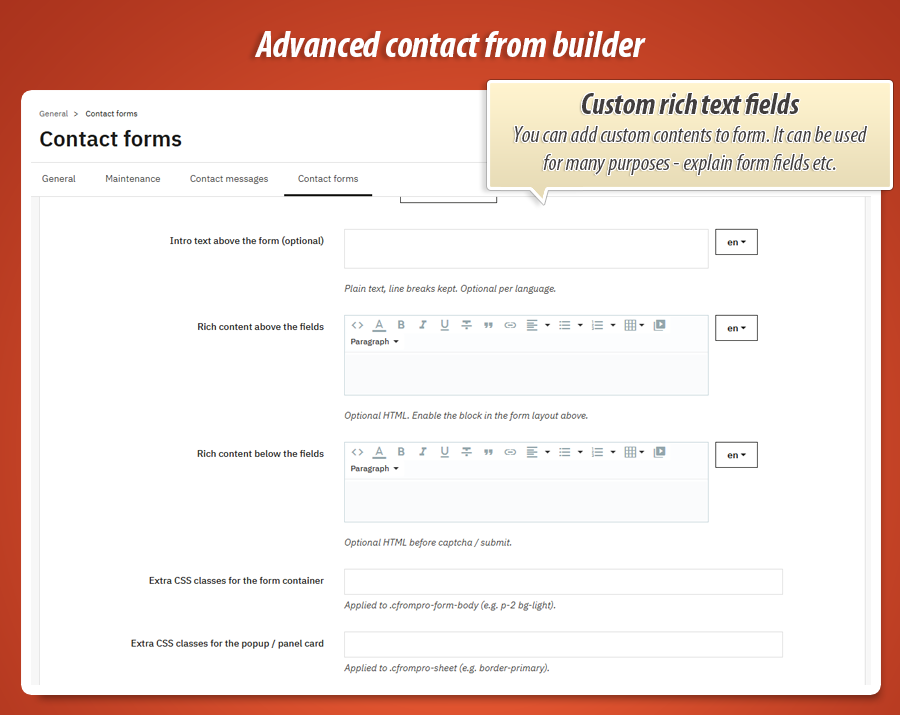
Rich content around the fields
Explain what to write, add trust badges, or link to your FAQ-per language.
Multilingual notices & topics
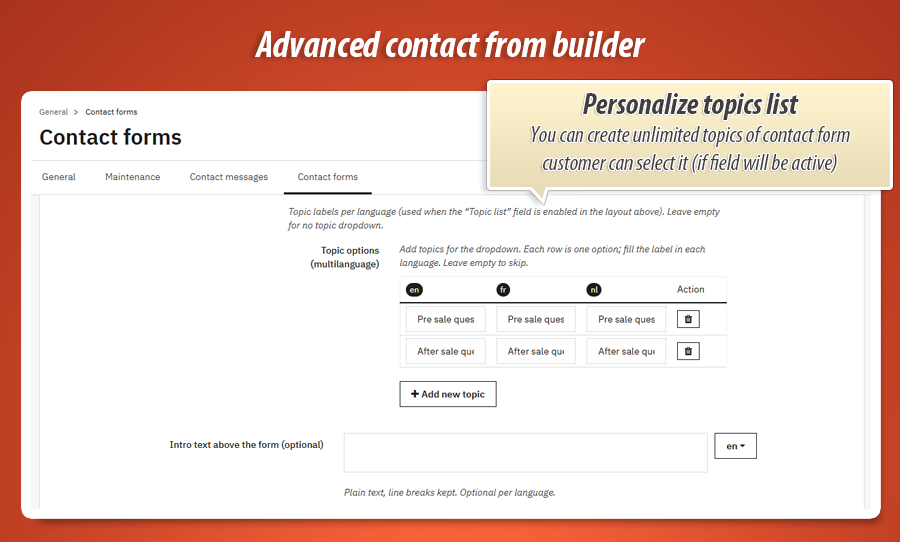
Each form profile stores per-language texts: button label, short plain introduction, optional HTML blocks above and below the fields (ideal for legal notes or marketing copy), and optional topic dropdown options so messages arrive pre-classified (e.g. “Sales”, “Technical”, “Partnership”).
The standard field set covers what most shops need- message, name, email, phone -with sensible validation and length limits you can tune in global settings.
Inbox & customer care
Read, prioritise, answer-without losing the thread.
One place for every submission
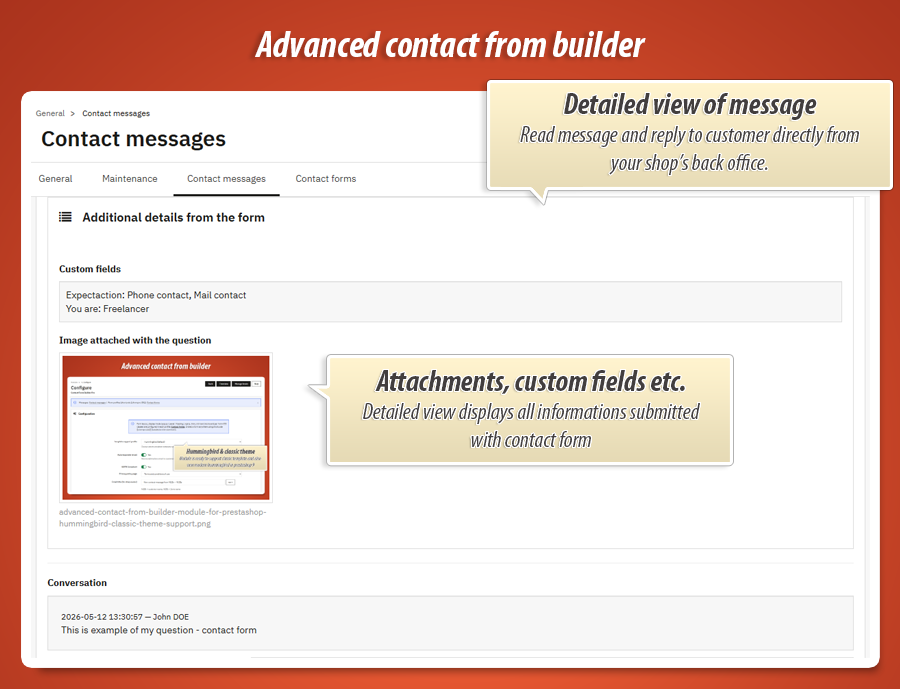
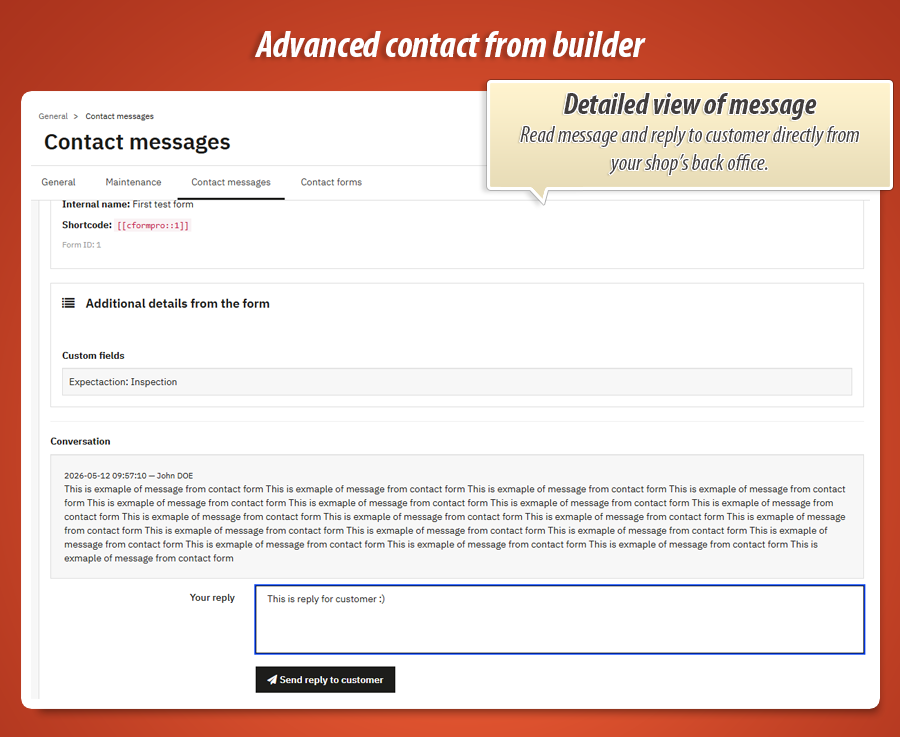
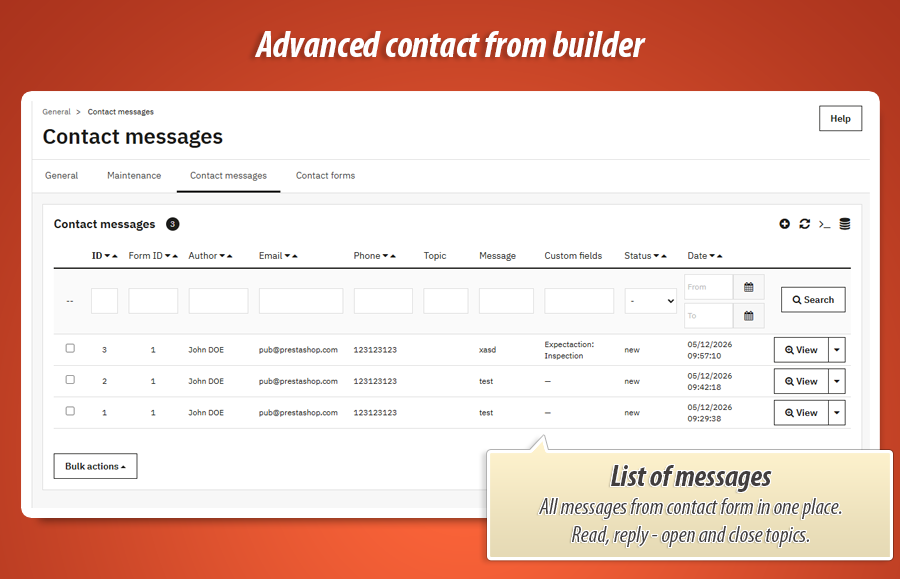
The Contact messages screen lists enquiries with author, email, phone, topic, linked form ID, and a compact preview of custom answers. Open a thread to see the full conversation, set status to new , in progress , or closed , and send reply emails to the customer using your store’s mail templates.
A dashboard widget highlights recent messages so nothing sits unread. Optional autoresponder reassures the sender immediately; BCC can copy your sales inbox or helpdesk tool.
Two levels of control
Global options apply to the whole module (security, mail, anti-spam). Each Contact form profile then fine-tunes appearance, fields, and where the form is used-without affecting your other forms.
Global settings
-
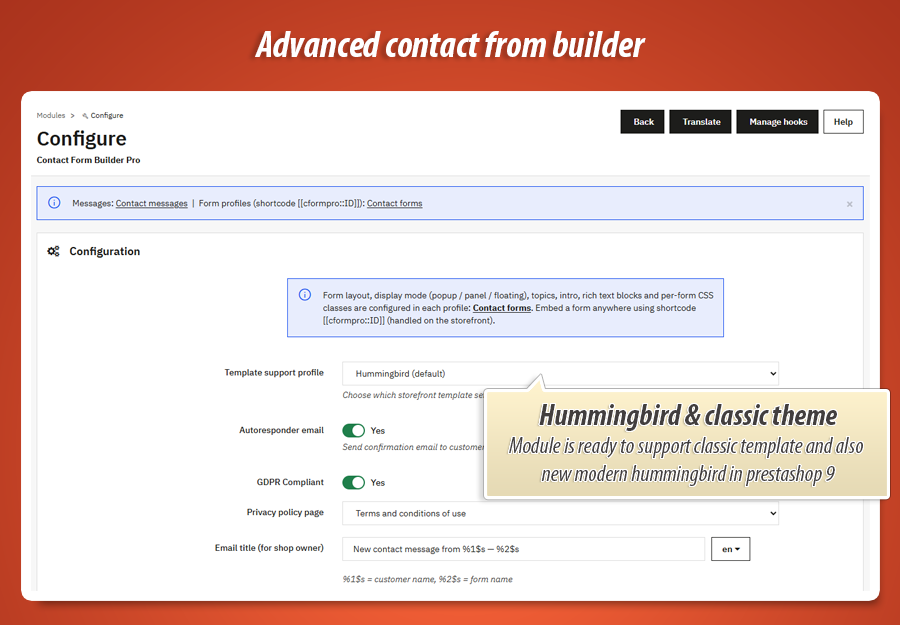
Mail & notificationsSubject line pattern for new messages, autoresponder on/off, optional BCC, and editable email templates in many languages.
-
Security & qualityreCAPTCHA keys, message length limits, attachment toggle and maximum file size, optional webhook URL for CRM or Slack-style integrations.
-
Look & feelTheme compatibility preset, custom CSS, toast duration after send, and delay before a floating button appears-small touches that reduce annoyance on mobile.
-
Custom field libraryDefine reusable extra questions here, then add them to any form’s layout by ID-consistent labels and validation everywhere.
Per form profile
(each [[cformpro::ID]])-
Identity & placementInternal name (for you), active switch, shop scope, copy-paste shortcode, embed mode, and panel style when using a button.
-
Layout & topicsVisual field plan, multilingual intro and HTML zones, topic list per language, button label and icon.
-
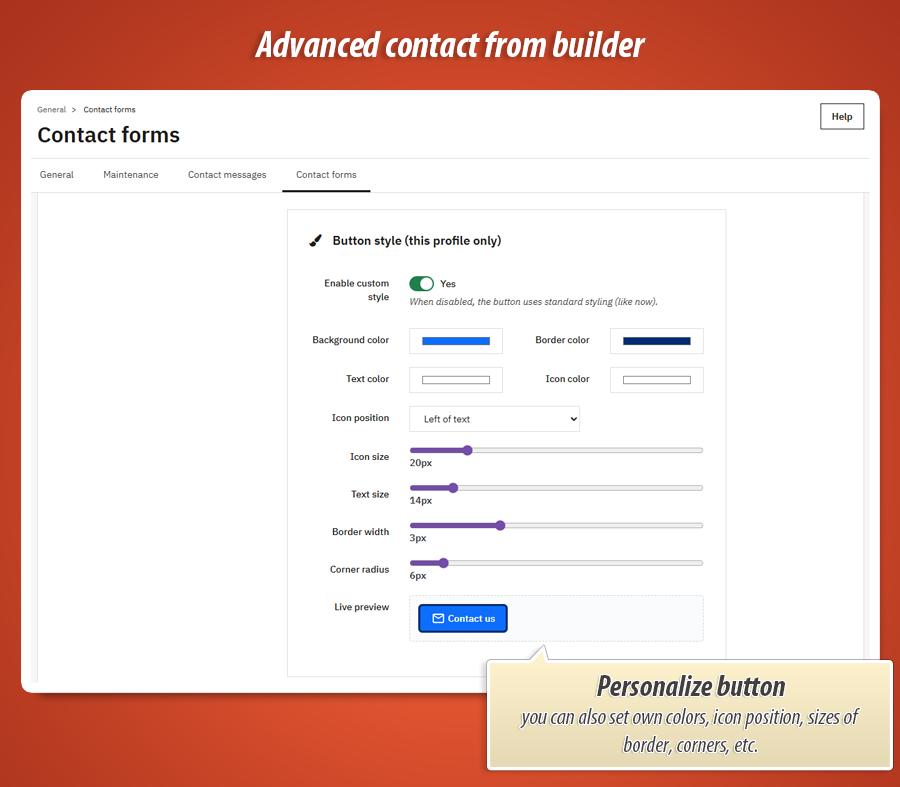
Button stylingOptional advanced button look: colours, borders, and icon alignment so the trigger matches your theme or campaign creative.
Merchant-friendly highlights
- Shortcode placement in CMS pages and other HTML content-no hook hunting in the theme
- GDPR-style consent checkbox paired with the send action
- Guest and logged-in senders; optional “registered customers only” forms
- Multistore-ready: assign forms to the right shop context
Behind the scenes
- Shortcodes are processed safely so they never break scripts or JSON in your page
- Standard PrestaShop module structure-no core file replacements
- Front office assets load only when needed; Fancybox bundled for popup mode
- Translated mail templates included for major languages (extendable like any PrestaShop mail theme)
Technical specification & compatibility
Designed as a regular PrestaShop module: install, configure global options, create form profiles, paste shortcodes. Suitable for merchants who want depth without editing PHP templates.
[[cformpro::FORM_ID]] expanded on full page HTML output; front controller handles secure posting. displayHeader for CSS/JS, actionOutputHTMLBefore for shortcode replacement, dashboardZoneTwo for the inbox widget.
70.00 €
Module Gallery 1/22
Why choose our module
Advanced Contact Form Builder Pro?
Optimization and Automation
Advanced Contact Form Builder Pro optimizes your customer communication flow by automating form creation and response management. It streamlines data collection, reduces manual tasks, and enhances user experience, thereby boosting efficiency and overall store performance through intelligent, automated interactions.
Increased Sales
Advanced Contact Form Builder Pro boosts sales by enabling tailored inquiry and quote forms. It captures crucial customer data, streamlines communication, and provides personalized support. This directly converts more visitors into loyal buyers, enhancing shopping experiences and driving higher conversions.
15 years of experience
Leveraging 15 years of PrestaShop expertise, our Advanced Contact Form Builder Pro provides robust, secure, and highly customizable forms. We understand e-commerce communication needs inside out, delivering a module that ensures optimal customer interaction and reliable data collection, reflecting our deep platform insights.
Extensive Customization
Advanced Contact Form Builder Pro offers unparalleled customization. Design bespoke forms with diverse field types, conditional logic, and advanced styling options. Tailor every detail to perfectly match your brand's aesthetic and functional needs, ensuring a unique user experience.
Open Source Code
Unlock unlimited customization potential. Our module provides full, unrestricted access to its open-source code and templates, allowing you to freely modify, extend, and integrate advanced contact forms. No ioncube, no hidden functions – just complete control for your specific needs.
License and Updates
This module includes a perpetual license for unlimited usage, ensuring your advanced contact forms function indefinitely. Enjoy one year of free updates, guaranteeing continuous compatibility, security, and access to new features. After this period, significant discounts are available for renewing access to future updates and dedicated support.