
PrestaShop Voucher code after registration
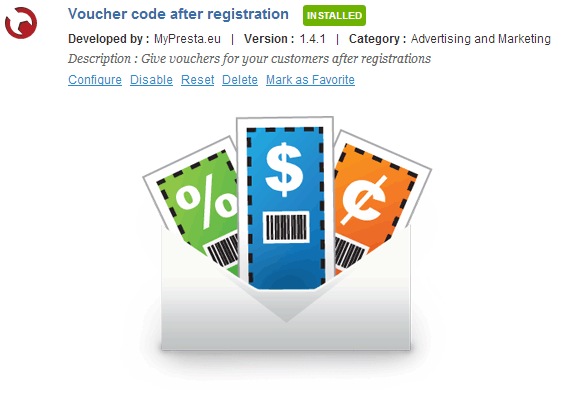
This module is great marketing tool. it's a kind of "call to action" feature. Your customers after account creating (register) in your shop will receive a individual voucher code. They will receive an email with information about their discount, in addition voucher code will appear also in they account.
30.00 €
Galeria 1/12
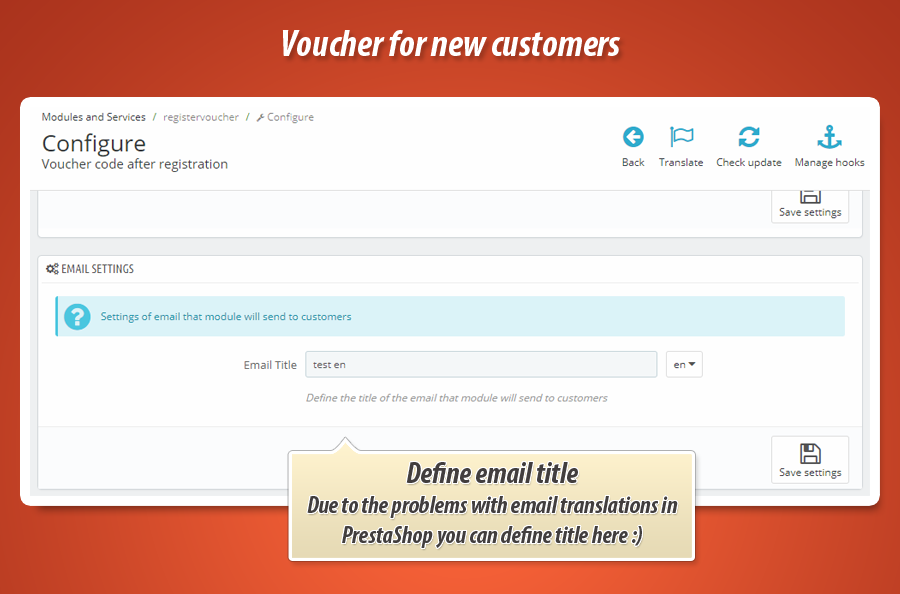


New Customer Welcome Voucher
This PrestaShop module significantly boosts sales by automatically generating personalized welcome vouchers for new customers upon registration. Each unique voucher code is instantly sent via email and conveniently displayed in the customer's "My Account" section. Shop owners gain extensive control over voucher specifications, including validity period, minimum purchase requirements, discount type (percentage, fixed amount, free shipping), and applicability to specific products or categories. It also supports rules for B2B customers and newsletter subscribers. This powerful tool enhances customer satisfaction and encourages repeat purchases, making it an essential asset for any e-commerce store.
Module version:
2.0.5
Shop versions:
9.x8.x1.7.x1.6.x
Works with ThirtyBees:
Yes
Translations:


This PrestaShop Addon is a great feature to increase sales in your shop. Right after register your customer will receive notification mail with personal voucher code. Welcome voucher is one of the best ways to build satisfed customers network. In addition voucher code will appears also in customer "My Account" section. Of course as a shop owner you can define voucher code specification.

Main features of Welcome voucher module
The most important feature in this module is an ability to automatic generate voucher code for each new customer in your shop based on prestashop engine. Customer will receive notification email with personal voucher code + each customer will see own voucher code in "my account" section.
Rules that are necessary to follow to get the coupon
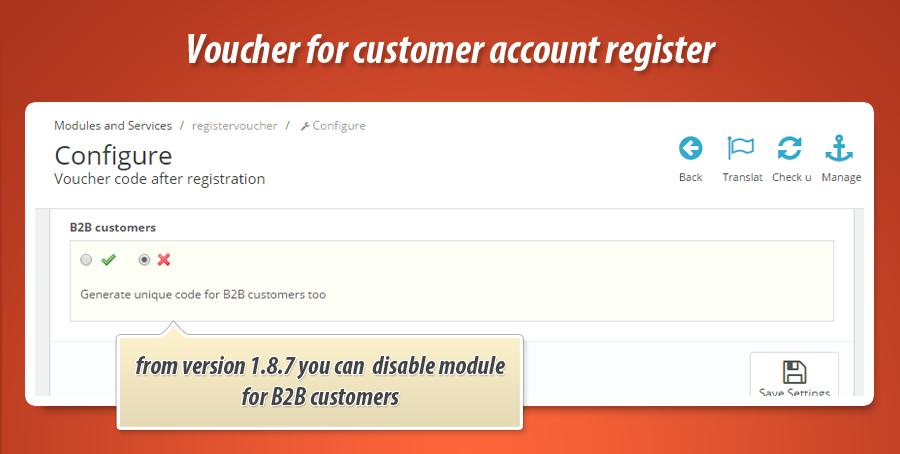
The most important rule, of course, is a registration in the shop. This means that only new customers will receive the dedicated unique coupon code. In addition to this you can generate coupon only if customer will also subscripte to the newsletter - otherwise module will not generate coupon. Another rule that is available in the plugin is possibility to generate or not generate coupons for B2B customers (you can enable or disable possibility to get coupon for these customers)
Voucher codes specification setup
As a shop owner you can of course define detailed specification of voucher code. I mean that you can define each aspect of automatically generated voucher code. More about available options you can read below:
Define the type of voucher
This module allows to generate and send unique voucher code to your customer. You can also set it up to send voucher code that already exist in your shop.
Main voucher code settings
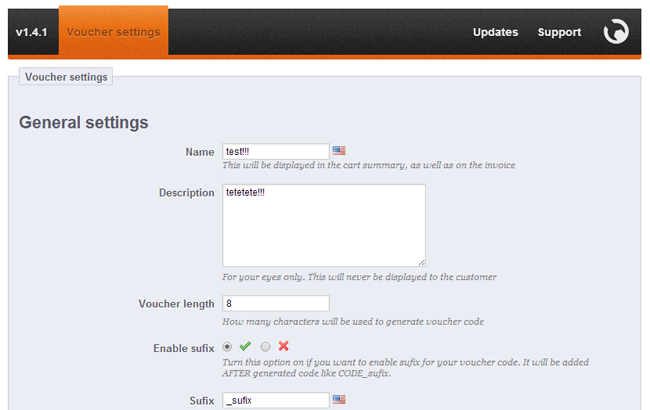
- You can define voucher code name in each language active in your shop
- You can define description of voucher code (visible only for you)
- You can define number of characters used in automatically generated voucher code
- You can enable or disable voucher code sufix
- You can define sufix in each language active / available in your shop
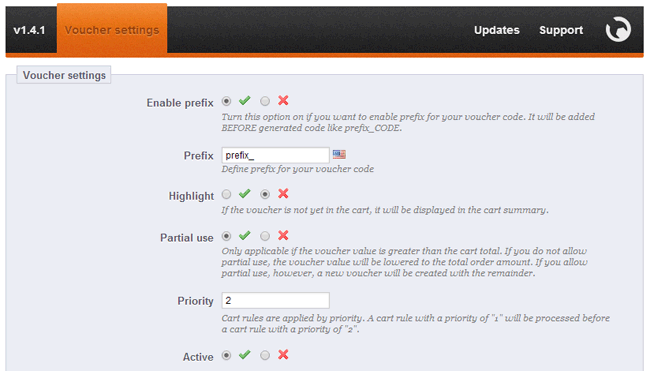
- You can enable or disable voucher code prefix
- You can define prefix in each language active / available in your shop
- You can Highlight voucher code in the cart summary
- You can enable or disablee "partial use" option - this feature is applicable if the voucher is greater than the cart total)
- You can define voucher code "priority" option, A cart rule with priority of "1" will be processed before a cart rule with a priority of "2"
- You can define if voucher code will be active / or disabled right after generation
Voucher code conditions
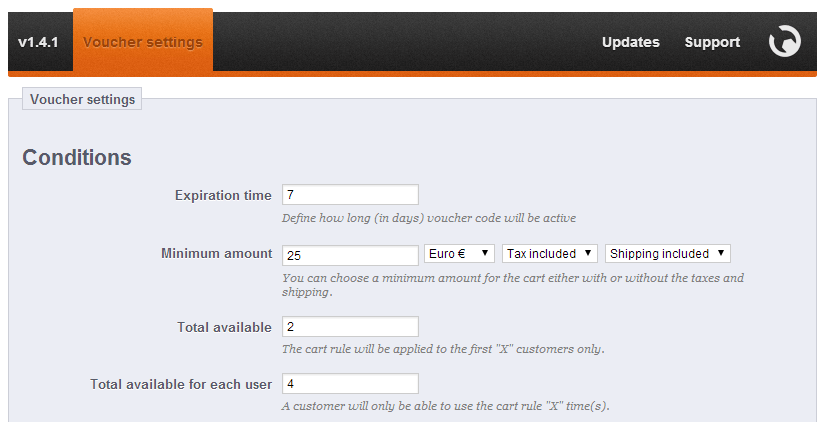
- You can define how long voucher code will be active. You can define this option in days.
- You can define minimum cart value, for which voucher code will be active.
- You can define minimum cart value currency (you can select currency from all available currencies in your shop)
- You can define tax options for minimum cart value (tax included or excluded)
- You can define shipping option for minimum cart value (shipping included or excluded)
- You can define Total available option of coupon, the cart rule will be applied to the first "X" uses
- You can define Total available for each user option - a cusomer will only be able to use the cart rule "X" time(s)
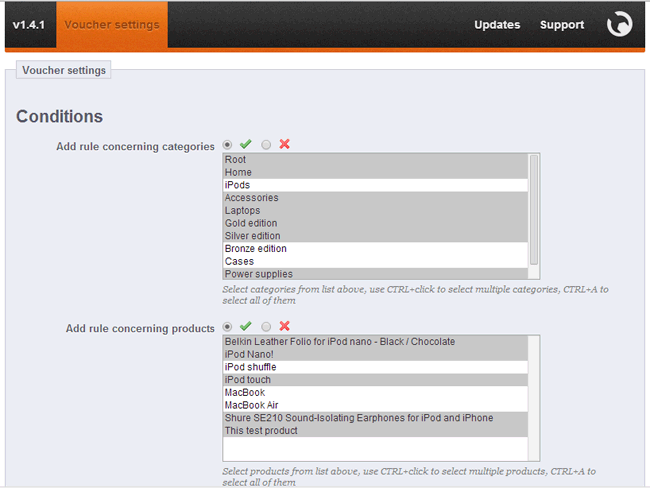
- You can add rule concerning categories (you can use it or not - everything depends on you)
- With cart rule concerning categories you can select categories (see picture) for which voucher code will be active
- You can add rule concerning products (the same as with categories rule - you can use it or not)
- With cart rule concerning products you can select products (see picture) for which voucher code will be active
- You can add rule concerning manufacturers (the same as category rule - you can select it or not)
- With cart rule concerning manufacturers you can select manufacturers for which code will be active
- you can add rule concerning suppliers
- With cart rule concerning suppliers you can select suppliers for which code will be active
- You can add rule concerning attributes
- With cart rule concerning attributes you can select product attributes for which voucher code will be active
- You can add rule concerning groups of customers
With this feature voucher code that module will generate will be able to use by customers from selected groups inly.
Voucher codes actions
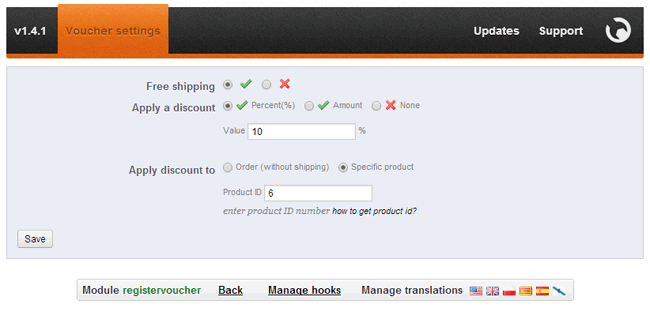
- You can enable or disable Free shipping option
- You can select a discount type
- It mean that you can select percentage discount, or discount it amount, or just disable it
- You can specify percentage (%) discunt value
- You can specify amount discount value currency and tax (included or excluded)
- You can apply discount to order value (without shipping) or to specific product (from your catalog)
- You can apply discount to cheapest product
- You can apply discount to selected products in "conditions" section.
- You can turn on option "send free gift" and select product (with attribute) that will be treated as a free gift
Available variables in email templates
This module adds some special variables to email templates. You can use them among others added to emails by default. These shortcodes are a great way to personalize the email contents.
| Variable | Description |
| {voucher} | This variable used in email contents will print voucher code. For example: XFDE3240SS |
| {voucher_date_from} | This variable will print a date from which voucher will be active and available to use |
| {voucher_date_to} | This variable used in email template will print voucher expiry date |
| {voucher_value} | This variable will write information about voucher value |
| {customer_firstname} | This variable will be replaced with customer first name (customer that created an account) |
| {customer_lastname} | This variable will be replaced with customer last name (customer that created an account) |
Voucher codes after registration showcase (configuration + front office)


30.00 €
Module Gallery 1/12
Why choose our module
Voucher code after registration?
Optimization and Automation
This module significantly optimizes new customer onboarding by automating personalized welcome voucher generation and delivery. It streamlines marketing efforts, ensures immediate customer engagement via email and "My Account," and boosts conversions without manual intervention, enhancing overall store efficiency.
Increased Sales
This module significantly increases sales by automatically issuing personalized welcome vouchers to new customers upon registration. This immediate incentive encourages first purchases and can be strategically configured to boost conversion rates, promote specific products, or achieve higher average order values, fostering customer loyalty.
15 years of experience
With 15 years of PrestaShop experience, we developed this module to leverage the platform's full potential for customer acquisition. Our expertise ensures seamless, highly customizable welcome voucher generation, tailored rules, and diverse discount actions, perfectly integrating with PrestaShop's core to maximize your new customer engagement effectively.
Extensive Customization
This module provides extensive customization for welcome vouchers. Define unique code structure, validity, minimum cart value, and specific product/category/customer group conditions. Tailor discount types, free shipping, or free gifts, ensuring a perfect fit for your store's unique needs.
Open Source Code
The provided module description focuses entirely on its extensive voucher generation and configuration features, offering no specific details regarding its open-source status, code accessibility, or direct modification capabilities for developers.
License and Updates
The provided module description focuses solely on its functionality, detailing welcome voucher generation, conditions, and actions. It does not contain any information regarding licensing terms, update policies, or specific support details for the module.