
PrestaShop Product Extra Tabs Pro
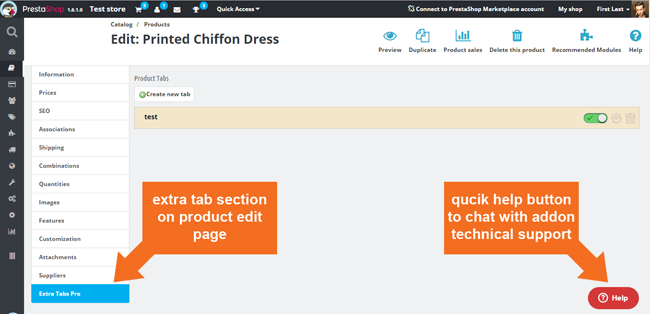
This prestashop module allows you to create as many additional tabs on product page as you want. With this addon you can easily create them right from product edit page. Just open the "Extra tabs pro" tab and create any tab with any content you want. this prestashop addon is very uselful module with easy in use user interface.
29
99
€
Galeria
Unlimited Global Custom Product Tabs
This PrestaShop module enables creating unlimited custom product tabs to enhance product information. Utilize an extended TinyMCE editor or HTML for rich content, including CMS pages and dynamic variables. Manage tab visibility precisely, targeting specific products, categories, manufacturers, customer groups, or timeframes. Features include intuitive drag-and-drop ordering, duplication support, and global tab customization for individual products. The module ensures seamless integration with multilanguage and multistore setups, offering internal tab rendering for themes lacking native functionality, thus elevating your product pages' professionalism and user experience.
Module version:
2.4.8
Shop versions:
9.x8.x1.7.x1.6.x
Works with ThirtyBees:
Yes
Translations:


We are pleased to introduce awesome PrestaShop module which allows to create unlimited number of the product extra tabs for each product in your store. Of course you can create tabs only for certain products. You can use extended tinymce editor and simple html code - everything depends on you.

 |
 |
 |
|
Easy in use configuraiton |
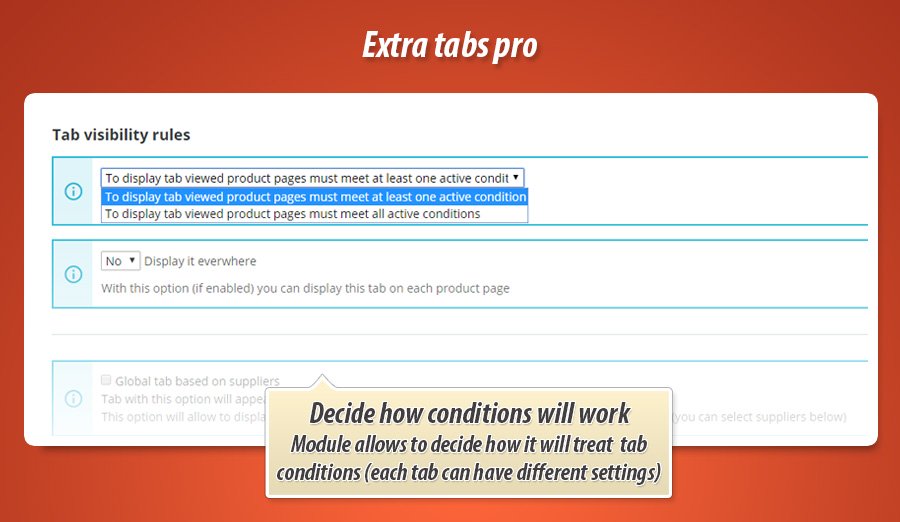
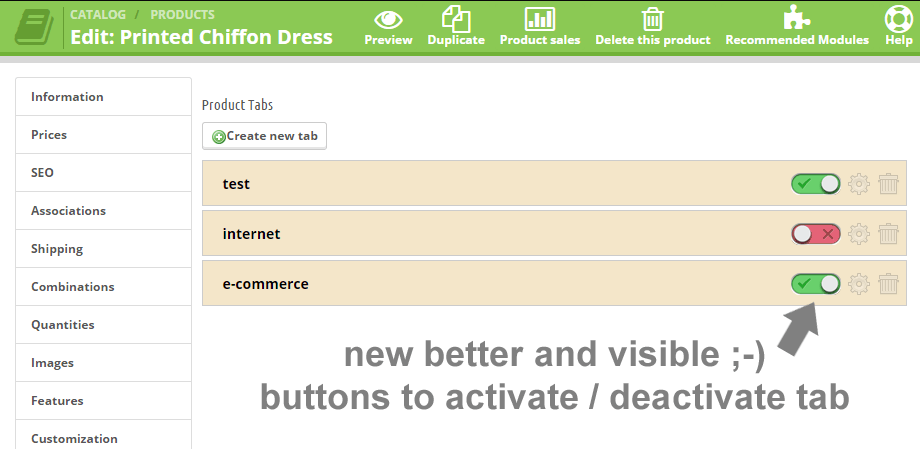
Tabs visibility Manage visibility of the tabs you created, you can enable or disable tab anytime you want |
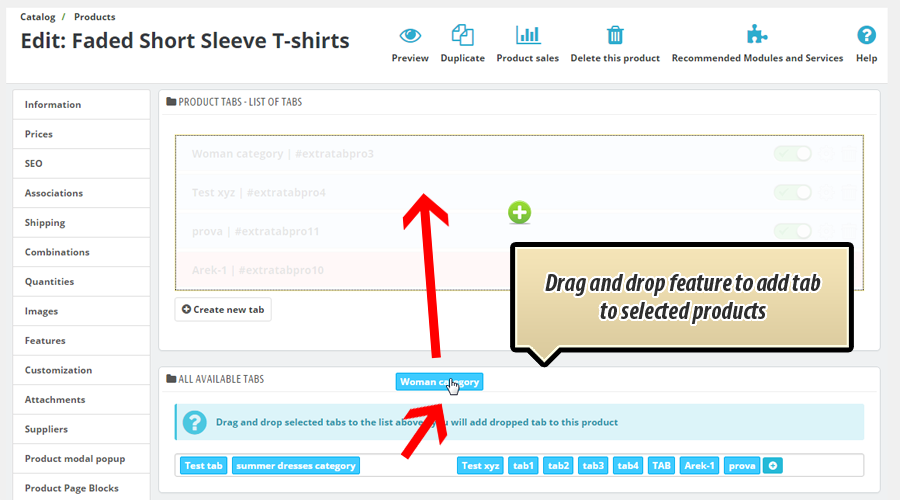
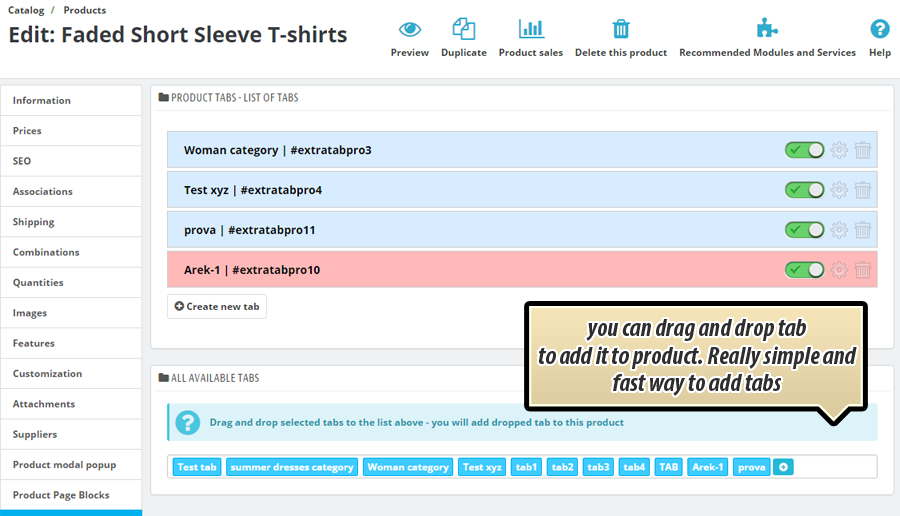
Drag'n'drop feature |
 |
 |
 |
|
Global tabs |
Technical support |
Many languages? shops? No problem! |
Product Extra Tabs pro module features
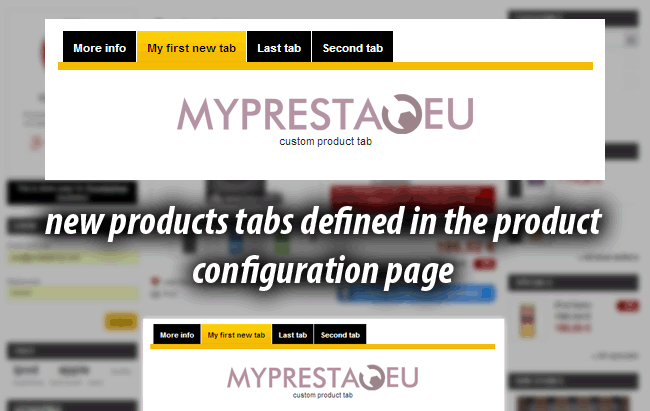
Main feature of this addon is possibility to create as many additional product tabs as you want. You can create different tabs for each product in your store.
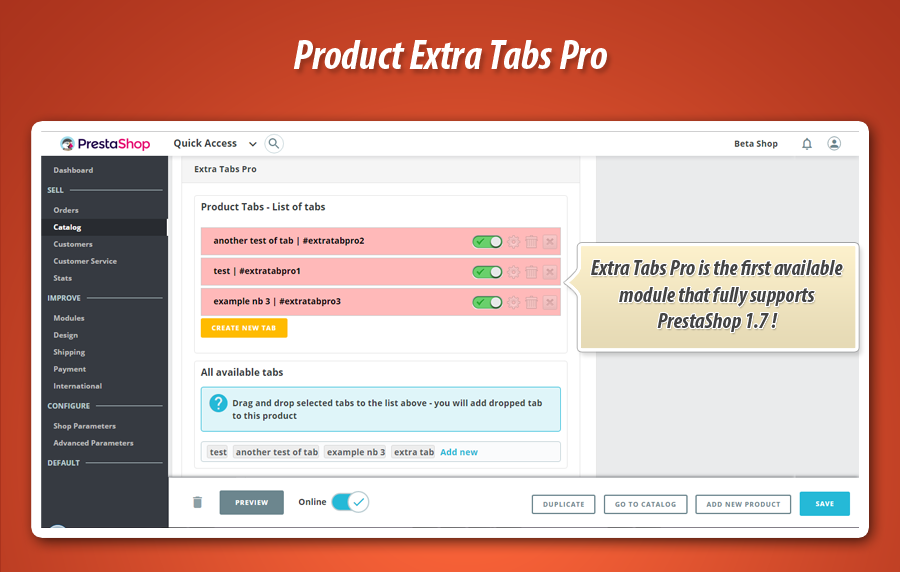
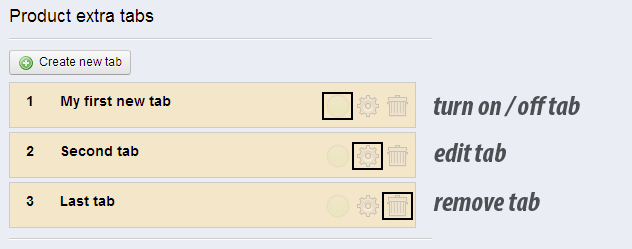
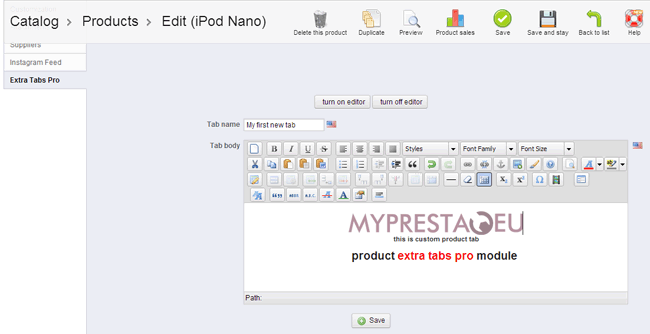
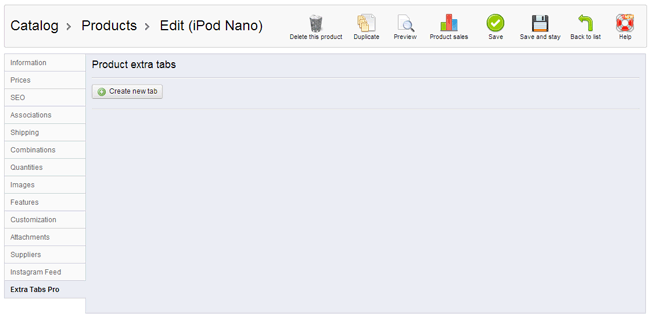
High user friendly interface - you can easily add, edit, turn on / off and customize each tab. We created very easy in use and easy in configure tab customization page. Just open page where you editing your products, open "extra tabs pro" tab and create tabs in AJAX environment.
Extended tinymce editor - In PrestaShop version 1.6 you can use extended version of the tinymce editor, it mean that editor will accept thing like youtube videos, javascript widgets, jquery widgets etc. You can see them live right in user friendly editor (wysiwyg editor). Module allows to decide what editor plugin will use. So you can select "internal module's editor" or "native ps editor". If your shop uses tinymcepro or some other - module can use it too.
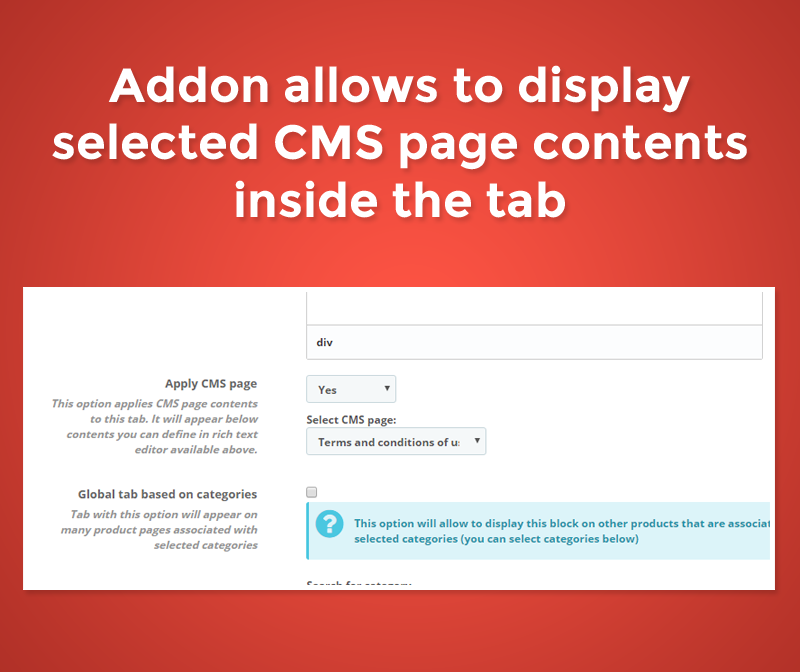
possibility to display CMS page contents - if you want, you can display the cms page contents inside the tab. Just activate option to "display cms page contents" and select the cms page - module will do the rest
Possibility to turn on / off tabs - you can turn on / off tabs whenever you want. It mean that you can create "scratch" tabs and turn them when everything will be ready to publish.
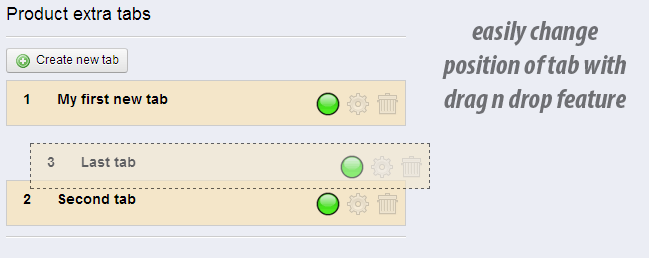
Change position of the tabs - you can easily change position of the tabs, just use awesome drag'n'drop feature to change tabs order. Everything will be saved automatically without page refresh!
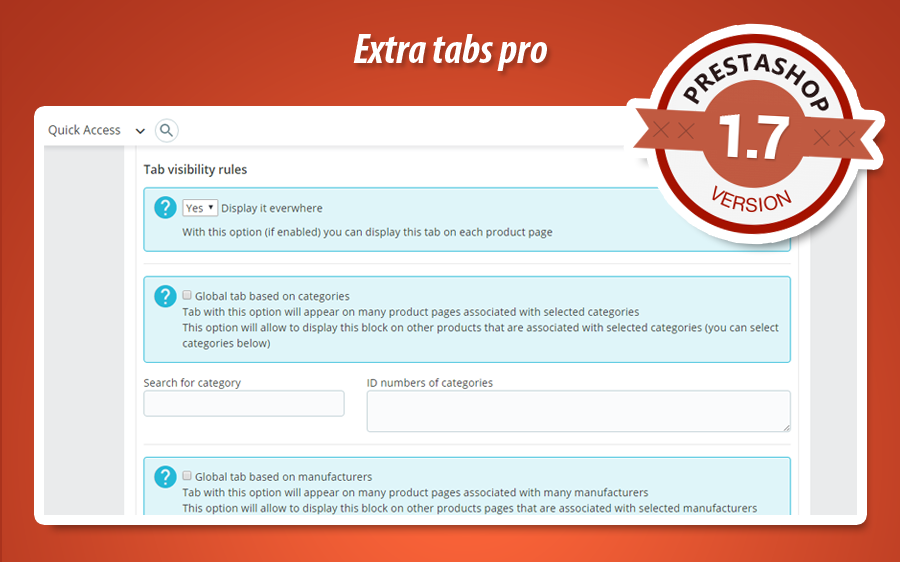
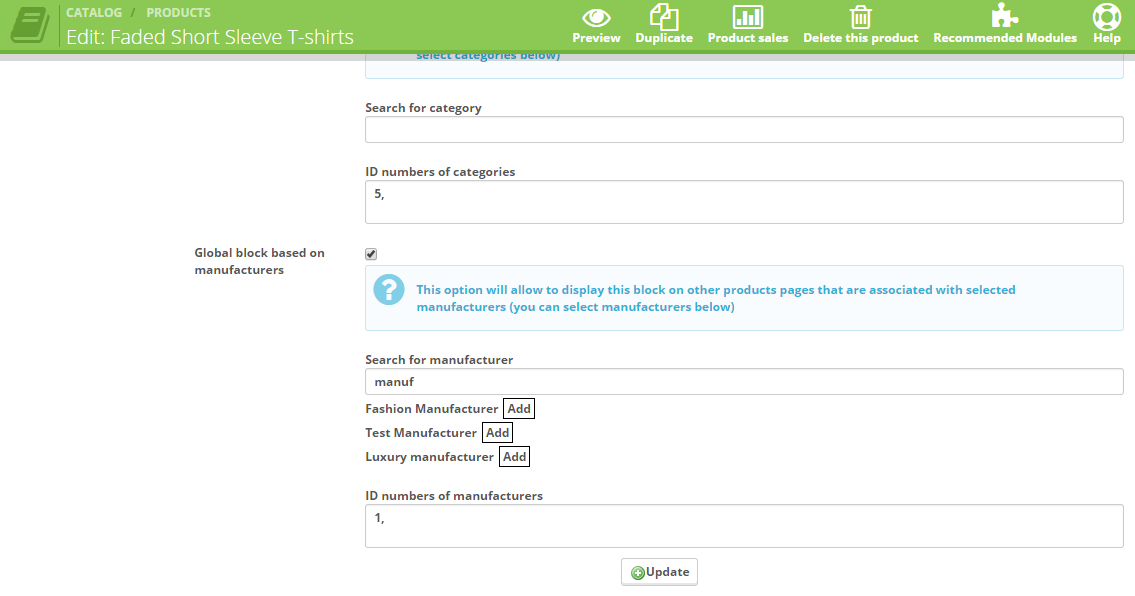
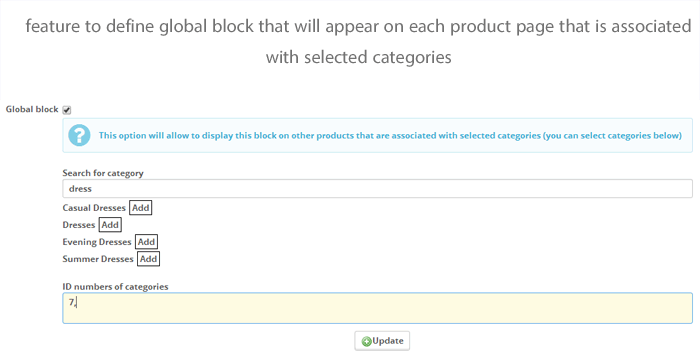
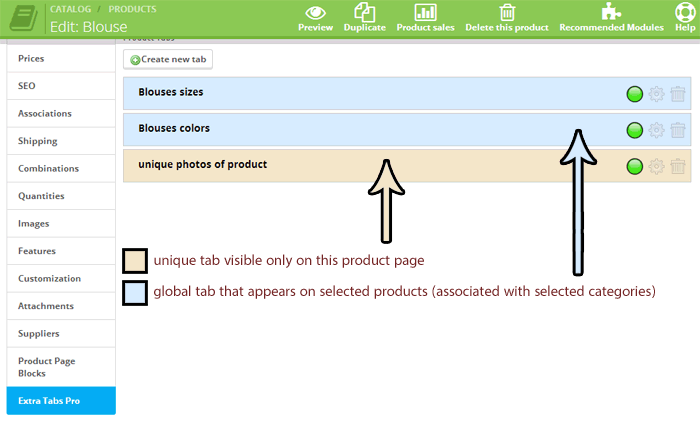
create global tabs - this feature gives you an ability to create tab that will appear on all product pages associated with category or categories that you will select, you can also define block for products associated with selected manufacturers, or display it on selected product pages
Global tabs and personalized product tabs
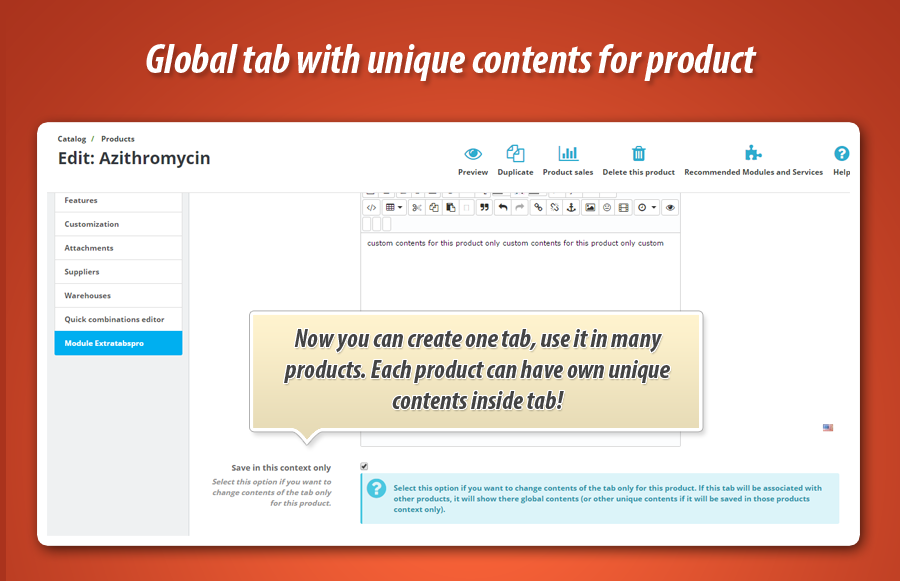
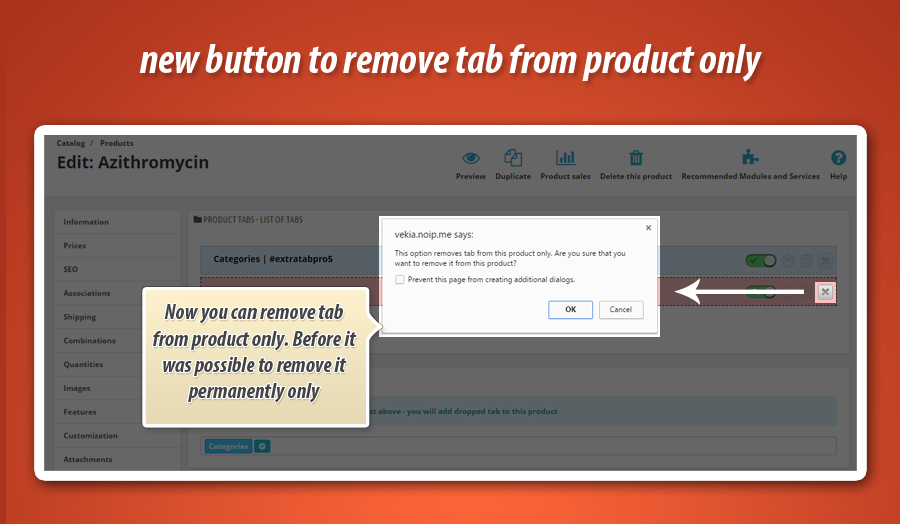
As you know - this addon allows to create tabs that will appear on selected product based on associations with manufacturers, products, categories etc. Sometimes you need to change contents of tab in selected products context. This addon allows to create unique contents for this global tab, and these modfied tab contents will appear only inside select product tab!
variables features - module allows to use variables in tab body. You can for example use {name} variable and module will replace it with real product name. You can also display some random tekst from defined alternative versions, just create variable like {example|another|alternative text} and module will display one from these strings.
Appearance settings - with this module you can display extra tab on selected product pages. These restrictions can be defined in three ways:
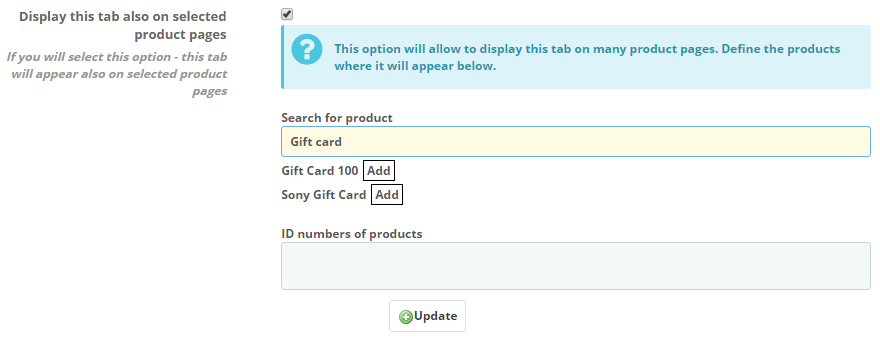
Display extra tab on selected product pages (you can add extra tab to selected product pages)
Display extra tab on product pages associated with selected categories
Display extra tab on product pages associated with selected manufacturers
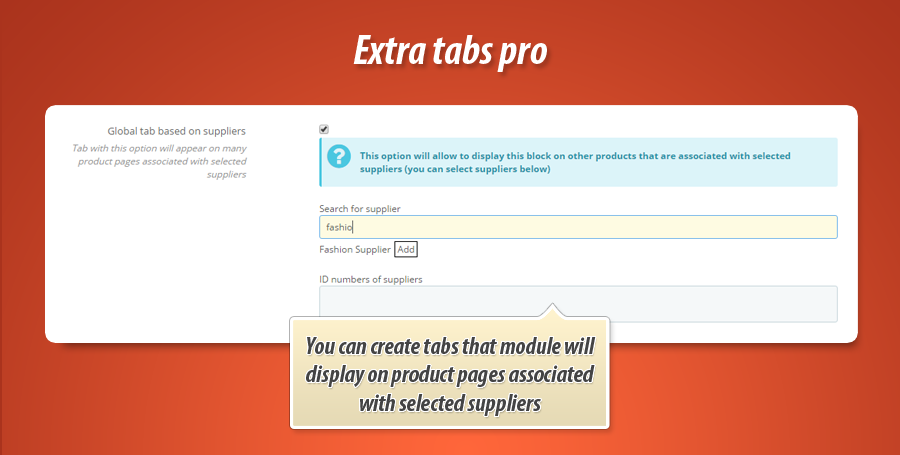
Display extra tab on product pages associated with selected suppliers
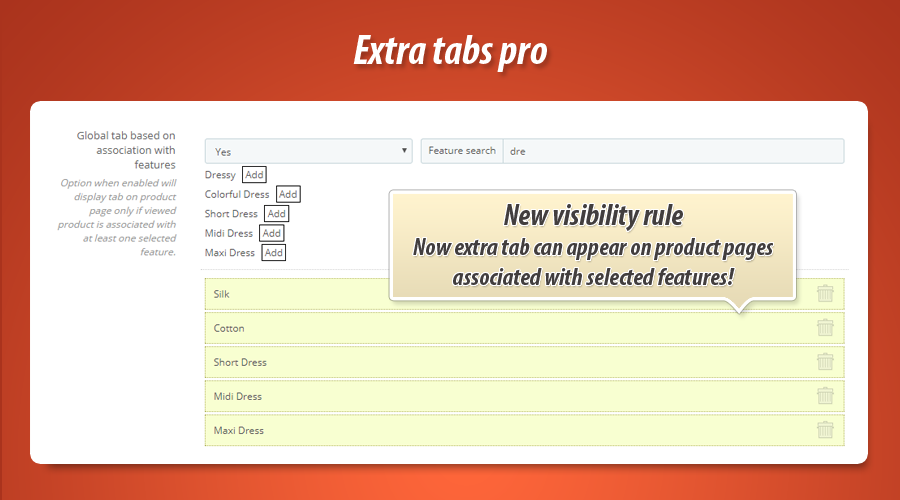
Display extra tab on product pages associated with selected features
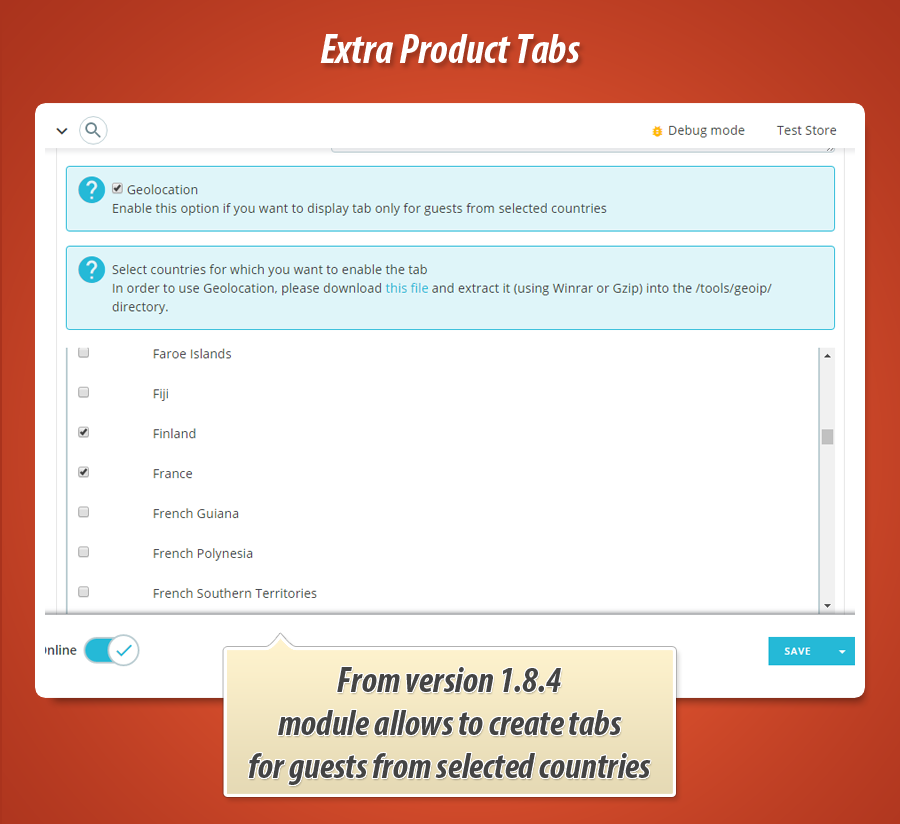
Display extra tab for guests from selected countries
Additional visibility rules
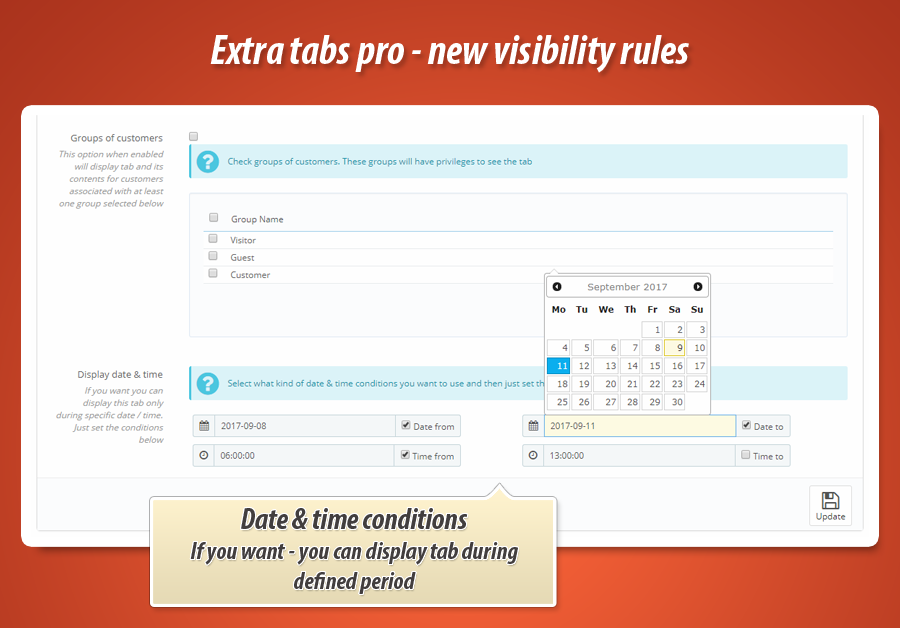
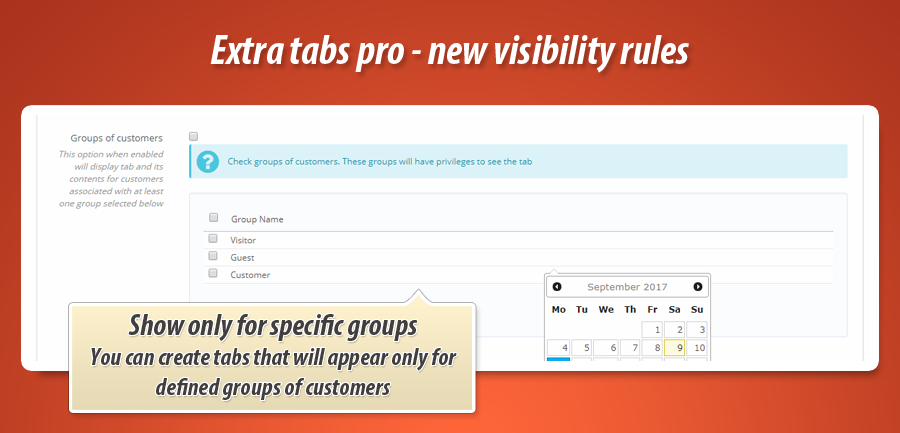
- you can display tab for selected groups of customers only
- you can display tab during specific date & time period (possibility to define date to, date from, time to, time from)
Duplicate product - if you will duplicate some product that is associated with some tabs - new product will be associated with these tabs too. It is the only one module at the moment with this valuable feature.
Multistore support - module from v1.9.9 is ready to support shops based on multistore environemnt. This means that each shop can have own unique sttings of tabs
| Name of the variable | What module will display |
|---|---|
| {name} | Product name |
| {description} | Long description of the product |
| {short description} | Short description of the product |
| {features} | Table with features of the product |
| {supplier_name} | Product's supplier name |
| {supplier_description} | Short description of product's supplier |
| {manufacturer_name} | Product's manufacturer name |
| {manufacturer_description} | Product's manufacturer description |
| {manufacturer_description_short} | Product's manufacturer short description |
| {main_category} | Name of main product's category |
| {ean} | EAN code of product |
| {upc} | UPC code of product |
| {quantity} | Stock available |
| {id} | ID number of product |
| {reference} | Reference number of product |
| {HOOK:(1):(2)} | Feature to run selected hooks where (1) is a hook name and (2) is a module name to run |
Theme without tabs? it is not a problem!
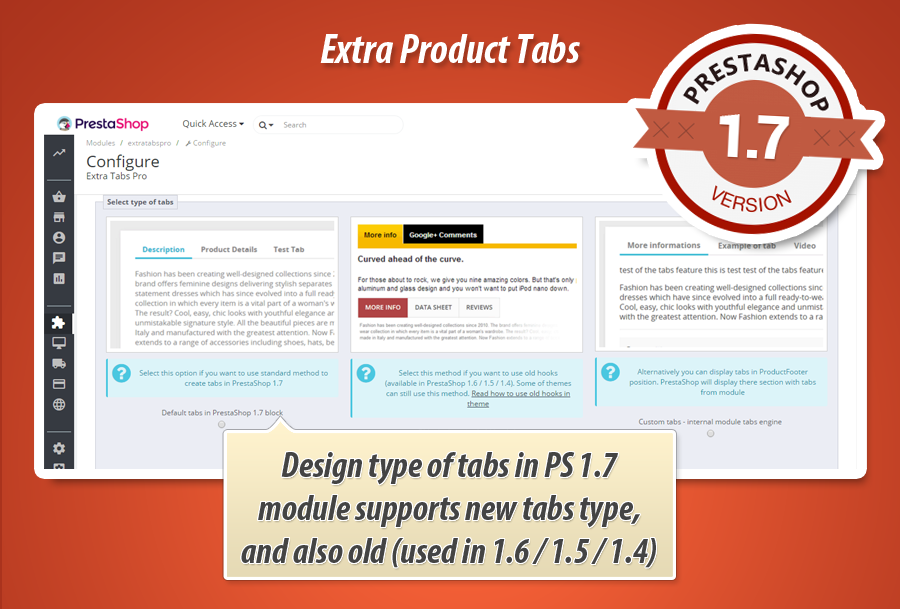
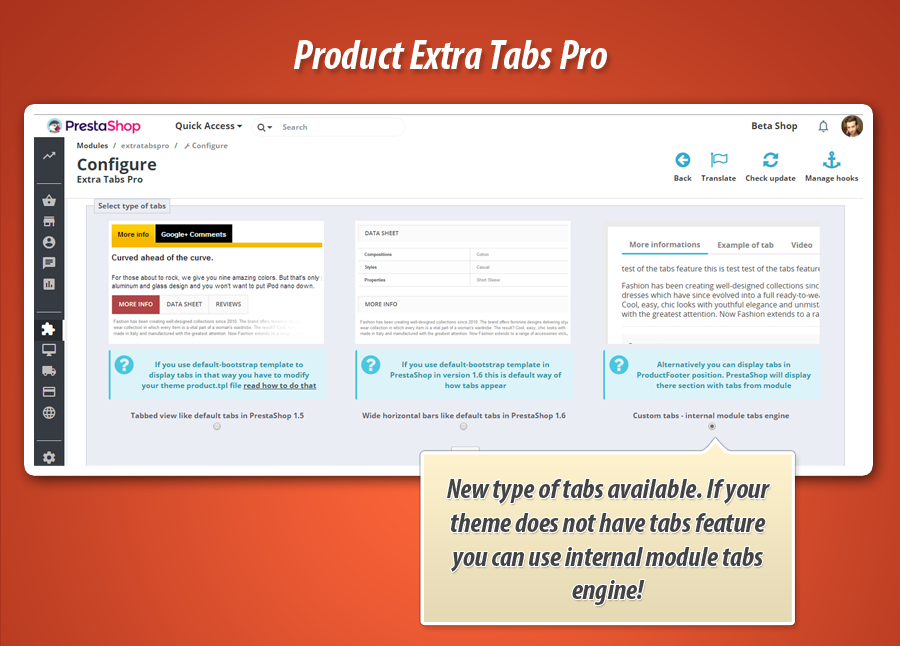
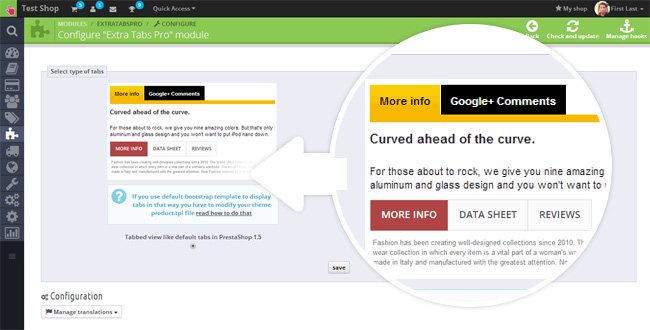
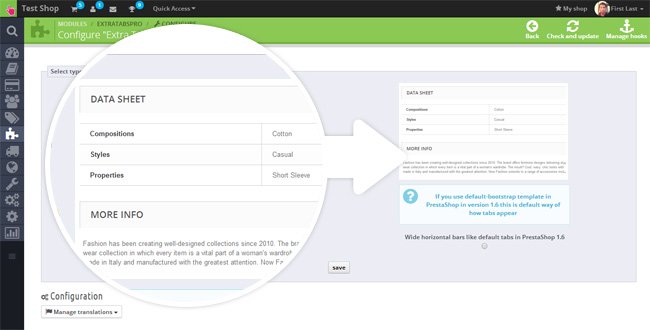
If your theme does not have tabs feature - it is not a problem. Module has got own internal tabs feature. During module configuration you can select type of tabs that module will create and display. Based on this feature you select:
- Real product tabs like it Was in PrestaShop 1.5
- Wide horizontal bars like it is in default-bootstrap in PrestaShop 1.6
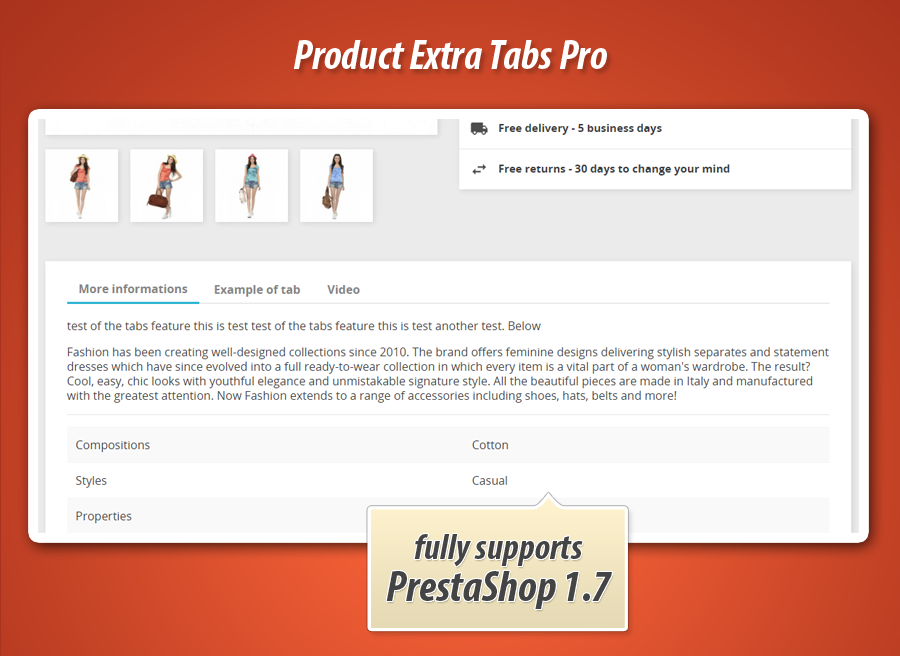
- Internal module tabs - great for PrestaShop 1.5, PrestaShop 1.6 and for PrestaShop 1.7 (especially classic theme)
Last option will create tabs even if your theme does not have tabs feature. These tabs will appear in position called "displayFooterProduct".
Users of PrestaShop 1.6
In this prestashop version you can select how you want to display tabs. You can display them in default for prestashop 1.6 way (wide horizontal bars) see picture . You can also display tabs like it was in prestashop 1.5 - as nice looking tabs (this tabs type contains responsiveness too!) see picture
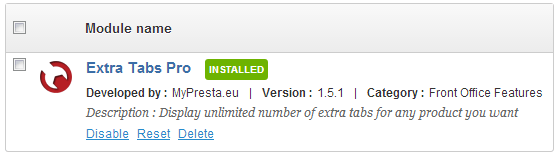
extra tabs pro module installation process
Check how to create tabs with this module


29
99
€
Module Gallery
Why choose our module
Product Extra Tabs Pro?
Optimization and Automation
Optimize store operations by automating product extra tab creation and management. With global tabs, dynamic content variables, and automatic tab duplication, this module streamlines workflow, saving significant time and effort.
Increased Sales
Boost sales by enriching product pages with unlimited, dynamic extra tabs. Deliver targeted, detailed information using a powerful editor and specific visibility rules for customer groups or product attributes, significantly enhancing the shopping experience and driving conversions.
15 years of experience
Our 15 years of PrestaShop experience shine through this module. It provides robust, user-friendly extra product tabs with global settings, drag'n'drop, and full multistore/multilanguage support, reflecting deep platform mastery.
Extensive Customization
This module offers extensive customization, allowing creation of unlimited, personalized extra tabs for products. Tailor content with an extended editor, dynamic variables, and precise visibility rules based on categories, customers, and more, perfectly fitting your unique store needs.
Open Source Code
This module provides full access to its source code, ensuring no hidden functions or 'ioncube' restrictions. Merchants gain complete freedom to edit the template and code for advanced customizations and seamless integrations within their PrestaShop environment.
License and Updates
The Product Extra Tabs Pro module license offers unlimited usage. Free updates ensure its advanced tab creation, drag-n-drop, and extended editor features remain current and compatible, supported by free technical assistance.