If you're wondering how to translate emails in your prestashop - this article is exactly for you. It's a kind of basics in prestashop, but it's worth to explain it for each new merchant.
If you don't know how to translate shop emails, just follow reading this article or watch video that I attached below. You can translate emails directly from your back office. So it means that you can do it without touching prestashop files.
How to translate emails?
To translate emails youi of course have to log in to shop as a shop administrator.
Open Localization > preferences section ( see screenshot )
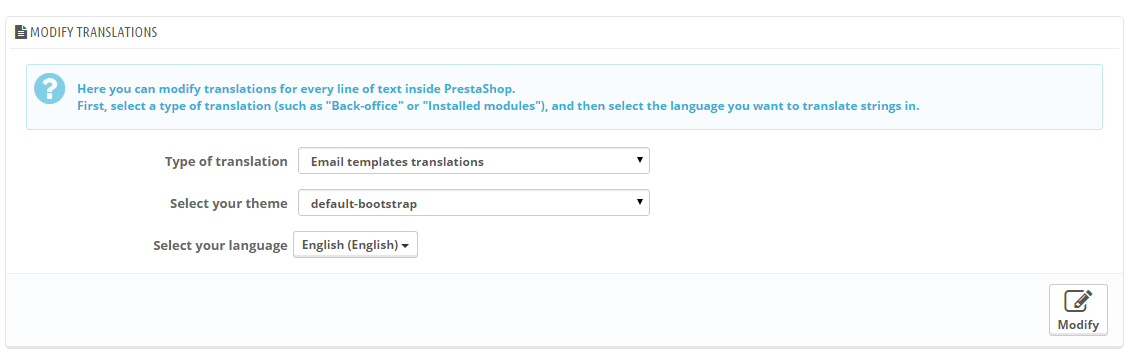
from first dropdown select: Email templates translations
from second dropdown select: your theme
from third dropdown select: language for which you want to define translations
( see screnshot )

Article written byMilosz Myszczuk, PrestaShop expert. CEO and founder of the VEKIA interactive agency. Learn more.
If you like this article, support our work!

Charge handling, service or packaging fees only when your rules match. Conditional Order Fees adds a...
129.00 €

Conditional Order Validation lets you block or warn checkout when a cart breaks your rules. Set cond...
129.00 €

Sell optional checkout services your customers choose: gift wrapping, shipping insurance, express ha...
149.00 €

Apply conditional order discounts using native cart rules. Create BOGO deals, buy N get M free, spen...
149.00 €