


PrestaShop Facebook product share + discount code
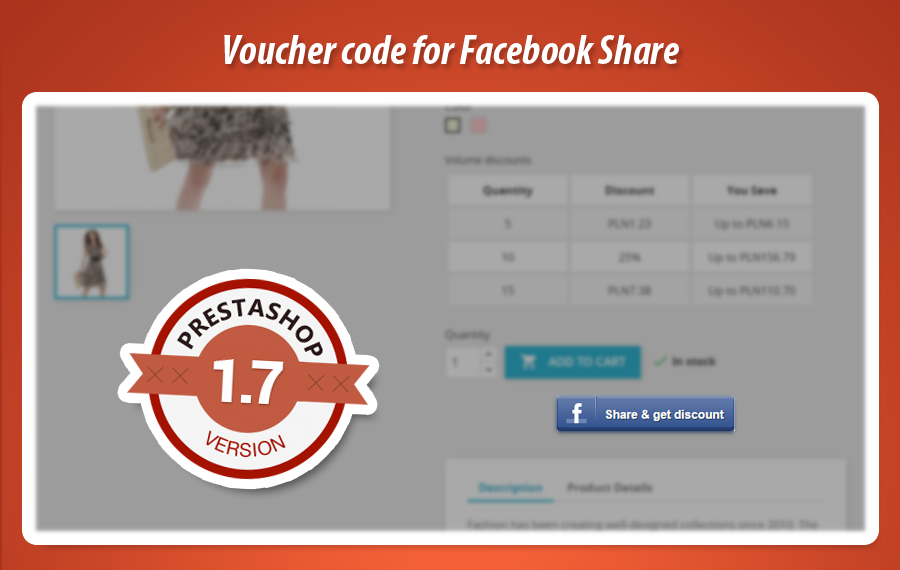
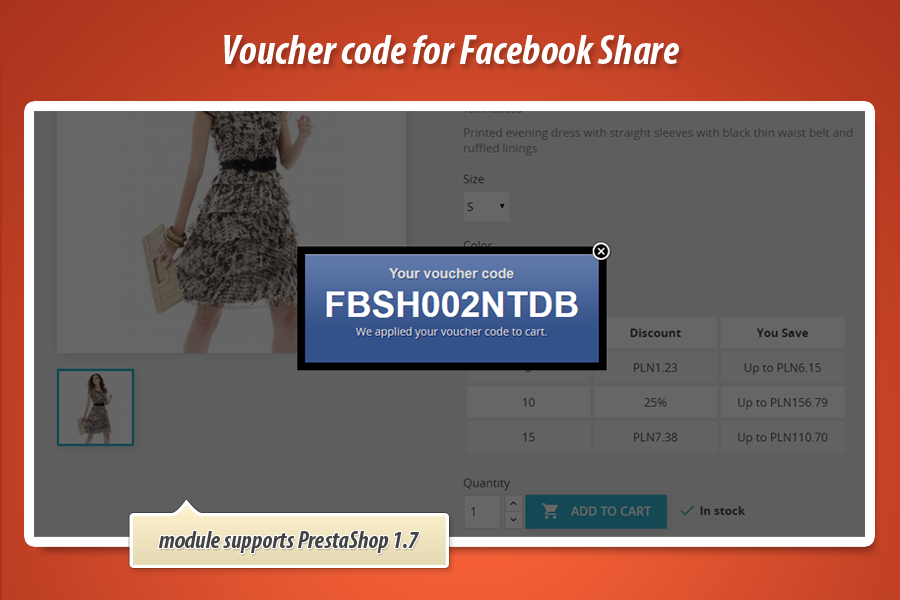
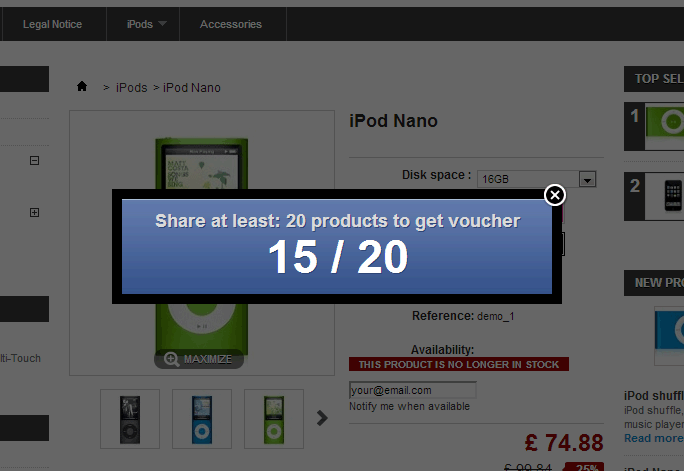
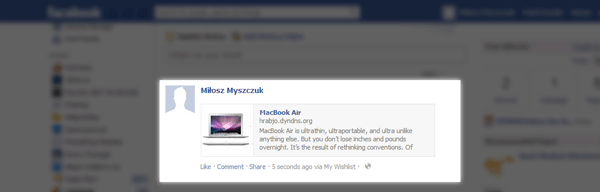
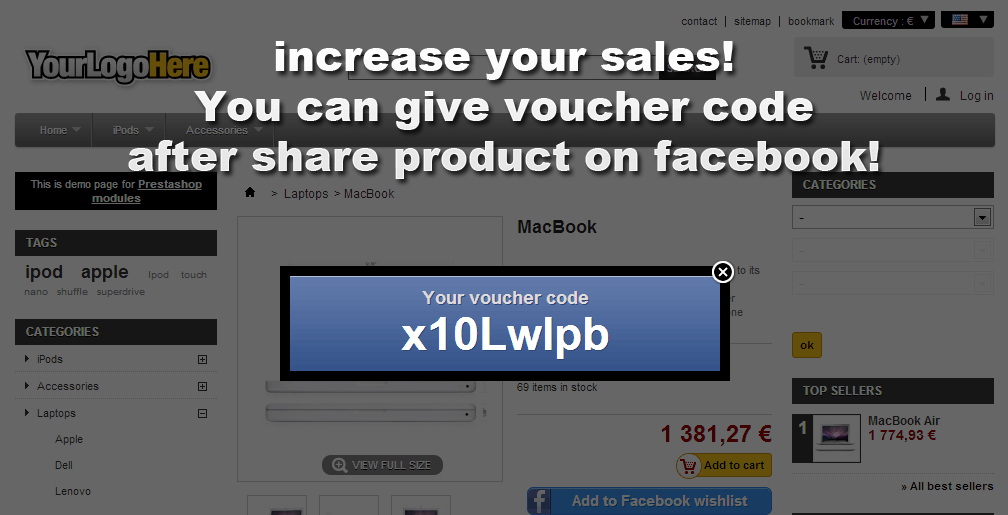
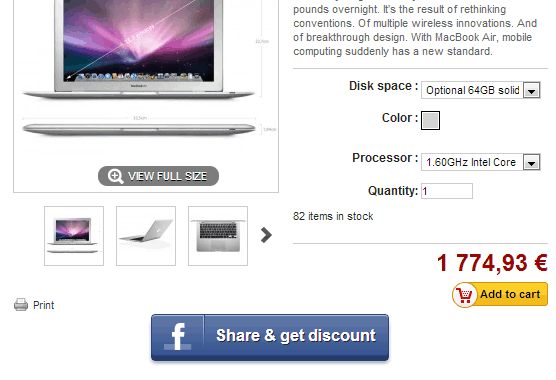
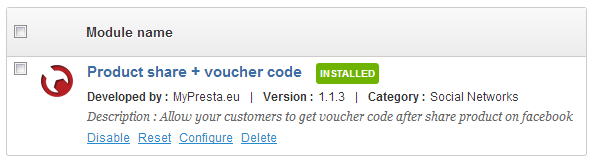
This module creates special button on each product page for sharing product on facebook timeline. Module also allows you to create special discount codes for customers who share the product on timeline. After share - they will see special popup with voucher code.
26.99 €
Galeria





PrestaShop Facebook Product Share & Discount
This PrestaShop module is a powerful advertising and marketing tool designed to boost your store's page views and income. It enables customers to share your products on Facebook, rewarding them with personalized voucher codes after each successful share. Highly configurable, you can define button positions, voucher values, and detailed conditions like minimum cart value, eligible categories, or specific products. The module supports various discount types, free shipping, or even free gifts, automatically adding the voucher to the cart. It's an excellent alternative to standard sharing blocks, offering flexible options for driving engagement and sales.
Module version:
3.2.1
Shop versions:
8.x1.7.x1.6.x
Works with ThirtyBees:
Yes
Translations:


This module is an advertising & marketing tool for your prestashop store. Increase your page views, increase your income with this social network module. As we said, module allows to share products on facebook. After each share - you can give voucher codes for customers. This module is an excellent alternative for the standard "block share" module. Read more about features below the box.

Facebook product share + voucher code module main features
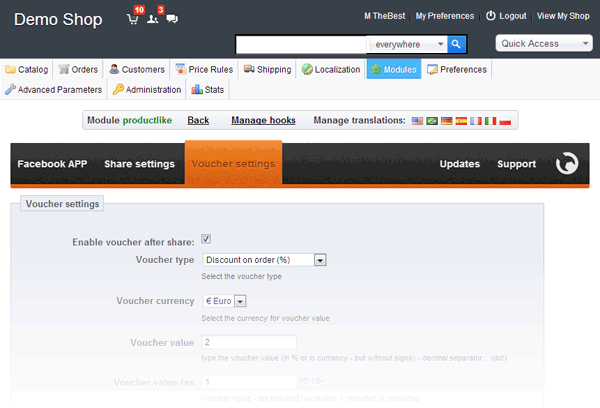
Main feature of this prestashop addon is a possibility to create button / link to share products on Facebook. After each share - your customers are able to get personal voucher code, voucher value depends on voucher settings in the module configuration page.
Configuration of the module
You - as a shop administror of the shop - have got possibility to configure it exactly as you want. You can set up the most important settings related to the module.
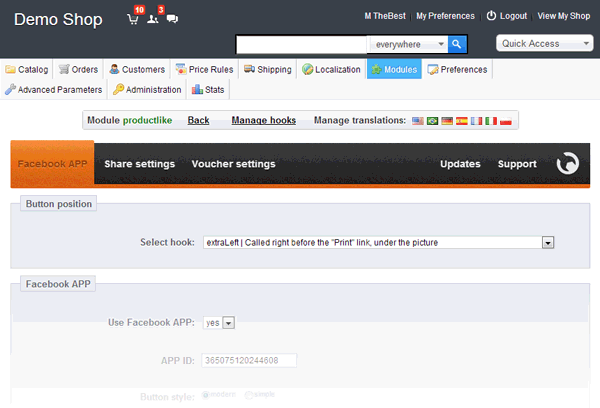
Define position of the button, which mean that you can create "share on facebook" button in the:
- extraLeft hook - Called right before the "Print" link, under the picture
- extraRight hook - Called right after the block for the "Add to Cart" button
- productActions hook - Called inside the block for the "Add to Cart" button, right after that button
- productFooter hook - Called right before the tabs
- rightColumn - Called inside right clumn of your store (only od product page)
- You can display button only for selected products (related to other feature: Select products for which voucher code will be active)
- You can activate option to send an email to customer with code (email from facebook)
Define usage of the Facebook APP
- This is very usefull tool, you can turn off app usage (if you use another facebook app on your website) or you can turn it on (when you don't use other facebook app on your website).
- You can also define APP ID - this is necessary for this module.
- You can select button style. You've got two possibilities: modern & simple.
Share settings
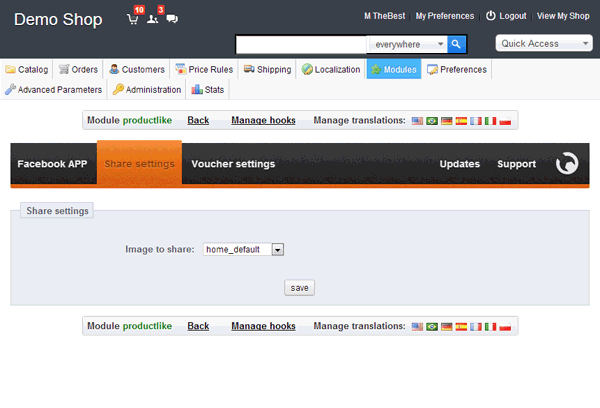
you can select image type to share on facebook wall. It mean, that you can select default product image which will be visible on the facebook wall ( timeline ). Module by default shares the standard product name, description and image. From version 2.9 you can decide if module will use Open Graph module, or not. So with this feature you can easily control what informations will appear on timeline after product share!
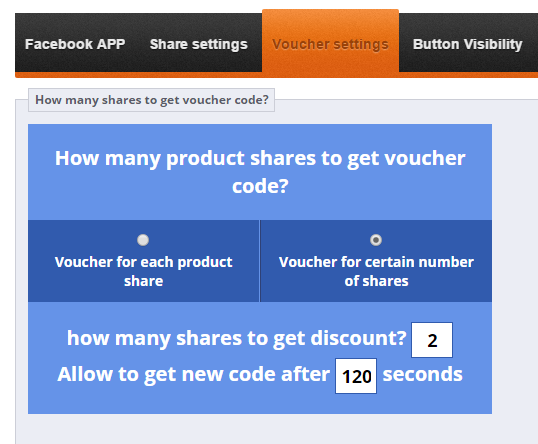
Two voucher share settings
- one share = one voucher - customer who share product on own wall will get discount for each share. In simple words it mean: new share, new discount.
- voucher code for certain number of shares - you can define number of shares for which voucher code will be generated. It mean that customer have to share for example 10 products to get own voucher code.
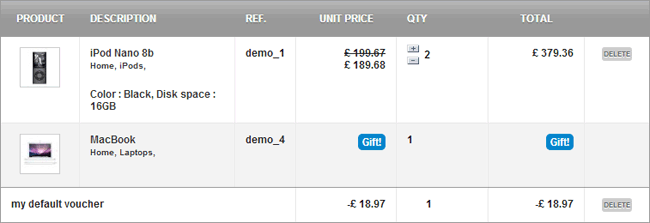
if you will use second option you can also define how long customer must have to wait to receive another coupon - Module has option to add voucher code to cart automatically (right after customer will receive it)
Advanced options related to coupon settings
Main voucher code settings
- You can define voucher code name in each language active in your shop
- You can define description of voucher code (visible only for you)
- You can define number of characters used in automatically generated voucher code
- You can enable or disable voucher code sufix
- You can define sufix in each language active / available in your shop
- You can enable or disable voucher code prefix
- You can define prefix in each language active / available in your shop
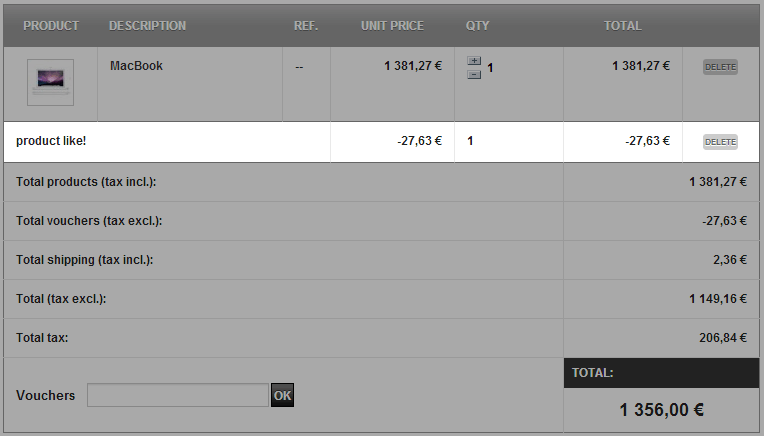
- You can Highlight voucher code in the cart summary
- You can enable or disablee "partial use" option - this feature is applicable if the voucher is greater than the cart total)
- You can define voucher code "priority" option, A cart rule with priority of "1" will be processed before a cart rule with a priority of "2"
- You can define if voucher code will be active / or disabled right after generation
Voucher code conditions
- You can define how long voucher code will be active. You can define this option in days.
- You can define minimum cart value, for which voucher code will be active.
- You can define minimum cart value currency (you can select currency from all available currencies in your shop)
- You can define tax options for minimum cart value (tax included or excluded)
- You can define shipping option for minimum cart value (shipping included or excluded)
- You can define Total available option of coupon, the cart rule will be applied to the first "X" uses
- You can define Total available for each user option - a cusomer will only be able to use the cart rule "X" time(s)
- You can add rule concerning categories (you can use it or not - everything depends on you)
- With cart rule concerning categories you can select categories (see picture) for which voucher code will be active
- You can add rule concerning products (the same as with categories rule - you can use it or not)
- With cart rule concerning products you can select products (see picture) for which voucher code will be active
- You can add rule concerning manufacturers (the same as category rule - you can select it or not)
- With cart rule concerning manufacturers you can select manufacturers for which code will be active
- You can add rule concerning attributes
- With cart rule concerning attributes you can select product attributes for which voucher code will be active
Voucher codes actions
- You can enable or disable Free shipping option
- You can select a discount type
- It mean that you can select percentage discount, or discount it amount, or just disable it
- You can specify percentage (%) discunt value
- You can specify amount discount value currency and tax (included or excluded)
- You can apply discount to order value (without shipping) or to specific product (from your catalog)
- You can apply discount to cheapest product
- You can apply discount to selected products in "conditions" section.
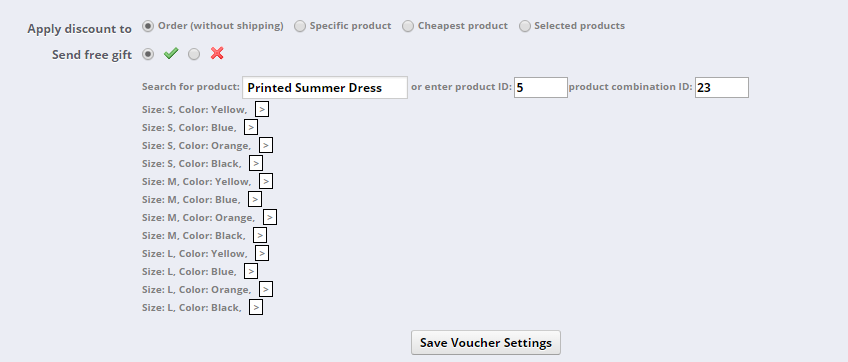
- You can turn on option "send free gift" and select product (with attribute) that will be treated as a free gift
Voucher code for shared products only
Module has feature that allows to generate voucher code for shared products only. Thanks to this:
- voucher code will be applicable to cart only if cart will contain shared product
- voucher code will decrease price of shared products only (percentage discount)


26.99 €
Module Gallery
Why choose our module
Facebook product share + discount code?
Optimization and Automation
This module automates social media marketing by incentivizing product shares with instant discount codes. It optimizes customer engagement and sales through automated voucher generation and flexible configuration, streamlining promotional efforts and boosting store visibility on Facebook.
Increased Sales
Boost your sales by leveraging social proof. This module transforms product shares on Facebook into direct purchases by instantly rewarding customers with personalized discount codes. Incentivizing sharing and simplifying voucher redemption drives traffic, increases conversions, and directly boosts your store's revenue.
15 years of experience
With 15 years of PrestaShop expertise, this module transforms social sharing into sales. It offers advanced, fully configurable discount codes, even for specific shared products, showcasing our profound understanding of e-commerce marketing dynamics and platform capabilities, ensuring effective growth strategies.
Extensive Customization
Our module offers extensive configuration, empowering you to define button placement, Facebook App integration, and diverse share settings. Crucially, it allows deep customization of voucher codes, including names, prefixes, suffixes, duration, minimum value, applicable categories or products, and various discount types for perfect store integration.
Open Source Code
This Facebook product share module offers full code transparency. You have complete access to its source, enabling unlimited customization and deep integration with your Prestashop store for advanced marketing strategies.
License and Updates
This module offers a perpetual license for your PrestaShop store. Free updates ensure continued compatibility with PrestaShop versions and Facebook API changes, safeguarding its core functionality. Access to future enhancements is often included for a defined period.