
PrestaShop Top horizontal menu with dropdowns
This is a free module that modifies the functionality of the standard horizontal (main) menu plugin in PrestaShop, named "blocktopmenu". This enhancement implements a "dropdown" feature for menu items, significantly improving store navigation and menu clarity compared to the default configuration.
0.00 €
Download for PrestaShop 1.6Download for PrestaShop 1.7Download for PrestaShop 8.xDownload for PrestaShop 9 and newer
Dlaczego jest kilka wersji modułu?
This is due to the fact that different PrestaShop releases use different programming solutions. Features working e.g. in PrestaShop 1.7 may not work in PrestaShop 9. Hence the need to release different versions of the module, which will ensure operation in many different versions of the shop.
This is due to the fact that different PrestaShop releases use different programming solutions. Features working e.g. in PrestaShop 1.7 may not work in PrestaShop 9. Hence the need to release different versions of the module, which will ensure operation in many different versions of the shop.
We develop the module for free - if you want - support us!
Galeria 1/4
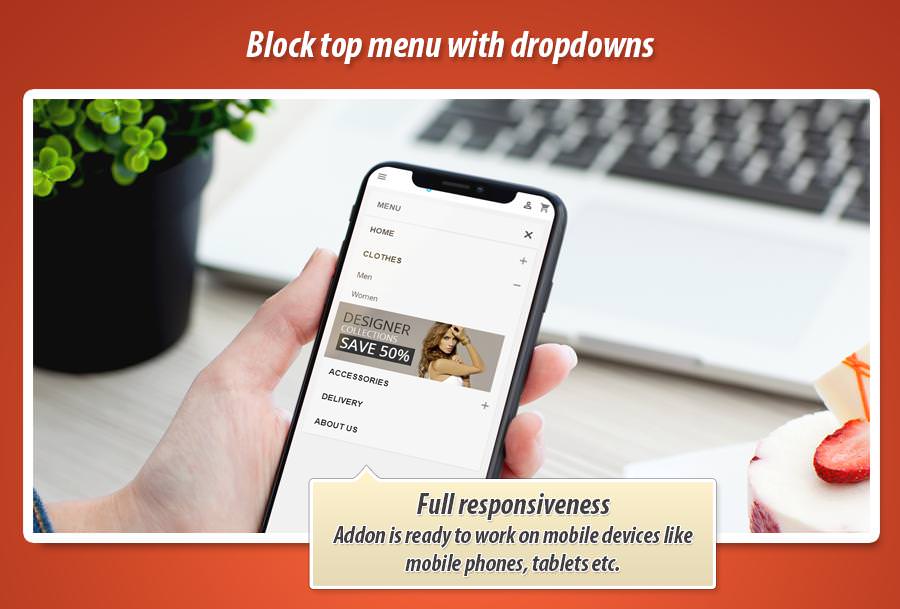
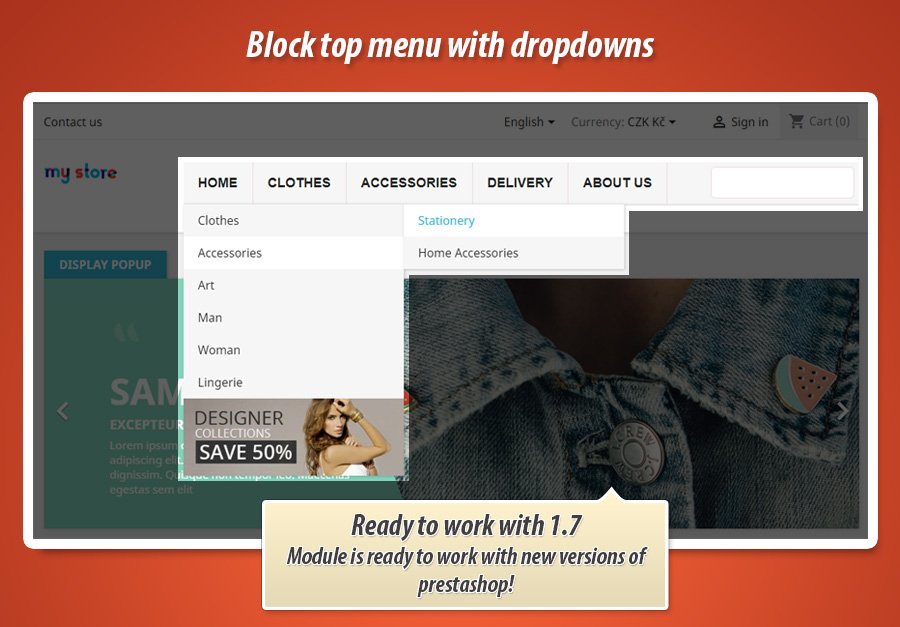
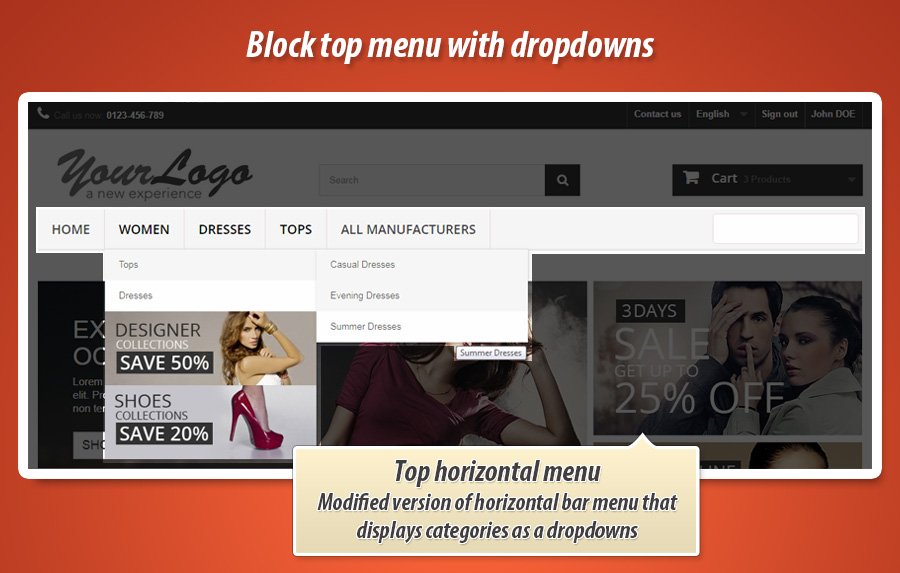
PrestaShop Top Horizontal Dropdown Menu
This Prestashop module significantly enhances shop navigation by implementing a dropdown functionality for the standard 'blocktopmenu'. It transforms your horizontal menu into an intuitive, user-friendly structure, allowing customers to easily find products and reducing clutter. By creating a clear hierarchical site structure, it not only improves the user experience but also positively impacts your store's SEO. This free and open-source solution ensures seamless compatibility with your existing setup, making your navigation both professional and efficient without additional cost.
Module version:
1.3.1
Shop versions:
9.x8.x1.7.x1.6.x
Works with ThirtyBees:
Yes
Translations:


Navigation that actually works.
Top Horizontal Menu with Dropdowns for PrestaShop.
The default PrestaShop top menu flattens everything into one long row—confusing for you, overwhelming for customers. This free module turns your standard blocktopmenu into a proper dropdown menu: parent items stay visible, subcategories and links unfold on hover. Cleaner layout, clearer structure, better SEO. One drop-in replacement, zero cost.

Why a flat top menu is not enough
PrestaShop’s default blocktopmenu does one thing: it lists your links in a single horizontal bar. As soon as you have more than a handful of categories or pages, that bar becomes a wall of text. Customers scroll, squint, and leave. Search engines see a flat list with little hierarchy.
What you need is a dropdown menu: main items on the top level, subcategories and links revealed on hover or click. Parent categories stay visible; children stay organised. Navigation feels intuitive, the header stays clean, and your site structure makes sense to both users and crawlers.
Top Horizontal Menu with Dropdowns does exactly that. It replaces (or upgrades) the default top menu with a Superfish-powered dropdown structure. No core hacks, no theme overrides—just a module that plugs into displayTop and works with your existing blocktopmenu data. Free, and built to last.
What you get with this module
-
Dropdown navigation:
Subcategories and subpages open under parent items. No more cramming everything into one line. -
Clear hierarchy & SEO:
A logical menu structure helps search engines understand your site and can support better rankings. -
Compatible with blocktopmenu:
Designed to work seamlessly with the standard top menu. No conflicts with your current setup.
What the module can display in your menu
Categories (nested)
Add product categories to the menu with full nesting. Subcategories appear in dropdowns. Optional category thumbnails in the dropdown for a richer look. Only active categories are shown; customer groups are respected.
CMS, products & custom links
Include CMS pages and CMS categories (with nested pages). Add single products by ID. Add custom links with multilingual labels and optional “open in new window”. Full control over what appears in the bar.
Manufacturers & suppliers
Add All manufacturers or All suppliers as a single menu item that expands into a dropdown list. Or add individual manufacturers/suppliers. Perfect for stores that highlight brands or supply chains.
Superfish dropdowns
Smooth hover behaviour and optional delay so menus don’t flicker. Your menu stays readable and professional.
Dropdowns that feel right
The module uses Superfish (with hoverIntent) for dropdown behaviour: submenus open on hover with a short delay, so accidental mouse moves don’t trigger a cascade of panels. The current category or page can be highlighted in the menu (sfHover / sfHoverForce), so users always know where they are. CSS and JS are self-contained in the module (Superfish-modified.css/js, blocktopdropdownmenu.css/js), so you can style the menu to match your theme without touching core files.
Optional search in menu
Add a search bar inside the menu block. One toggle in the back office.
Search bar where customers expect it
Enable the Search bar option in the module configuration and a search form is rendered in the menu (desktop and mobile). It uses PrestaShop’s standard search page and parameters, so results and filters work as usual. The search box is part of the same block as the menu, so the header stays consistent and users don’t have to hunt for search.
Back office & multistore
Configure menu items per shop. Add and edit custom links. Menu cache clears automatically when catalog or CMS changes.
Configure once, or per shop
In the back office you choose which items appear in the top menu: a multi-select list lets you pick categories, CMS categories/pages, products, manufacturers (all or single), suppliers (all or single), shops, and custom links. Order is defined by the order of selected items. You can add custom links with a label and URL per language, and choose whether they open in a new window. When multistore is enabled, you manage the menu in the context of the selected shop. The module clears its cache when categories, CMS, suppliers, manufacturers, or products are added, updated, or deleted—so the front office always reflects your catalog.
Simple configuration in the back office
One screen: choose menu items from categories, CMS, products, manufacturers, suppliers, and custom links. Toggle the search bar. Add or edit custom links with multilingual labels. No tabs, no clutter.

Menu content
- Categories (nested, with optional thumbnails in dropdown)
- CMS categories & pages
- Products, manufacturers, suppliers (all or single)
- Custom links (multilingual, optional new window)
Options
- Search bar: on/off in menu block
- Multistore: menu config per shop
- Cache: auto-cleared on catalog/CMS changes
- MyPresta update checker built in
Technical specification & compatibility
Standard PrestaShop module. No core overrides. Hooks into the front office and clears cache when content changes. Safe for updates and multistore.
displayHeader, displayTop, displayNav, displayNavFullWidth.


0.00 €
Download for PrestaShop 1.6Download for PrestaShop 1.7Download for PrestaShop 8.xDownload for PrestaShop 9 and newer
Dlaczego jest kilka wersji modułu?
This is due to the fact that different PrestaShop releases use different programming solutions. Features working e.g. in PrestaShop 1.7 may not work in PrestaShop 9. Hence the need to release different versions of the module, which will ensure operation in many different versions of the shop.
This is due to the fact that different PrestaShop releases use different programming solutions. Features working e.g. in PrestaShop 1.7 may not work in PrestaShop 9. Hence the need to release different versions of the module, which will ensure operation in many different versions of the shop.
We develop the module for free - if you want - support us!
Module Gallery 1/4
Why choose our module
Top horizontal menu with dropdowns?
Optimization and Automation
This module optimizes shop navigation and SEO by creating a clear hierarchical structure. It effectively automates the display of grouped subcategories, significantly streamlining user journeys and enhancing site discoverability for improved search engine rankings.
Increased Sales
This module directly improves shopping experiences through intuitive navigation and clearer menu structure. Customers find products faster, enhancing satisfaction and boosting conversion rates, ultimately leading to increased sales.
15 years of experience
Backed by 15 years of PrestaShop experience, this module transforms your horizontal menu. Our deep platform understanding ensures intuitive dropdowns, delivering unparalleled navigation clarity and user satisfaction.
Extensive Customization
This module offers extensive customization through robust configuration options, allowing broad personalization of your dropdown menu. Achieve a perfect fit for your store's unique aesthetic and navigation needs.
Open Source Code
This module's open-source code grants full access, allowing complete freedom for advanced modifications and integrations. Its nature fosters community contributions and ensures ongoing development, providing ultimate control and flexibility for tailored navigation enhancements.
License and Updates
Being free and open-source, this module provides perpetual use under its license. Updates are inherently part of its open-source nature, driven by community contributions, ensuring ongoing development and feature improvements without additional cost.