
PrestaShop Show price in different currencies at the same time
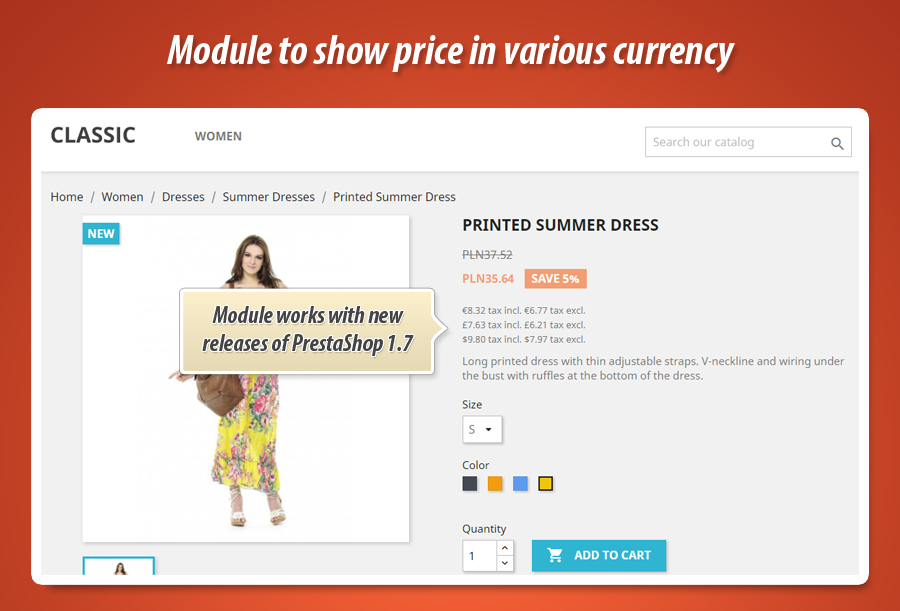
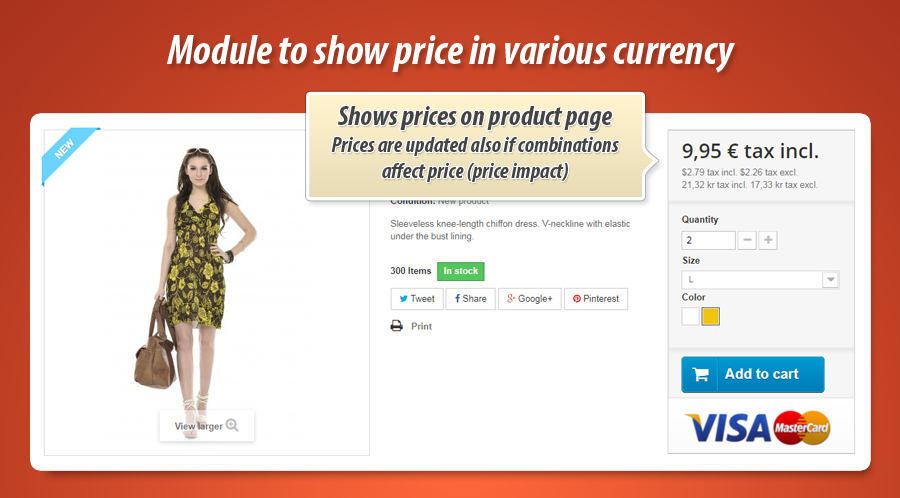
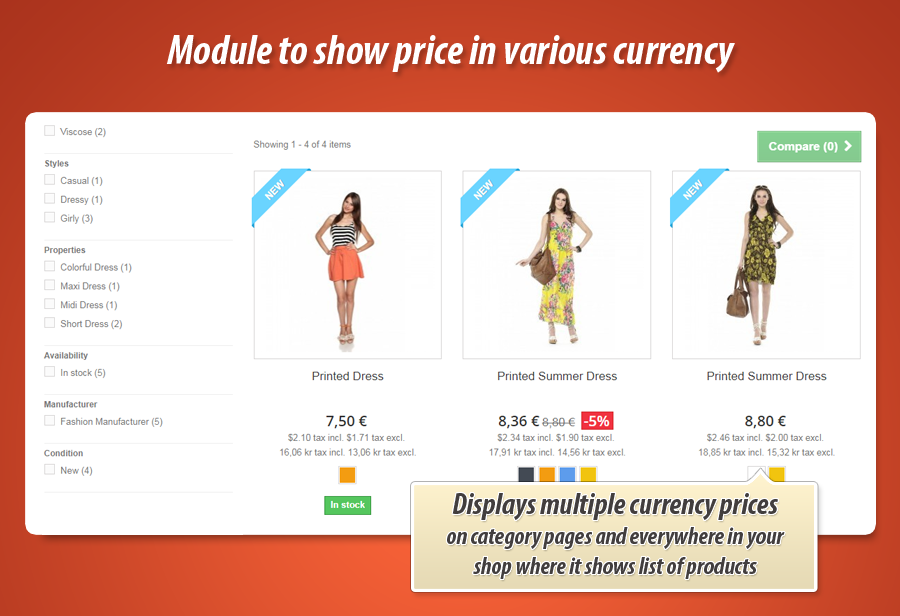
Module allows to display product price in various currencies at the same time. Plugin displays these various prices on list of products (below price of product) like category pages, search results etc. And of course - also on product page. It is ready to display proper price even if you will switch combination or change quantity (quantity discounts)
39.99 €
Galeria 1/6
PrestaShop Multi-Currency Price Display
This PrestaShop module displays product prices in multiple currencies simultaneously, on product pages and product lists (categories, search results, etc.). Configure displayed price types (tax included/excluded, with/without labels), select the currencies to show, and even display disabled currencies for reference. Target specific products or categories for multi-currency pricing. Control the price display location using standard or custom displayProductPriceBlock hooks. A built-in tool helps identify available positions in your theme. Compliant with Croatian dual-currency display regulations.
Module version:
1.5.8
Shop versions:
9.x8.x1.7.x1.6.x
Works with ThirtyBees:
Yes
Translations:


As you already know this is PrestaShop module that allows to show prices in many currencies at the same time. Module displays it there, where your shop displays product for example: list of products like category pages, search results, manufacturers, suppliers etc. It shows it also on product page. Below you can find detailed informations about module features.

Main features in the module to show prices in many currencies
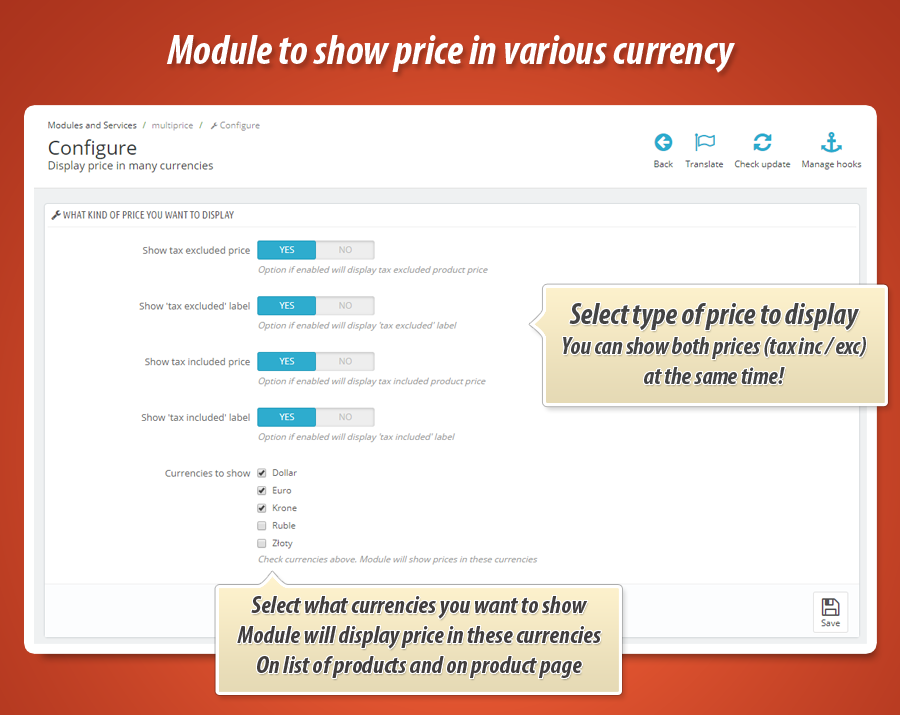
As a shop owner you can define how the module works. After installation this addon creates a "configuration" page where you can specify the details of the addon. You can define there the type of prices that module will display (both on product page and on list of products):
- Show price tax included
- Show price tax excluded
- Show "tax included" price label
- Show "tax excluded" price label
Select currencies - module will show price in these currencies
On module configuration page you can specify what kind of currencies addon will display. Shop gets a list of currencies from your shop - based on this list you can select / unselect currencies. Addon will display price in selected currencies, one by one - as a list of prices.
Display prices in disabled currencies
Module has feature that will give you possibility to show prices in currencies that are disabled. For example you can use it to show this kind of price as a reference.
Display prices for selected products only
Module by default displays prices in many currencies for all products. But there is possibility to show these prices for slected products (exactly selected products) and/or for products associated with selected categories.
Position of price in various currencies
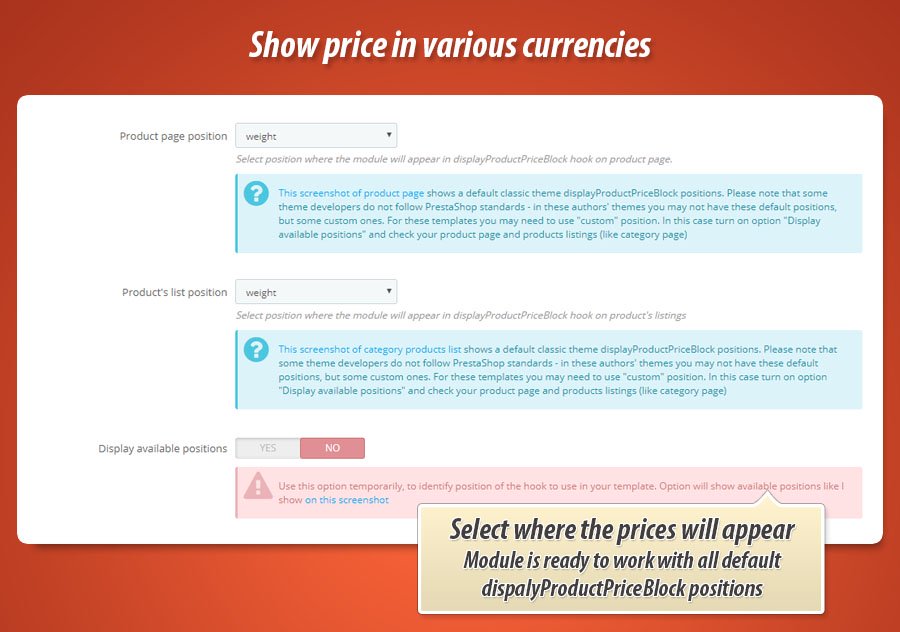
In addition to previously mentioned features - module configuration page contains a tool where you can decide where module will appear on product page and where it will appear on list of products (like category view etc.). Available positions are determined by hook named displayProductPriceBlock.
Availalbe positions by default
specification of displayProductPriceBlock allows to use several variants of this position:
- displayProductPriceBlock old_price
- displayProductPriceBlock before_price
- displayProductPriceBlock after_price
- displayProductPriceBlock price
- displayProductPriceBlock unit_price
- displayProductPriceBlock weight
Many theme developers uses own displayProductPriceBlock variants
Because of this we decided to add support of custom position inside displayProductPriceBlock. If your template uses a non-default position - module is ready to work with it. Configuration page of module allows to use custom positions.
Feature to identify available positions
If your non-default theme has some new dispalyProductPriceBlock variants - you can easily identify them. Just enable (on module configuration page) option to show available postions. Then once you will open your product page or other pages where the products appear - you will see availalbe positions to use. You will be able to configure the module to dispay price ranges there, where you want.
Ready for croatian dual price display law
Module is ready to work in Croatian shops where merchants are required to display prices in both currencies (Croatian Kuna and Euro). You can read article here: Dual price display requirement for Croatian merchants


39.99 €
Module Gallery 1/6
Why choose our module
Show price in different currencies at the same time?
Optimization and Automation
Automate currency display, optimizing product pages and category listings by simultaneously showing prices in multiple currencies, boosting international sales and customer experience.
Increased Sales
Display multiple currencies alongside your base price to cater to international shoppers, potentially boosting sales by simplifying purchase decisions and increasing buyer confidence.
15 years of experience
With over 15 years of PrestaShop module development, we've mastered the intricacies of multi-currency pricing. This module leverages our deep understanding of PrestaShop's core functionalities, ensuring seamless integration and reliable performance for displaying prices in multiple currencies simultaneously.
Extensive Customization
This module provides extensive customization options for displaying multiple currencies. Configure price types (including/excluding tax), select specific currencies (even disabled ones), choose product/category visibility, and precisely position price displays using standard or custom hooks for seamless integration with your theme.
Open Source Code
Gain complete control with full source code access. Modify core files, templates, and functionalities without restriction, enabling seamless integration with other systems and custom development to perfectly match your business needs.
License and Updates
Enjoy lifetime access to this multi-currency pricing module, ensuring your PrestaShop store displays prices in various currencies simultaneously. This perpetual license includes one year of free updates, guaranteeing compatibility with evolving PrestaShop versions and currency regulations. After the first year, benefit from significant discounts on update renewals.