


PrestaShop Before & after - pictures diff tool
If you're looking for a PrestaShop module that will highlight differencies between to product images - this is the right choice for you. This module is a visual diff tool that allows to easily spot two pictures. Module allows to define different pictures for each product available in your shop.
30.00 €
Galeria 1/5
Before After Image Comparison Slider
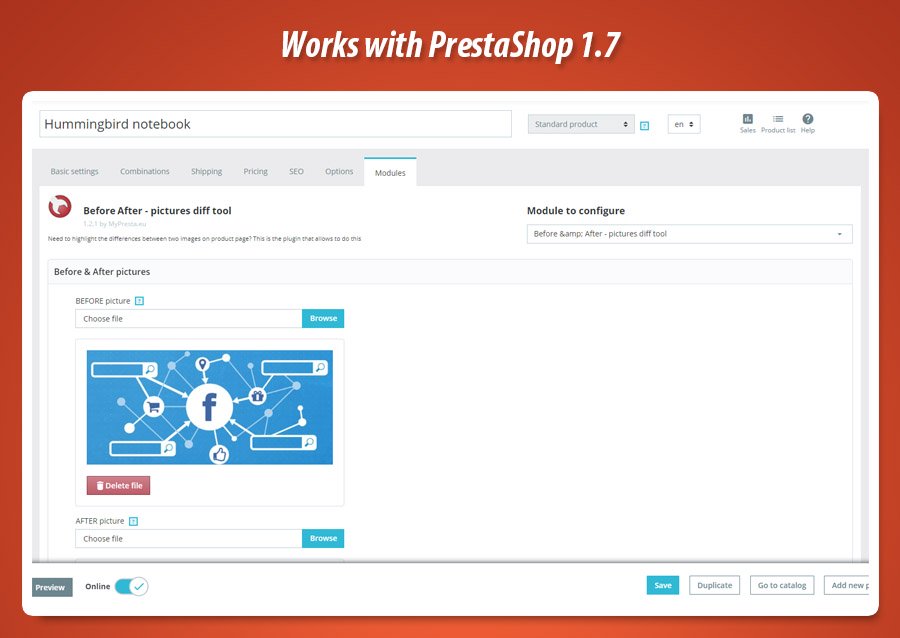
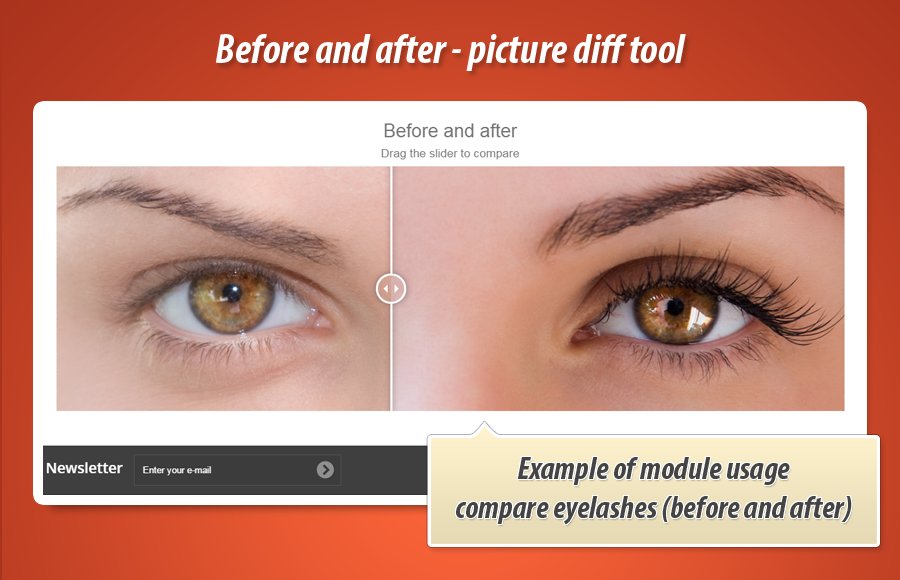
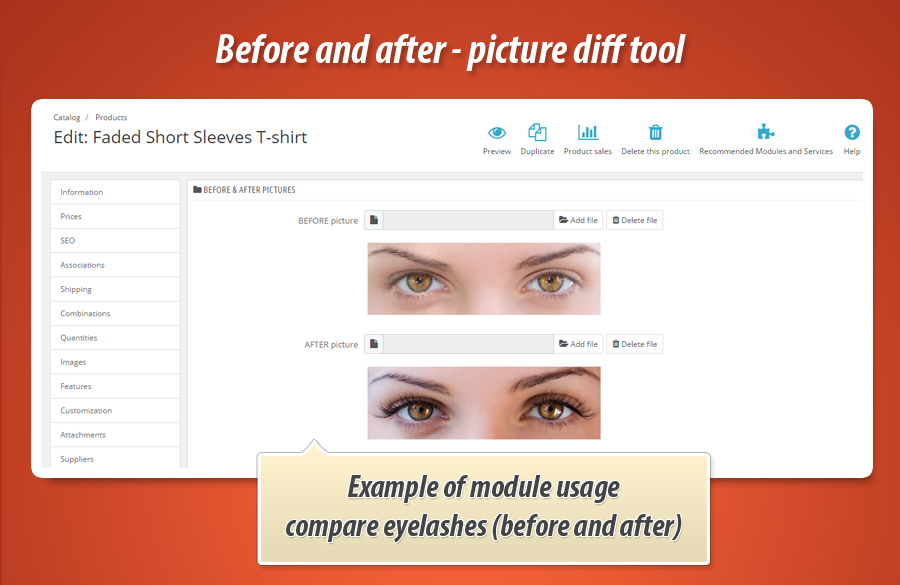
This professional PrestaShop module enables dynamic product image comparison, uniquely visualizing differences. Administrators can easily define comparison images within a dedicated section on the product edit page. On the front-office, an intuitive slider allows customers to directly juxtapose two selected graphics, highlighting key features or changes. Furthermore, the module extends its capabilities by offering the functionality to embed the comparison tool on CMS pages using a simple shortcode, significantly enriching content presentation. This ensures a flexible and engaging user experience, enhancing product understanding for visitors.


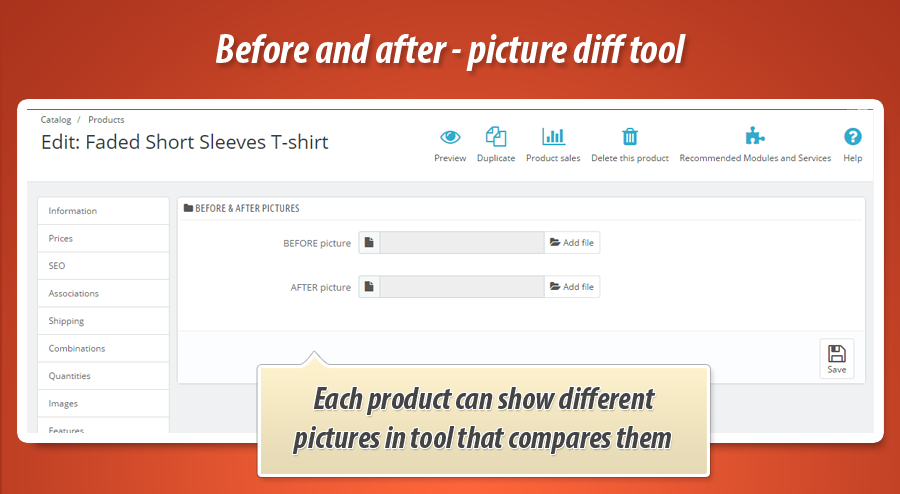
With this module each product can compare and show differencies between unique pictures. Module creates special section on product edit page where you can define pictures to compare for this product. Based on these pictures - this module will create special section on front office product page where with slider you can compare two selected pictures. You can see how it works on the video below
Comparison tool on CMS pages
Module has a feature to display comparison tool on CMS pages. For this purpose in your CMS page contents you can use shortcode like {diff:2} - where the 2 is an ID of product. Module will replace this shortcode with image comparison tool. To use this shortcode feature you need to install "cms products" free module


30.00 €
Module Gallery 1/5
Why choose our module
Before & after - pictures diff tool?
Optimization and Automation
This module optimizes product presentation by automating 'before & after' visual comparisons with interactive sliders. It streamlines content creation on CMS pages using shortcodes, enhancing engagement and demonstrating product value efficiently for improved conversion.
Increased Sales
Enhance shopping experiences and boost conversions by allowing customers to visually compare product differences. This interactive tool clearly demonstrates product benefits, building customer confidence and directly increasing sales.
15 years of experience
With 15 years of PrestaShop experience, we understand the need for powerful visual tools. This module, crafted with our deep platform knowledge, delivers intuitive before/after image comparisons, enhancing product presentations across your site.
Extensive Customization
Achieve broad personalization with extensive configuration options for image comparisons. Define unique before-after visuals per product and deploy the tool precisely where needed, ensuring a perfect fit for your store's diverse content and unique needs.
Open Source Code
Enjoy complete control with this module's open source code. Easily modify its core functions and templates, allowing for custom integrations and advanced product comparison enhancements. Full transparency guaranteed.
License and Updates
This module includes a perpetual license, allowing unlimited use. Free updates ensure core comparison features remain current and compliant for one year. Extended support and updates are available at significant discounts after the initial period.