
PrestaShop Internal, custom product fields
With this module you can create unlimited number of product internal fields that will be available to edit on each product edit page in your shop's back office. This addon is an easiest way to create custom text fields for all products.
40.00 €
Galeria 1/7


PrestaShop Advanced Custom Product Fields
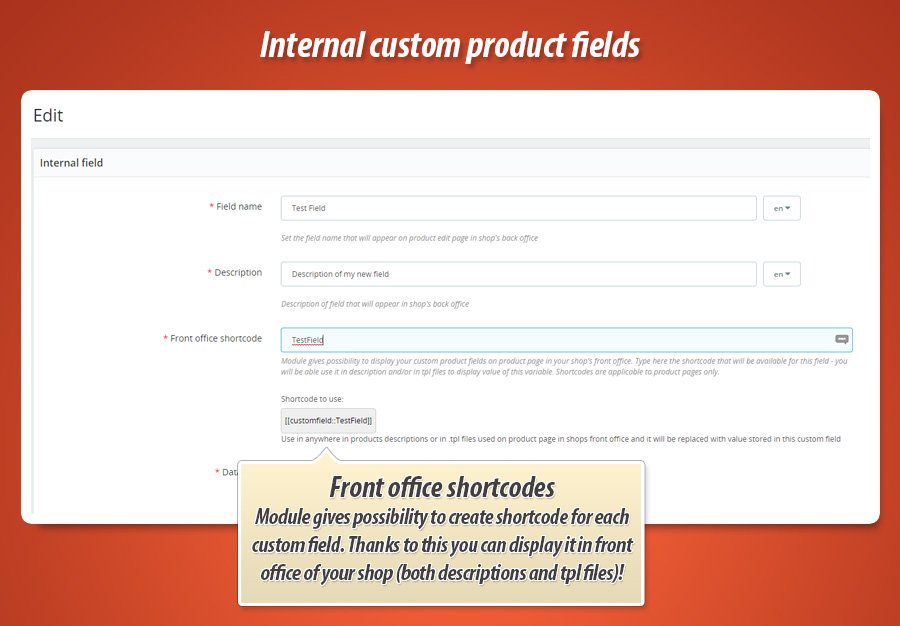
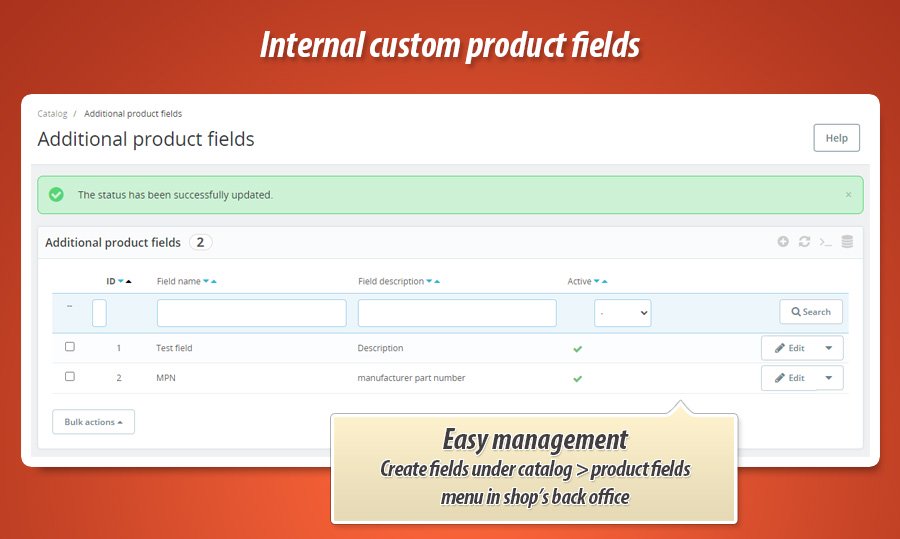
Easily add unlimited custom fields to your product pages. Manage these fields from a dedicated section within your catalog menu, enabling creation, editing, and activation/deactivation. Control field positioning on the product page, choosing from various locations. Set unique values for each product and even display them on the front-end using shortcodes within product page templates and descriptions. Field types include text, yes/no selections, and translatable text/textarea fields. Display custom field values in PDF documents like invoices using provided shortcodes.
Module version:
1.5.9
Shop versions:
9.x8.x1.7.x
Works with ThirtyBees:
No
Translations:


As we already mentioned with this addon you can easily create new editable fields that will appear on product edit pages. Module does not have any limits related to number of available custom internal fields - so in fact you can create as much new fields as you want. After module installation this plugin will create its configuration page where you can check for updates + new section under "catalog" menu to "create new product fields". There you can manage them: create new, edit existing and activate or deactivate them.

Management of new fields
After module installation you will get new menu item under "catalog" section in your shop's back office. Module will create there section to manage custom internal product fields. So - it is a main section of module's configuration. All fields created here will appear on all products' edit pages in your shop.
Edit new custom fields' values for each product individually
Your custom internal product fields can have different values for each product in your shop. Module will store these values in its database (table in shop's databse). This brings possibility to save values individually for each product and each shop in your multistore environment.
Position of your internal product fields
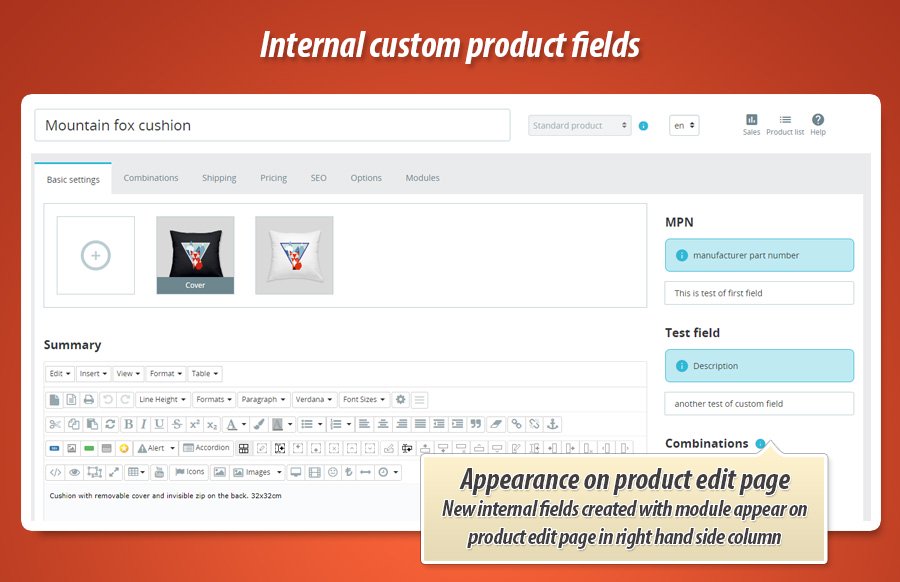
During management process of your custom field you can decide where on product edit page this custom internal product field will appear. You can select one from several positions like:
- top section right hand side column
- bottom part of right hand side column
- left hand side column above product images form
- left hand side column below product images form (above product summary)
- ...
Shortcodes to display custom fields values in shop's front office
You can use shortcodes to display values of your custom internal fields on product pages. Shortcodes are applicable to all .tpl files used on product pages + it gives you possibility to use it (shortcode) also in products descriptions on product edit page. Each time module will find such shortcode - this shortcode will be replaced with internal custom field value for viewed product. Wow!
Various types of field types
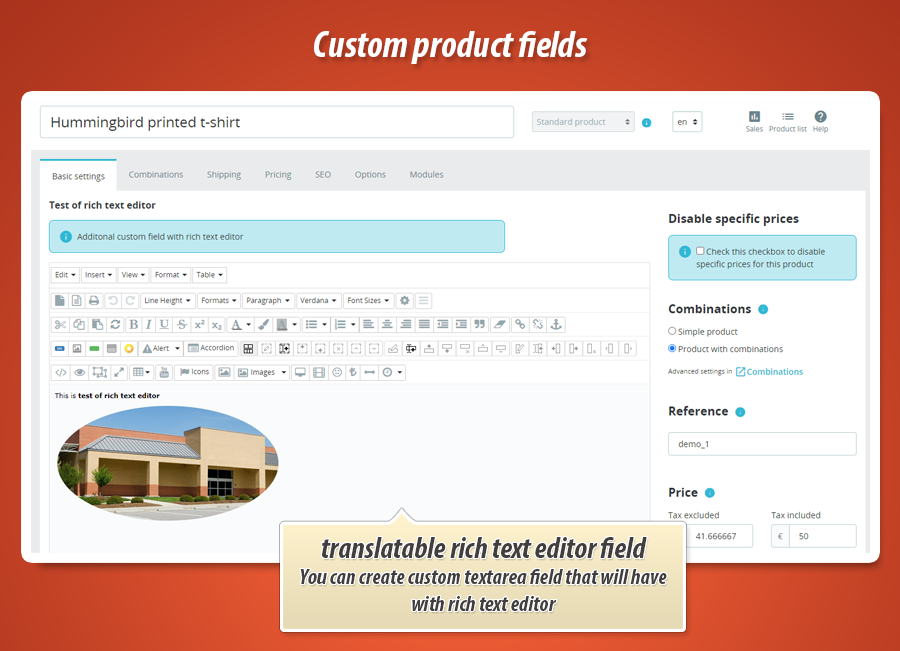
Module supports several types of custom fields. You can create simple text field where you can input any type of text. You can create custom field that gives possibility to select "Yes" or "No" value. Module also gives possibility to create translatable text field. And textarea translatable field with rich text editor
Support of PDF files
You expect to show custom field value in ANY pdf file where the list of products appear ? Like invoide or delivery slip etc?
You can use shortcode like: {aipf::returnCustomField('shortcode', id_product)} where the shortcode is a shortcode name and id_product is an id of product. Module will replace this code with exact custom field value for this specific product.


40.00 €
Module Gallery 1/7
Why choose our module
Internal, custom product fields?
Optimization and Automation
This module optimizes product data management by allowing custom internal fields. It automates displaying specific product details on front-office pages, product descriptions, and PDFs using shortcodes, streamlining content creation and ensuring data consistency.
Increased Sales
Enhance product pages with custom, detailed fields displayed via shortcodes, offering customers richer information. This improves shopping experiences, builds confidence, and helps highlight unique product features, directly boosting conversions and increasing sales.
15 years of experience
Leveraging our 15 years of PrestaShop experience, this module ensures deep integration of custom product fields. Effortlessly manage unique data per product, display values using shortcodes in front-office templates and PDFs, reflecting our profound platform understanding.
Extensive Customization
This module enables extensive customization by creating unlimited, editable custom product fields with various types and display positions. Assign individual values for each product and showcase them using shortcodes, perfectly fitting your store's unique needs.
Open Source Code
This module provides full access to its source code and templates, empowering developers with the freedom to modify, customize, and integrate its functionality without limitations or obfuscation like 'ioncube'.
License and Updates
Its configuration allows checking for updates to stay compliant with requirements. The license typically offers free updates for one year, ensuring continued functionality and support. Renewal discounts are often available for prolonged access.