
PrestaShop Back office menu manager
This is module that allows to manage back office menu settings in PrestaShop 9.x, 8.x, 1.7. As you already know this feature is no longer available by default in PrestaShop. This module enables the feature exactly as it was in old releases of PrestaShop
0.00 €
We develop the module for free - if you want - support us!
Galeria 1/4
Related products
PrestaShop 1.7 Admin Menu Manager
This free PrestaShop module restores essential back office menu management capabilities for all 1.7.x versions. It integrates seamlessly by creating a new 'Menu' item under 'Advanced Parameters', providing a centralized hub for administrators. Users can effortlessly create, edit, remove, and reorder existing menu entries. This powerful yet user-friendly addon significantly enhances navigation customization and efficiency within your PrestaShop administration panel, empowering shop owners with full control over their backend interface without hidden costs. Optimize your workflow and personalize your admin menu with ease.
Module version:
1.2.6
Shop versions:
9.x8.x1.7.x
Works with ThirtyBees:
No
Translations:


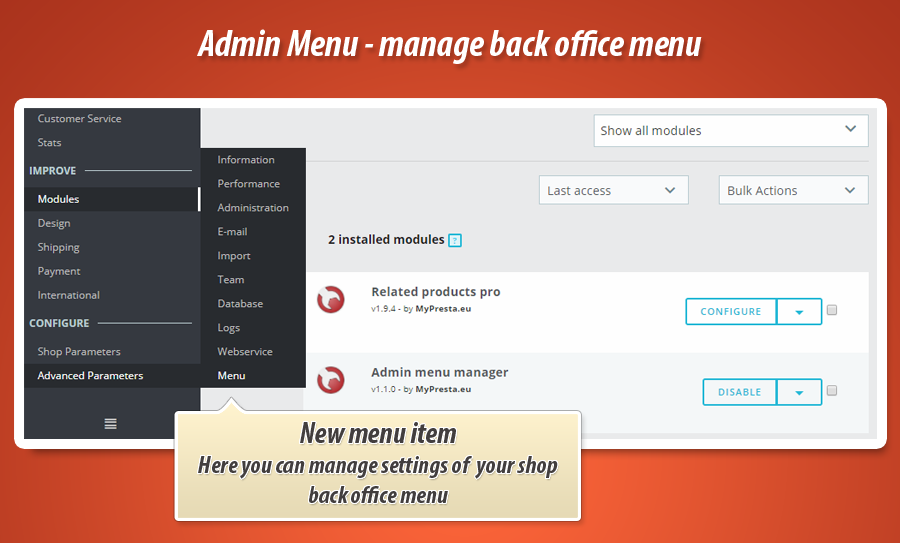
This is absolutely free module without any kind of hidden fees. With this PrestaShop addon you can put back menu management section in all PrestaShop 1.7.x releases. Module created new menu item under "advanced parameters" where you can manage settings of your back office menu.

Features available in the module
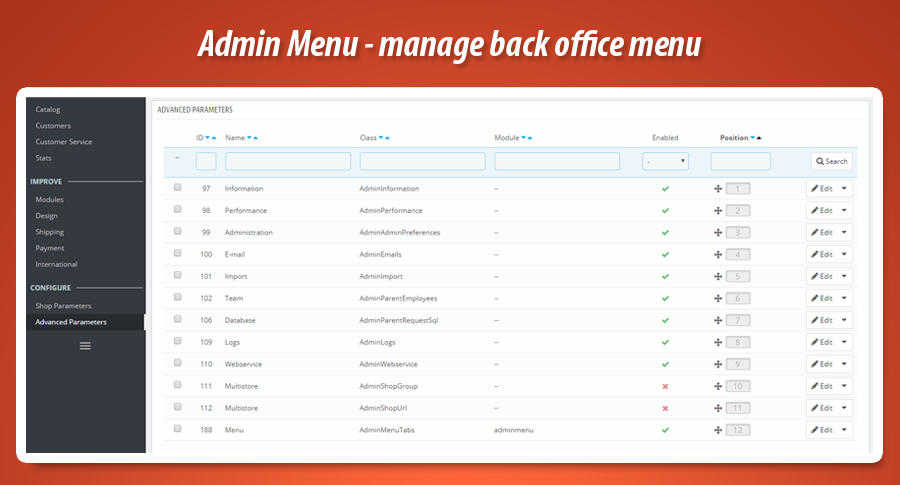
This free plugin for prestashop 1.7 creates new menu item under "advanced parameters" section. new menu item is called just "menu". You can find there list of all menu tiems with possibility to edit them. As a shop owner you can:
- create new back office menu items
- remove back office menu items
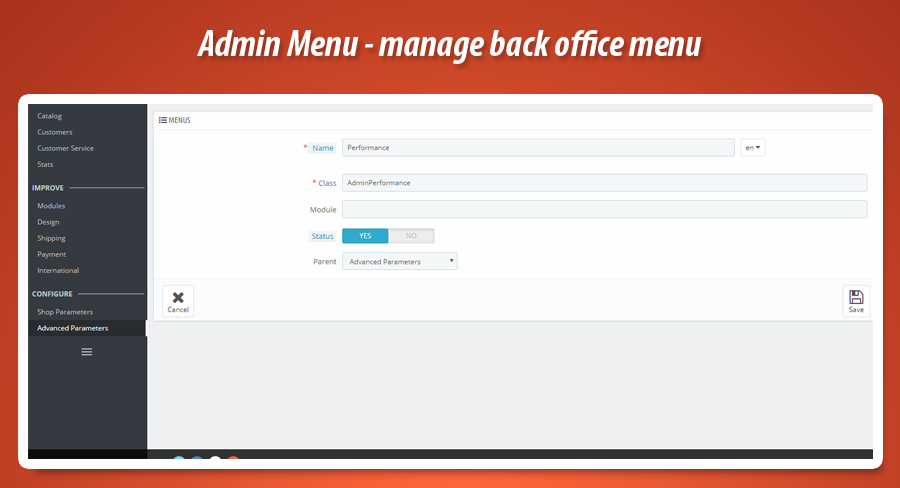
- edit existing back office menu items
- change position of these items


0.00 €
We develop the module for free - if you want - support us!
Module Gallery 1/4
Related products
Why choose our module
Back office menu manager?
Optimization and Automation
This module optimizes back office navigation, enabling administrators to streamline their workflow by customizing menu items. Create, edit, remove, and reorder menus to enhance efficiency and save time during daily store management tasks.
Increased Sales
This module boosts back-office efficiency, enabling faster product management and improved customer service. This streamlined approach indirectly enhances the shopping experience, leading to higher conversions and ultimately, increased sales.
15 years of experience
Leveraging 15 years of PrestaShop expertise, this module empowers users to fully manage their back office menu. Our deep platform knowledge ensures you can easily create, edit, remove, and reposition menu items in PrestaShop 1.7, tailoring the backend precisely.
Extensive Customization
This module offers extensive customization for your PrestaShop back office menu. You can create, remove, edit, and change the position of menu items, allowing broad personalization for your store's unique administrative needs and perfect workflow fit.
Open Source Code
This free PrestaShop 1.7 module provides full open source code access. Shop owners can freely modify and customize its functionalities, allowing advanced integrations and tailoring for back office menu management without limitations.
License and Updates
This free module provides a perpetual license for back office menu management. Free updates ensure its menu editing and positioning features always comply with PrestaShop 1.7 requirements. Expect ongoing compatibility and full functionality without any hidden fees.