
PrestaShop Show price in different currencies at the same time
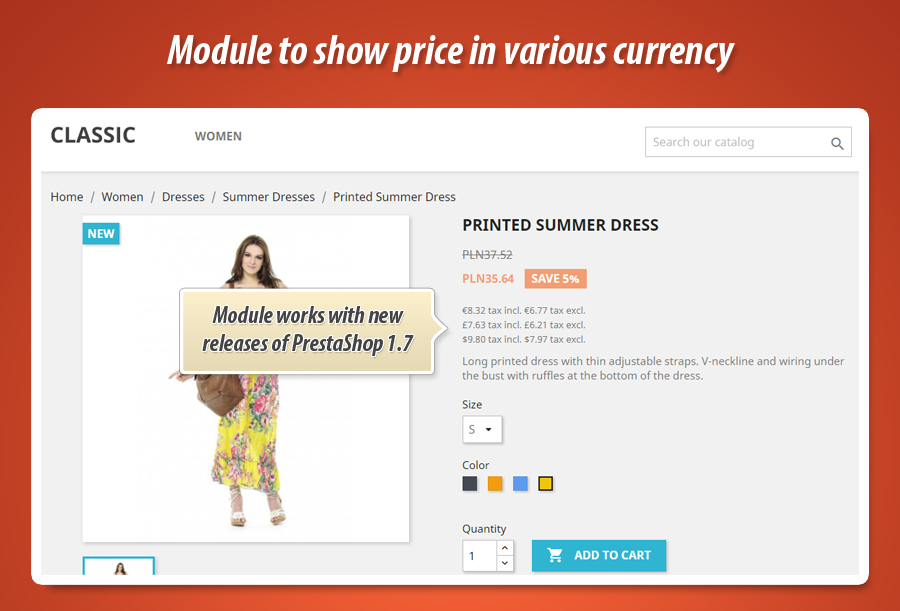
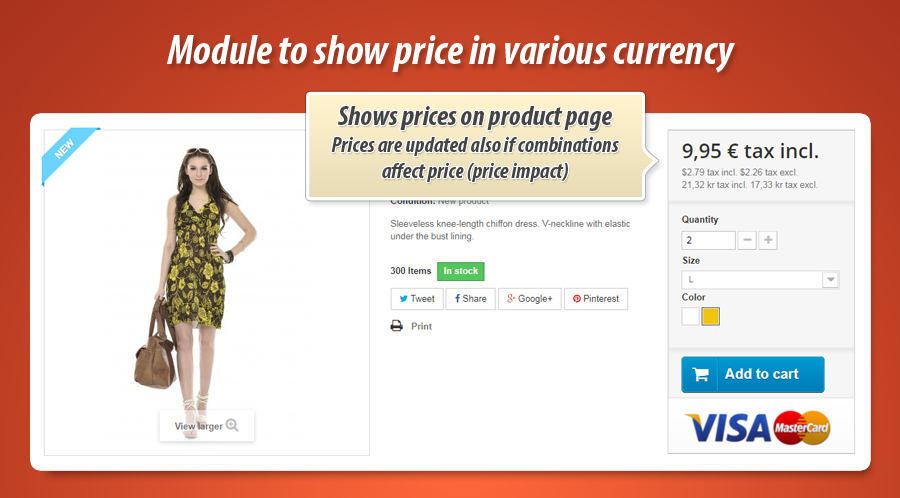
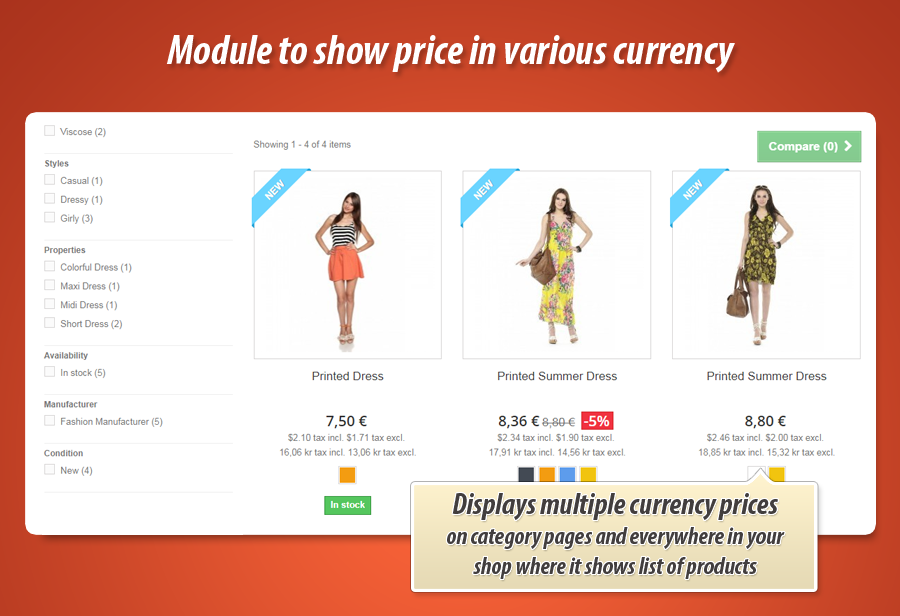
Module allows to display product price in various currencies at the same time. Plugin displays these various prices on list of products (below price of product) like category pages, search results etc. And of course - also on product page. It is ready to display proper price even if you will switch combination or change quantity (quantity discounts)

40.00 €
Galeria 1/6
PrestaShop Večvalutni Prikaz Cen
Ta modul PrestaShop omogoča hkratni prikaz cen izdelkov v več valutah na seznamih izdelkov in na strani izdelka. Lastnikom trgovin omogoča prilagodljivo konfiguracijo prikaza cen z davkom ali brez njega ter izbiro specifičnih valut za predstavitev. Poleg tega modul ponuja možnost prikaza cen samo za izbrane izdelke ali kategorije ter v onemogočenih valutah. Vključuje napredna orodja za natančno pozicioniranje prikazanih cen na različnih mestih na strani, vključno s podporo za prilagojene vmesnike (hooke). Pripravljen je tudi za skladnost s hrvaško zakonodajo o dvojnem prikazovanju cen.
Verzia modulu:
1.5.8
Verzie obchodu:
9.x8.x1.7.x1.6.x
Funguje s ThirtyBees:
Áno
Preklady:


As you already know this is PrestaShop module that allows to show prices in many currencies at the same time. Module displays it there, where your shop displays product for example: list of products like category pages, search results, manufacturers, suppliers etc. It shows it also on product page. Below you can find detailed informations about module features.

Main features in the module to show prices in many currencies
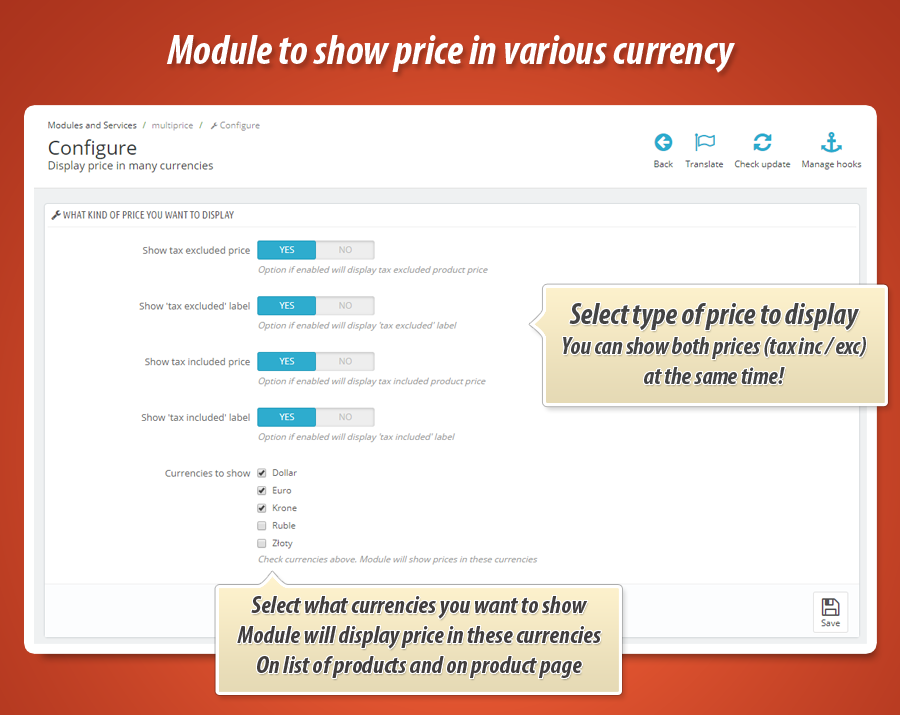
As a shop owner you can define how the module works. After installation this addon creates a "configuration" page where you can specify the details of the addon. You can define there the type of prices that module will display (both on product page and on list of products):
- Show price tax included
- Show price tax excluded
- Show "tax included" price label
- Show "tax excluded" price label
Select currencies - module will show price in these currencies
On module configuration page you can specify what kind of currencies addon will display. Shop gets a list of currencies from your shop - based on this list you can select / unselect currencies. Addon will display price in selected currencies, one by one - as a list of prices.
Display prices in disabled currencies
Module has feature that will give you possibility to show prices in currencies that are disabled. For example you can use it to show this kind of price as a reference.
Display prices for selected products only
Module by default displays prices in many currencies for all products. But there is possibility to show these prices for slected products (exactly selected products) and/or for products associated with selected categories.
Position of price in various currencies
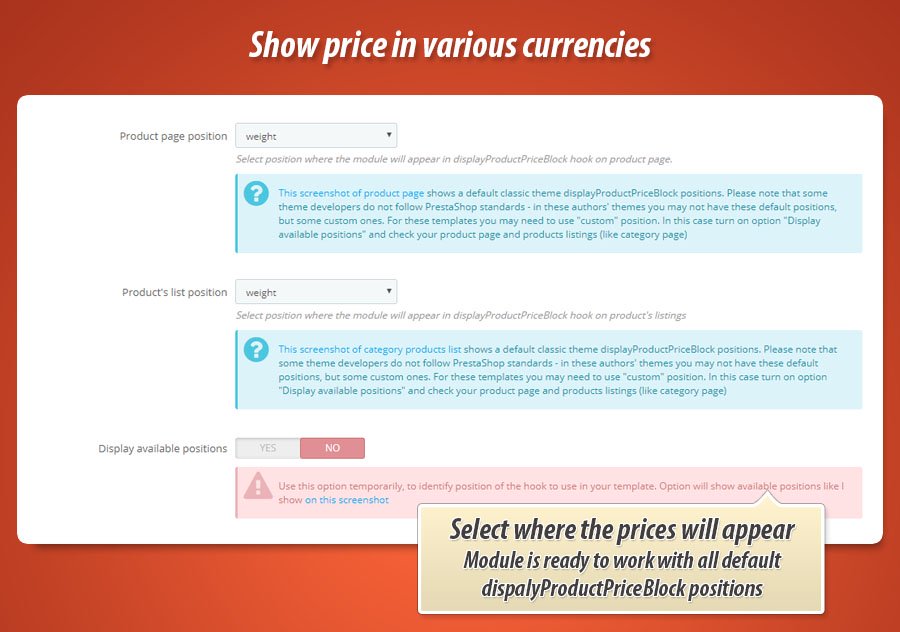
In addition to previously mentioned features - module configuration page contains a tool where you can decide where module will appear on product page and where it will appear on list of products (like category view etc.). Available positions are determined by hook named displayProductPriceBlock.
Availalbe positions by default
specification of displayProductPriceBlock allows to use several variants of this position:
- displayProductPriceBlock old_price
- displayProductPriceBlock before_price
- displayProductPriceBlock after_price
- displayProductPriceBlock price
- displayProductPriceBlock unit_price
- displayProductPriceBlock weight
Many theme developers uses own displayProductPriceBlock variants
Because of this we decided to add support of custom position inside displayProductPriceBlock. If your template uses a non-default position - module is ready to work with it. Configuration page of module allows to use custom positions.
Feature to identify available positions
If your non-default theme has some new dispalyProductPriceBlock variants - you can easily identify them. Just enable (on module configuration page) option to show available postions. Then once you will open your product page or other pages where the products appear - you will see availalbe positions to use. You will be able to configure the module to dispay price ranges there, where you want.
Ready for croatian dual price display law
Module is ready to work in Croatian shops where merchants are required to display prices in both currencies (Croatian Kuna and Euro). You can read article here: Dual price display requirement for Croatian merchants


40.00 €
Galéria modulu 1/6
Prečo si vybrať náš modul
Show price in different currencies at the same time?
Optimalizácia a Automatizácia
Tento modul automatizuje dynamické zobrazovanie cien vo viacerých menách súčasne na stránkach produktov a v zoznamoch. Optimalizuje prezentáciu pre medzinárodných zákazníkov, šetrí čas nastavením mien, typov cien a pozícií. Zvyšuje efektivitu a súlad s predpismi.
Zvýšený Predaj
Modul zobrazuje ceny vo viacerých menách súčasne, čo zvyšuje transparentnosť a dôveru medzinárodných zákazníkov. Znižuje nákupné trenie, umožňuje ľahšie rozhodovanie a priťahuje širšie publikum, čím priamo podporuje zvýšenie konverzií a predaja.
15 rokov skúseností
Náš modul na zobrazenie cien vo viacerých menách súčasne odráža 15 rokov skúseností s PrestaShop. Podporuje pokročilé možnosti umiestnenia cien cez vlastné háky a dynamicky identifikuje dostupné pozície, čo zaručuje bezproblémovú integráciu s akoukoľvek témou.
Široká Personalizácia
Tento modul PrestaShop poskytuje širokú personalizáciu. Umožňuje vám detailne definovať typy cien (s DPH/bez DPH), vybrať konkrétne meny, zobrazovať ceny len pre vybrané produkty alebo kategórie a flexibilne určiť umiestnenie zobrazenia cien na stránke. Plne sa prispôsobí potrebám vášho obchodu.
Otvorený Zdrojový Kód
Plný prístup k zdrojovému kódu modulu zaručuje, že funkcie zobrazovania cien vo viacerých menách môžete plne prispôsobiť. Žiadne obmedzenia pre úpravy, či už ide o vzhľad, logiku alebo integráciu, čo umožňuje rozsiahle vlastné riešenia PrestaShopu.
Licencia a Aktualizácie
Licencia modulu vám umožňuje neobmedzené používanie. Získajte aktualizácie zadarmo po dobu jedného roka, čím zabezpečíte plnú kompatibilitu s najnovšími verziami PrestaShop. Po roku sú k dispozícii výhodné zľavy na obnovenie prístupu k aktualizáciám.