
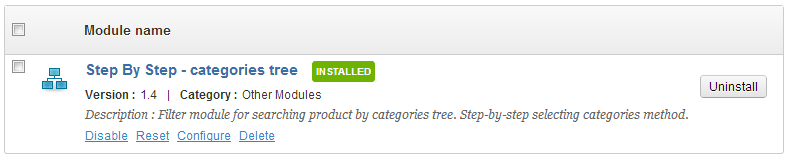
PrestaShop Step by step - categories
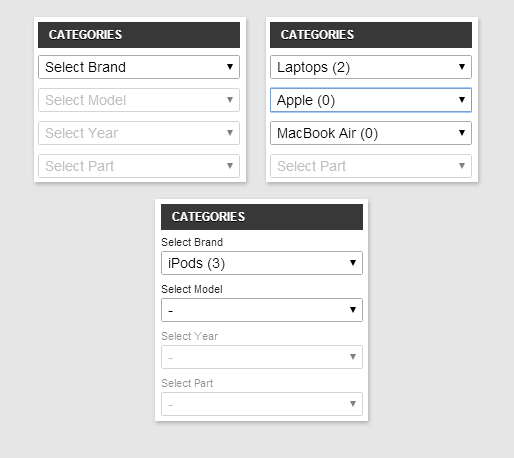
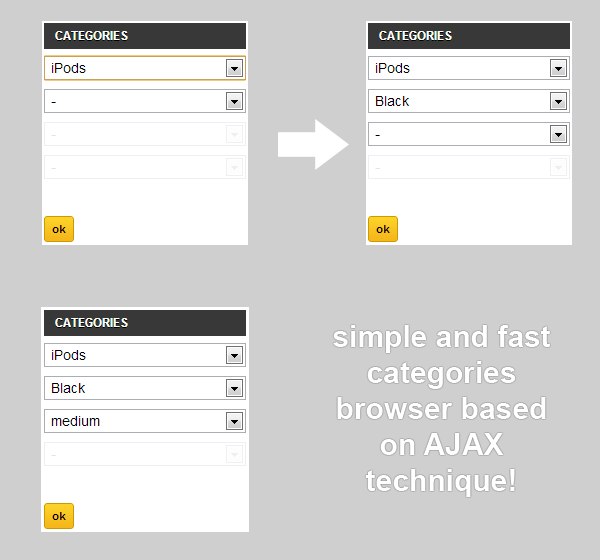
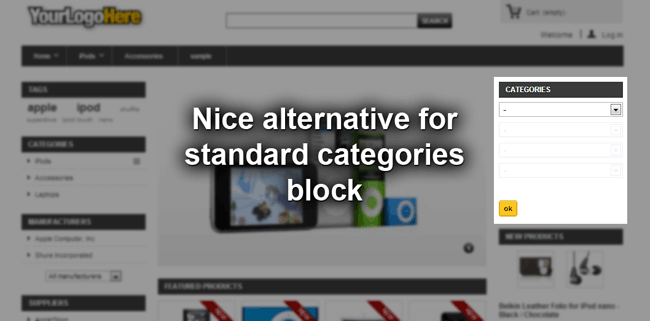
This Prestashop addon is an alternative for standard block categories module. It's a Ajax Dropdown Categories. Our feature displays special block with categories tree in selection boxes. Fully ajax technique and high user usability is the main feature of this addon which improves your shop front-office
30.00 €
Galeria 1/21
PrestaShop AJAX Cascading Category Filter
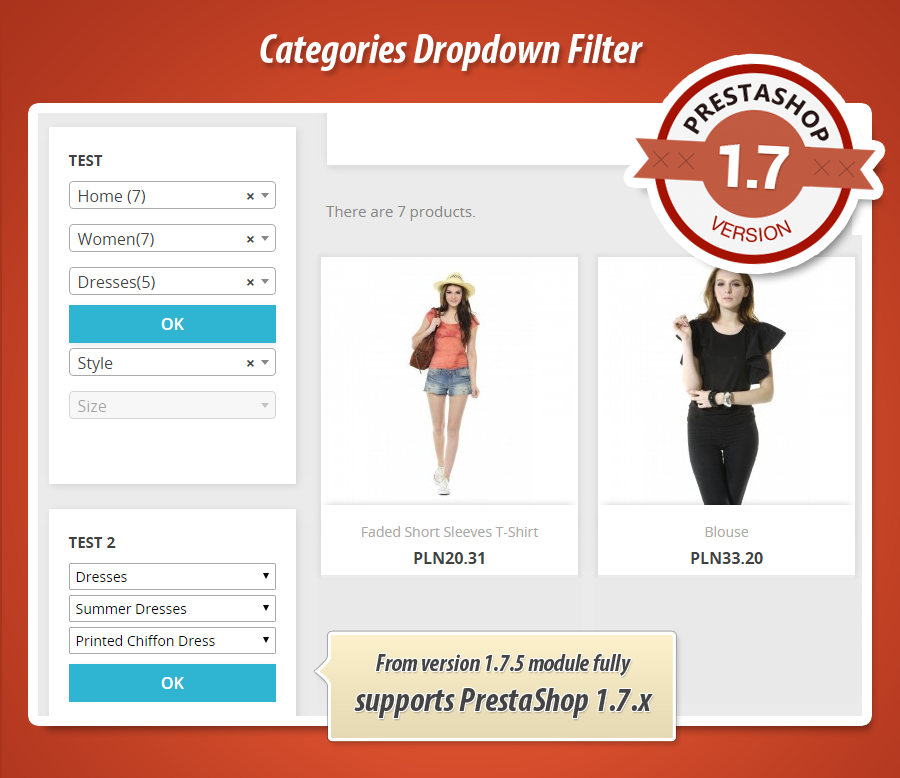
This PrestaShop module significantly enhances front-office navigation by allowing you to create unlimited, fully customizable category tree filter blocks. Leveraging AJAX technology, it provides customers with a fast, seamless browsing experience without page refreshes. Merchants can define root categories, set tree depth, sort methods, and display product counters. The module supports various display positions, including columns, top sections, and custom hooks, ensuring flexible integration. It also offers options to display products within dropdowns, multilanguage labels, and customizable submission behaviors, optimizing the user journey through your product catalog.
Module version:
1.8.9
Shop versions:
9.x8.x1.7.x1.6.x
Works with ThirtyBees:
Yes
Translations:


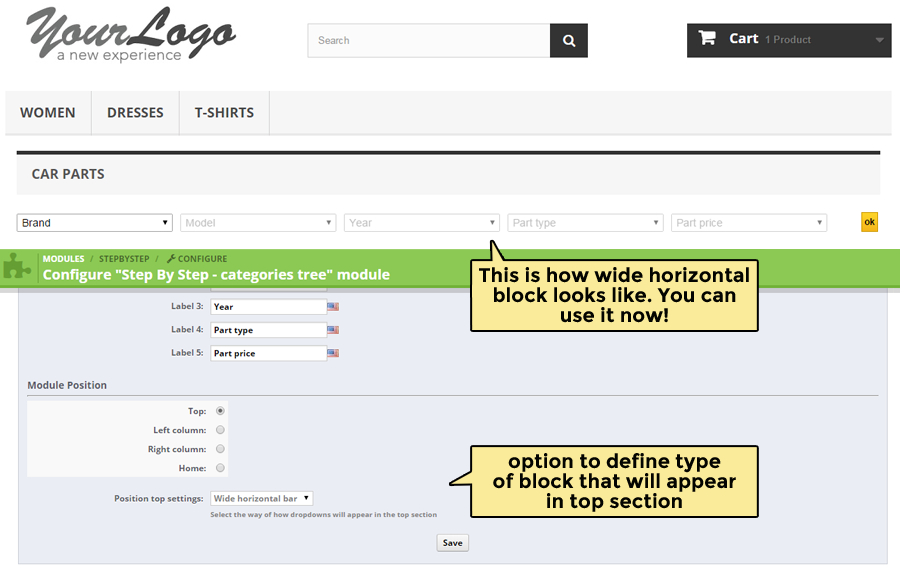
As we said this module improves your shop Front - Office. With this module you can create a new category block exactly there where you want. Module supports three most important hooks - right column, left column and top section of your shop. But you can of course put it anywhere you want.

Main features of Step By Step categories tree filter module
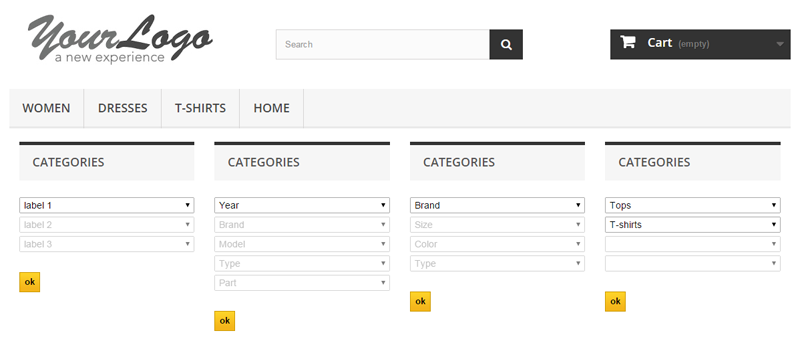
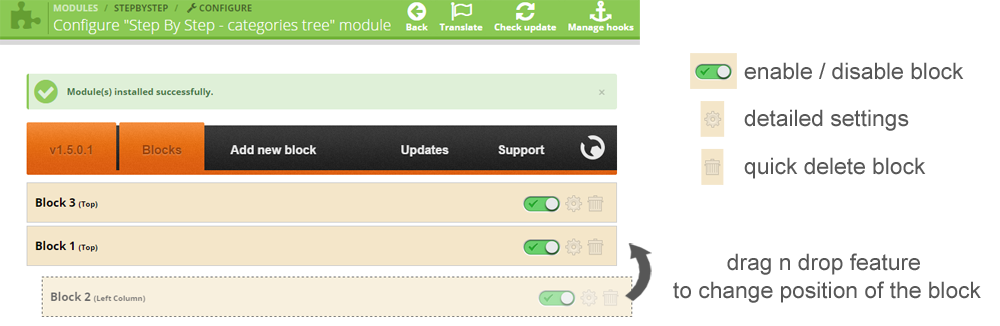
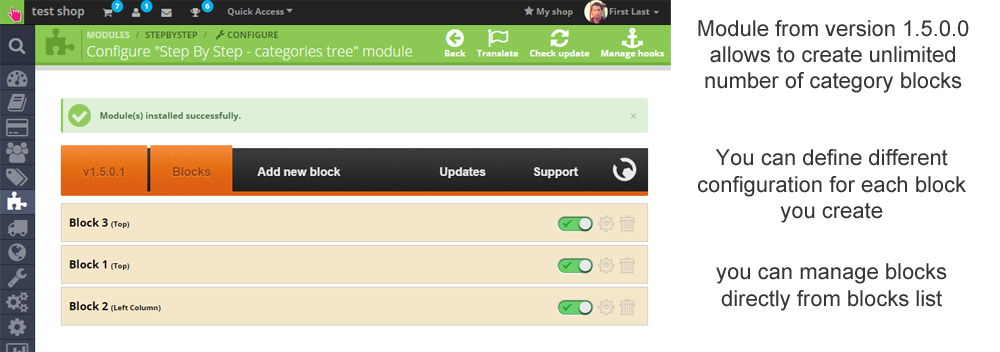
Module allows to create unlimited number of blocks with categories
Each block can have different configuration and display different categories
Module creates a special block with categories tree filter
Module gives an ability for your customers to fast and reliable browse the categories tree
Module uses AJAX technique which mean that our addon loads categories tree without page refresh!
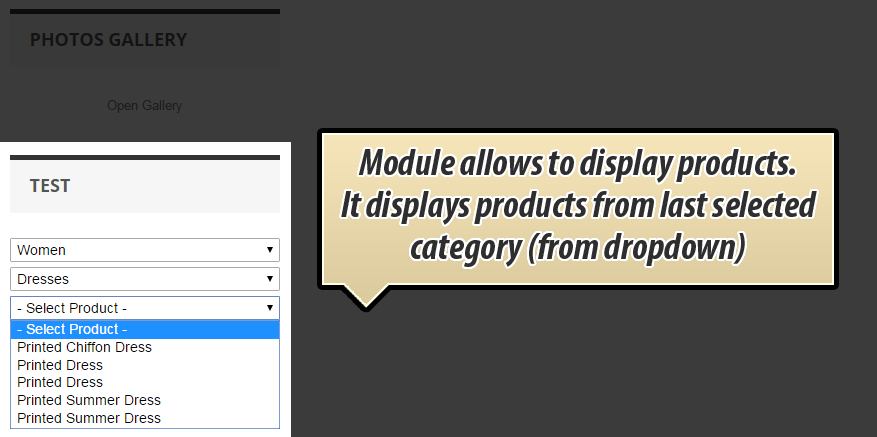
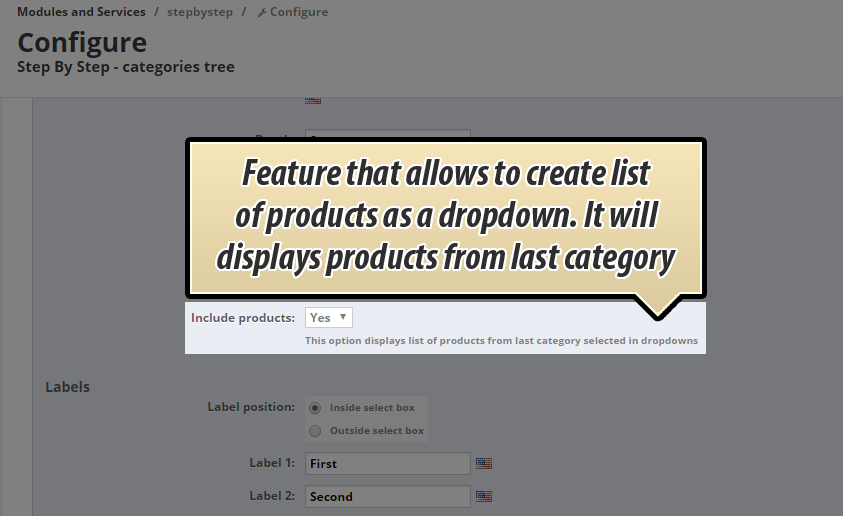
Possibility to display list of products as a dropdown selection box
Module specification
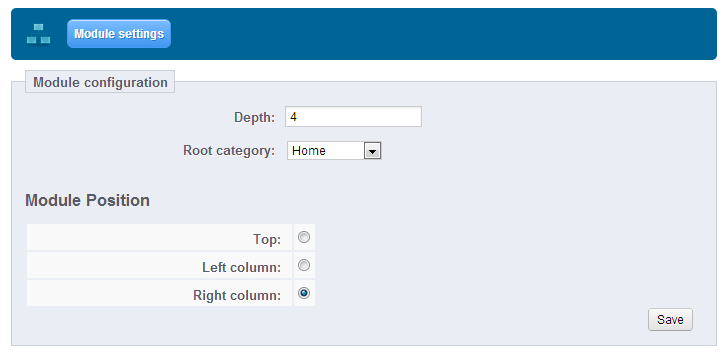
- Module allows you to select root category
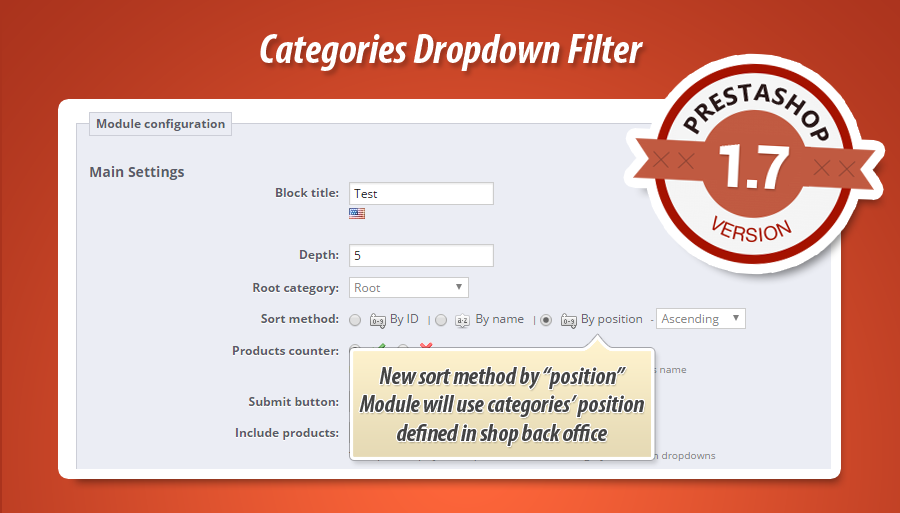
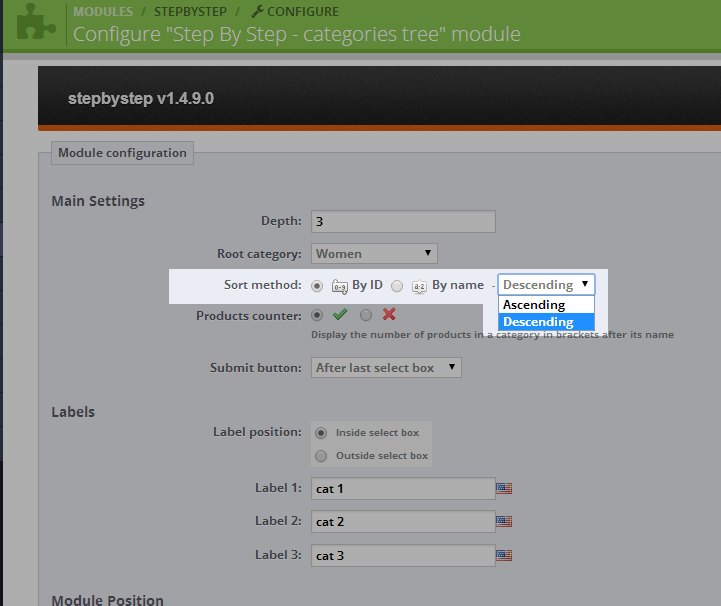
- Module allows you do define sort method
- - you can sort categories by ID
- - you can sort categories by NAME
- - you can sort categories by POSITION (defined in shop back office)
- Module allows you to define sort way
- - you can sort categories with iD or name ASCENDING or DESCENDING
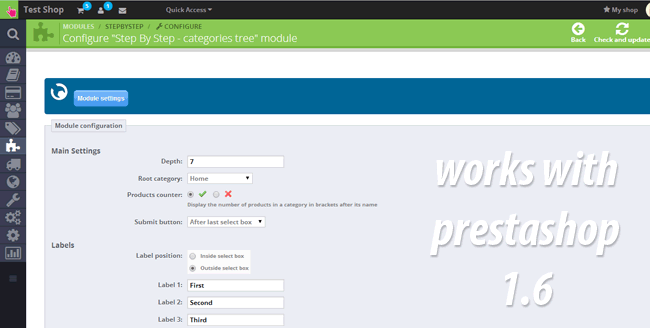
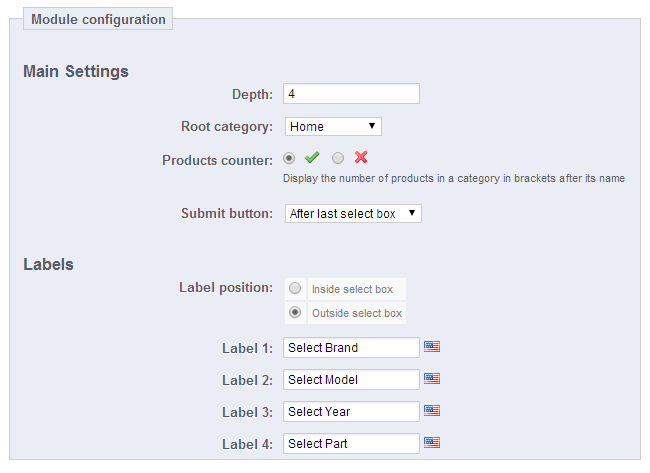
- Module allows you to setup the category tree depth
- Module allows you to select place where you want to display categories block
- Module allows you to display Products counter near each category in dropdown selectboxes
- You can define where you want to display dropdown label
- You can display label inside selectbox
- You can display label outside selectbox
- You can define multilanguage labels
- You can display submit button after last select boxes
- You can display submit button after each select field (with show/hide feature)
- You can display list of products (once last category will be selected)
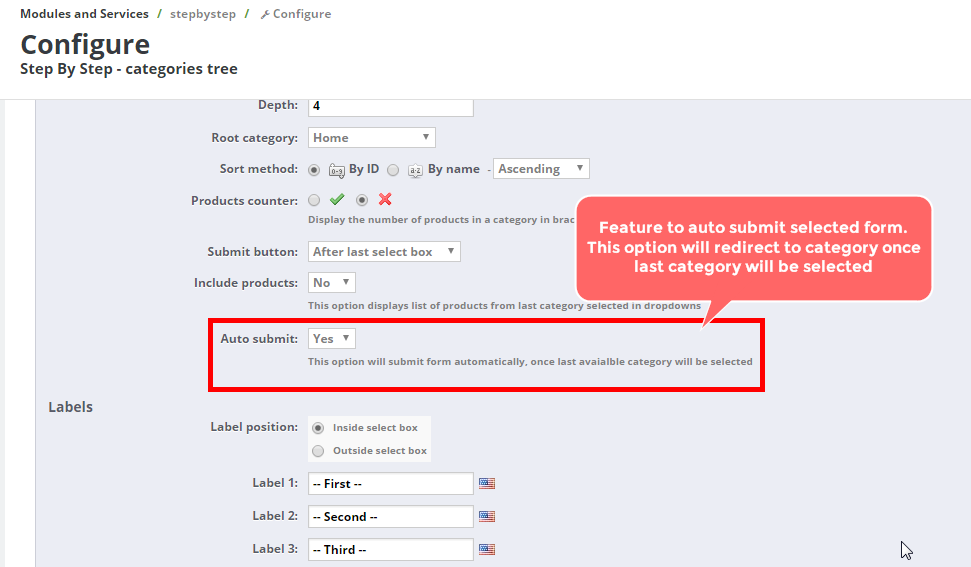
- You can automatically submit last selected category (user will be redirected to this category automatically)|
- You can display module in one from available positions:
- You can select home hook
- you can select displaySearch hook
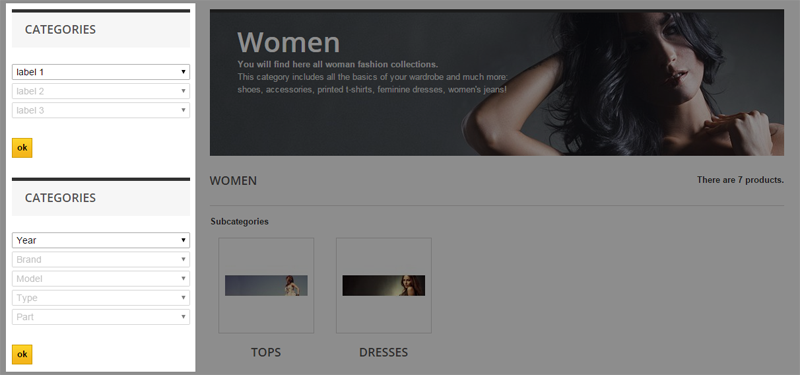
- You can select left column
- You can select right column
- You can select displayTopColumn
- You can select top section of your shop (and select the way of how it will appear: as a block, or as a wide bar with list)
- You can also input categories block exactly there, where you want
- You can personalize module by editing CSS styles - it's very simple and useful
- You can define different title for each block with categories
- You can enable option to display list of products inside ajax dropdown selection box
- You can remove selected categories from dropdown boxes
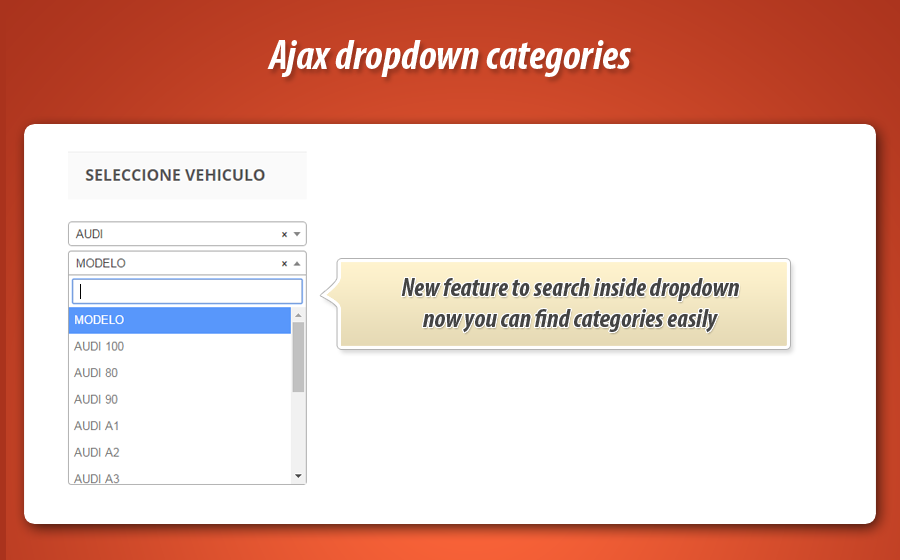
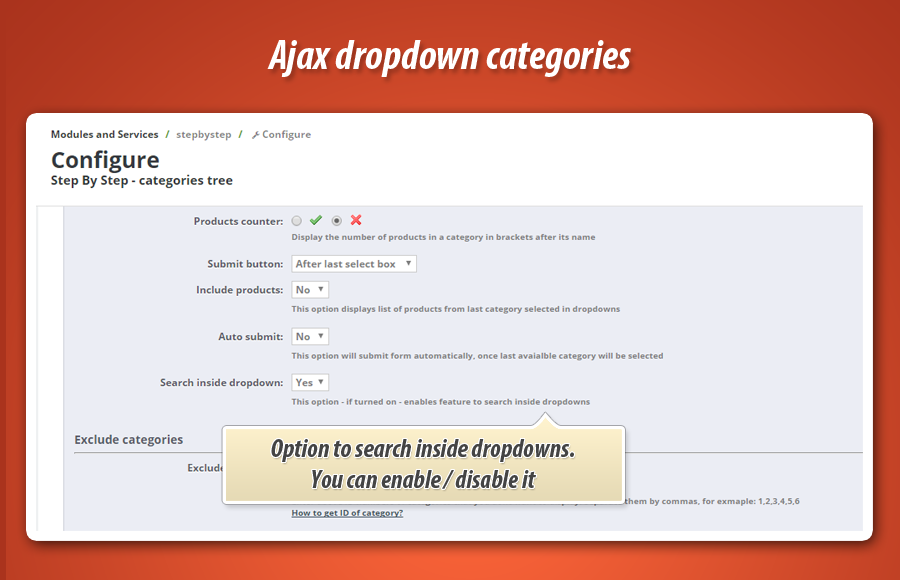
- You can turn on option to search inside dropdown boxes
Global settings of the module
- Possibility to turn on / off option to "remember" selected fields (reset search form feature)


30.00 €
Module Gallery 1/21
Why choose our module
Step by step - categories?
Optimization and Automation
This module significantly optimizes the customer experience through automated category browsing. Utilizing AJAX, it ensures fast, no-refresh loading of category trees. Features like automatic submission and remembering selected fields streamline navigation, enhancing efficiency and user satisfaction.
Increased Sales
Enhance sales through a superior shopping experience. Fast AJAX category browsing, direct product selection, and automatic redirection simplify customer journeys. This module reduces friction, efficiently guides users to desired products, boosting conversions and ultimately increasing sales.
15 years of experience
Harnessing 15 years of PrestaShop expertise, this module creates highly customizable, AJAX-powered category blocks. It offers dynamic tree filtering, flexible sorting, depth control, product counters, and multi-language support, significantly enhancing customer navigation.
Extensive Customization
Achieve unparalleled customization with unlimited category blocks, each featuring unique configurations, sort methods, and display options. Tailor root categories, tree depth, CSS styles, and multi-language labels for a perfect, personalized fit within your shop's unique design.
Open Source Code
Moduł umożliwia personalizację wyglądu poprzez edycję stylów CSS, zapewniając elastyczność w dopasowaniu estetyki bloku kategorii do unikalnych potrzeb sklepu. Daje to użytkownikowi kontrolę nad wizualnym aspektem.
License and Updates
The module license offers unlimited usage. Updates ensure specific category filtering and browsing functions remain current and compliant, with free access for one year. Post-year, significant discounts are available for renewal.