


PrestaShop Facebook Shop
Facebook Shop module is the best way to create own PrestaShop store on Facebook. This module integrates your fanpage on Facebook with your shop based on PrestaShop engine in all available versions! Facebook Shop is a new, professional sales channel for distributing your stuff in social media networks. Our attractive tool that provides you shop for people with an account on Facebook will increase your income and increase consumer loyalty to your brand.
34.91 €
Galeria 1/34

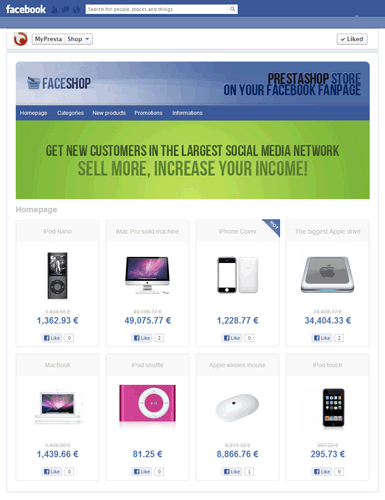
Negozio Facebook per PrestaShop
Il modulo Facebook Shop integra perfettamente il tuo negozio PrestaShop con la tua Fanpage di Facebook, consentendoti di creare una scheda "Shop" completamente funzionale e altamente personalizzabile. Offre un'installazione semplice, una personalizzazione completa del design che include intestazione/piè di pagina, slider animati e gestione del menu. I proprietari del negozio possono definire la visualizzazione dei prodotti, le opzioni di ordinamento e gestire i colori dal back office. Il modulo supporta configurazioni multilingua, multivaluta e multistore, permettendo la creazione di numerosi negozi Facebook unici. Con la tecnologia AJAX per una navigazione veloce e la funzionalità diretta "Aggiungi al carrello", trasforma la tua fanpage in un canale di vendita coinvolgente, completo di integrazioni con i social network.
Versione del modulo:
1.9.9.9
Versioni del negozio:
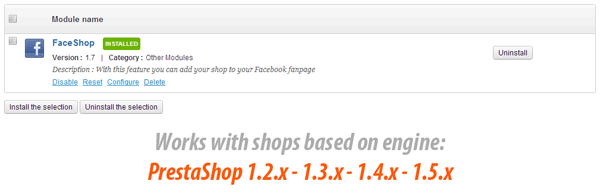
8.x1.7.x1.6.x
Funziona con ThirtyBees:
Sì
Traduzioni:

DISCONTINUED
FACEBOOK DOES NOT ALLOW TO CREATE CUSTOM TABS ON FANPAGES ANYMORE
Facebook changed their api policy. Official Facebook's api docs and Official Facebook statement say that page tabs from apps can be installed on fanpages with more than 2000 likes.
This means that you can use Facebook Shop module on fanpages with more than 2000 likes only.
source: https://developers.facebook.com/docs/pages/tabs/
Facebook Shop is the best and the most effective PrestaShop module, for integrate your shop with your Facebook Fanpage. This solution is not only a module but also a reliable application on Facebook that allows you to easily install the shop tab! In this way you will not have to create a new application. Just click, and use this great social media tool.

How does it work?
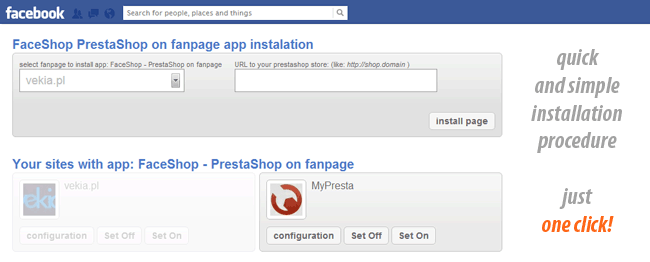
The Facebook Shop consists of two things: Facebook Shop application and PrestaShop Facebook Shop module. First of these allows you to add shop tab into specific facebook fanpage. Second create a shop in tab. Installation and configuration of the app and shop is extremely simple. The installation process is a matter of few mouse clicks. As we say our product consist two things, we want to describe them shortly below.
Facebook shop application:

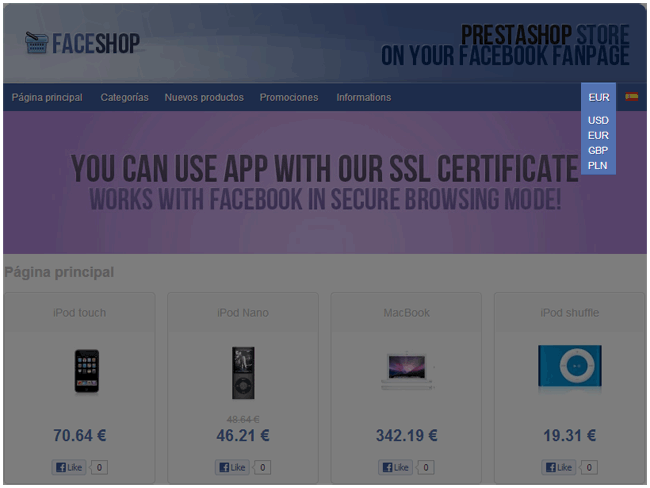
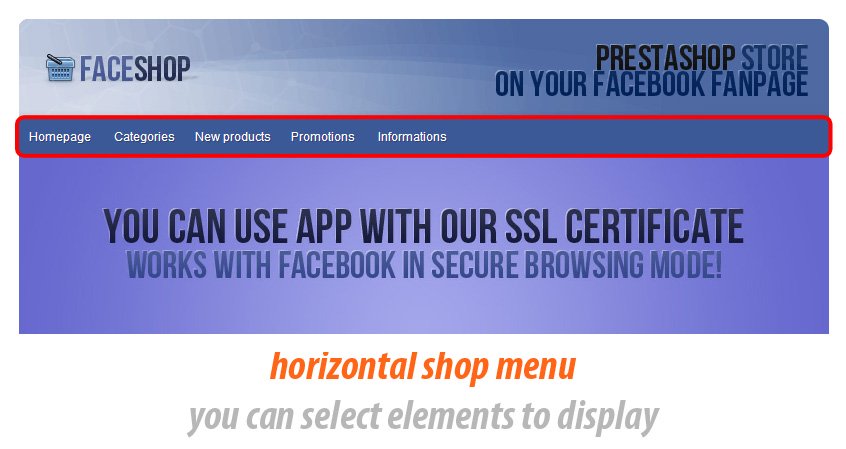
You can find this app here: Facebook Shop appliaction site . As you see, it's Facebook application - we create it because we want to offer a fully comprehensive product and we want to help you with integration and installation process. As we say, our app uses SSL certificate especially for secure browsing for your users. What does it mean? It mean that every user with Facebook "safety browsing" turned on can get access to "sales" tab. It's important, because APPs without SSL certificate isn't working on Facebook.
Facebook Shop module:
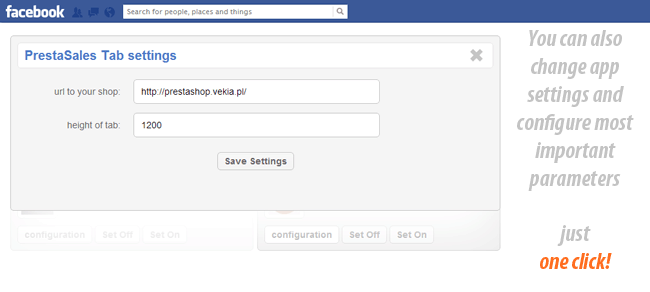
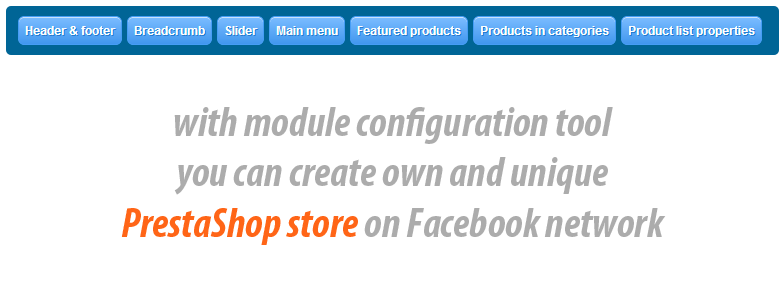
PrestaShop module is most important thing in our product. With this addon you can create own shop tab content and configure it exactly as you want. With module configuration tool you can personalize your facebook shop. All of this you can do in PrestaShop back office. All most important features of module we described below.
Facebook Shop module for PrestaShop main features:
With Facebook Shop module you can:
- Main and most important feature of this module is creating a Facebook Shop with products from your PrestaShop store.
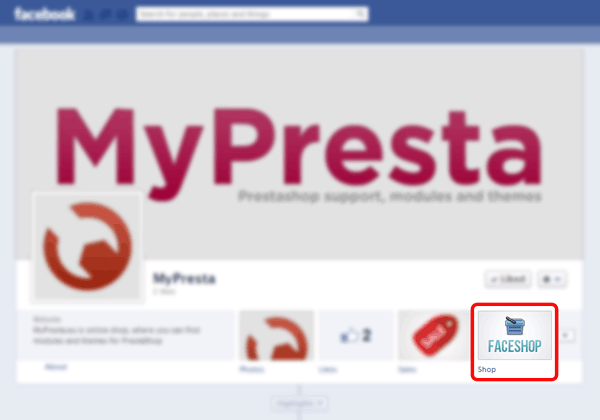
- Add Shop tab into your fanpage site on facebook
Shop configuration tool:
You can also configure shop exactly as you want by using module configuration tool.
Set up server mode - if your webhosting doesnt allow to use mod rewrite (friendly urls) - it isn't problem. You can easily turn off this feature in module configuration page
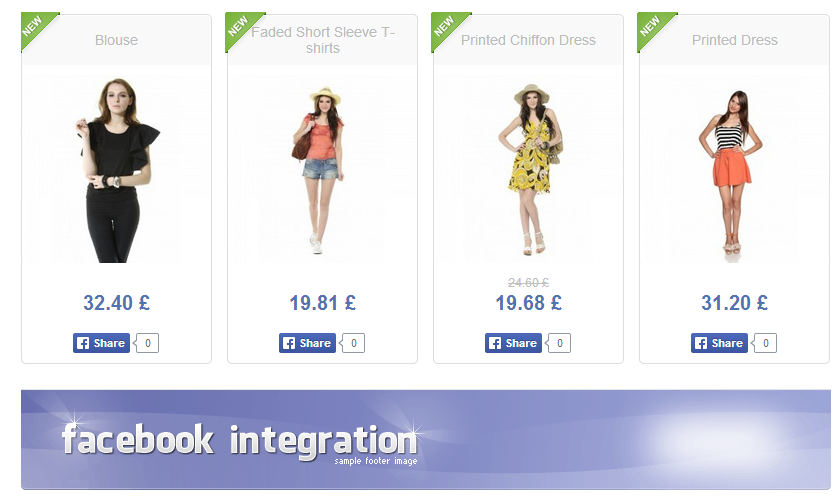
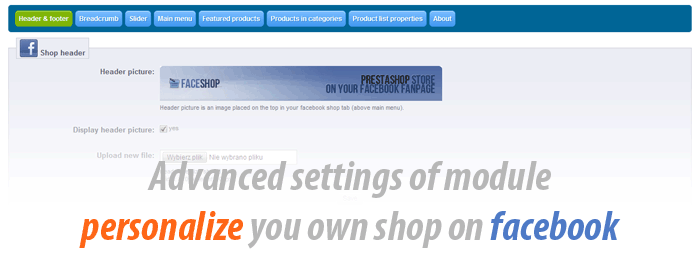
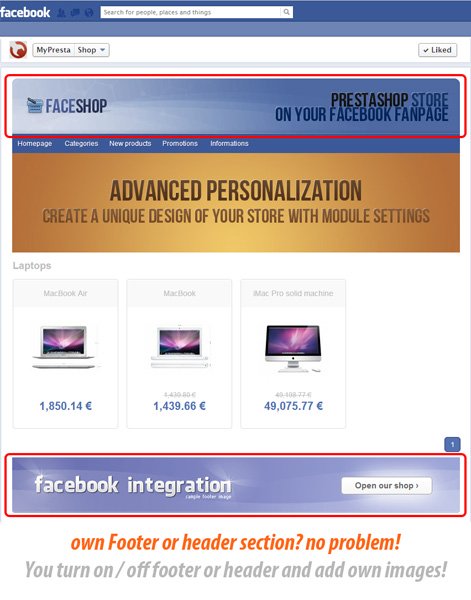
Editing header & footer section, it mean that you can personalize design of your shop by own theme
- Turn on / off header content / picture of your shop on facebook
- Change the header picture / content by using uploading form
- Possibility to define link for header picutre (user will be redirected to this link after click on header)
- Turn on / off footer content / picture of your shop on facebook
- Change the Footer picture / content by using uploading form
Breadcrumb, it's feature for your customers and used for shop page navigation tips
- You can turn it on / off
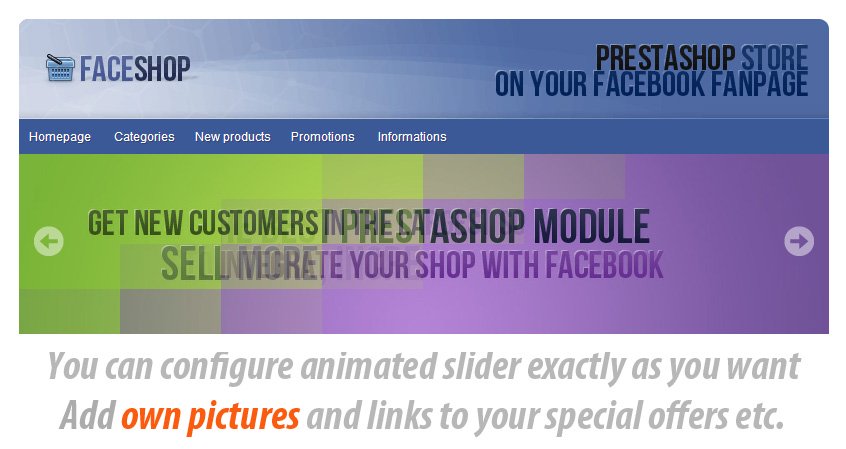
Create own animated slider , with own pictures and own URLs
- Turn on / off animated slider
- Change slider position to many most important places like before header section, under header section, before menu, after menu, after footer section
- You can set up the displaying time for each image in slider
- You can add and delete own images to slider
- You can fast manage slider images properties
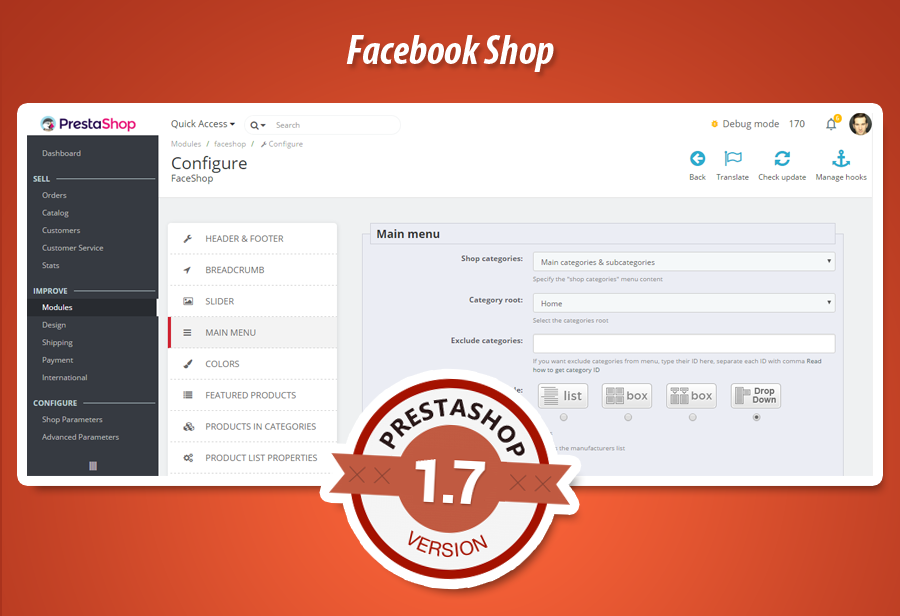
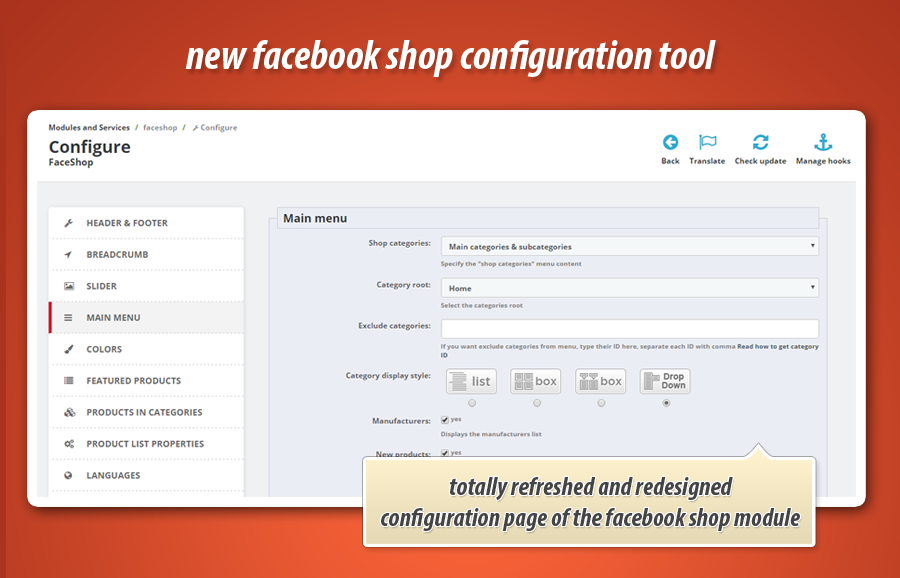
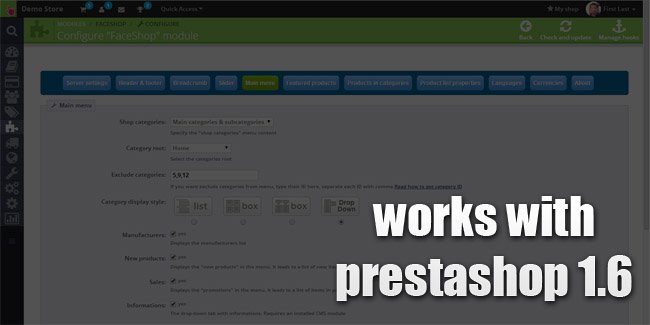
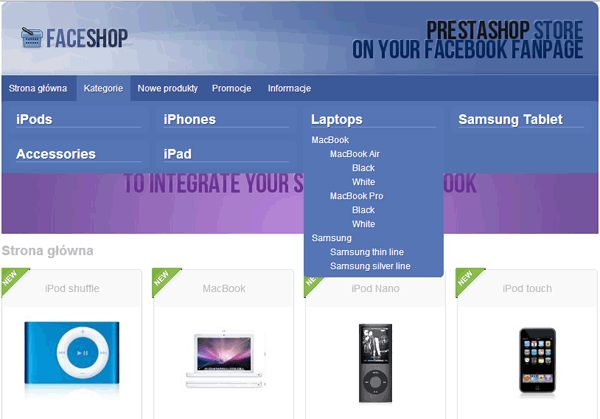
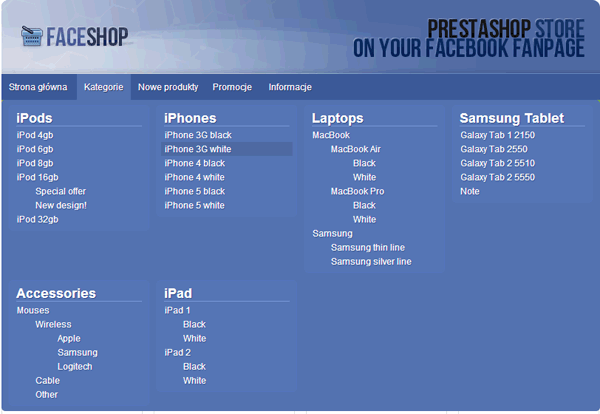
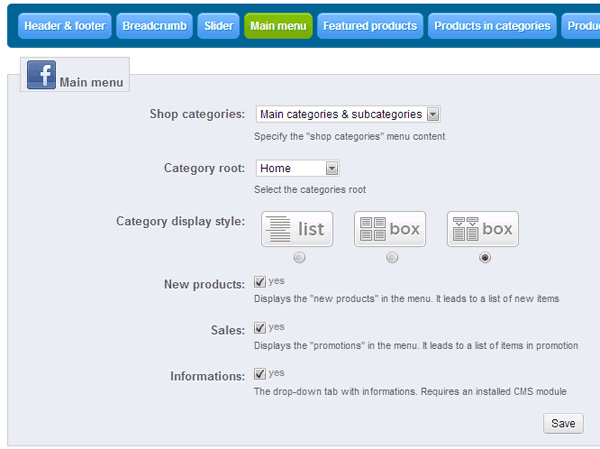
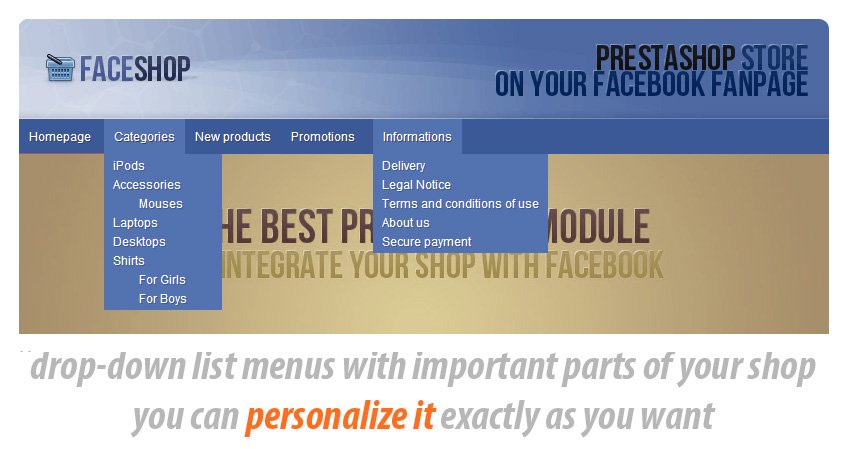
Select items in main menu of shop on facebook , create menu looks exactly as you want
- You can create own categories tree, with main categories or with main categories and subcategories
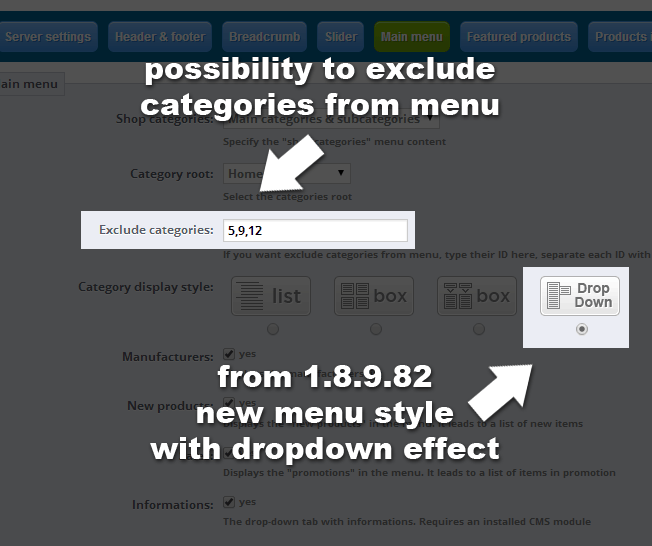
- You can exclude categories from menu (selected by you)
- You can select categories display mode, which mean that you can display it at:
- categories list
- categories box
- categories box with rollover effect
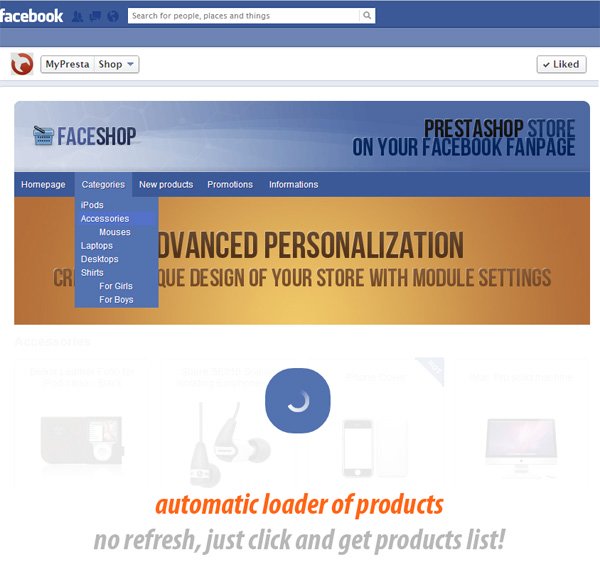
- categories with dropdown effect
- You can set up the categories root
- You can turn on / off "New Products" item
- You can turn on / off "Promotions" item
- You can turn on / off "Informations" item
- You can turn on / off "manufacturers" item
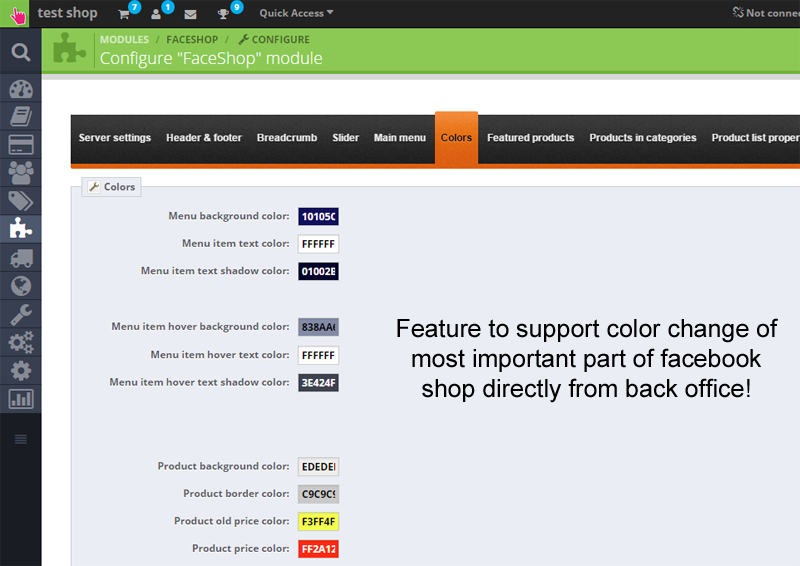
Colors
- As a shop owner you can mange colors of facebook shop from back office.
- you can define there most important things related to your shop like:
- font color
- menu color
- hover effect colors
- text shadow colors
- background colors
- border colors
- etc.
Featured products in homepage
- You can set up the quantity of products displayed in featured products section
- You can select the category of featured products
- You can add sepcial image tab in corner of products, with information about some special offer
- You can add sepcial image tab in corner of products, with information about new product
Product in categories
- You can set up the quantity of products displayed in each page in any category in your shop.
- Product list with pagination
- You can add sepcial image tab in corner of products, with information about some special offer
- You can add sepcial image tab in corner of products, with information about new product
Sorting products in categories
- Module allows to sort products in categories
- you can sort products based on name descending
- you can sort products based on name ascending
- you can sort products based on id_product descending
- you can sort products based on id_product ascending
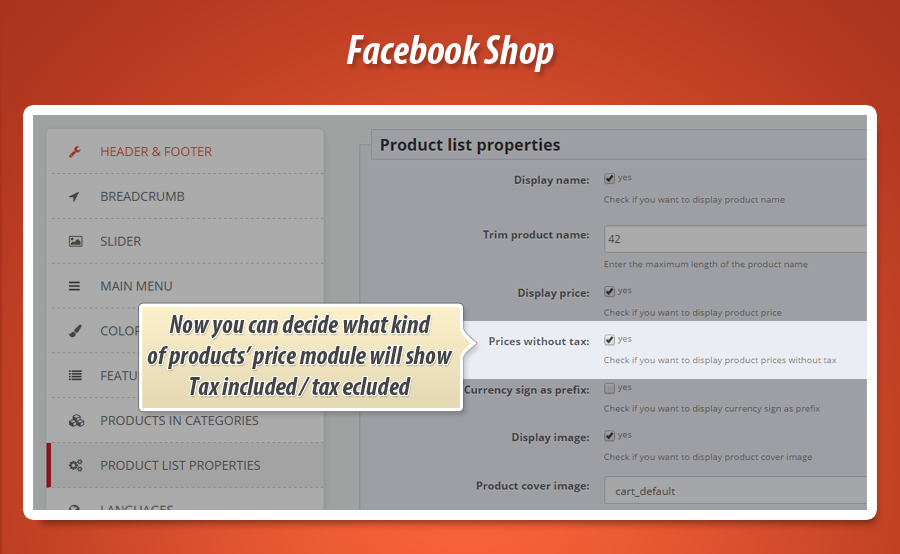
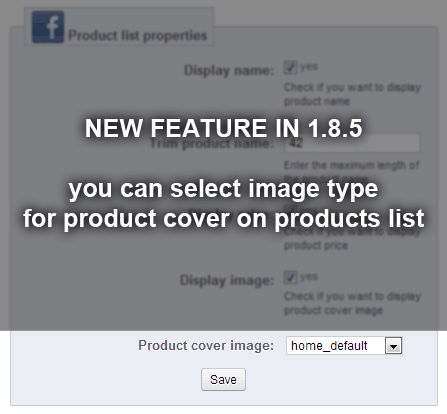
Properties of dispalying product in list
- You can turn on / off displaying product name in list
- You can also cut long products name
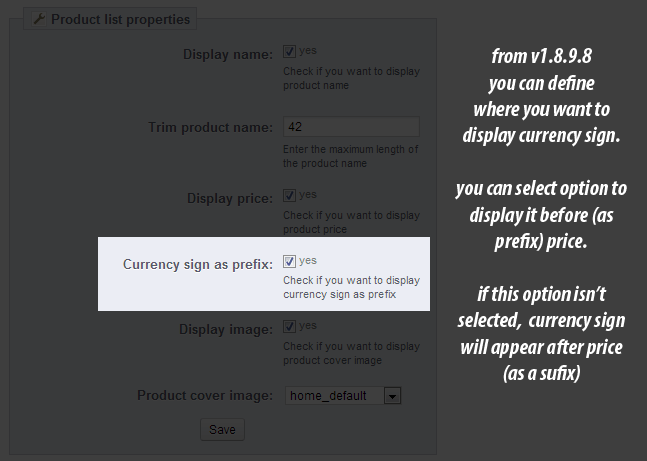
- You can turn on / off dispalying price in products list
- You can turn on / off displaying image cover of products
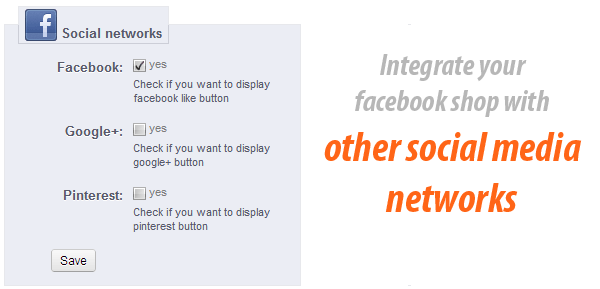
Social network integrations
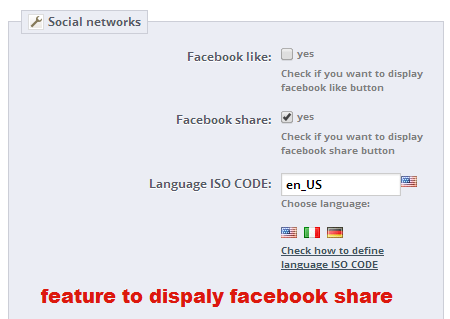
- You can turn on / off social network integrations
- You can use Facebook Like button
- You can use Facebook "share it" button
- You can use Google+ button
- You can use Pinterest Pin It button
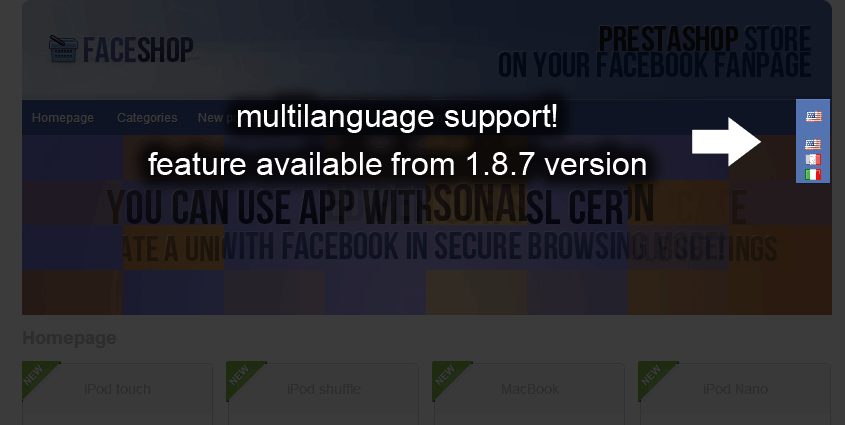
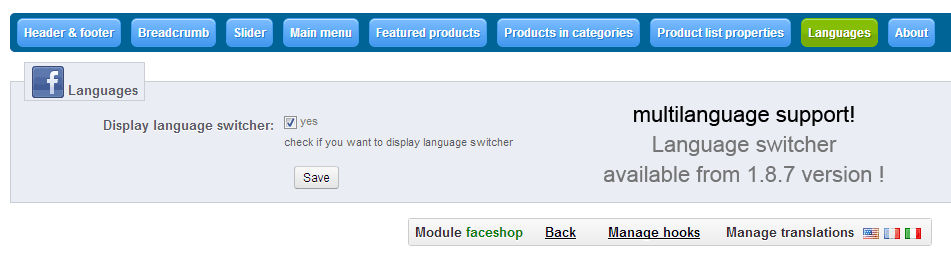
Module works with multilanguage shops
- This means, that your customers will have got ability to change facebook shop language version (since 1.8.7)
Module works with multicurrency shops
This means that your customers can change currency in facebook shop (since 1.8.8)
Module fully supports multistore feature
This means taht you can crate as much facebook shops based on multistore engine as you want. There is no limitatos. Each shop can have own unique design, own unique colors, slides, images etc.
Add to cart feature
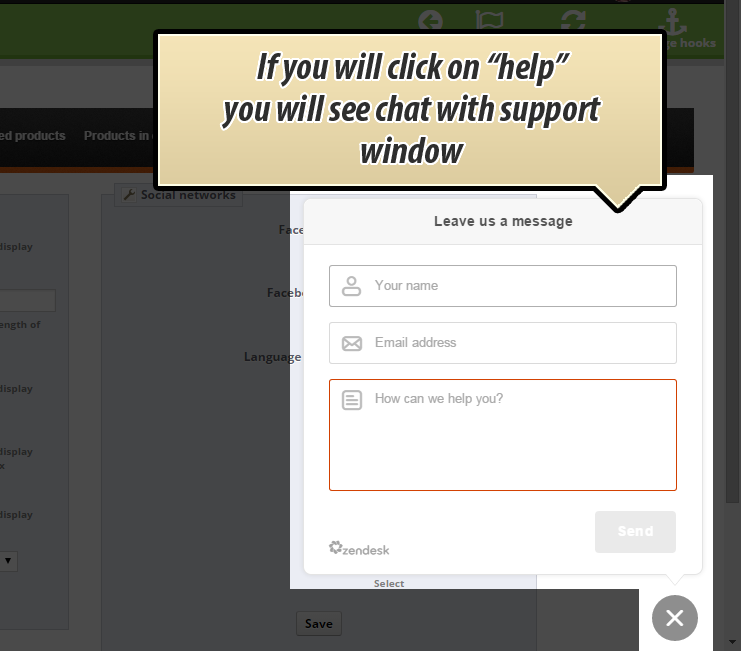
Module contains feature to turn on or turn off add to cart button. You can add products to cart directly from facebook shop.
AJAX technique, browse shop without reloading page
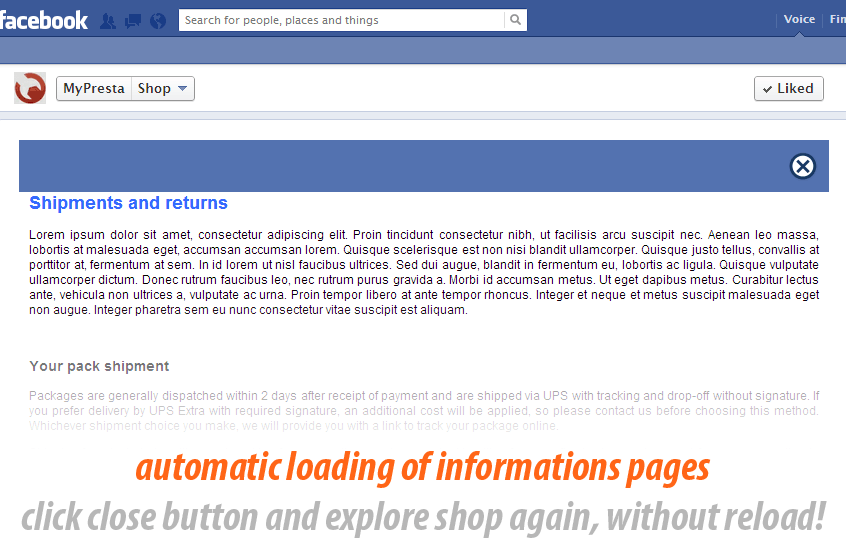
We used AJAX technique, which mean that you can browse shop without reloading page. It's important because browsing is fast and doesnt charge your server with your shop.
Installation procedure
The first step in installation process is to install Facebook Shop application on your facebook fanpage site. To do this you must go to the
Facebook Shop appliaction site
and fill out the short form. The second step is to install a Facebook Shop module in your store. The last step is to configure the module according to your needs. The installation process will take you no more than a few minutes!


34.91 €
Galleria Modulo 1/34
Perché scegliere il nostro modulo
Facebook Shop?
Ottimizzazione e Automazione
Questo modulo PrestaShop automatizza l'integrazione e la gestione del tuo negozio su Facebook, semplificando la presenza sulla tua fanpage. Ottimizza la configurazione del design, della navigazione e la gestione di multilingua/multicurrency, migliorando significativamente l'efficienza operativa e l'esperienza utente.
Vendite Aumentate
Il modulo Facebook Shop integra il tuo negozio PrestaShop direttamente sulla fanpage di Facebook, facilitando gli acquisti. Offre design personalizzabile, slider animati, evidenziazione prodotti, integrazioni social e un pulsante "aggiungi al carrello" per migliorare l'esperienza utente e aumentare direttamente le conversioni.
15 anni di esperienza
Con 15 anni di esperienza PrestaShop, abbiamo creato Facebook Shop: un modulo avanzato per integrare il tuo store direttamente sulle fanpage. Offriva personalizzazione completa, gestione catalogo multilingue/multicurrency/multistore e acquisto diretto, dimostrando la nostra profonda conoscenza delle soluzioni e-commerce.
Ampia Personalizzazione
Il modulo Facebook Shop garantisce un'ampia personalizzazione, consentendoti di configurare ogni dettaglio del tuo negozio. Puoi personalizzare design, colori, header, footer, slider animati, menu categorie, visualizzazione prodotti e integrazioni social, per un'esperienza unica sulla tua pagina Facebook.
Codice Open Source
L'attuale descrizione del modulo Facebook Shop non specifica se il codice sorgente sia accessibile per modifiche avanzate o personalizzazioni dirette, né menziona libertà o restrizioni sull'intervento nel codice.
Licenza e Aggiornamenti
Questo modulo è DISCONTINUED. Facebook non permette più la creazione di schede personalizzate sulle Fanpage. Le modifiche alla politica API di Facebook significano che il modulo funziona solo su pagine con oltre 2000 Mi piace, rendendo gli aggiornamenti e il supporto futuro estremamente problematici o inesistenti.