


Modules für Prestashop
Soziale netzwerkeWerbung & MarketingShop-FunktionalitätenWerkzeuge für das Admin-PanelBestellabwicklungssoftwareAnimierte Bild- und Inhalts-KarussellsZahlungSEO
IT-Dienstleistungen
Services bezüglich ModuleFehlerbehebung und ProblembehebungAdministration von Shop und HostingPrestashop-Modifikationen
Kontakt

PrestaShop Produktseite Popup
Modales Popup-Fenster für Produktseiten - dieses Prestashop-Modul ist für Sie, wenn Sie ein Popup-Fenster auf ausgewählten Produktseiten anzeigen möchten. Sie können so viele Boxen erstellen, wie Sie möchten. Sie können Boxen auch für viele Produkte definieren. Das Popup-Fenster wird nur für Produkte angezeigt, für die Sie ein modales Fenster definiert haben.
20.00 €
Galeria 1/11


Produktseite Modal-Pop-up mit individuellen Inhalten
Dieses PrestaShop-Modul ermöglicht die Erstellung anpassbarer Popup-Fenster auf Produktseiten. Es erlaubt die Anzeige wichtiger Benachrichtigungen, Aktionsinformationen, Größentabellen oder beliebiger Inhalte, um deren Sichtbarkeit für Kunden zu gewährleisten. Das Modul bietet volle Kontrolle über das Design, einschließlich Breite, Höhe, Farben und Hintergrund, mit der Möglichkeit, Inhalte und Abmessungen für Desktop-, Tablet- und Mobilgeräte anzupassen. Sie können eine unbegrenzte Anzahl von Popups pro Produkt erstellen, diese automatisch oder über benutzerdefinierte Schaltflächen aktivieren. Ein professionelles Tool zur effektiven Kundenkommunikation, das Engagement und Konversionen steigert.
Modulversion:
2.5.3
Shop-Versionen:
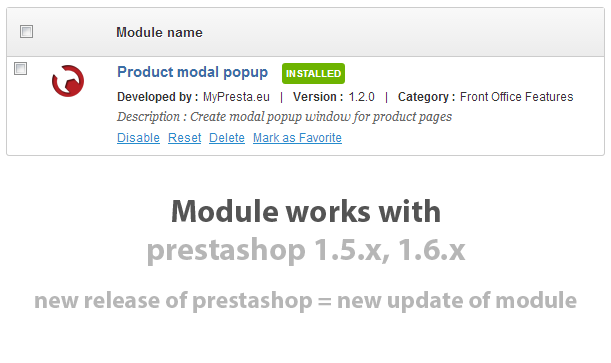
1.6.x
Funktioniert mit ThirtyBees:
Ja
Übersetzungen:

This prestashop module allows you to create modal popup windows on products pages. In these windows you can use any content you want - important notifications, information about promotions related to product etc. With feature like that all informations that you want to convey will be visible. A lot of configuration parameters allow you to create various designs of modal window. Red more information about module below the box.

Main features of modal popup block for product pages module
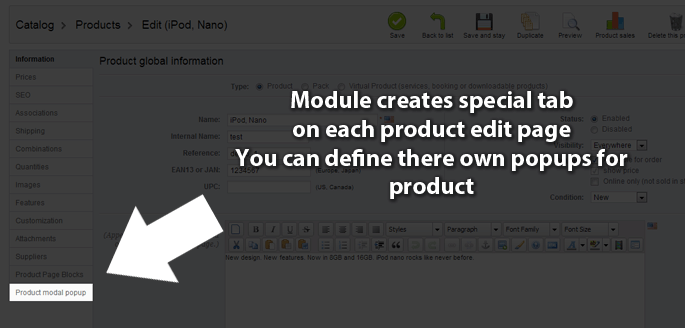
Main feature (and most important) of this prestashop addon is possibility to create modal popup block for any product page you want. Modal window will appear only for products for which you create popup. Many additional features allows you to create exact design and contents. Read about them below.
Modal popup window creation process
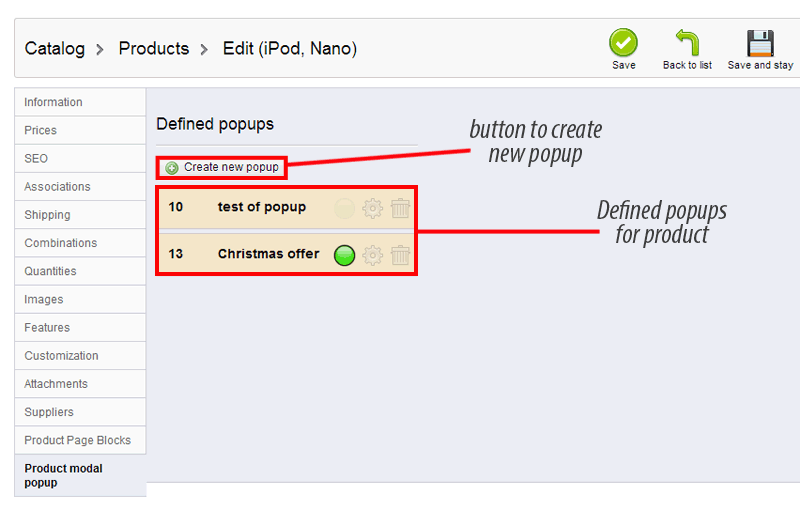
You as shop owner and adminisratro have got possibility to create as many modal boxes as you want. You can create popup for any product you want too. There is no limitation related to number of popups for each product. No limit = no worries. In addition module has got nice feature (from v.1.2.4) to create buttons on product description fields (or in theme template). When you click on those buttons - you can turn on popup with contents you defined like sizes chart etc. it just means unlimited buttons with popup!
Modal popup window specification
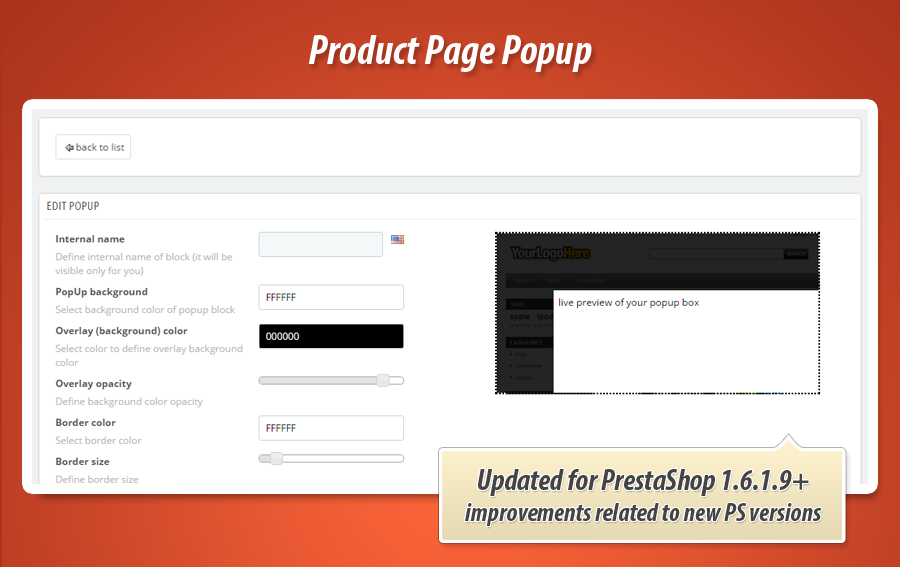
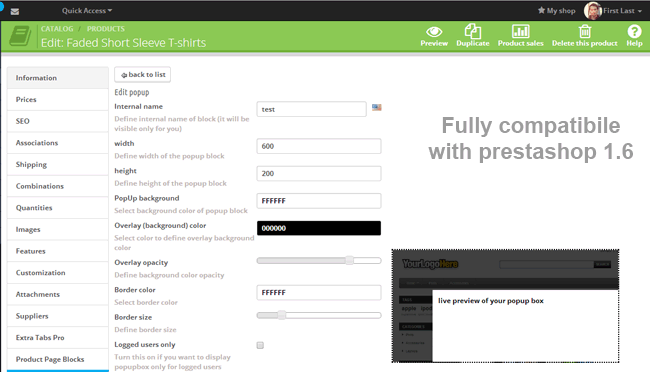
- Ability to define "internal" popup name, which will allow for easy distinction created windows while management module in the admin panel. This functionality also allows the use of multiple languages in defining the name of the window.
- You can define desktop popup window width param
- You can define desktop popup window height param
- You can define mobile window width param
- You can define mobile popup window height param You can define tablet popup window width param
- You can define tablet popup window height param
- You can define different contents for mobile, tablet, desktop version
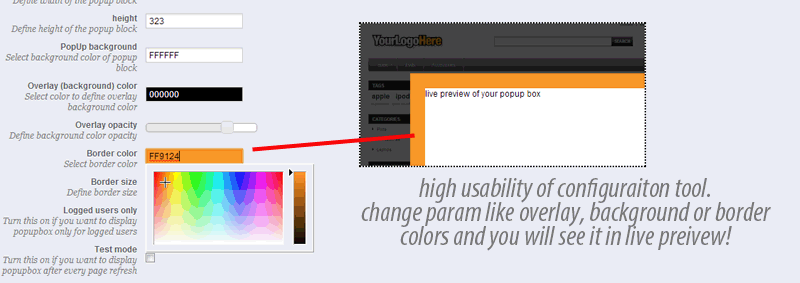
- You can define popup window background color (with easy in use color select tool)
- You can define background of overlay (with easy in use color select tool)
- You can define overlay opacity (with easy in use slider)
- You can define border color (with easy in use color select tool)
- You can define size of border (with easy in use slider)
- You can define option to display popup block only for logged customers
- You can turn on "test mode" - use this option while you creating popup window. Option allows to display popups without page refreshing.
- You can define popup cookie expiry time, it mean that popup will appear after this time once again
Popup content definition
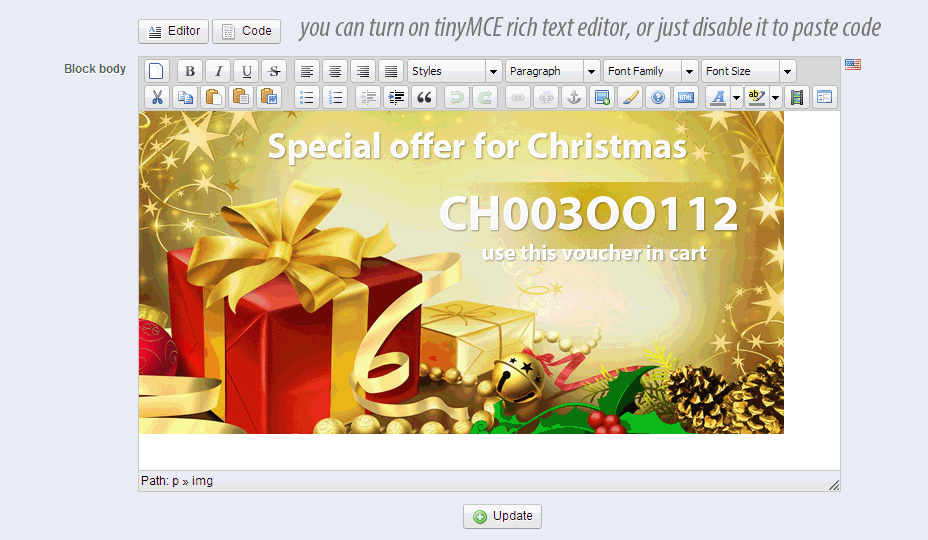
- You can define content of your popup with easy in use rich text editor (TinyMCE)
- You can also define contents of your popup with simple text editor where you can use your own code (css,js,html etc. )
Configuration of already created popups
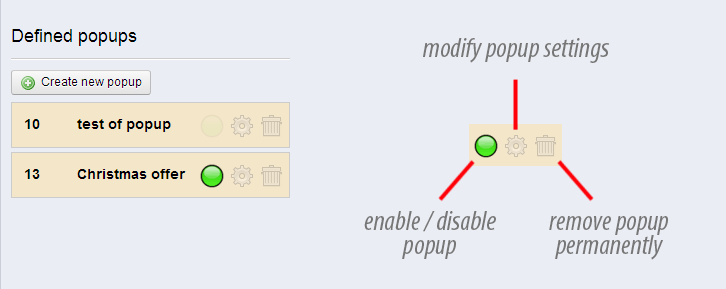
You can reconfigure popups that you created before. You have to click on edit button only. Then you will see page where you can edit modal popup specification(click to open picture). Moreover - popups management page allows you to activate / deactivate popups. With one mouse click you can turn on or turn off unwanted popups.
You can remove any popup you want (with the same managment tool)
Buttons with modal popup windows
Module from version 2.2.1.1 is responsive and allows to define different contents for each device type!


20.00 €
Modulgalerie 1/11
Warum unser Modul wählen
Produktseite Popup?
Optimierung und Automatisierung
Dieses Modul optimiert die Informationsbereitstellung auf Produktseiten, indem es gezielte Popups für wichtige Hinweise, Promotionen oder Produktdetails anzeigt. Es automatisiert die prominente Darstellung relevanter Inhalte, verbessert die Benutzererfahrung und fördert so die Kaufentscheidung.
Gesteigerter Umsatz
Unser Modul „Produktseite Popup“ steigert Ihren Umsatz, indem es gezielte Angebote, wichtige Informationen oder Größentabellen direkt auf der Produktseite sichtbar macht. Durch anpassbare Pop-ups werden Kaufentscheidungen gefördert und die Konversion erhöht, auch geräteübergreifend. So erreichen Sie Ihre Kunden effektiver und maximieren den Verkauf.
15 Jahre Erfahrung
Dank 15 Jahren PrestaShop-Entwicklungserfahrung bietet unser "Produktseite Popup" Modul eine unübertroffene Flexibilität. Es ermöglicht zielgerichtete Kommunikation, responsive Inhalte für jedes Gerät und präzise Designanpassungen, die aus tiefem Verständnis für die Plattform und Shop-Betreiber resultieren.
Umfangreiche Anpassung
Dieses Modul bietet umfangreiche Anpassungsmöglichkeiten für Produktseiten-Popups. Definieren Sie Größe, Farben, Ränder, Inhalte und sogar gerätespezifische Designs (Mobil, Tablet, Desktop). So können Sie jedes Popup präzise auf Ihre individuellen Bedürfnisse zuschneiden und perfekt in Ihren Shop integrieren.
Open Source Code
Dieses Modul bietet volle Flexibilität, da es Ihnen ermöglicht, den Quellcode und die Templates uneingeschränkt anzupassen. So können Sie das Design und die Funktionalität der Popups exakt an Ihre Bedürfnisse anpassen und tiefergehende Integrationen realisieren, ohne durch proprietäre Beschränkungen behindert zu werden.
Lizenz und Updates
Dieser Modul ermöglicht Ihnen eine zeitlich unbegrenzte Nutzung nach einmaligem Kauf. Updates und Fehlerbehebungen sind für ein Jahr ab Kaufdatum kostenlos verfügbar, um die Kompatibilität und Funktionalität des Moduls zu gewährleisten. Nach Ablauf des ersten Jahres können Sie den Zugang zu weiteren Updates zu einem vergünstigten Preis erneuern.