2.8.7
We are pleased to announce the release of version 2.8.7 for the Product Page Combinations Table module. This is a significant maintenance and compatibility update, focused on substantial under-the-hood enhancements and ensuring a seamless experience on the latest PrestaShop 9.x platform.
? Enhancements & Code Refactoring
This update introduces a major overhaul of the module's codebase. While these changes are primarily on the back-end, they deliver tangible benefits in performance, stability, and future extensibility.
- Significant Code Refactoring: We have modernized the module's architecture by refactoring legacy code. This results in a cleaner, more efficient, and more maintainable codebase that adheres to the latest development standards.
- Performance Optimization: Front-office scripts and server-side logic have been optimized for speed. The combinations table now loads faster, especially on product pages with a large number of variants. This improvement contributes to a better user experience and can positively impact your Core Web Vitals.
- Improved Stability & Reliability: By streamlining the code and removing redundant processes, we have increased the module's overall stability. This reduces the likelihood of conflicts with third-party themes or modules and ensures smoother operation under heavy traffic.
- Adherence to PrestaShop Best Practices: The module's code now more closely follows the official PrestaShop development guidelines. This ensures better security, robustness, and makes it easier for developers to perform custom modifications if needed.
✅ Compatibility
Staying current with the PrestaShop ecosystem is a top priority. This version solidifies the module's place in the modern e-commerce landscape.
- Full PrestaShop 9.x Support: Version 2.8.7 is now fully compatible with the entire PrestaShop 9.x branch. We have rigorously tested the module against the latest PrestaShop 9 release to guarantee flawless integration and performance.
- Seamless Integration with PrestaShop 9 Core: The module has been updated to correctly utilize the latest hooks, controllers, and libraries available in PrestaShop 9. This ensures that the module integrates seamlessly with the PrestaShop back-office and front-office, respecting the new architecture and features.
- Future-Proof Foundation: This compatibility update ensures that the module is not only stable on current versions but is also well-prepared for future updates within the PrestaShop 9 lifecycle.
Why You Should Update
We strongly recommend that all users update to version 2.8.7 to benefit from:
- Enhanced Performance: A faster, more responsive product page for your customers.
- Rock-Solid Stability: Peace of mind knowing the module runs reliably on the latest platform.
- Guaranteed Compatibility: Full support for your store if you are on, or plan to upgrade to, PrestaShop 9.
Thank you for choosing mypresta.eu! We are committed to continuously improving our modules to provide you with the best tools for your e-commerce success.
2.8.5
- added missing translations
2.8.4
- added new feature to "show quantity field in heading of table" - This option when active will show quantity field with [+] and [-] button in heading of add to cart column. Increasement of quantity value in this field will increase quantity field in all combinations in table
2.8.3
- added improvements to module usage in evironment based on php 8.1.x to avoid notifications about missing variables
- added new field to combinations table: MPN
2.8.2
- added improvements to sorting methods to avoid problems with sortByCfa function
2.8.1
- added new option to change information about stock - when some combination will have negative stock you can show "0" instead
2.8.0
- added improvements to module psversion() function to solve problems with module usage in prestashop 8.x
2.7.9
- added improvements to module usage in prestashop 8.1.x in terms of module installation in hooks
2.7.8
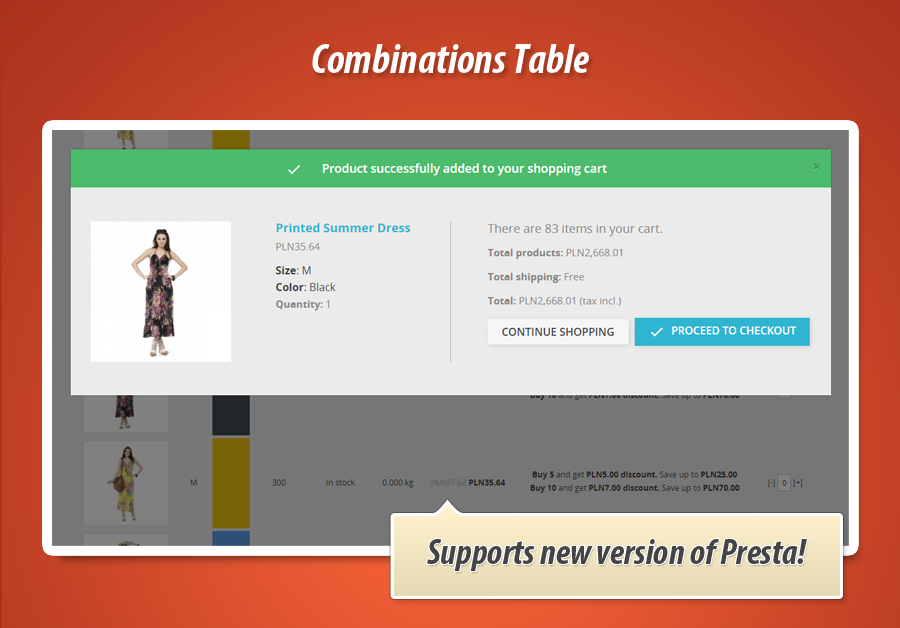
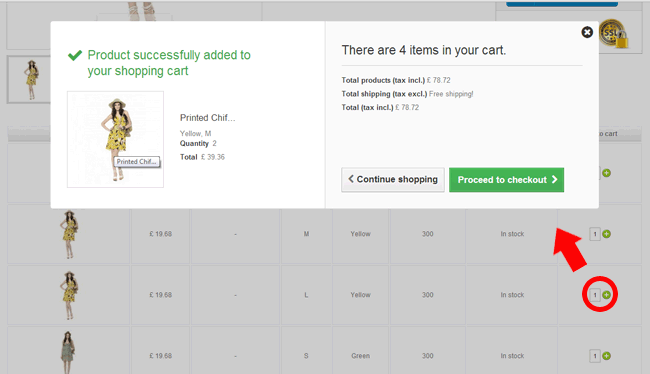
- added improvements to add to cart confirmation popups when bulk add to cart option is active
2.7.7
- added new search controller for module's "product's restrictions" feature
2.7.6
- added improvements to combination's exclusion search tool
2.7.5
- solved problems with sorting functions in warehouse theme
2.7.4
- added improvements to module usage in prestashop 8.x environment
2.7.3
- added new feature to hide combinations table if product has less than X attributes
- you can activate this option and define number of attributes. If product will have combinations that are created with less attributes than this value - combinations table will not appear for this product
- improved module workflow in prestashop 8.x environment
2.7.2
- added support of color zoom module to zoom color attribute / textures
2.7.1
- added improvements to availability column
- from now each text (in stock/out of stock) have own class so it can be personalized with css styles
2.7.0
- added improvements to appearance of volume discounts with active wishlist module in prestashop 1.7.8.x
2.6.9
- added feature to display unit price
2.6.8
- added improvements to appearance of textures if product has more that 2 attributes "color"
2.6.7
- added improvements to varaible escaping process to avoid problem with message User Notice: escape: unsupported type: - returning unmodified string - applicable especially for prestashop 1.7.8.4
- added feature to sort combinations table with new value - specific attribute position
2.6.6
- added new feature to hide "volume discounts" column if product will not have quantity discount (if combinations will not have quantity discounts)
2.6.5
- added improvements to fancybox zoom feature
- it opens picture on the same position (it does not scroll page to top)
2.6.4
- added improvements to apperance of pictures (in some environments there was a problems with pictures visibility)
2.6.3
- added improvements to feature that switches selected combination
- from now image is clickable as well
2.6.2
- re-added attribute values sorting - this time it works correctly
2.6.1
- added fixes to recently added feature to avoid missing attributes in filters
2.6.0
- added improvements to filters feature, from now filter values are sorted by value position in shop's back office
2.5.9
- added javascript improvements to prestashop 1.7.x version of the module
2.5.8
- added improvements to ajax function and sorting feature
2.5.7
- added feature to support group settings related to prices visibility (if group settings will hide the price - the module will not show product prices as well)
2.5.6
- added possibility to disable tax lables (near price: tax incl., tax excl.) in prestashop 1.6.x
2.5.5
- added possibility to disable tax lables (near price: tax incl., tax excl.) in prestashop 1.6.x
2.5.4
- added improvements to filters feature to avoid problem with workflow
2.5.3
- added feature to sort attributes on "filters" list. From now module sorts this list by attribute position
2.5.2
- added combination's reference number to the list of excluded combinations from table
2.5.1
- added improvements to module core to avoid message about "Invalid argument supplied for foreach() in /home/hhimgmar/public_html/modules/combinationstab/combinationstab.php on line 1785"
2.5.0
- added improvements to recently added features (image column + support of quickView window)
2.4.9
- added new feature to display image column only if at least one combination is associated with picture
2.4.8
- added support of module usage inside quickVIew window (in hook displayProductAdditionalInfo)
2.4.7
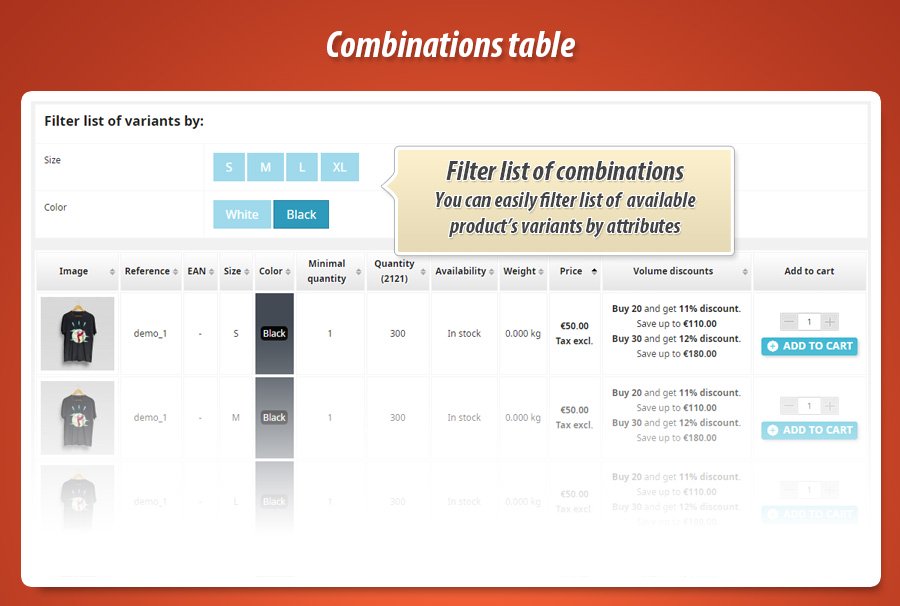
- added new feature that allows to list of available products' variants by attributes
2.4.6
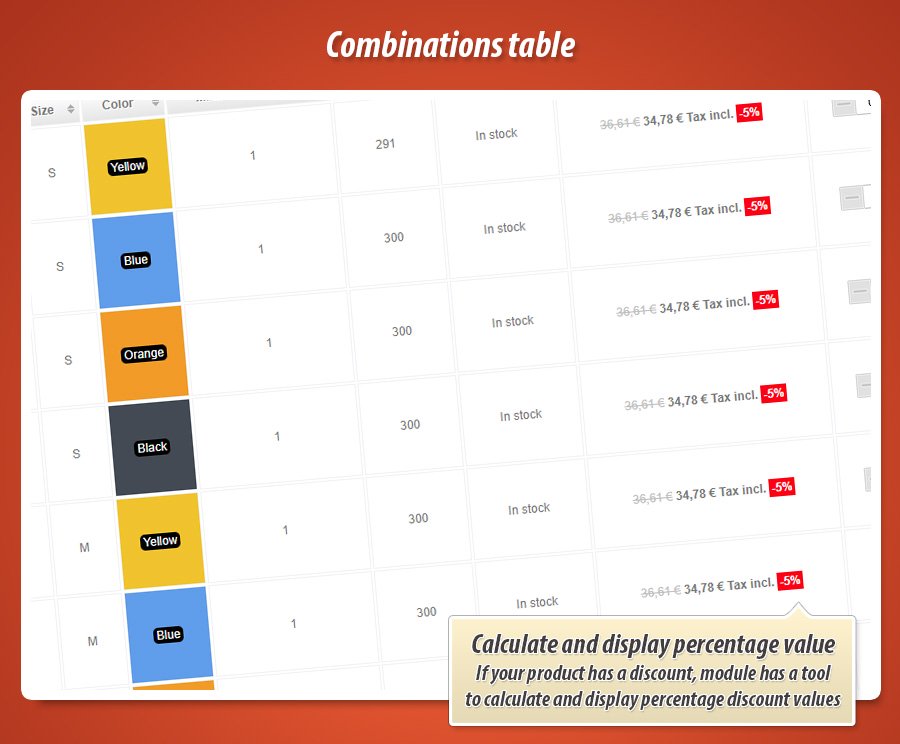
- added feature to display percentage value of discount (if any)
2.4.5
- added improvements to cooperation with minimal product quantity module
2.4.4
- added new feature to display total sum of combinations quantities near "quantity" heading
2.4.3
- added improvements to appearance of "quantity" field,
- from now when product has minimal quantity defined - the field will be equal to this value
2.4.2
- added improvements to translations of tax included / tax excluded prices
- added improvements to pagination feature
- added improvements to sorting feature (ascending/descending sort way)
2.4.1
- added improvements to ajaxCart function to avoid conflicts with templates like angarTheme that incldues own ajaxCart functions (in prestashop 1.7.x)
2.4.0
- added fixes to problems with combinations table appearance on product pages
2.3.9
- added new feature to define product restrictions based on products' association with categories
- for example you can show combinations table on product pages associated with selected categories
- for example you can exclude combinations table from product pages associated with selected categories
2.3.8
- added improvements to price display type, both in price summaries and in prices that appear inside combinations table
2.3.7
- added feature to switch attributes inside default prestashop's attributes feature (on product page) when someone will click on combination inside combinations table. Option can be enabled or disabled.
2.3.6
- added improvements to module usage in prestashop version 1.7.x
- improvements are related to missing variables available_now and available_later
2.3.5
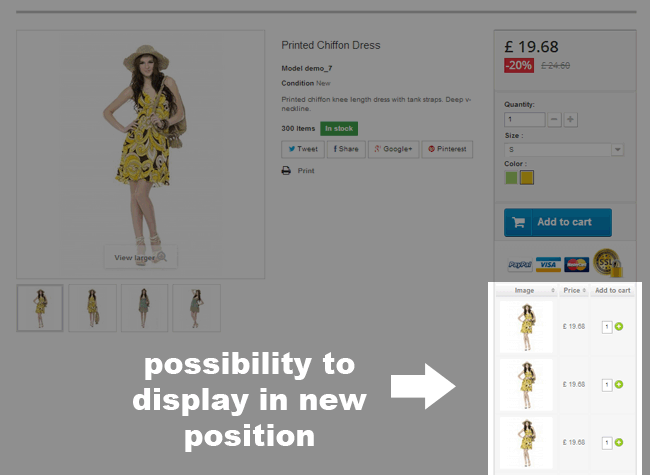
- added support of new positions: displayRightColumnProduct, displayRightColumn, hookdisplayLeftColumnProduct, hookdisplayLeftColumn
2.3.4
- added improvements to module scripts to support recent changes in prestashop 1.7 related to upgrade of ps_shoppingcart module
- removed unused scripts
2.3.3
- changed the way of how "availability" field works
- from now it supports prestashop 1.7.x properly.
2.3.2
- added improvements to module usage in prestashop 1.7.6.x
- improvements are related to back office of the module where you can define exclusions
- search tool for product and its combinations works properly now
2.3.1
- added improvements to module appearance in displayProductAdditionalInfo hook in PrestaShop 1.7
- module sort and zoom features do not stop to work once you will update your product page or add some new items to cart (or increase quantity field value)
2.3.0
- added improvements to sort by price feature
- added new option to decide what font package module will use to create "add to cart" icons. You can select MaterialIcons of FontAwesome
2.2.9
- added improvements to module's updates checker feature
- added improvements to support of module to define minimal product quantities
- module does not generate the javascript errors anymore, if product has attributes, but minimal quantities are defined for global aty of item (not for combinations)
2.2.8
- added improvements to recently added feature to make module work better in multistore environment.
- from now combinations that do not have attribute in one shop can be hided properly, even if there are more than one atrribute in combination
2.2.7
- added minor improvements to add to cart in bulk feature - it cleans up the price summarty once items are added to cart
2.2.6
- added fixes to sort feature by attribute that was affected by recently added option to hide column(s)
2.2.5
- in multistore environment you can control the visibility of attribute values, module started to support this feature
- from now you can decide what to do if combination exists in product, but attribute value doesnt
- you can hide combination
- you can hide attribute
- you can display combination
2.2.4
- added improvements to module productfooter.tpl file that is responsible for combinations table layout
- added fixes to avoid error message about 'unidentified' index 'image'
2.2.3
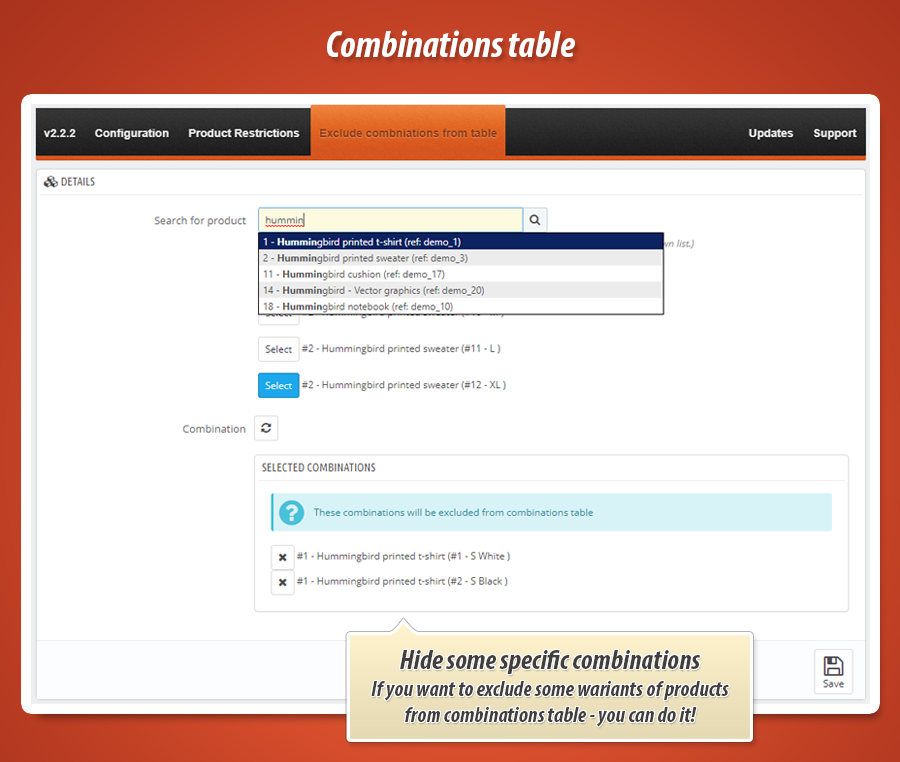
- added feature that allows to exclude selected combinations from table that module generates
- option is available on module configuration page where you can find specific product and select its combination(s) that you want to remove from combinations table
2.2.2
- added improvements to visibility of combinations table with activated restrictions mode
2.2.1
- improved support of "minimal product quantity" module
- combniations table works with minimal quantities from the module now
- combinations table works with multiplied values of quantity field
2.2.0
- added improvements to columns with attributes
- each column has own unique class that identifies attribute by ID
- thanks to this you can hide columns with selected attributes
2.1.9
- added feature to hide table header (column names)
- you can enable or disable this option
2.1.8
- added js improvements to avoid conflicts with "products in the same category" and with "multi accesories pro" module
2.1.7
- added improvements to feature that informs about required quantity - eliminated problem with languages that use apostrophes
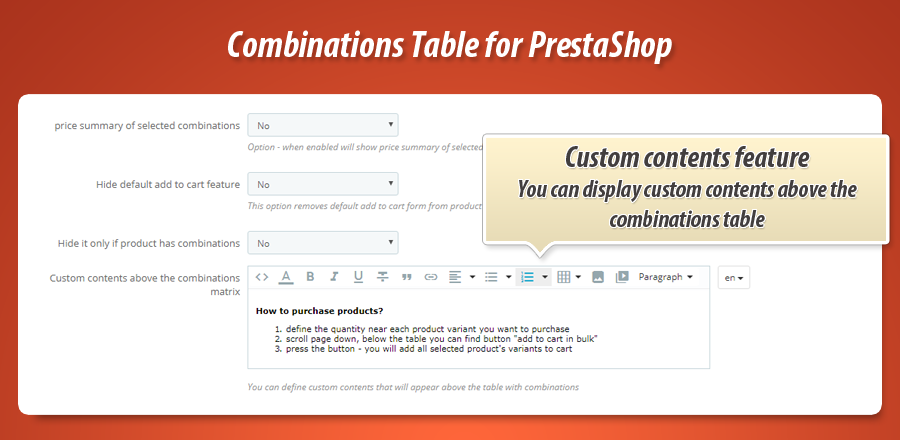
- added new feature to display custom contents above the combinations table
2.1.6
- added improvement to add to cart in bulk process, now it has feature to remind customer that it is required to define the quantity first (if customer will not define quantities)
2.1.5
- added improvements to 'add to cart in bulk' again, for prestashop 1.7.x
2.1.4
- added improvements to 'add to cart in bulk' feature
- add to cart confirmation window appears properly now in prestashop 1.7.x
- added support of "minimal quantity" module
2.1.3
- added feature to exclude combinations table from selected product pages
2.1.2
- added feature to hide "add to cart" for unlogged users
2.1.1
- added improvements to "add to cart in bulk" process
- module cleans up the table's quantity fields after successful add to cart process
2.1.0
- added improvements to recently added feature to show price type (tax included / tax excluded)
2.0.9
- added improvements to modal window with add to cart process confirmation
- now prestashop 1.7 should spawn it only one time
2.0.8
- added new option that decides about the type of price that module will show
- now you can select option to display price type based on the customer group settings
2.0.7
- added improvements to javascript variables on product page
- added improvements to generation process of product pictures (in PrestaShop 1.7)
- added support of custom hook "CombinationsTable"
- if you want you can use it in your product.tpl file to display combinations table {hook h='CombinationsTable'}
2.0.6
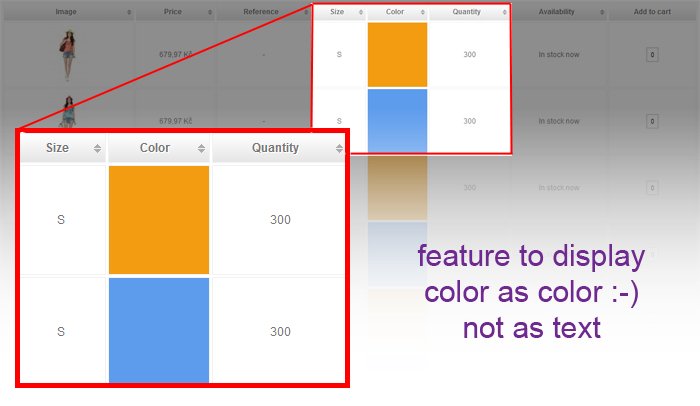
- added improvements to previously added feature - it works with textures too
2.0.5
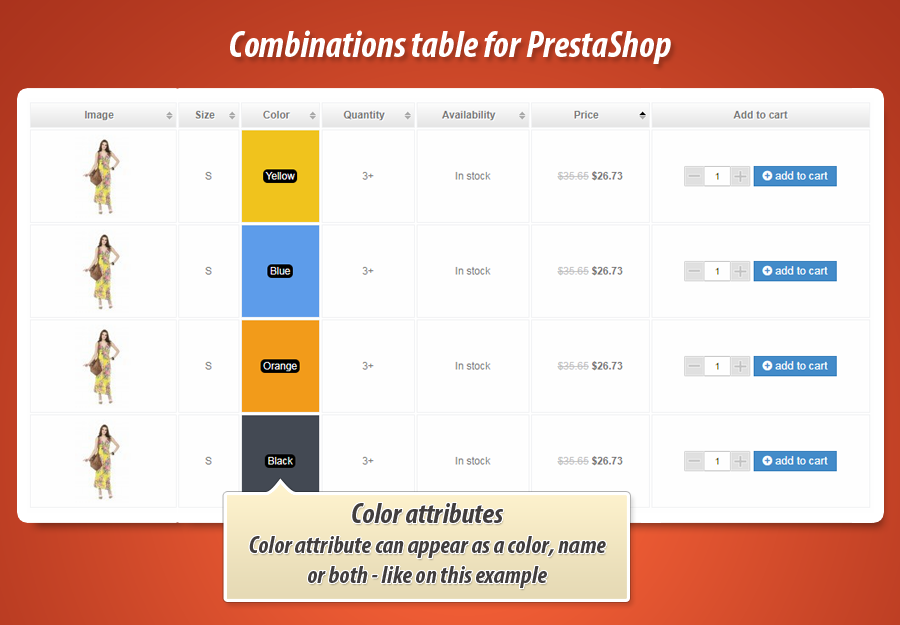
- added feature to display color attribute as a color and label at the same time
2.0.4
- added css improvements to display quantity field with better design
- added improvement to hide "combinations" tab when product does not have combiantions (in prestashop 1.7)
2.0.3
- added improvement to prestashop 1.7 hooks usage - now module can be used in hook displayProductAdditionalInfo
2.0.2
- added new feature that allows to show default product image when combination does not have any associated image
2.0.1
- added feature to show / hide attribute label
- This option - when enabled - will include attribute label(name) near the attribute value.
- Attribute with label example: Color: Red, Size: L
- Attribute without label example: Red, L
2.0.0
- added fixes to module .js files, it does not spawn ct_pagination JS error when product does not have combination (so no combination talbe is available on product page)
1.9.9
- added improvements to restrictions feature (to show / hide combinations table only for specific products)
1.9.8
- added improvements to "hide quantity above defined value" option, now it is available also in prestashop 1.7.x
1.9.7
- added improvements to sort by feature
- you can sort by price without enabling sort by attribute feature
- better configuration tool that hides unnecessart sections
- improved tablesorter script
1.9.6
- improved feature to hide default add to cart block, both in PS 1.7 and 1.6
1.9.5
- added improvements to "sort by" feature
- if you will set module to sort combinations by attribute it will not break up the combinations table if it will not have a defined attribute
1.9.4
- added improvements to 'add to cart in bulk' process,
- module creates a cart properly now, previously if customer access to page without cart (no products added previously) module added only one product to cart. now it adds all selected products properly.
1.9.3
- added fixes to price type display, if you will select option to display price tax excluded, price summary shows price tax excluded too
1.9.2
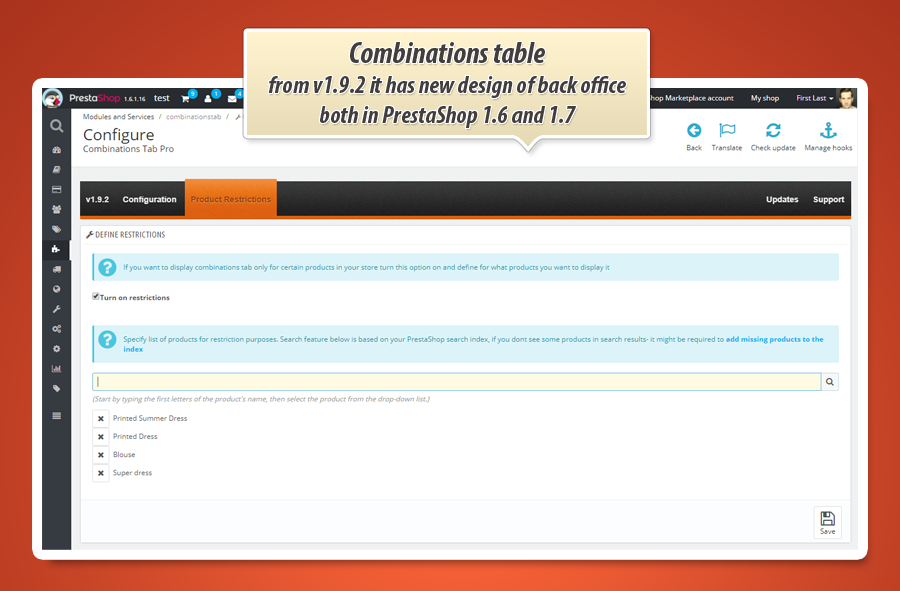
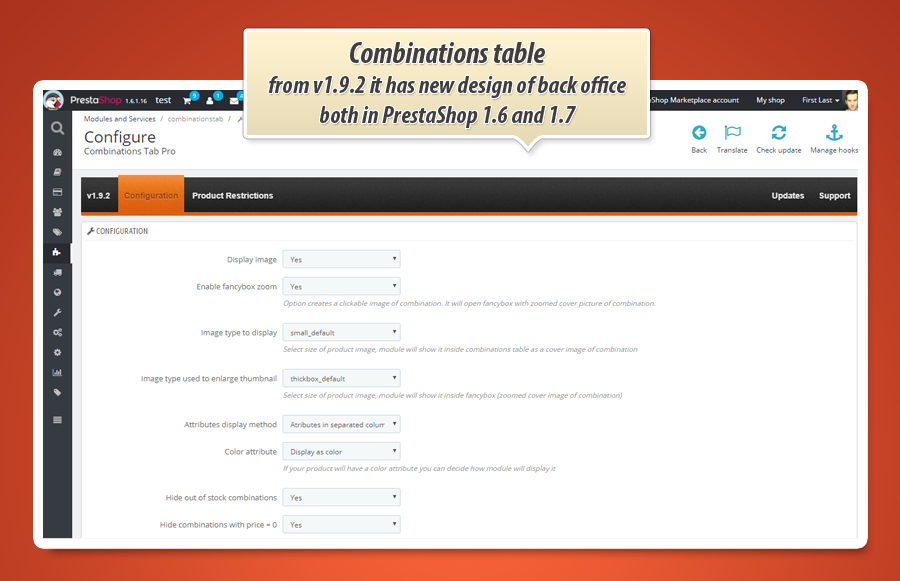
- redesigned back office of the module in PrestaShop 1.7
- added full spanish and french translation
- added support of product page tabs in PrestaShop 1.7
1.9.1
- redesigned back office of the module in PrestShop 1.6
- added full polish and talian translation
1.9.0
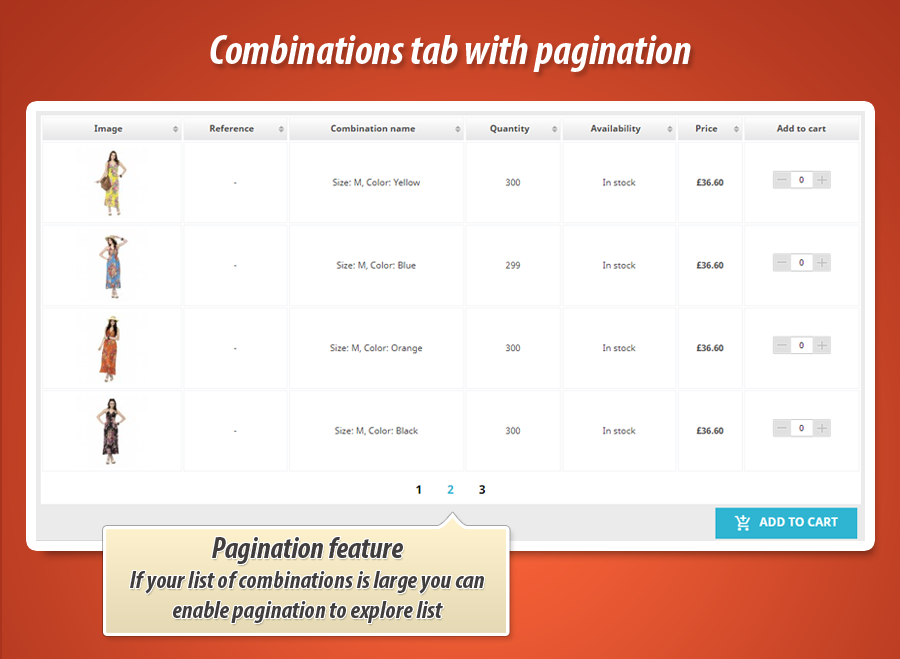
- added feature to enable pagination
- you can specify how many combinations per page module will display inside table
1.8.9
- added fixes to feature to display combinations table on selected product pages only, fix is related to prestashop 1.7.x because problem was only there
1.8.8
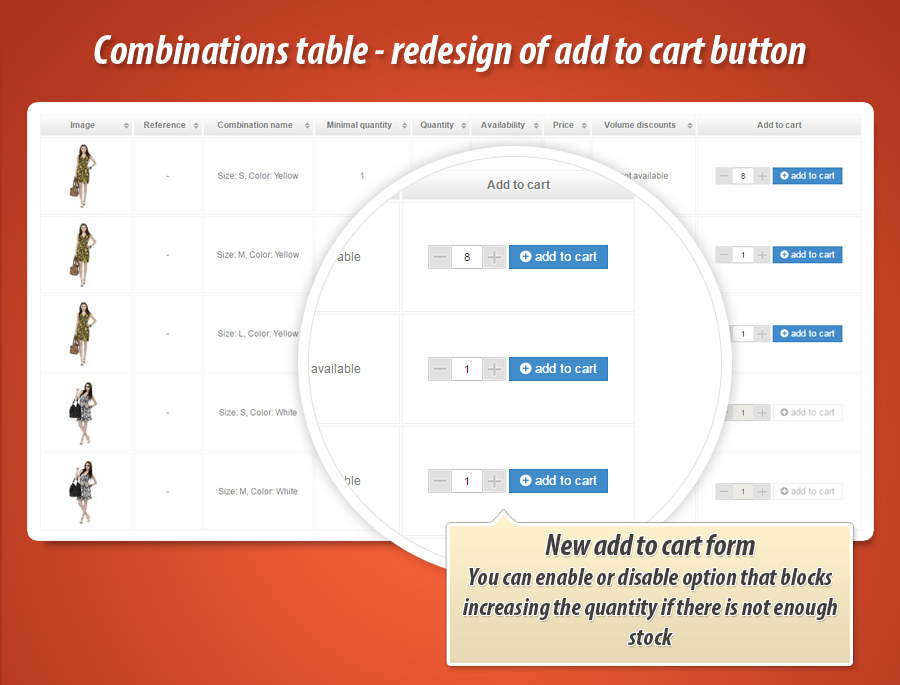
- added feature to turn on / turn off possibility to increase quantity field value to value higher than available stock
- added styles improvements to quantity field and to [+] and [-] buttons
- due to the changes in the javascript and css files it might be required to clear browser cache to see the changes immediately
1.8.7
- added improvements to "volume discount" feature, now it displays value of discount properly (value related to combination, not to the global product value)
- added improvements to "availability" column, it displays availability date only if product is allowed to backorder
- added "out of stock" message to availability column if there is no stock of product and no availability date option
- added fixes to calculation process of total value of selected combinations, it calculates the value properly with included quantity discounts
- added texture image in PrestaShop 1.7.x
- added new feature to sort table with combinations' price column
1.8.6
- added improvements to prestashop 1.7 add to cart process
- module hides modal window with add to cart cofirmation properly now
1.8.5
- added fixes reated to inclusion o javascript files. they are included on product pages only (it is not necessary to load them on other pages because table appears only on product pages)
1.8.4
- added improvements to 'sort by' feature (now sorty by is activated properly)
- added improvements to increase quantity [+] button (now customers cant add more products to cart than current quantity)
- added new updates checker feature (better performance and code optimization)
- improvements related to prestashop 1.7 - now if you want to hide the default add to cart box - it will disappear properly
1.8.3
- added option that allows to hide quantity information if current combination stock is higher than defined value
- you can specify the value (module will hide exact stock info for combination)
- updated feature that checks if new version of module is available
1.8.2
- added improvements to volume discounts .tpl file
- now you can properly translate texts related to volume discounts
1.8.1
- added support of PrestaShop 1.7
- module for PS 1.7 has now separated library to fully support PS 1.7 architecture
- added fixes related to appearance of color attribute on mobile devices
1.7.6
- added fixes related to appearance of combination name on mobile devices
1.7.5
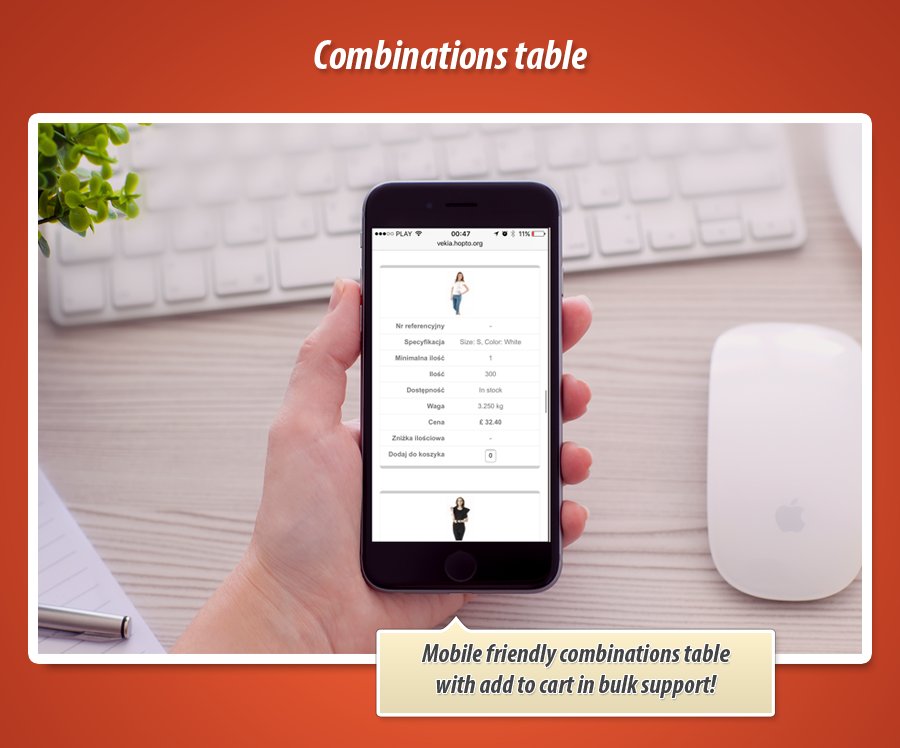
- added better table support on mobile devices
- now module creates responsive table that appears properly on mobile devices (tablet and mobile)
1.7.4
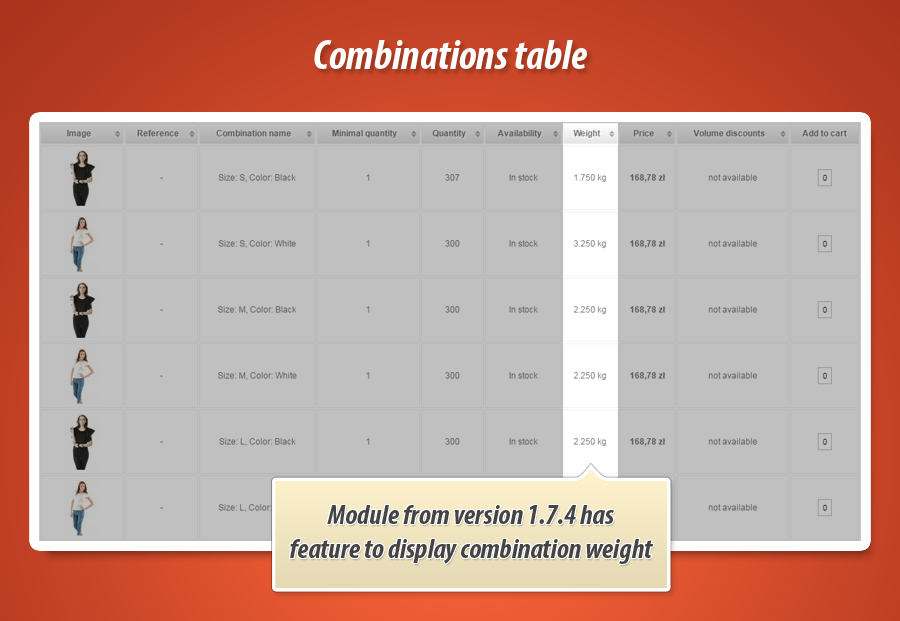
- added feature to display weight of the combination
- module calculates the final weight depending on the combination "impact" type (reduction or increase of produt weight)
- updated translations of new features (this one and added previously too)
1.7.3
- added feature to eliminate "notification" about unidentified variable while module calculates combinations price
1.7.2
- added better support of price summary for "add to cart in bulk"
- price summary includes all products discounts now (like quantity discounts, special prices or customer's discount)
- added support of PrestaShop 1.7.x
1.7.1
- added fixes related to appearance of volume discount with option "hide out of stock combinations"
1.7.0
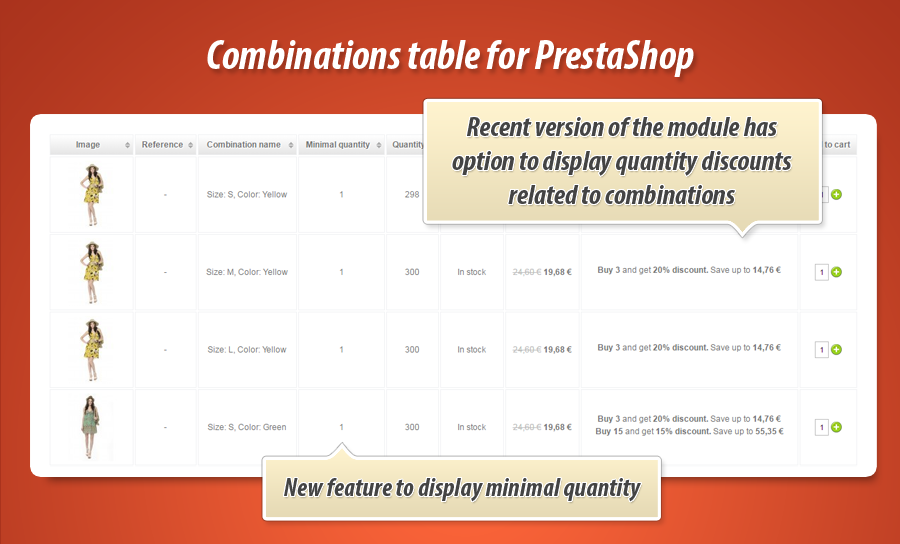
- added new feature to display volume discounts for combination
- added new feature to display minimal quantity for combination that is required to place an order
1.6.9
- module has feature to disable combinations that have price 0.00
1.6.8
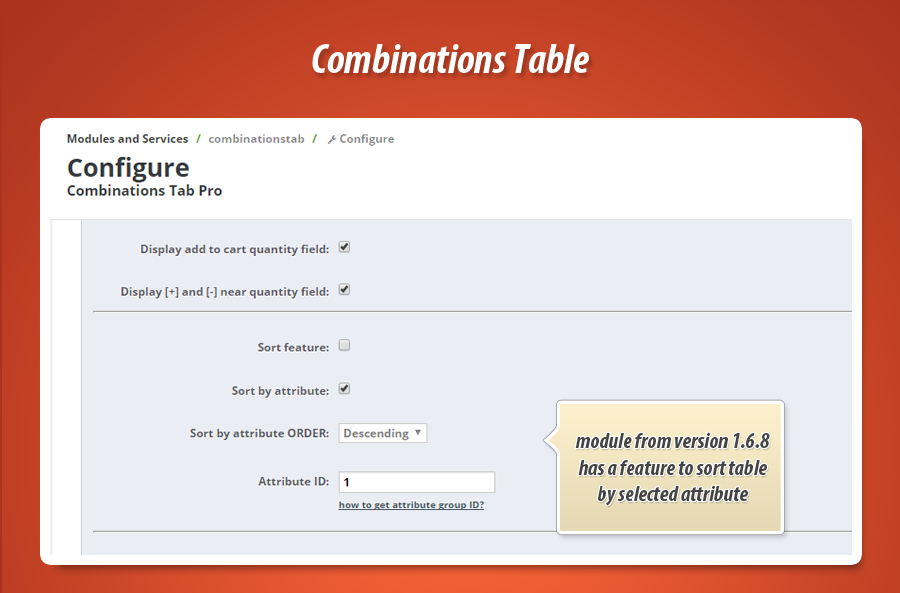
- added option that allows to sort table by default by selected attribute
- possibility to define the attribute (table will be sorted based on this attribute)
- possibility to define ascending / desceinding order way
1.6.7
- added fixes related to add to cart process with "secured front office"
- now module adds produtcts to cart properly even if the "front office security" is enabled (for logged customers)
1.6.6
- added fixes to recently added feature to display final price summary for many selected items from combinations table
1.6.5
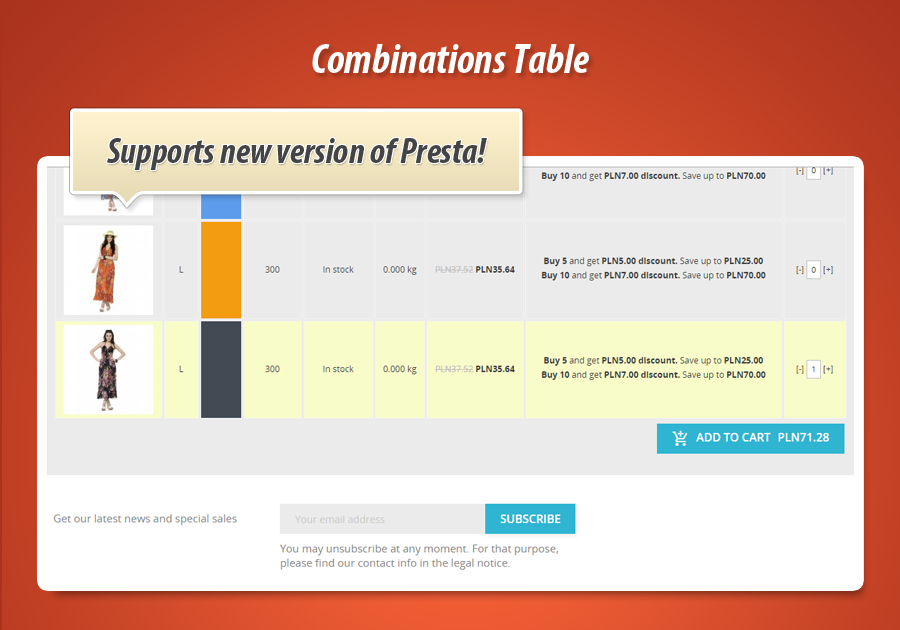
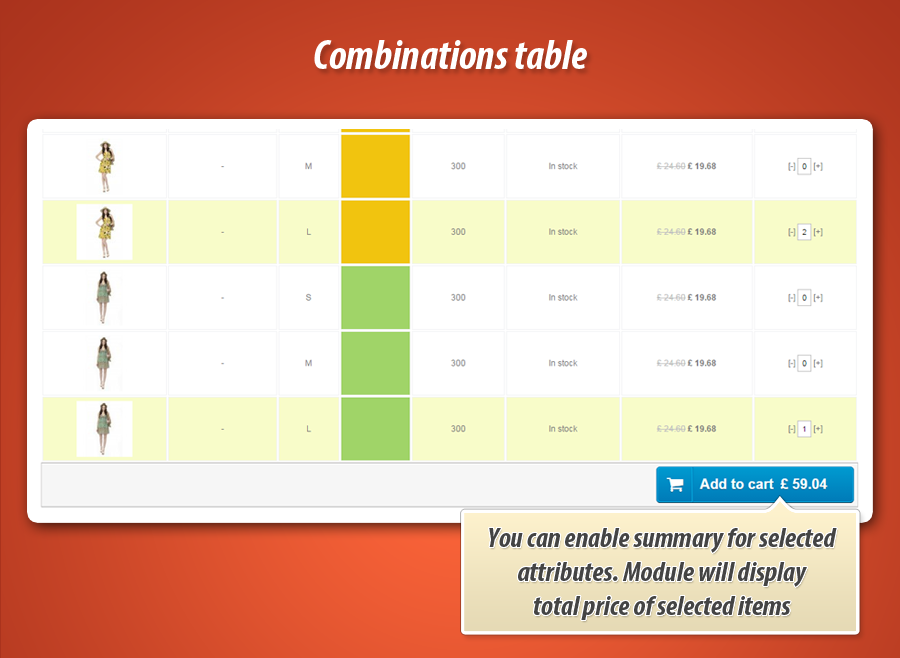
- added feature to display price summary of selected combinations
- added translations for new features available in the module
1.6.4
added better updates feature
now you can check for module update directly from module back office
you can enable / disable notifications about new versions of the module
added fixes related to appearance of "undentified variable" that appeared on product pages where combinations table was included
1.6.3
added fixes related to appearance of textures (color attribute)
module displays texture if it is uploaded to the color attribute
if color attribute will not have texture uploaded - module will display color instead
1.6.2
added improvements related to updates notification system
added full french translation
1.6.1 | 2016-05-18
added automatic updates notifications system
when new version will be available - you can see notify about it from your shop back office
1.6.0 | 2016-05-09
added feature to display EAN code for combination
you can enable / disable appearance of EAN code
1.5.9 | 2016-03-16
added fixes related to order of columns with attributes
1.5.8
added option to decide if you want to hide default buy block everywhere, on selected product pages or only if product doesnt have combinations
1.5.7
option to enable / disable appearance of price for unlogged customers
1.5.6
fixes for appearance of columns with attributes, especially if product has no attribute in combination.
1.5.5
improvements related to apperance of "availability" column. It now can include also product availablility date
1.5.4
added appearance of prices, if combination will have reduced price - module will display striked based price and normally reduced price
1.5.1
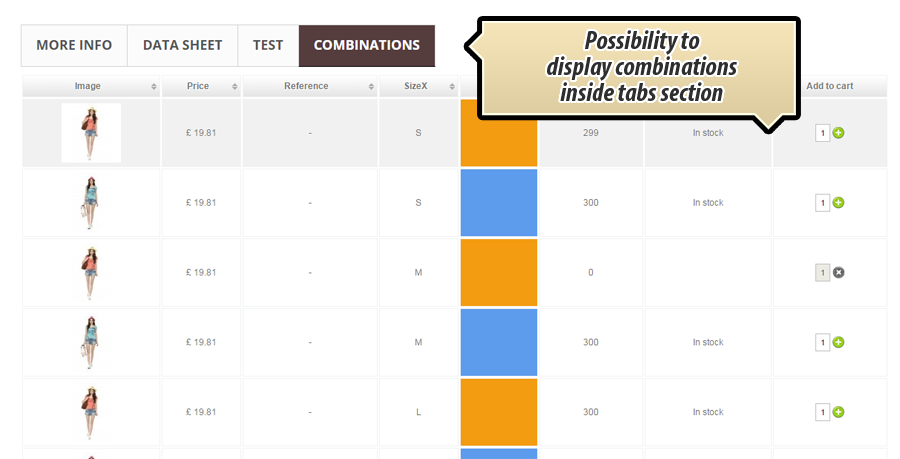
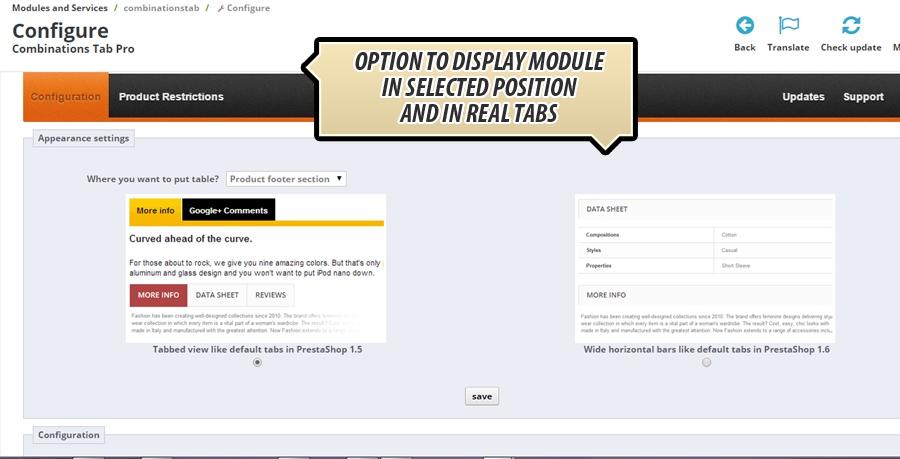
possibility to add module to display combination table in product tabs (with option to select tabs type)
1.4.3
Spanish translation improvements
1.4.2
fixed appearance of combination (attribute name) - now module selects public name of attribute (not internal as before)
1.4.1
fixes related to textures appearance