
PrestaShop Product page CMS tab
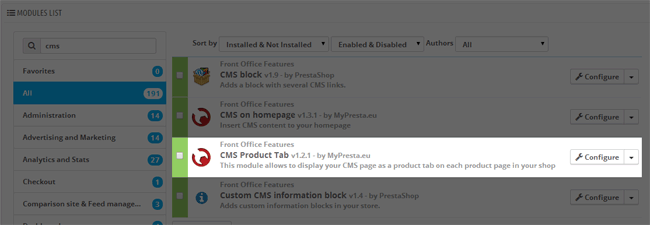
This module allows you to create new CMS tab on each product page. You can select one CMS page from your shop and this page will appear as a new product tab on each product page. Module will display this tab automatically, you just have to select page you want to display.
0
00
€
Why are there several versions of the module?
This is due to the fact that different PrestaShop releases use different programming solutions. Features working e.g. in PrestaShop 1.7 may not work in PrestaShop 9. Hence the need to release different versions of the module, which will ensure operation in many different versions of the shop.
This is due to the fact that different PrestaShop releases use different programming solutions. Features working e.g. in PrestaShop 1.7 may not work in PrestaShop 9. Hence the need to release different versions of the module, which will ensure operation in many different versions of the shop.
We develop the module for free - if you want - support us!
Galeria
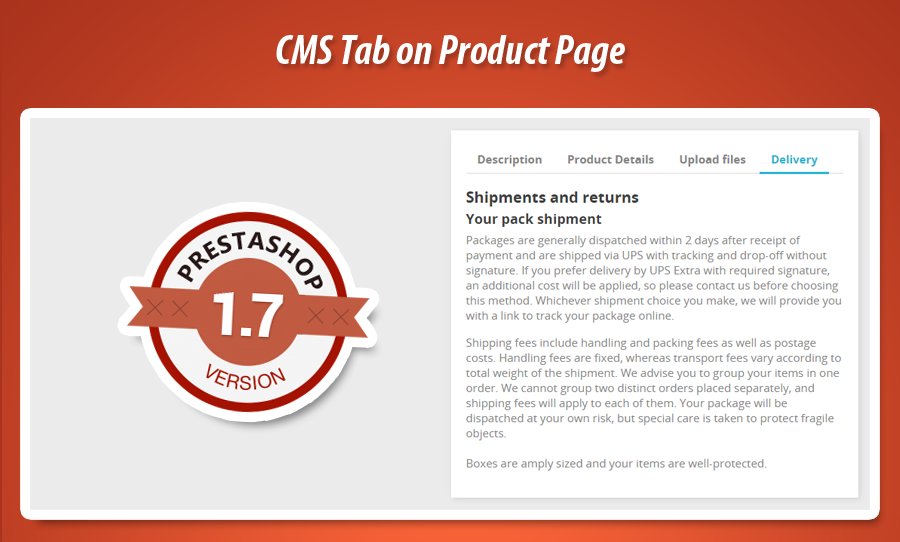

Custom CMS Product Tab
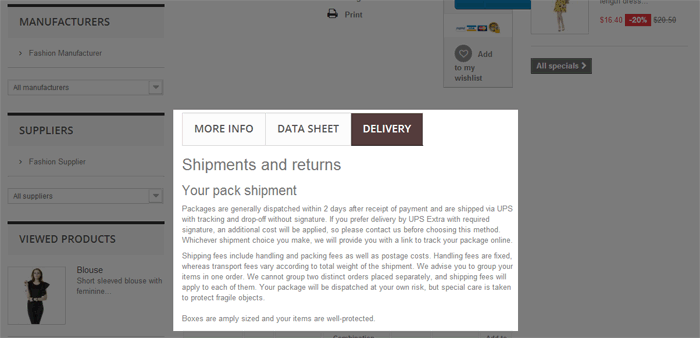
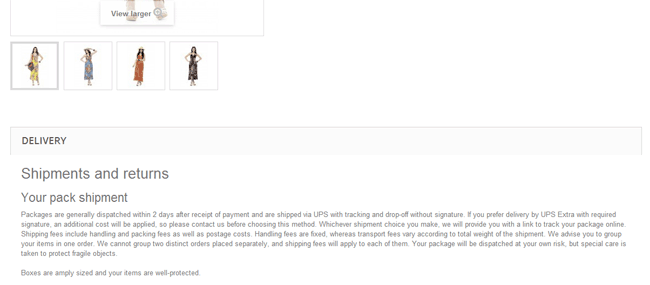
This PrestaShop module significantly enhances product pages by enabling merchants to seamlessly integrate any existing CMS page content directly into a dedicated product tab. This powerful feature allows for the display of additional, detailed information, greatly enriching the customer experience. A core functionality is the module's flexibility in visual presentation. Users can choose between two distinct tab styles: the modern, wide horizontal bars typical of PrestaShop 1.6, or the classic, traditional product tab design found in previous versions. This adaptability ensures perfect visual alignment with your store's theme, offering a professional and consistent user interface for diverse PrestaShop environments.
Module version:
1.4.2
Shop versions:
9.x8.x1.7.x1.6.x
Works with ThirtyBees:
Yes
Translations:


This prestashop module allows you to select one CMS page from your shop and display it as product tab on product page. It's worth to mention that module has got feature to select what kind of tab you want to display. You can select: tabs like in prestashop 1.6 (wide horizontal bars) or tabs like in earlier versions of prestashop (real product tabs).


0
00
€
Why are there several versions of the module?
This is due to the fact that different PrestaShop releases use different programming solutions. Features working e.g. in PrestaShop 1.7 may not work in PrestaShop 9. Hence the need to release different versions of the module, which will ensure operation in many different versions of the shop.
This is due to the fact that different PrestaShop releases use different programming solutions. Features working e.g. in PrestaShop 1.7 may not work in PrestaShop 9. Hence the need to release different versions of the module, which will ensure operation in many different versions of the shop.
We develop the module for free - if you want - support us!
Module Gallery
Why choose our module
Product page CMS tab?
Optimization and Automation
This module optimizes content management by enabling the reuse of existing CMS pages as product tabs, ensuring consistent information delivery across products. It automates the display of crucial details like shipping or return policies, streamlining content updates and reducing repetitive manual data entry for an efficient product page experience.
Increased Sales
Increase sales by seamlessly integrating crucial CMS content, like FAQs or detailed guides, as product tabs. This provides immediate, comprehensive information, building customer trust and reducing purchase friction. By enhancing the shopping experience and proactively addressing potential concerns, the module directly drives higher conversion rates.
15 years of experience
With 15 years of PrestaShop experience, we understand platform evolution inside out. This module seamlessly displays CMS pages as product tabs, offering the flexibility to choose between classic PrestaShop 1.6 horizontal or older version tab styles. Our deep insight ensures perfect integration, reflecting our comprehensive knowledge of PrestaShop's UI history.
Extensive Customization
This module offers extensive customization, allowing you to select any CMS page content to display as a dedicated product tab. Further personalize your shop's appearance by choosing the tab style: either modern PrestaShop 1.6 wide horizontal bars or classic real product tabs, ensuring a perfect visual fit.
Open Source Code
This module provides full access to its source code, empowering developers with complete freedom to customize the CMS tab display and integrate it seamlessly within their PrestaShop environment. No encryptions ensure limitless modifications.
License and Updates
Your license grants perpetual module usage. Free updates, ensuring compatibility and optimal performance for features like displaying CMS content as product tabs, are provided for one year. Post-year, discounted renewal options are available for continued access to support and the latest versions.